.png)
Scope and Purpose
The purpose of this document is to facilitate the implementation and use of a disbursement charge based on fees billed during the invoice preparation process.
Its scope extends across code creation, set-up requirements within system settings and functional options during the invoice process.
Highlights
The ability to create and edit a percentage of fee disbursement charge during the invoice preparation process, is based on the set up of a disbursement code intended for this purpose.
Once the new disbursement code is created, rated and set-up for use within Acumin system settings, users will have the option to generate and edit the new percentage-based disbursement charge within the unposted invoice properties form.
Set-Up Requirements
New Disbursement Code
New Disbursement Code
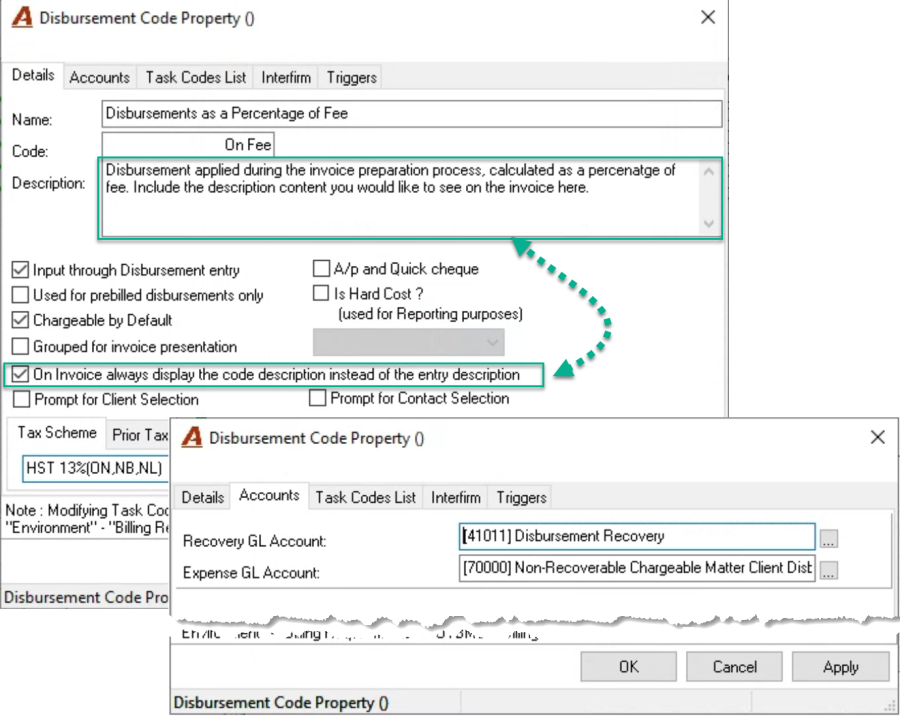
Create a new disbursement code in context of the firm's GL structure and naming conventions.
New Disbursement Code Rate
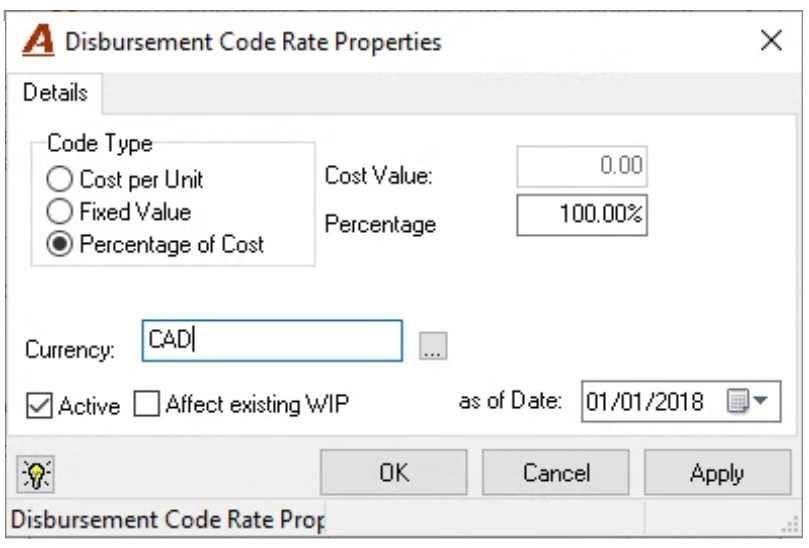
Set the new disbursement code with a percentage of cost rate.
Press on the "Bank Reconciliation" icon located within the banking section of the task bar to get started.
Acumin System Settings – Details Tab
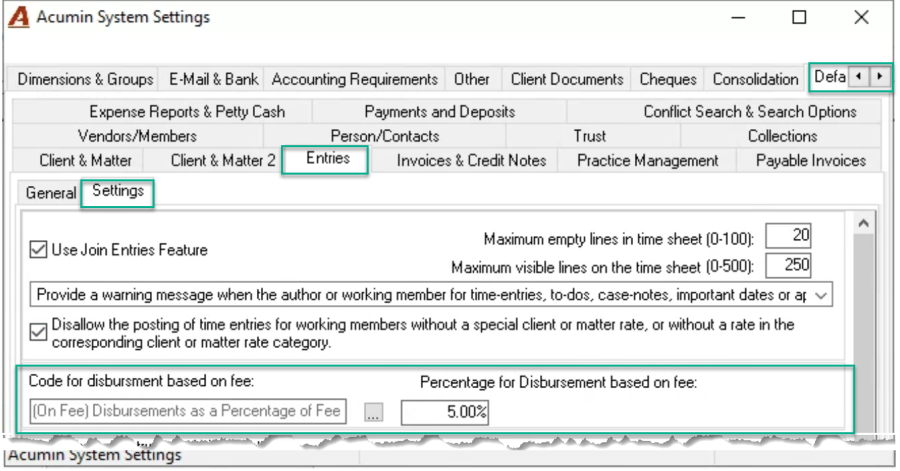
Update the code for disbursement based on fee field found in the entries – settings sub-tab with the new code and set the default percentage value to be used.
Functionality
Application of Fee-Based Disbursement Charge
Complete the invoice modifications first on the entries and/or paragraphs tab as these may affect the fee amount. Once on the totals tab, press on the execute button to the right of the default percentage to calculate and apply the default fee-based disbursement charge.
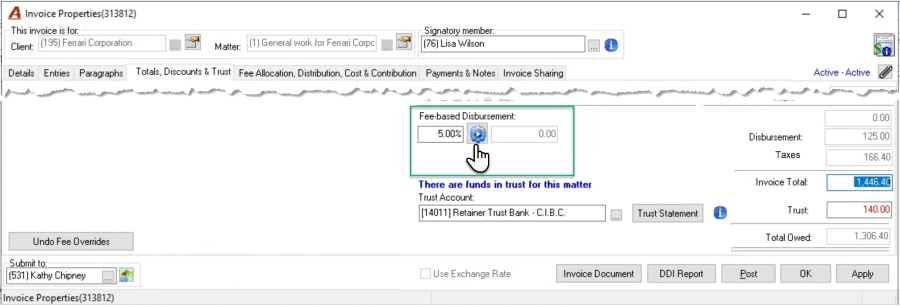
Exceptions: You have the option to override the pre-set percentage before execution. Alternatively, override the calculated disbursement charge to create a disbursement variance.
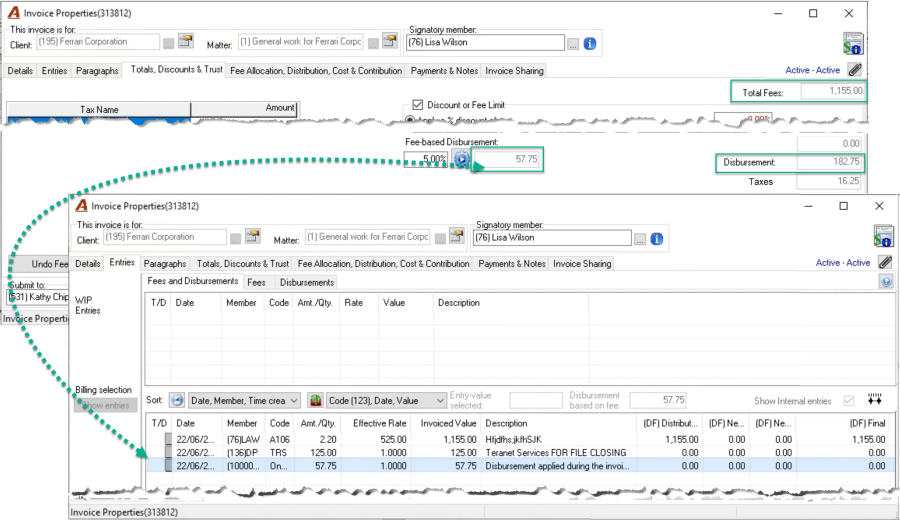
Edit the Calculated Fee-Based Disbursement Charge
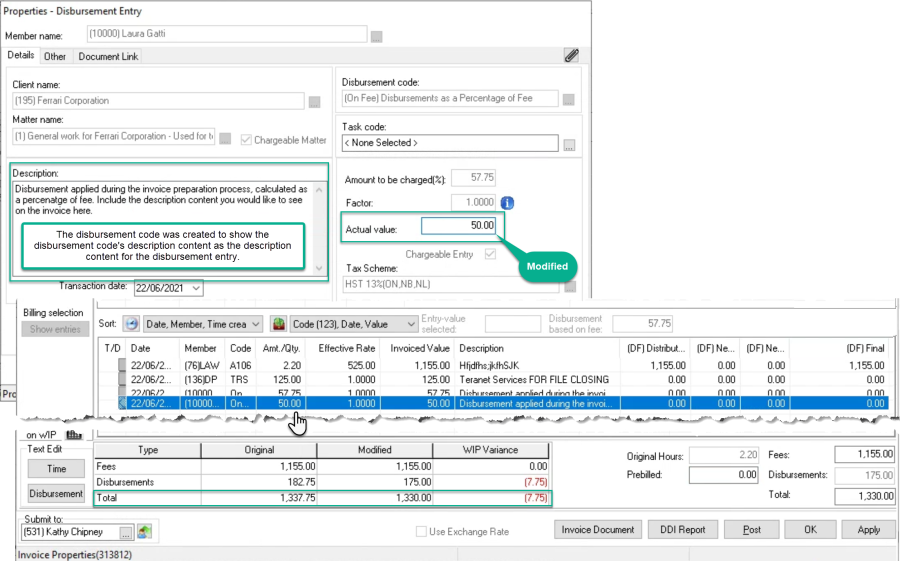
To edit the calculated fee-based disbursement charge, access its properties from within the entries tab.
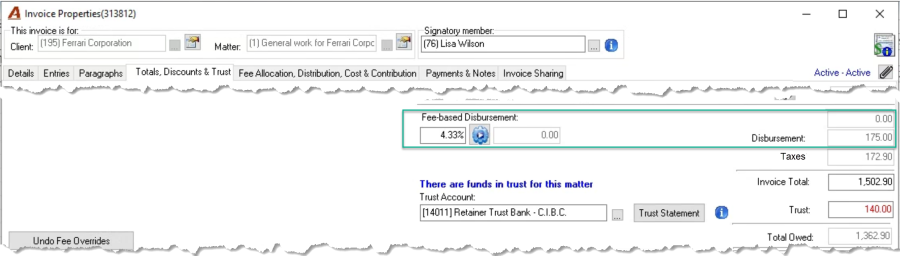
Modifications to the calculated fee value will trigger a disbursement variance (gain or loss) and update the percentage field content.
GL Operations
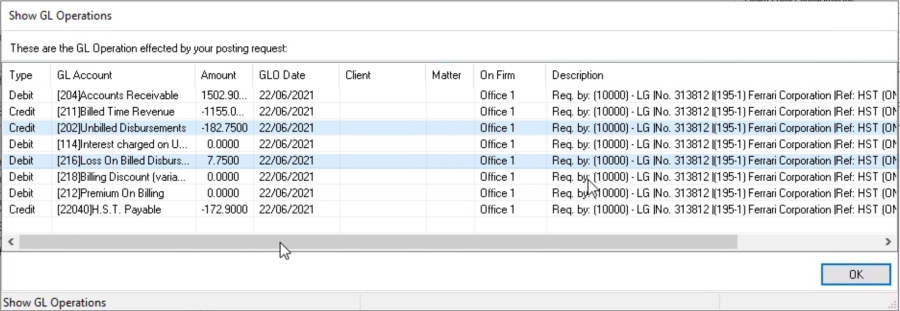
The invoice posting function will trigger the GL operations in context of gains or losses triggered, as with any other disbursements