.png)
Posted Invoices – Fee Allocation Override
Process
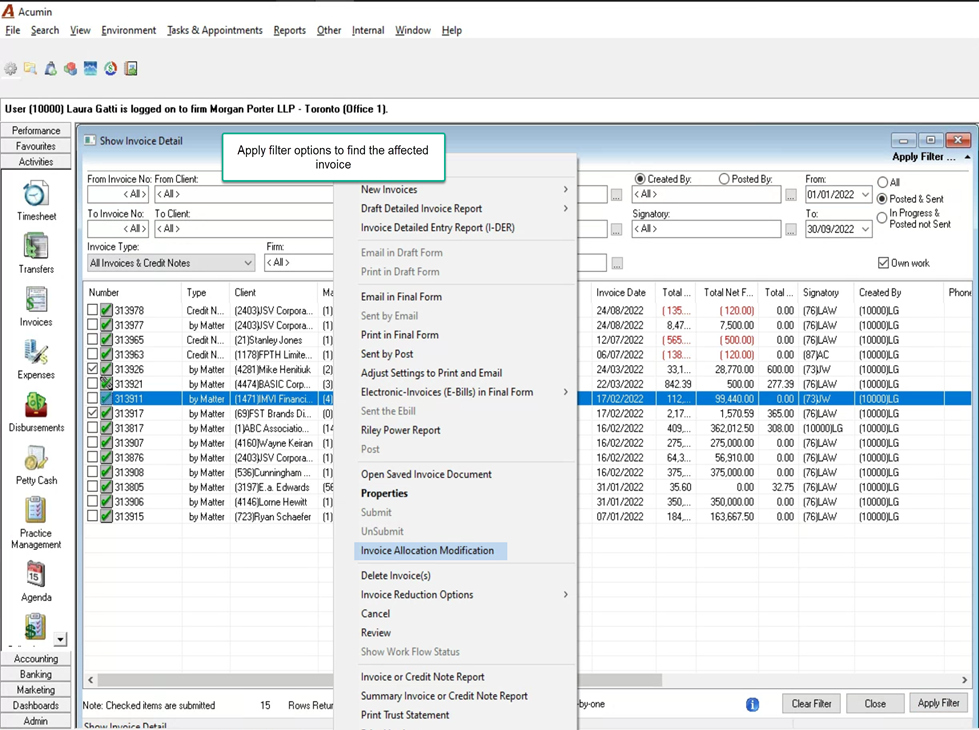
From the “Activities” section of the task bar select invoices to launch the “Show Invoice Detail” filter and results form.
Filter for the posted invoice to be modified. Consider the status of the posted invoices (sent or not).
Highlight and right-click to select “Invoice Allocation Modification” to launch the “Invoice Allocation Properties” form. If this option is not available, ensure that the user’s security group has the required security (see last section on this document) and/or that the invoice is not converted or not yet posted.
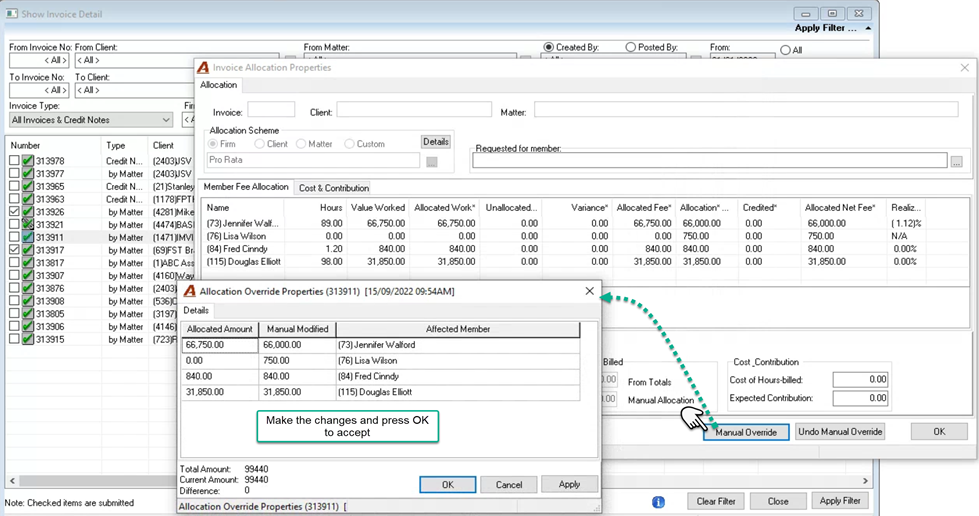
Once on the “Invoice Allocation Properties” form, press on “Manual Override” to launch the “Allocation Override Properties” form to make the necessary changes. The new allocation results must equal the total fee for the posted invoice (difference of 0).
Press OK to accept the changed and exist the “Allocation Override Properties” form and OK to exit the “Invoice Allocation Properties” form.
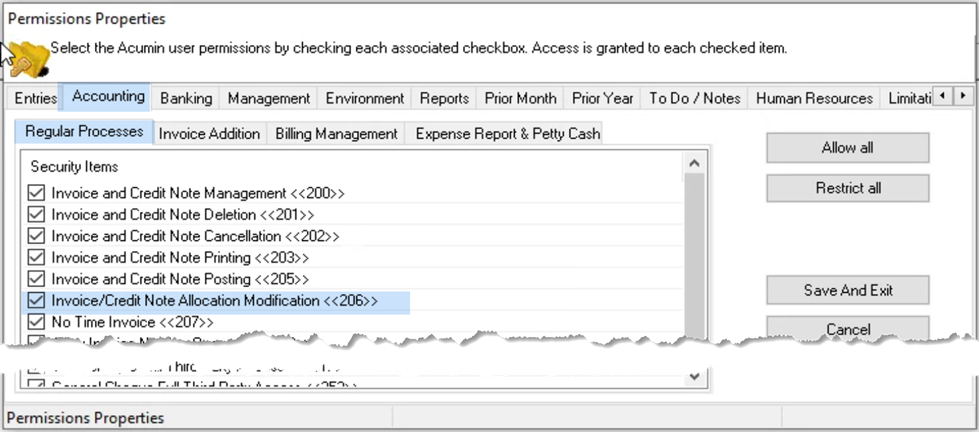
Security
.