.png)
Overview:
The following provides accounting personnel with a brief introduction to Payable functionality and supporting processes in foreign currency, which can be separated between the AP voucher phase and the payment- conclusion phase.
Account Payable Process: Invoice Entry
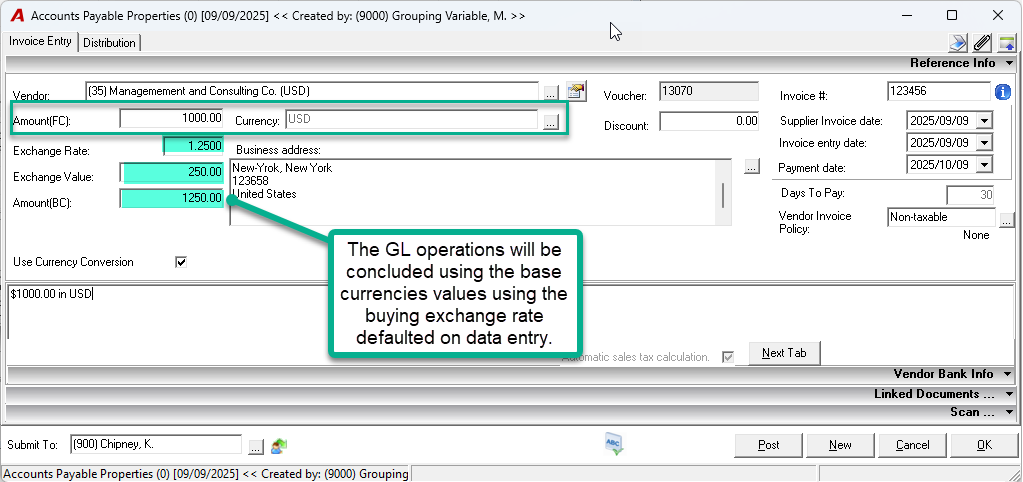
When entering a payable invoice in a foreign currency, users interact with the following key fields on the Accounts Payable Form:
-
Amount (FC):
-
FC = Foreign Currency
-
This is the invoice amount as stated in the foreign currency.
-
-
Currency:
-
Select the currency in which the invoice is issued.
-
The system defaults to the vendor’s default currency, but it can be changed.
-
-
Exchange Rate:
-
The buying rate used to convert foreign currency to base currency.
-
Pulled from the "currencies" environment configuration.
-
-
Amount (BC):
-
BC = Base Currency
-
Automatically calculated by multiplying Amount (FC) by the exchange rate.
-
Represents the value of the invoice in the organization’s base currency.
-
Special Note:
-
For invoices issued in base currency:
-
Amount (FC) = Amount (BC)
-
The assumed exchange rate is 1.0000 (no conversion needed).
-
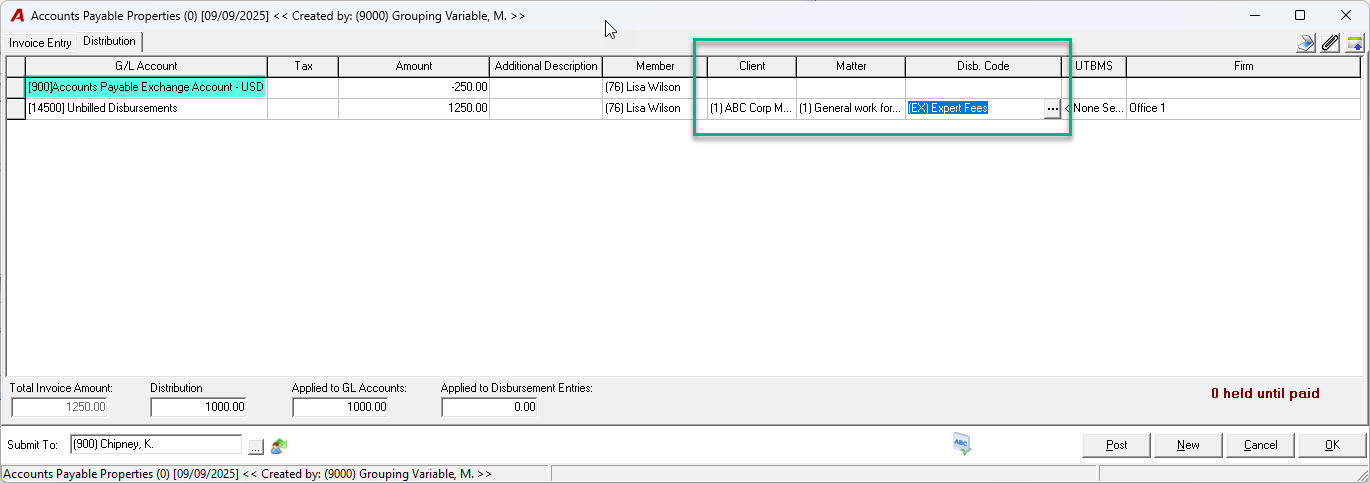
The Accounts Payable Form - Distribution
-
The Exchange value will be distributed to the AP Exchange Account
-
If the expense is charged to a client file, a disbursement will be automatically generated using the base currency amount. When the client is billed, if their billing currency matches the original foreign currency of the payable, the system will reconvert the base currency amount back to foreign currency using the exchange rate in effect at the time of billing.

This process may result in a foreign currency gain or loss if the exchange rate at the time of billing differs from the rate used when the original AP voucher was recorded.
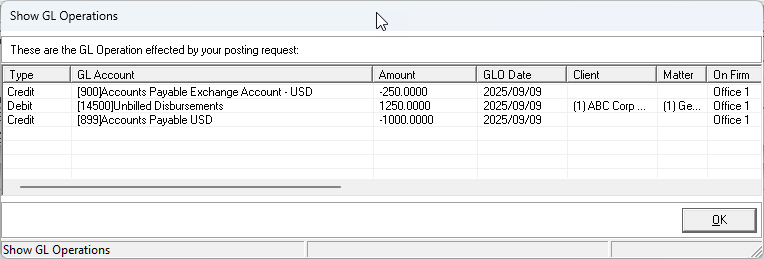
Example of General Ledger (GL) entries upon posting the AP voucher:
Account Payable Payments in Foreign Currency
After payables have been entered, the next step is to process payments through AP cheques or AP debit memos (used for direct payments or bank transfers).
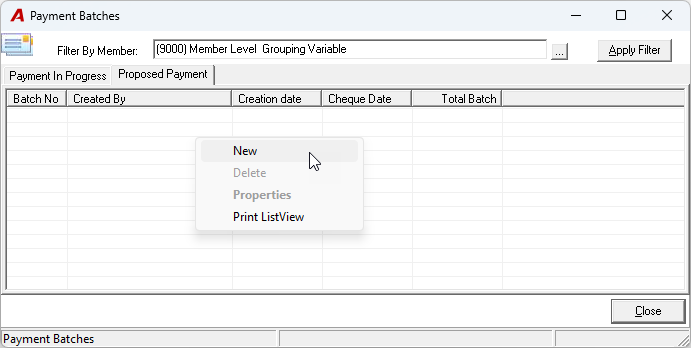
Completing a Payment Batch
-
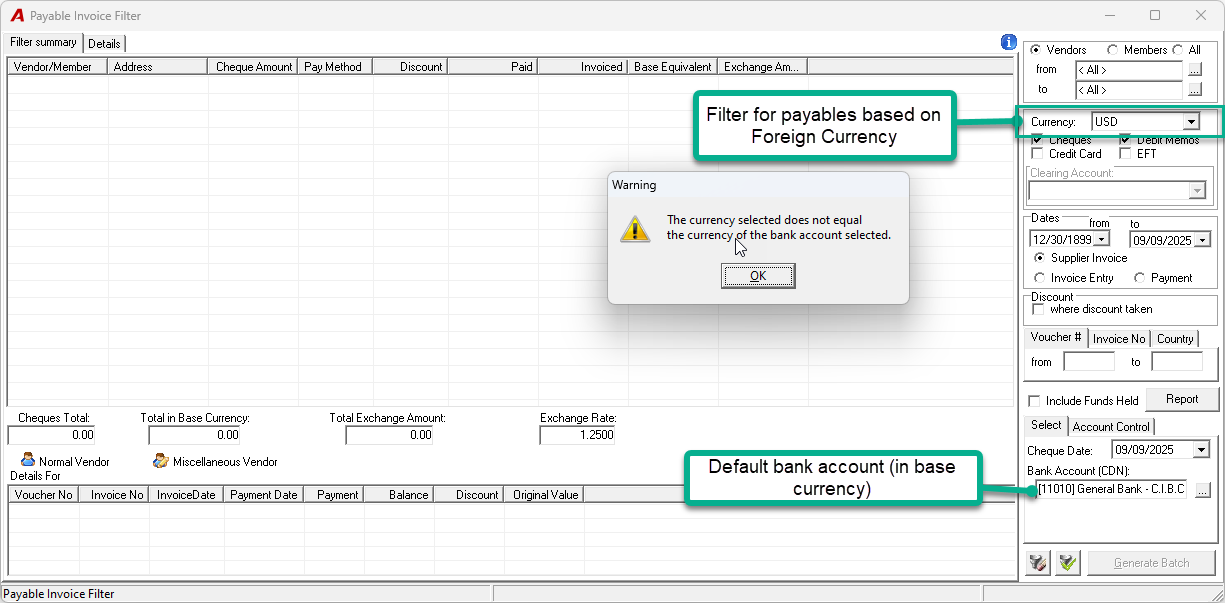
To begin, use the available filter options to generate a list of payables, filtering by foreign currency if needed.
By default, the payment batch will select the default bank account configured in Firm Properties. This account is typically in the organization’s base currency. If you attempt to pay a foreign currency invoice using this base currency bank account, the system will display a warning.
-
First Confirmation Prompt: The application will notify you that the funds are being drawn from a base currency account and ask if the payment should be issued in foreign currency.
-
Second Confirmation Prompt: If you select "Yes", a second message will appear, confirming the impact of the exchange rate on bank reconciliation.
-


-
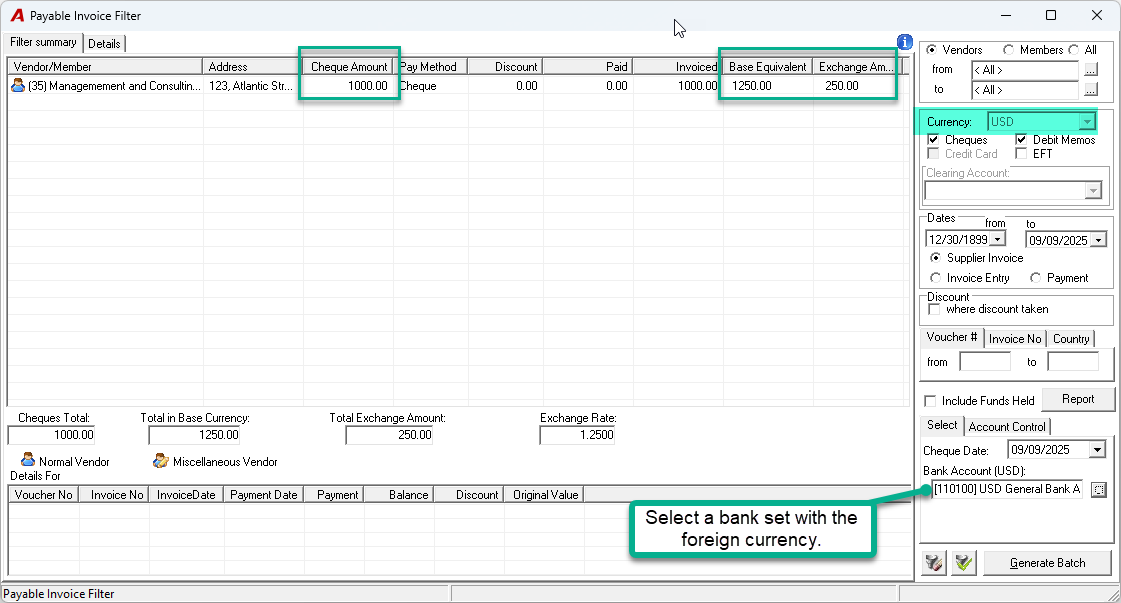
Alternatively, users may directly select a bank account that is set up in the same foreign currency as the payable, avoiding conversion and potential exchange rate differences.
Posting of the AP Cheque:
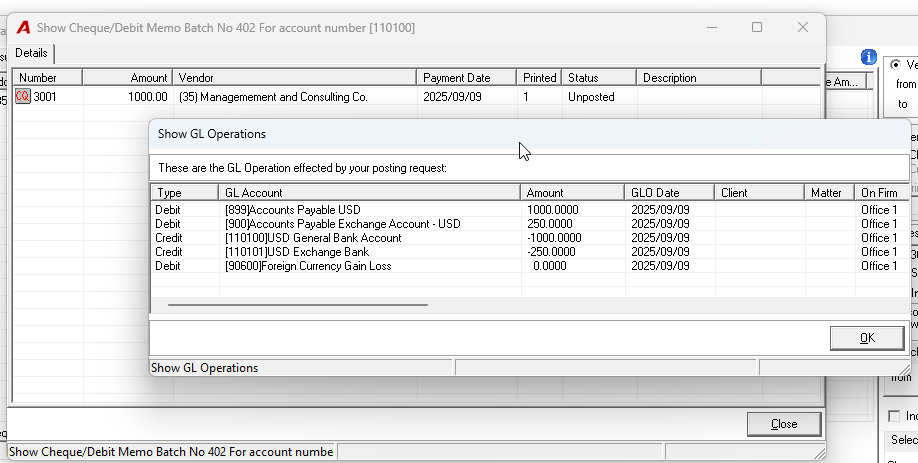
Once the payment batch has been generated, all items will appear in the “Show Cheques/Debit Memos” list for printing and posting.
Example of General Ledger (GL) entries upon posting a payment using a bank account in the same foreign currency (e.g., USD):
RELATED DOCUMENTS: