.png)
Process
To cancel a converted or regular cheque, create a negative Debit memo with the same distribution in negative as the original cheque being cancelled. Reconcile the cheque when you process your bank reconciliation for the period.
Debit Memo
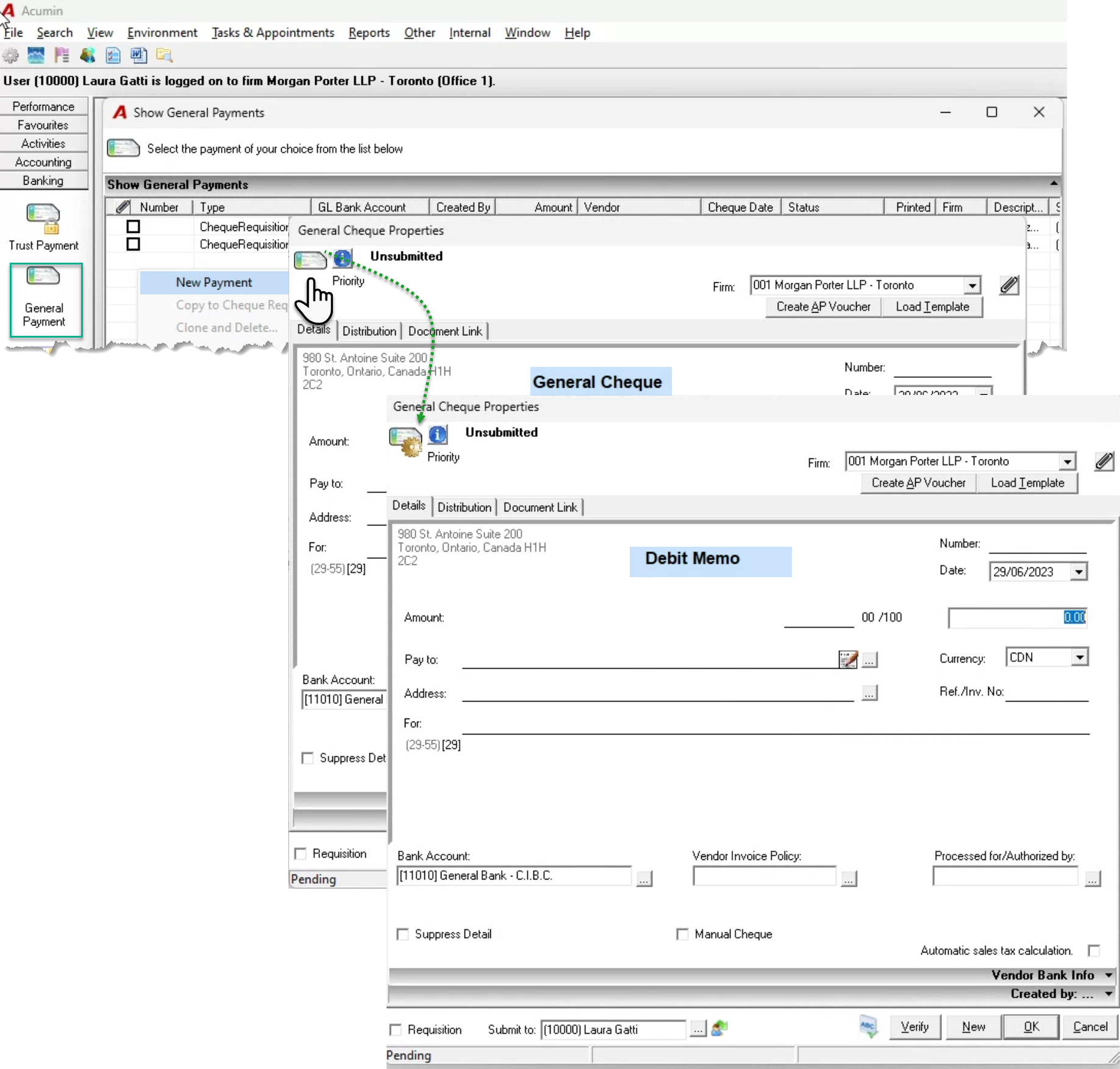
From the “Banking” section of the task bar, press on the “General Payments” button to launch the “Show General Payments” list-view.
Right-click to create a new payment. Once on the Cheque form press on the toggle button – upper left of the form – to change the cheque to a debit memo.
Complete the negative debit memo, using the for line to show that this is a cancellation and include the cheque number being cancelled. The distribution tab should allocate the negative distribution in the same way the original cheque was distributed. Complete, print and post.
Keep the printed debit memo for your bank reconciliation file.