.png)
Purpose
The purpose is to help users understand how to generate, interpret, and reconcile Acumin’s Sales Tax Report with the corresponding General Ledger (GL) accounts, ensuring accuracy in sales tax reporting and remittance.
1. Overview: Sales Tax Background
Sales taxes in Canada are typically divided into:
-
Federal Level: GST or HST
-
Provincial Level: PST, QST, or HST (depending on province)
-
Recoverable vs. Non-Recoverable Taxes
-
Tax-on-Tax Scenarios
Understanding these distinctions is essential for accurate reporting and reconciliation.
2. Organizing the Accounting System
Best Practices for Sales Tax GL Setup (GST/HST/PST):
To facilitate clear reporting and reconciliation:
-
Use two separate GL accounts per sales tax type:
-
One for Tax Payable
-
One for Input Tax Credit (ITC)
-
This structure supports accurate tracking of both tax collected and tax paid.
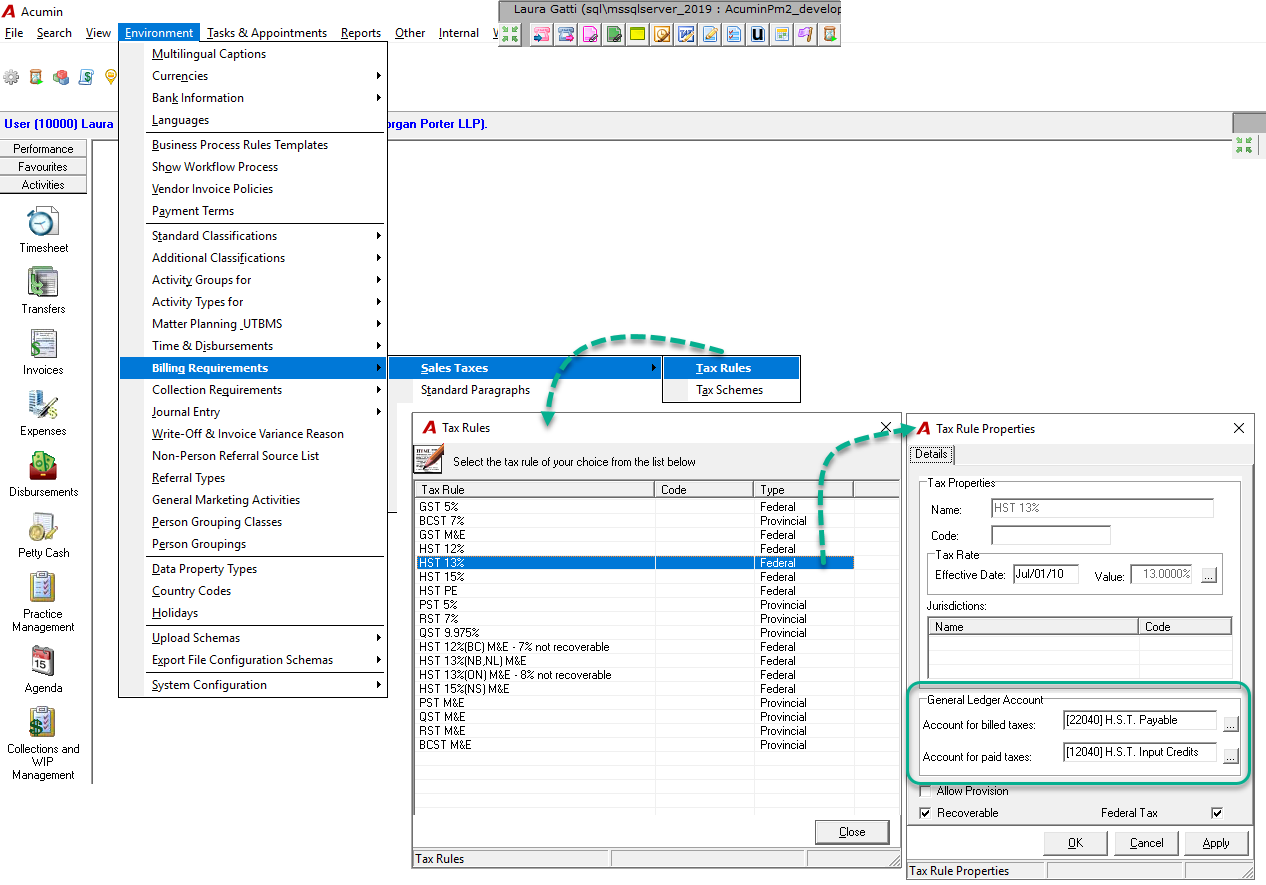
3. Acumin Sales Tax Properties
Key System Settings:
-
Account for Billed Taxes:
Used for tax charged on client billing (Regular Invoices, Flat Fees, Credit Notes).
→ Feeds into Part I of the Sales Tax Report. -
Account for Paid Taxes:
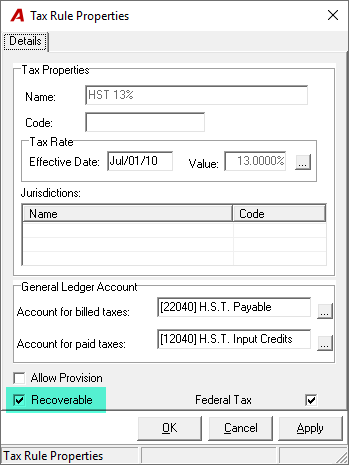
Used for tax paid on purchases and expenses. If "Recoverable" is checked,
→ Feeds into Part II of the Sales Tax Report.
4. Generating the Acumin Sales Tax Report
Frequency:
-
Typically generated monthly (e.g., September report is due before the end of October).
Navigation Steps:
-
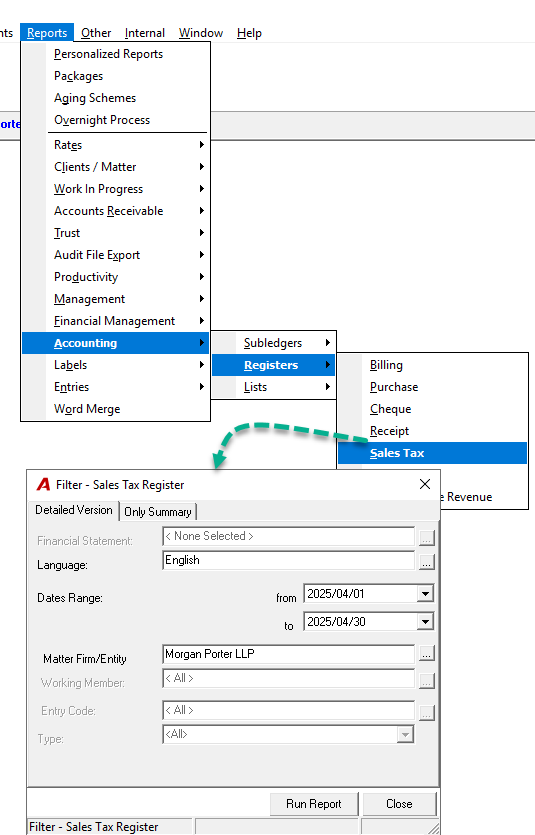
Go to Reports > Accounting > Registers > Sales Tax
-
The default date range is set to the previous month.
5. Structure of the Sales Tax Report
The report is divided into two parts:
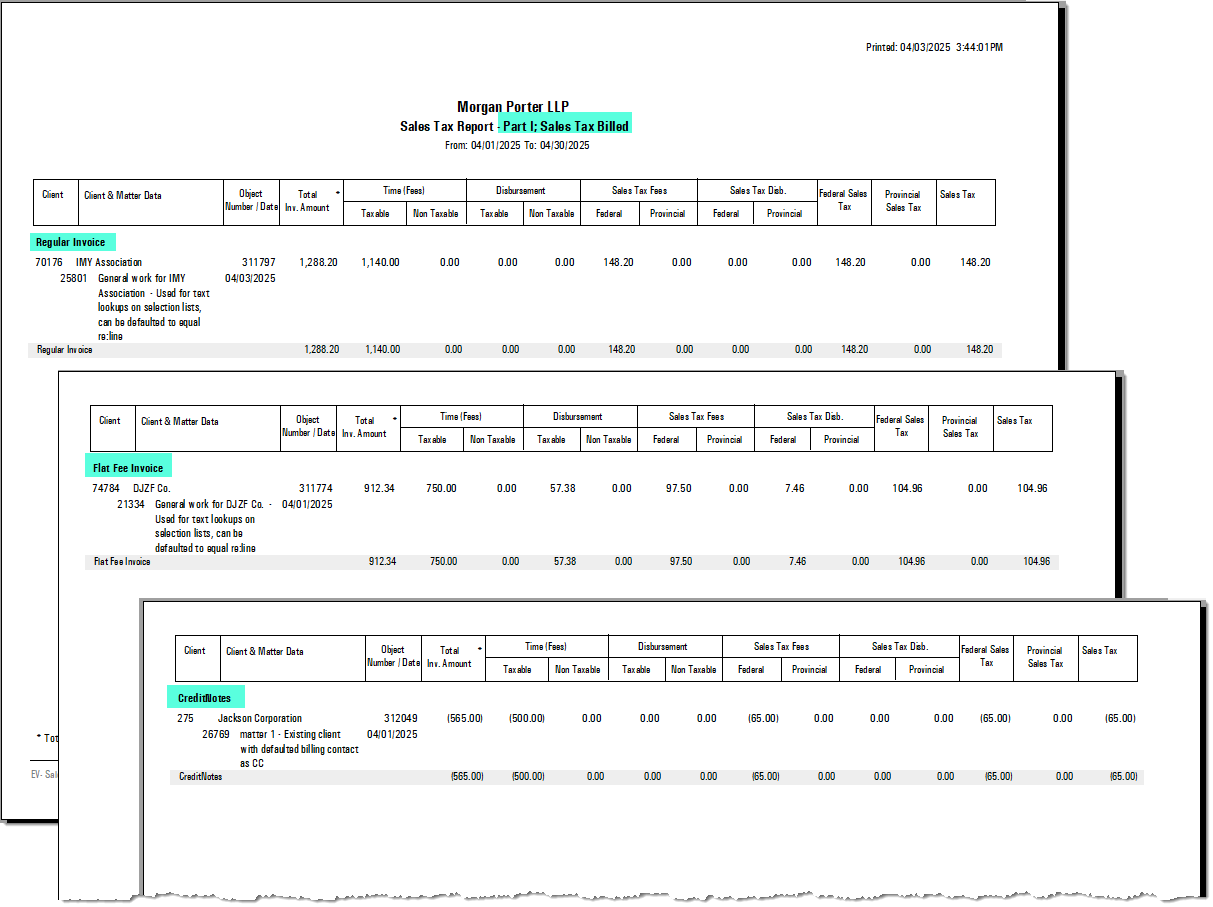
Part I – Tax Payable (from Billing Process):
Includes:
-
Regular Invoices
-
Flat Fee Invoices
-
Credit Notes
-
AR Write-Offs
Each line is tied to a GL account entry (Type = INV).
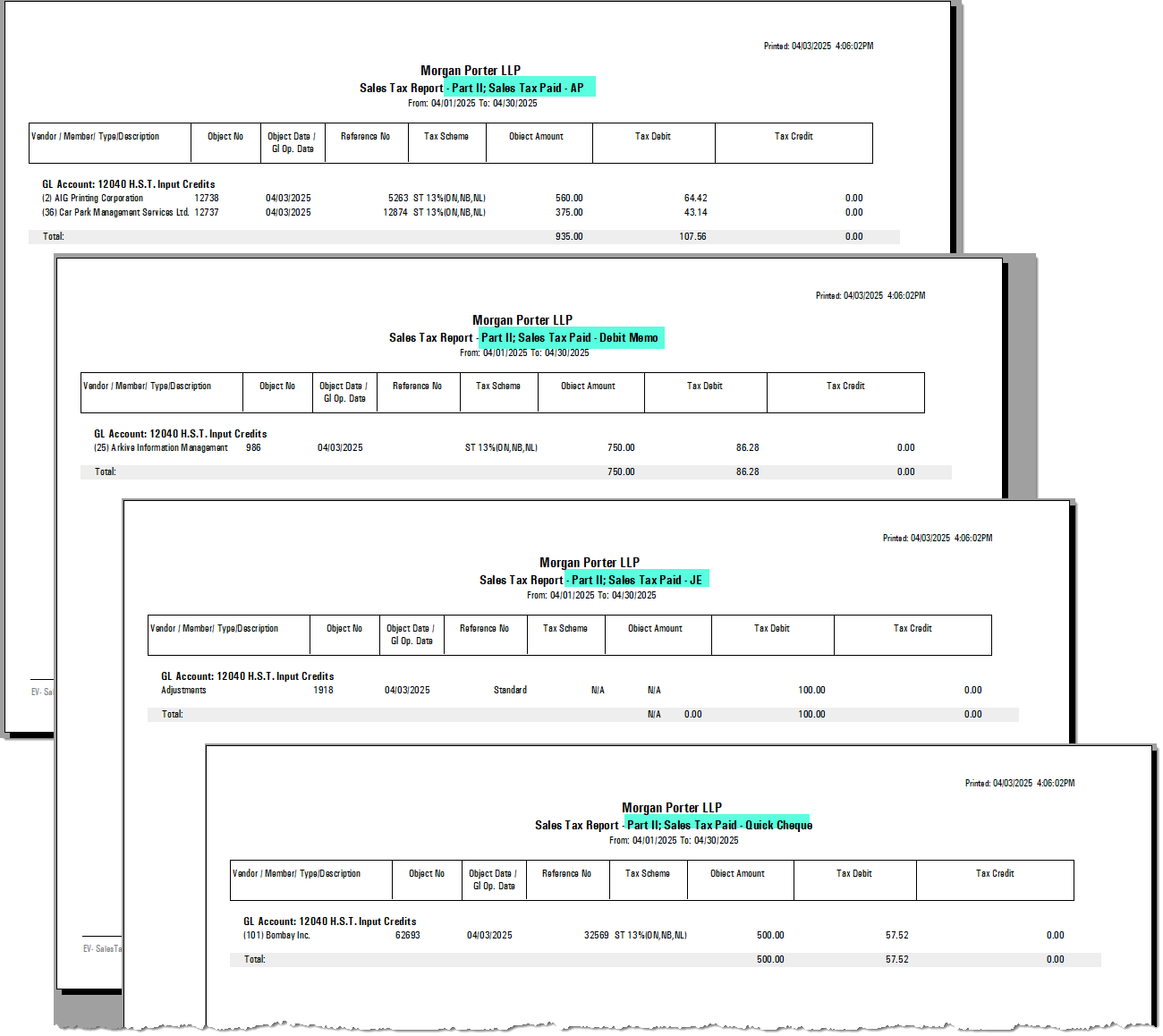
Part II – Paid Tax (from Payables and Other Transactions):
Includes:
-
Accounts Payable (Type = PI)
-
Debit Memos (Type = DM)
-
Quick Cheques (Type = QC)
-
Journal Entries (Type = JE)
Each transaction type appears in its own section and corresponds to specific GL accounts.
6. Supporting Reports
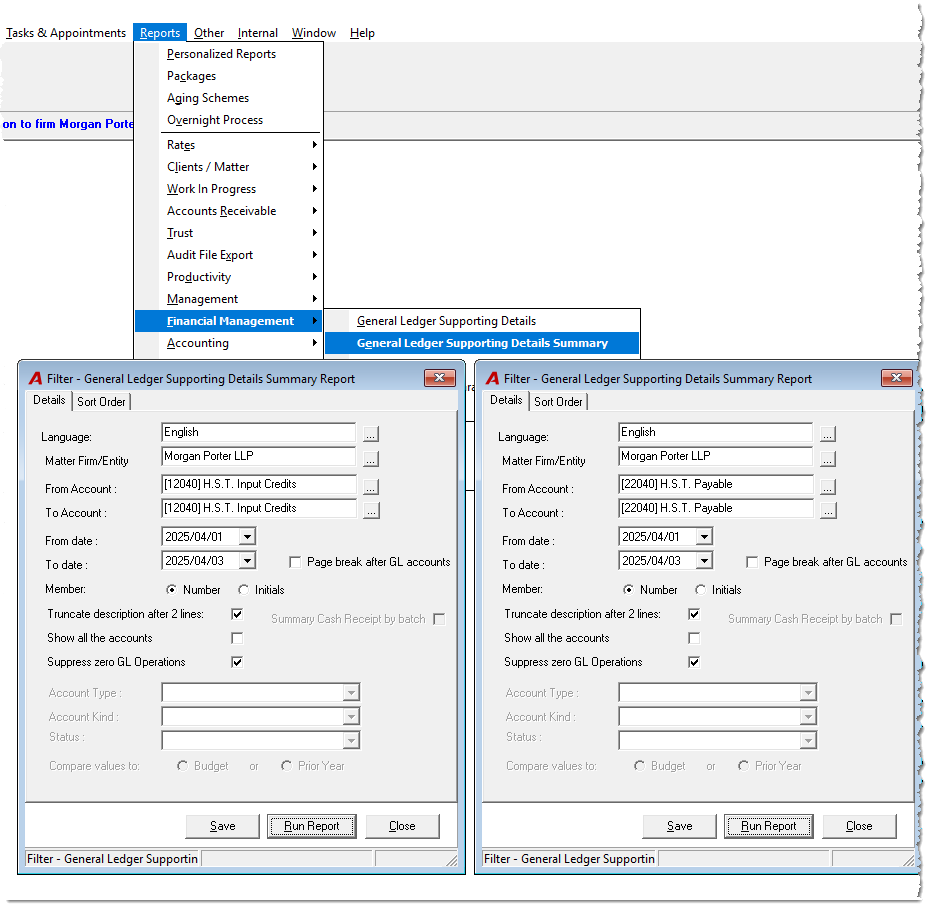
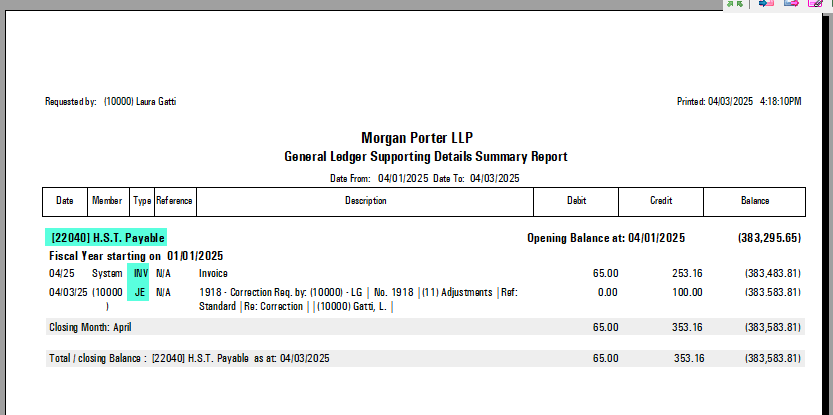
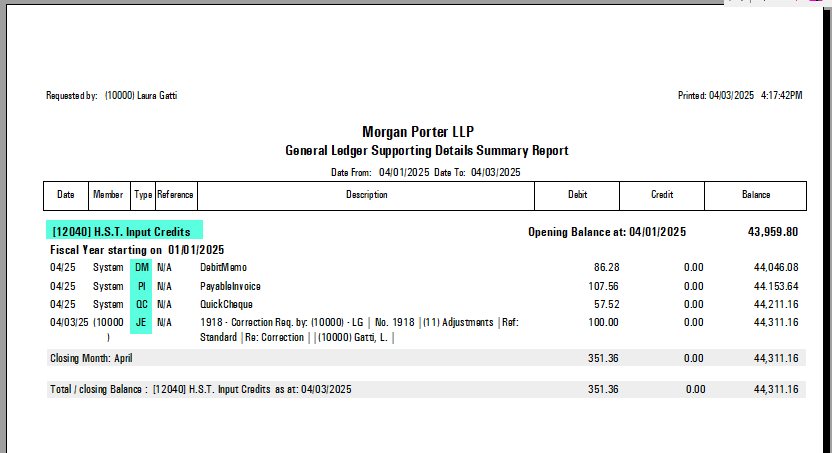
General Ledger Supporting Detail Summary:
-
Provides a breakdown of GL entries that support values in the Sales Tax Report.
-
Ensures traceability between system-generated tax reports and financial statements.
7. Reconciliation Process
Steps:
-
Compare individual transactions from the Sales Tax Report with entries in related GL accounts.
-
Verify that each section of the report (Part I and II) has a corresponding GL entry.
-
Use this reconciliation to complete the appropriate Sales Tax Remittance Form.
8. Using a Reconciliation Spreadsheet
The most effective way to reconcile is via a spreadsheet that includes:
-
Data from the Sales Tax Report (Parts I & II)
-
Data from related GL accounts
-
Opening balances from the prior month’s General Ledger Detail Summary
Sample Layout:
|
Tax Type |
Opening Balance |
Billed Tax (Part I) |
Paid Tax (Part II) |
Closing Balance |
|---|---|---|---|---|
|
GST |
$XXX |
$XXX |
$XXX |
$XXX |
|
PST/QST |
$XXX |
$XXX |
$XXX |
$XXX |
This spreadsheet can also serve as a basis for filling out your remittance form.
9. Important Considerations
-
For the first month of go-live with Acumin, cross-check all sales tax data against your previous accounting system.
-
Validate mappings and ensure GL accounts are configured correctly to support accurate reporting.