.png)
GL Operations - Invoice
Scope and Purpose
The purpose of this document is to highlight the GL operations triggered when an invoice is posted.
Its scope extends across GL accounts which will capture the value of worked billed, gains or losses triggered by fee overrides as well as discounts.
Highlights
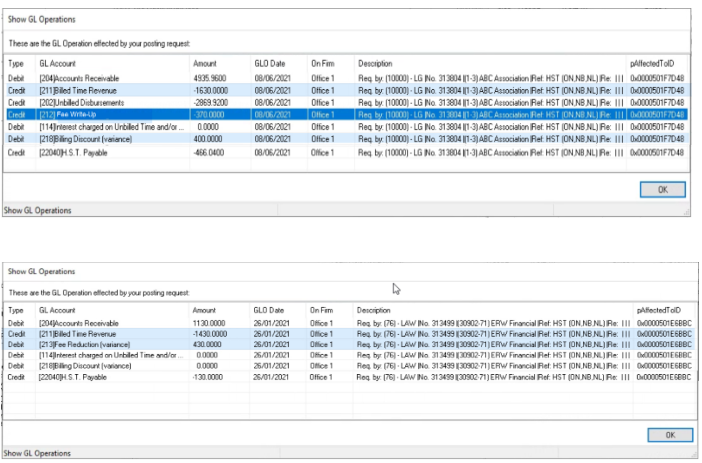
Select the option “Display GL Operations” found within the “Other” menu option before posting or cancelling an invoice to view the GL operations triggered by these processes.
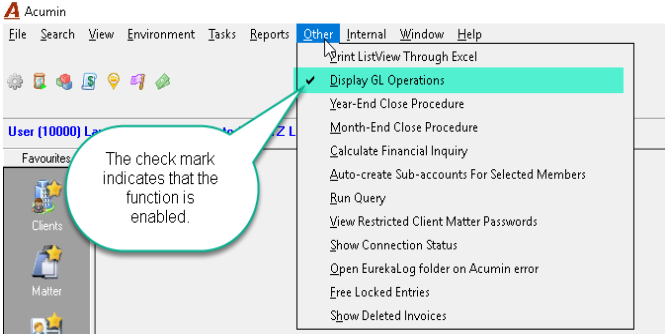
Note: While this is option is active (checkmark is ON), every POST or CANCELLATION function will trigger a list view of the corresponding GL Operations. As the user will have to press OK or CLOSE to continue the process, it is recommended that this not be active during regular production.
Right-click on the list view results to access the contextual menu and select “Print ListView” to print or export the content to excel.
GL Operations
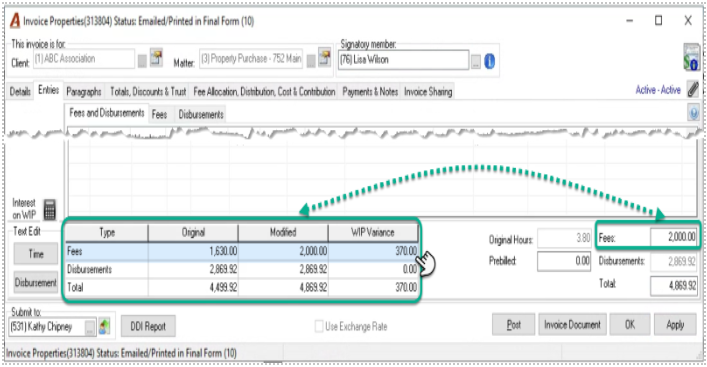
The hours worked included in the invoice have a worked value of 1,630.00 which will be posted to the “Billed Time Revenue GL account [12]
If the fee override triggers an increase in fees, the GL operation will affect the Fee Write-Up GL account [13].
If the fee override triggers a decrease in fees, the GL operation will affect the Fee Write-Down GL account [14].
In this example we have triggered a write-up of 370.00
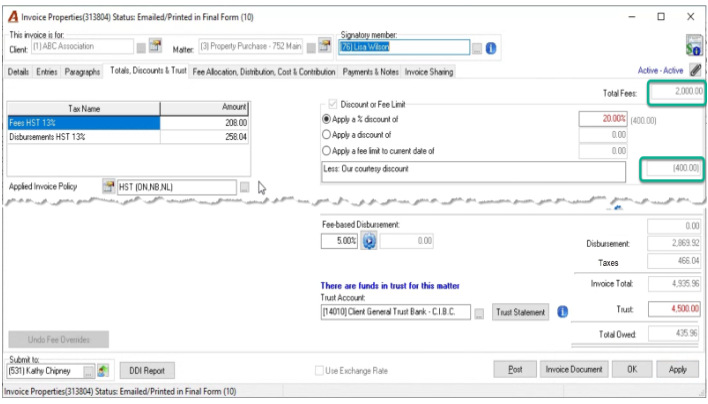
If a billing discount or premium is applied in the totals & trust tab, the GL operation will be posted to the Billing Discount/Premium GL account [19]
Note: Re-label your master accounts to better reflect the terms used in your organization without loss of the master account id which remains visible.
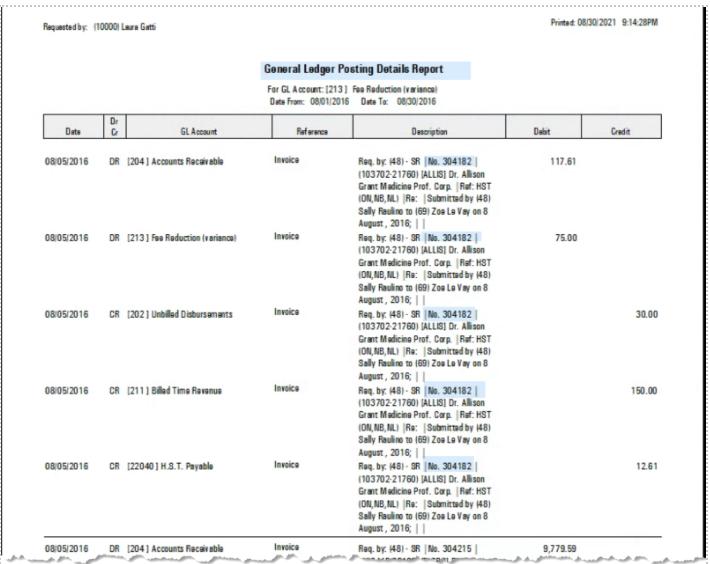
GL Posting Details Report
The GL posting details report will display the GL operations affecting the object. To execute the report, select one of the GL accounts for the invoice affected.