.png)
Only authorized users with permission #331 - Trust Deposit Management Full Access are allowed to modify the “Number of Days Held” field. If you have the required access, follow the steps below to proceed with the modification:
-
Open the Trust Deposit Module:
-
Click on the Trust Deposit icon in the sidebar.
-
-
Locate the Trust Deposit:
-
In the Show Trust Deposit Slips window, click the Show Deposits button.
-
Use the filter options in the Show Trust Deposit form to locate the posted trust deposit you wish to modify.
-
-
Modify the Deposit Details:
-
Highlight the deposit and select the Properties option from the contextual menu.
-
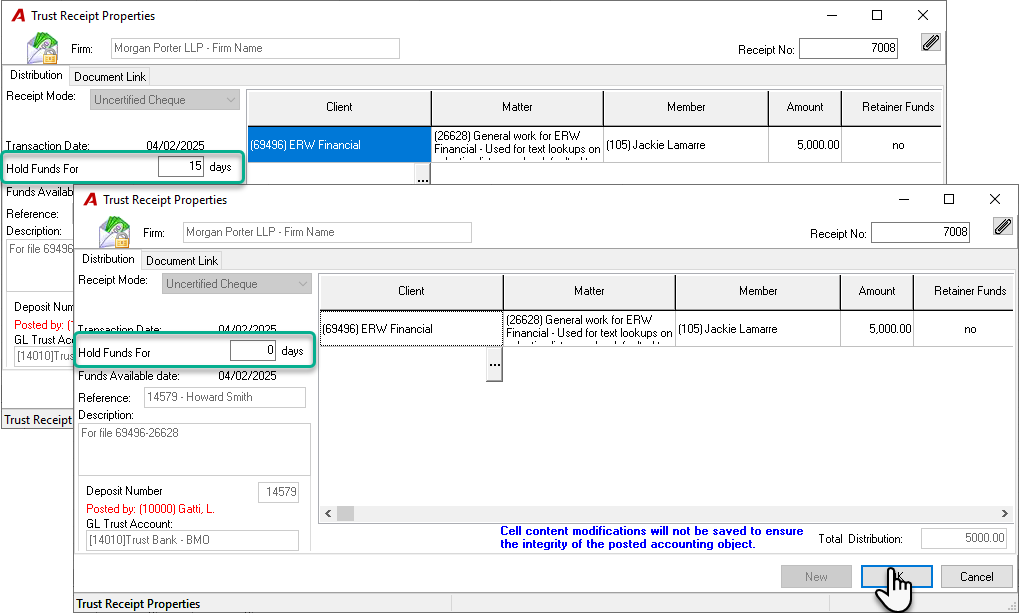
Update the number of days in the Hold Funds For field.
-
Click OK to save your changes.
-
-
Provide an Audit Trail:
-
A paperclip attachment will launch automatically for the selected deposit. Enter a reason for the change to ensure proper audit documentation. Note that the system will also record the date and the name of the user who made the modification in this attachment.
-
Click OK to finalize.
-
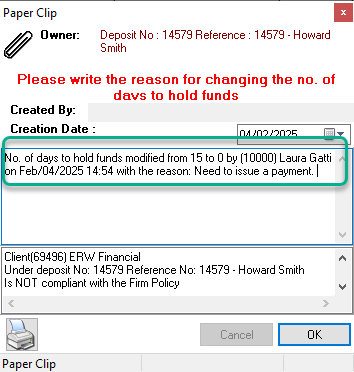
Once completed, the trust amount should now be available for payment.
RELATED DOCUMENT:
Security Permission - How to grant a permission to a specific user