.png)
Trust GL Account Payment Restriction
Set Up
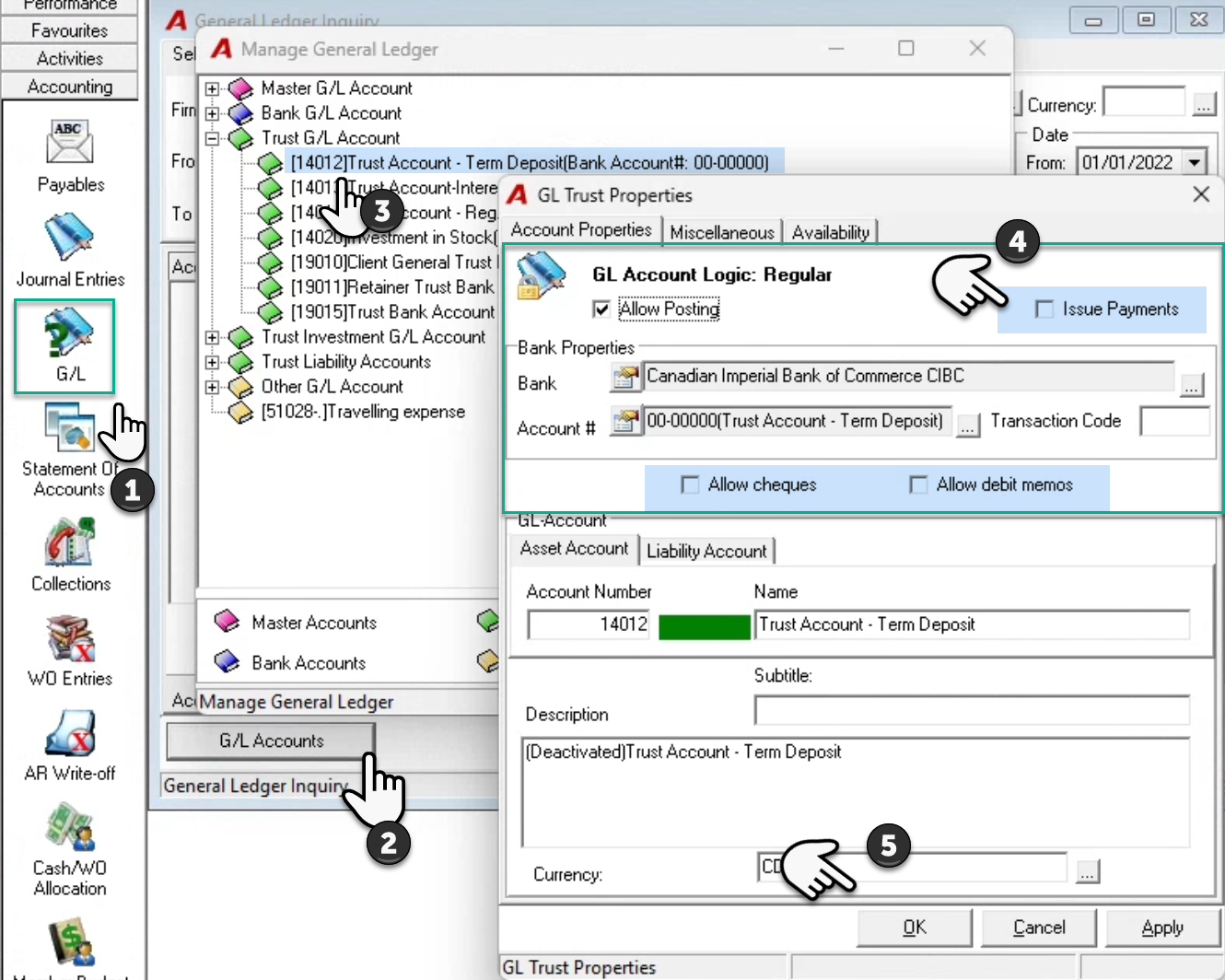
To restrict the ability to generate payments or payment requests from a trust GL account, unselect the “Issue Payments” checkbox option found in GL account properties.
Select G/L form the accounting section of the task bar, press on GL accounts, expand the Trust G/L Accounts branch of the tree view, highlight the trust GL account, and select properties.
Deselect the ‘Issue Payment” check-box option and press OK to accept and exit.
Process
Trust Deposits
Deposit funds in the general trust account and use the account-to-account transfer option to move the funds into the trust GL account with no ability to issue payments.
Trust Disbursements
Use the account-to-account transfer option to move the funds from the trust GL account with no ability to issue payments into the general trust account, to issue the payment.