.png)
To prevent the automatic creation of General Payments, AP Vouchers, or Journal Entries from recurring templates, follow the steps below for each type:
1) General Cheque or Debit Memo Templates
To stop recurring General Payments:
-
Create a new Debit Memo, General Cheque, or Requisition.
-
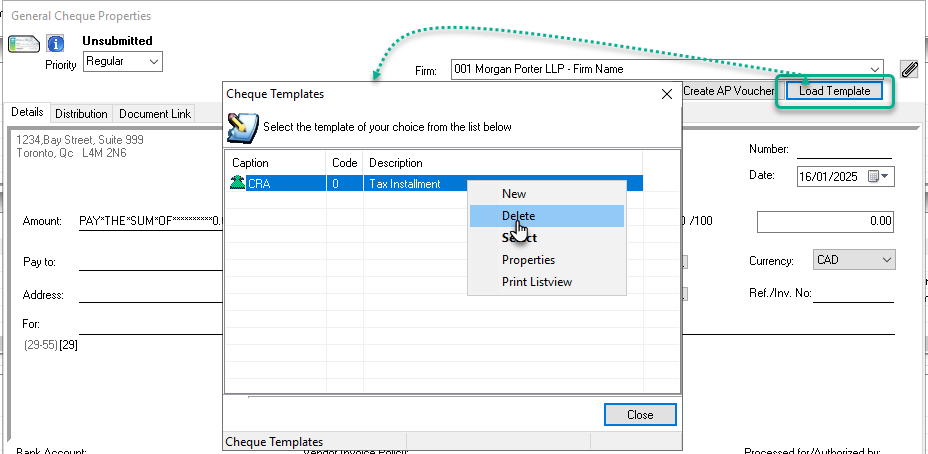
Click the Load Template button to open the "Quick Cheque or Debit Memo Templates" list.
-
From the list, you can:
-
Delete the template by selecting the desired template and choosing the "Delete" option, OR
-
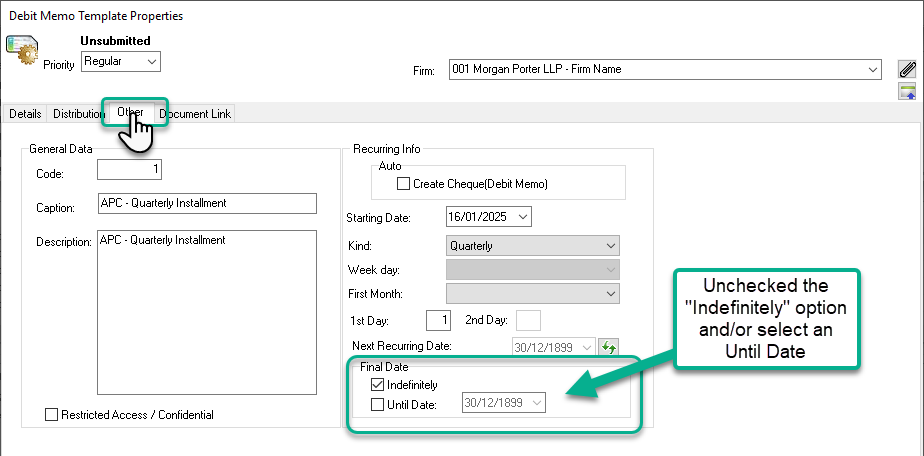
Open the properties of the template and modify the "Final Date" field to stop recurrence.
-
2) AP Voucher Templates
To stop recurring AP Vouchers:
-
Create a new AP Voucher.
-
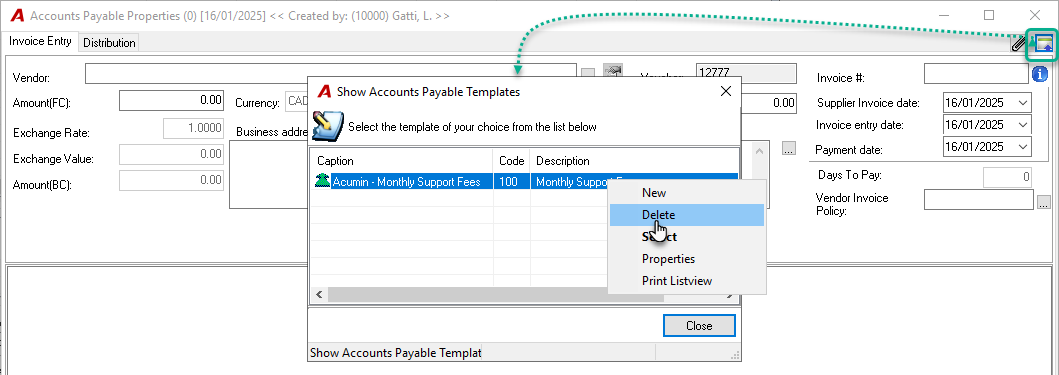
Click the Load Template icon to open the "Account Payable Templates" list.
-
From the list, you can:
-
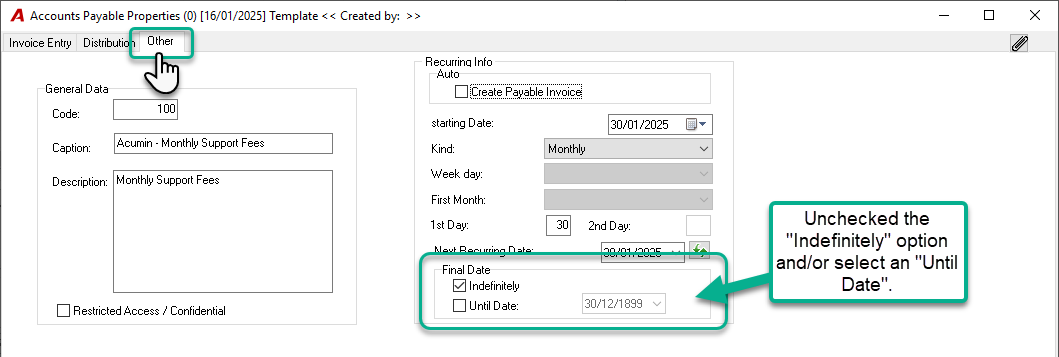
Delete the template by selecting the desired template and choosing the "Delete" option, OR
-
Open the properties of the template and modify the "Final Date" field to stop recurrence.
-
3) Journal Entry Templates
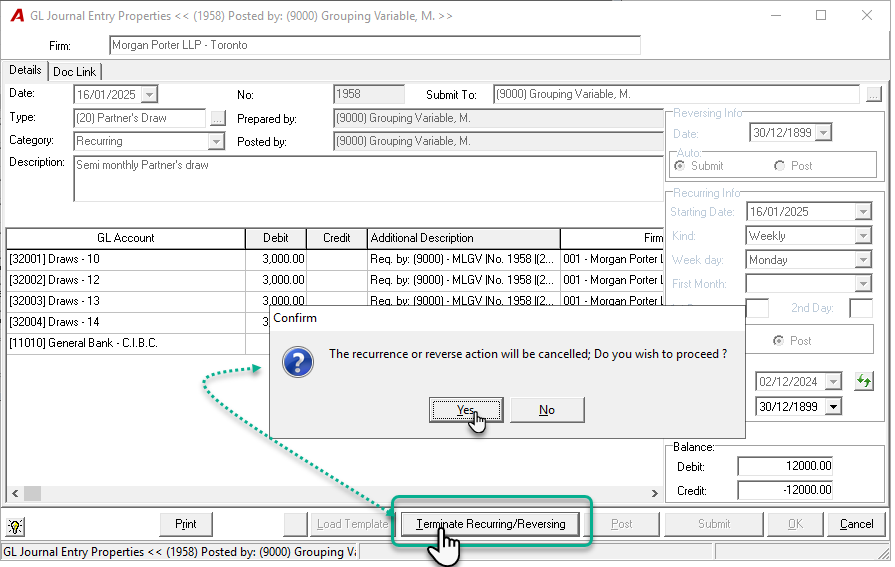
To stop recurring or reversing Journal Entries, you must use the Terminate option, as deleting a journal entry alone will not stop future entries from being generated.
-
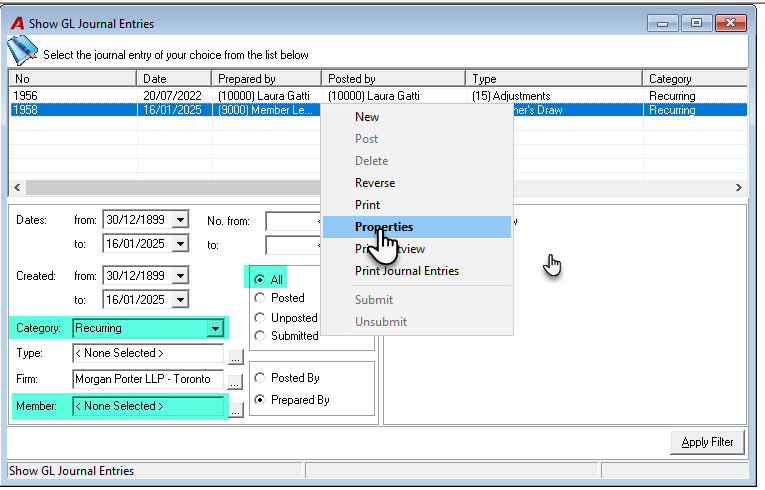
In the Journal Entries Filter, set the filter to:
-
Category: "Recurring"
-
Entries: "All"
-
Remove any filters for "Created By".
-
-
Select the recurring journal entry in question and open its properties.
-
Click the "Terminate Recurring/Reversing" button and confirm the termination.
-
The button will change to "Resume/Modify", indicating that recurrence has been stopped.
-
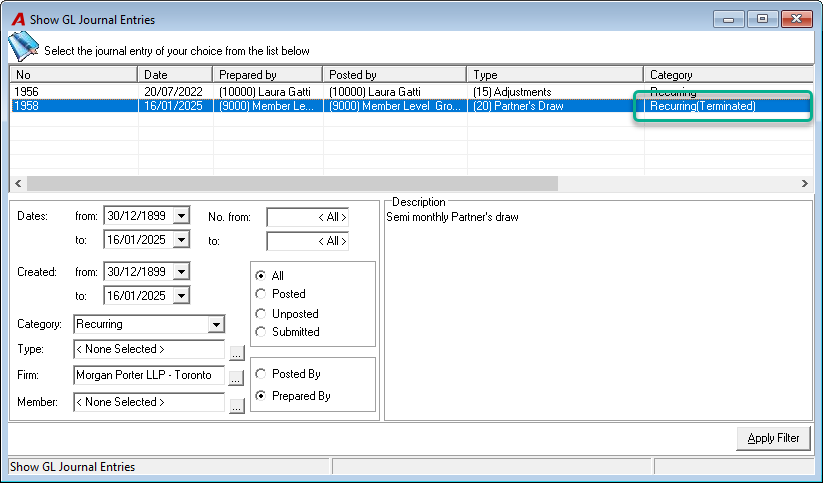
In the Show GL Journal Entries form, (Terminated) will show beside the Category.
-