.png)
Vendor Without an AP Balance
Context
Vendor credit notes are processed as AP debit notes against the payable invoices to which the credit applies. However is the AP invoice that triggers a vendor credit note is already paid and the vendor is not issuing a reimbursement, the debit note can be created and left unposted until a new vendor payable invoice is received.
Process
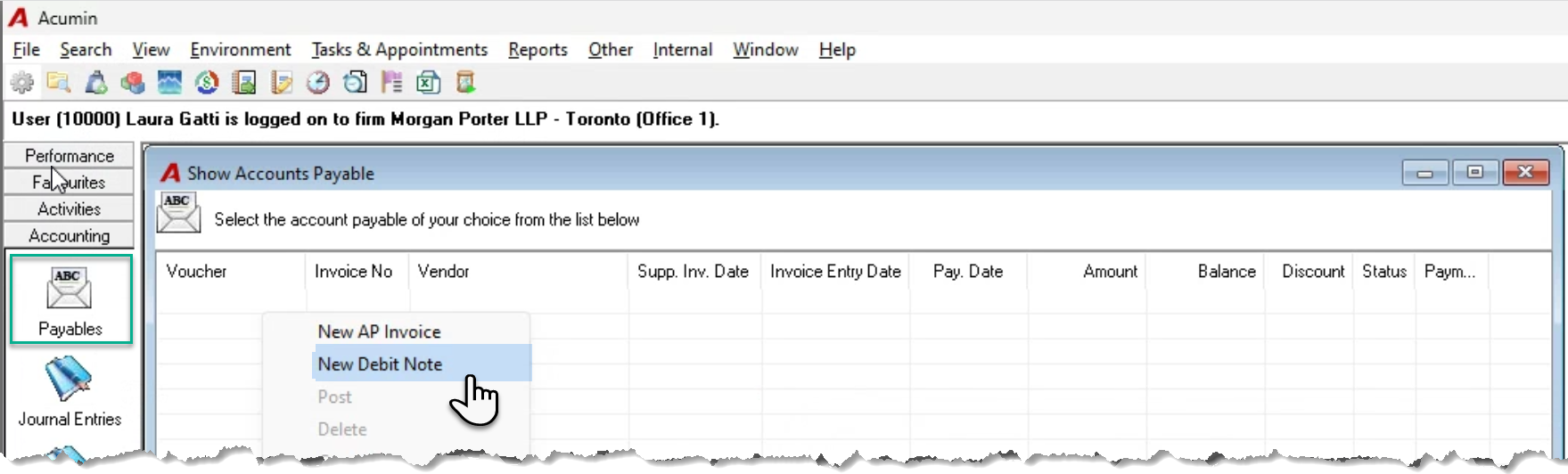
From the “Show Accounts Payable” list view right-click and select “New Debit Note”.
Complete the debit note except for the invoice it relates to.
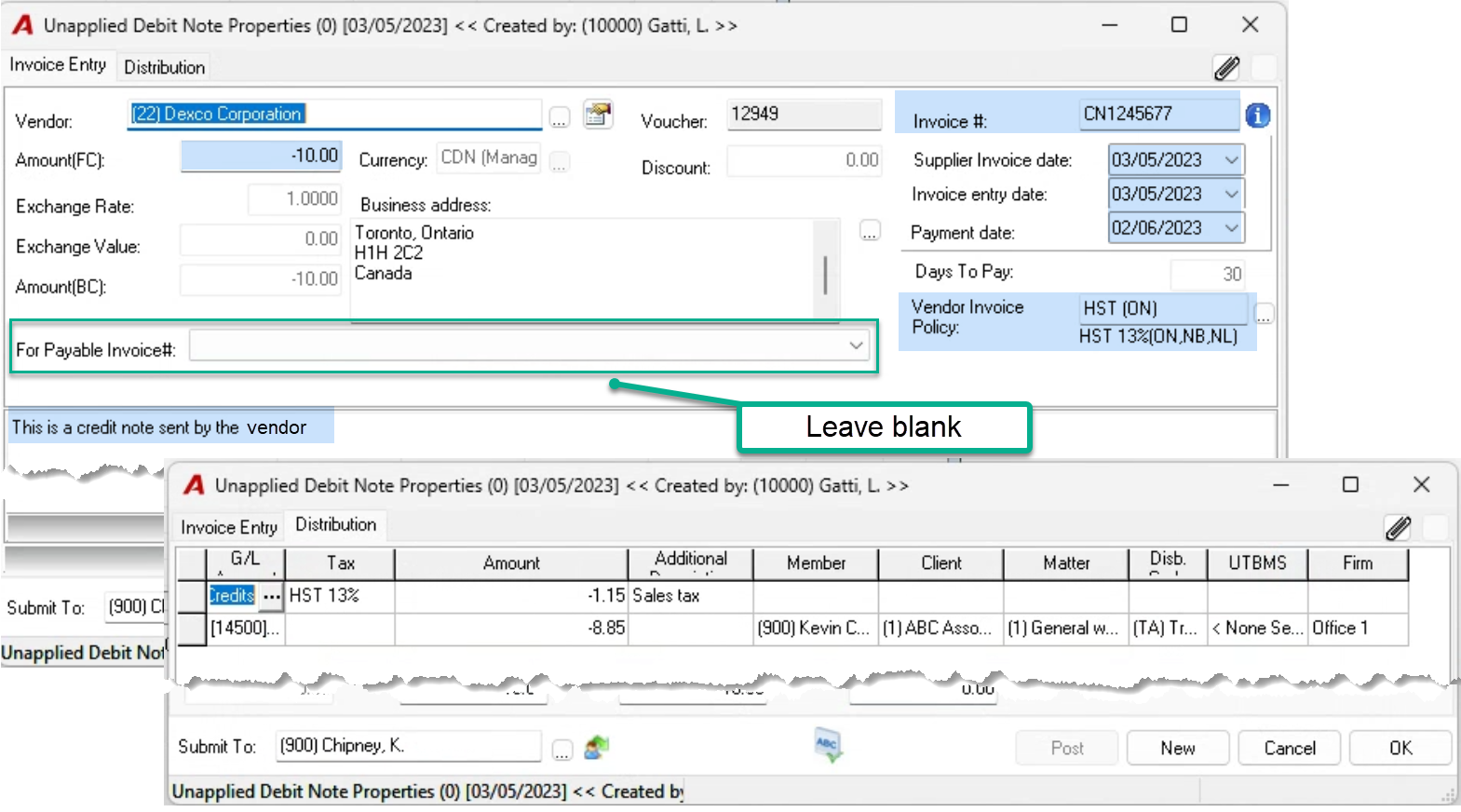
Press OK to exit and keep unposted until a new vendor invoice is received, at which point you can update the “For Payable Invoice #” field and post it. Unposted records will show on the AP list providing visibility of AP Debit Notes awaiting an invoice on which they can be applied.
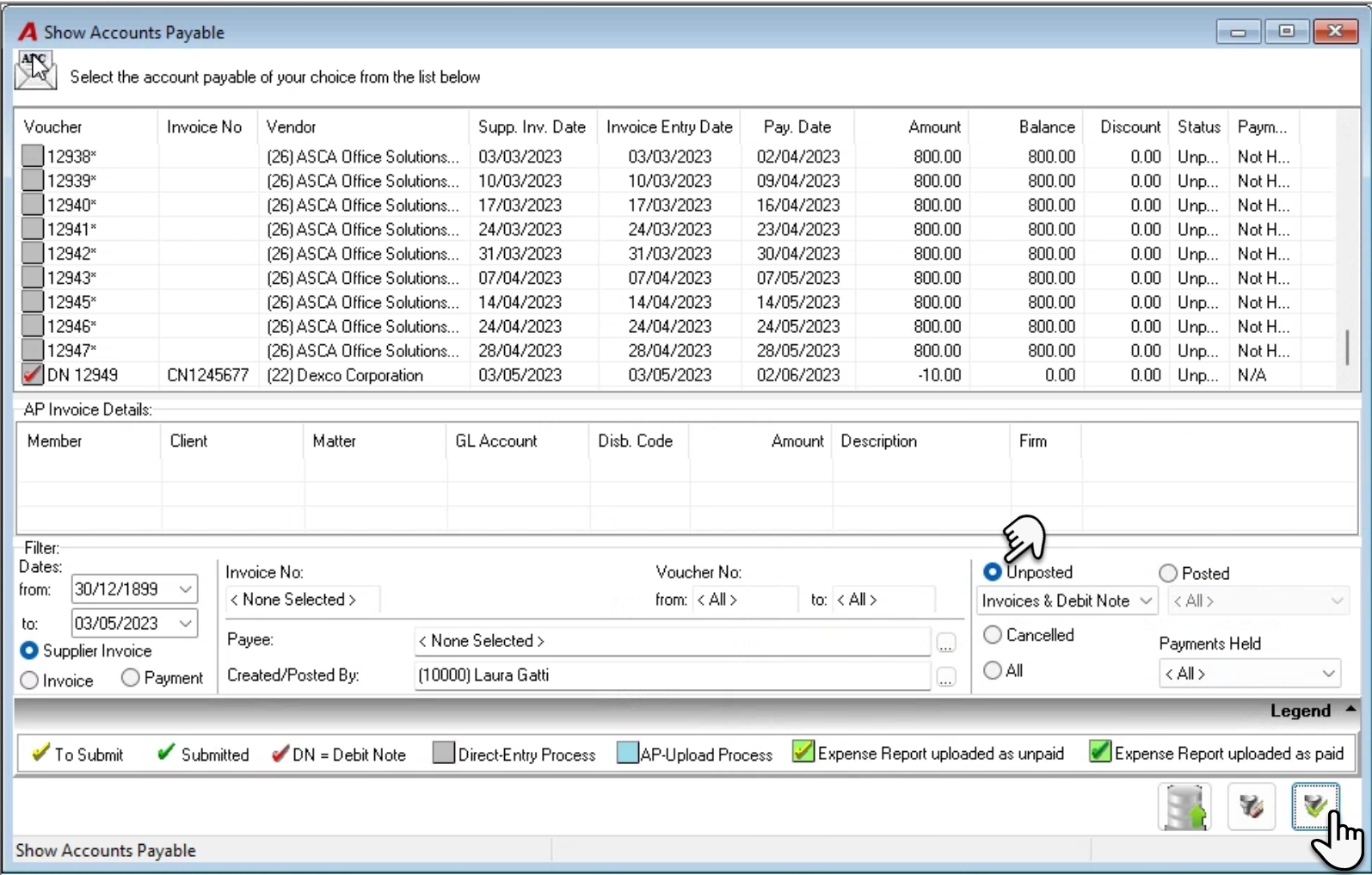
If the new vendor invoice is lower in value than the vendor credit note that triggered the unposted debit note, after you post the new invoice, amend the debit note properties to have a negative value equal to the positive AP invoice value of the new invoice received.
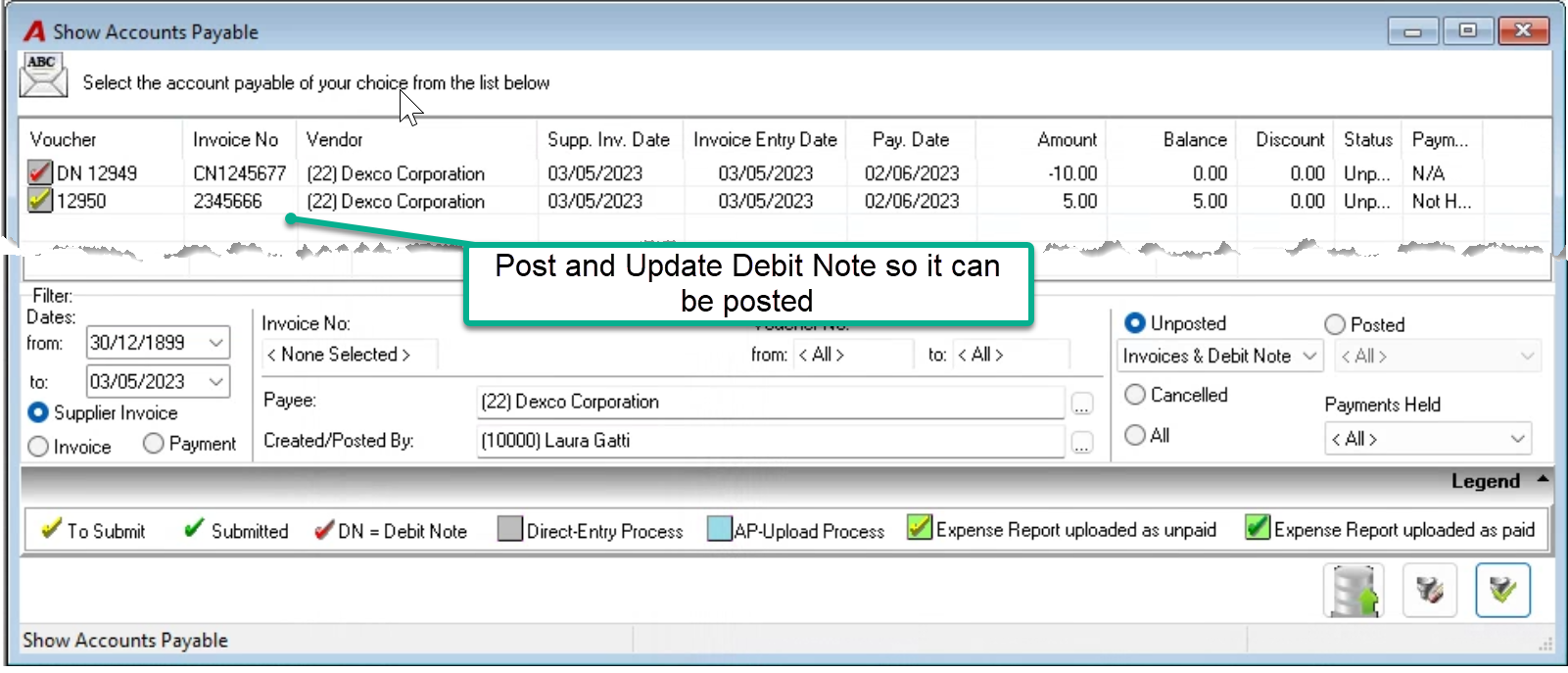
Assign the new AP invoice to the debit note, update the invoice # to show as “Part 1” and post it. The resulting vendor AP balance will be zero.
Create a new debit note for the remaining balance of the vendor credit note hat could not be cleared. Leave part 2 unposted until a new invoice is received.