.png)
QUESTION: Can we create new clients or matters and override the auto-generated number or code when needed? Can we reset the client or the matter numbers for an existing client to return to the automatic order sequence of the auto-generated numbers and fill in the gaps after a client or matter number change is made?
RESPONSE: Any authorized user can change the client or matter code from within the corresponding properties form if the new code does not already exist.
To override the client code the user needs to be in a user group with security “Client Code Override <<492>>”. To override the matter code the user needs to be in a user group with security “Matter Code Override <<493>>”.
When making changes to client codes, for example, when a new client is assigned code 4487, but the authorized user changes it to code 9999 (at code not yet used), the client number generator will automatically return to the auto-generated client number order sequence to fill in the gaps after a client number change is made.
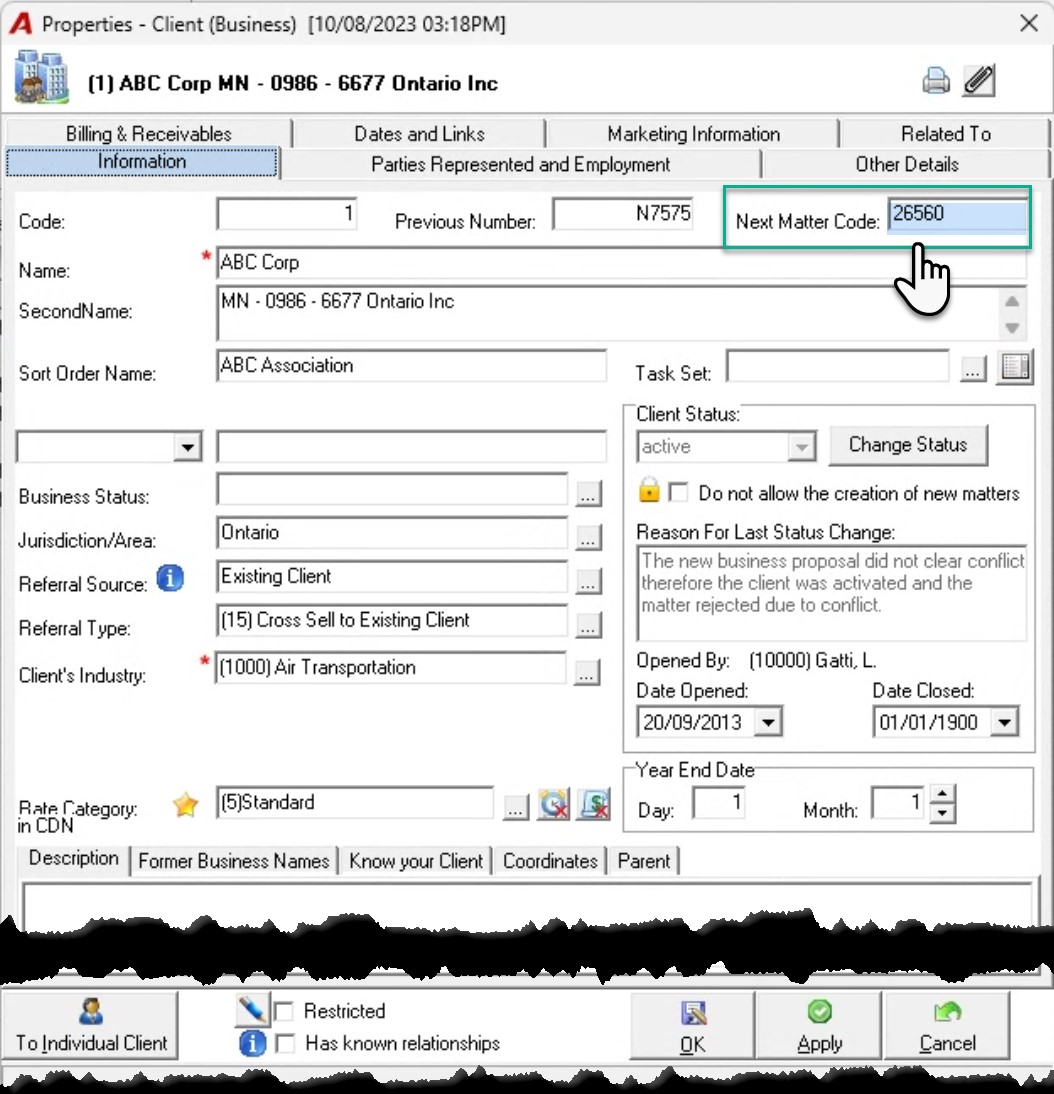
When making changes to matter codes, firms working with client-matter number logic - where the matter number is unique to the client but repeats across other clients - may want to reset the “Next Matter Code” field content in client properties. The re-set will return to the automatic order sequence of the auto-generated matter numbers, filling in the gaps after a matter number change is made or when a future number was created, and the user needs to reset to where it was. For example, when a new matter is assigned code 10, but the authorized user changes code 10 to be code 6 ( a missed number), then to ensure that the next matter number is not 11 but 10 to avoid generating a new gap, the next matter number field in client properties will need to be changed from 11 to 10.
Any authorized user able to change the client or matter code from within the corresponding properties form if the new code does not already exist, can also reset the “Next Matter Code” field content in client properties. Launch the client properties form information tab for the affected client, and override the content of the if the “Next Matter Code” field with the next code required that does not yet exist (see screenshot). If a higher number is already used - for example number 900 – once reached by the auto-generator, it will be skipped.