.png)
QUESTION: How to change the lawyer on a file?
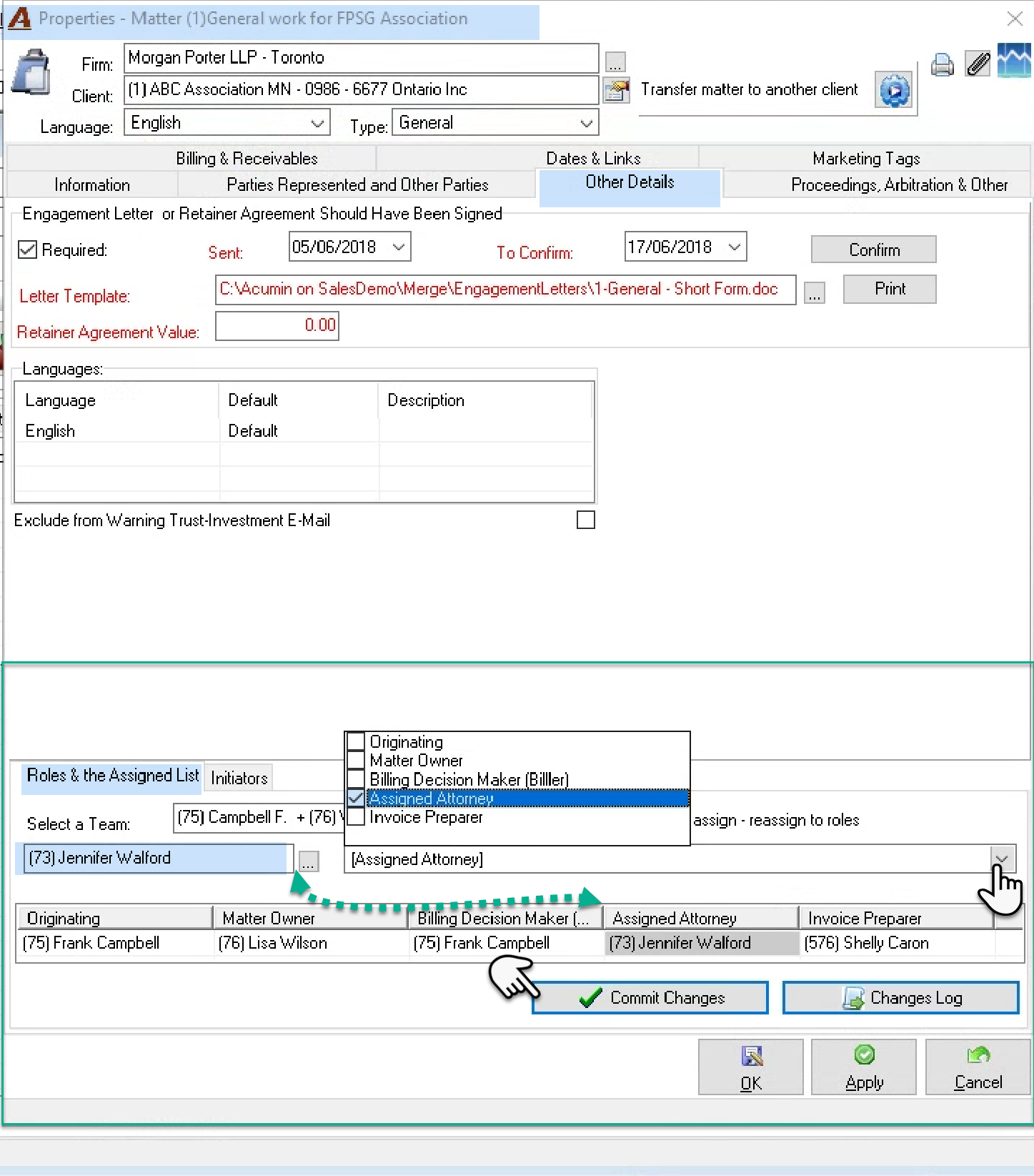
RESPONSE: To modify a client or matter level role composition, for example the matter responsible or matter billing role etc., you need to access the “Roles & Assigned List" sub-tab in the "Other Details" tab of the properties of the client or matter.
From the client matter dashboard access the client or matter properties form and navigate the "Roles & Assigned List" sub-tab in the "Other Details" tab.
Enter the new member in the field below the "Select a Team:" label, and tab to the drop-down box to its right to checkmark the roles that will be changed to reflect the member selected. Your decisions are highlight pro-forma in gray in the role composition below. Press “commit changes” to select the effective date of the change - previous or future. Role changes are historical, and many reports can be generated in context of the history. To accept the date, press OK and provide a reason to complete the modification. Press OK to exit matter properties.