.png)
QUESTION: Is there a way that we can restrict the number of hours a user can enter on any individual client matter?
Would it be possible to, for example, limit a user to only 7 hours on a file matter entirely? As in, over the course of the entire file, not per day?
Is it not possible to restrict hours by time keeper, and that the restriction is for hours per matter total across all time keepers?
RESPONSE: It is possible to restrict users from entering more than 24h in one day by removing the checkmark for the checkbox option that allows more than 24hoours per day. This checkbox option is found in system settings other tab.
Although there is no setting to limit the number of hours to be recorded per day on a matter, at a client or matter level, it is possible to set limits to trigger a email warnings with the business process rule. Let us know if you would like project development to contact you for information on this functional license.
It is possible to set-up matter hours worked and corresponding fee value budgets and/or fee limits at a matter level. When combined with a BPR rule the system will automatically trigger an email to warn affected users (all timekeepers on the matter is more than one as well as the matter responsible, etc.). You can set up as many emails as needed (for example when the budget is 50% used and again on 85% used). Firms working with this process also set-up a BPR rule for when the limit is reached (100%), so the overnight process triggers a change to matter status from active to inactive automatically to prevent additional time from being posted.
We include the following screenshots that shows where to set-up and how this works in version 2.0. If you are interested in this process, and the firm is not currently licensed, let us know and we will escalate to project development so they can reach out to explain the license content and deployment.
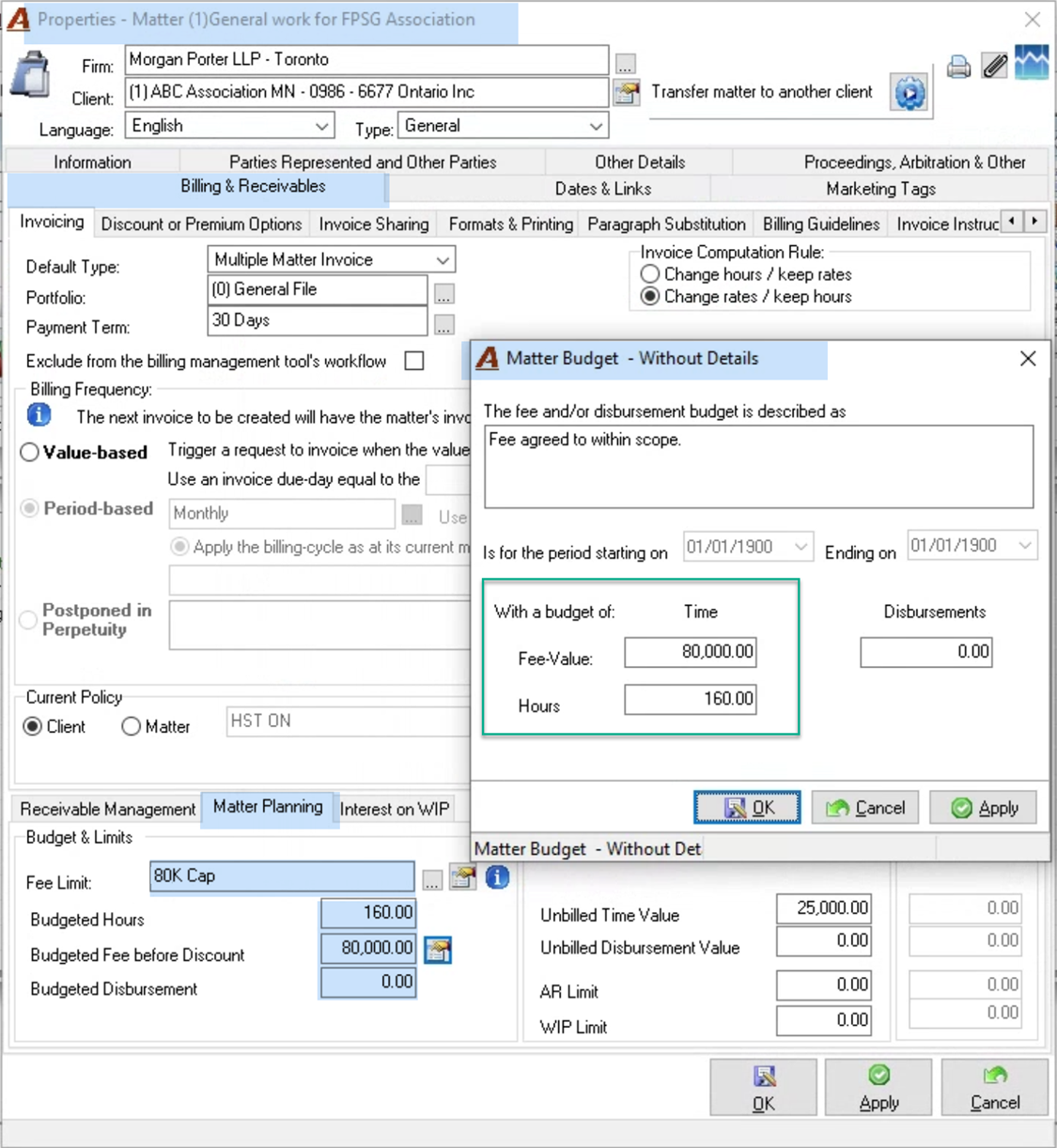
Matter Set-Up
Use the fee limit at a value equal to the value of hours worked so when you invoice, the system automatically will trigger any additional fees beyond the cap as a discount (see BPR rule for control so overruns do not happen)
Use the matter budget – hours and fee-value to reflect the value for the hours as this is the one that is controlled by the BPPR rule
BPR Rule
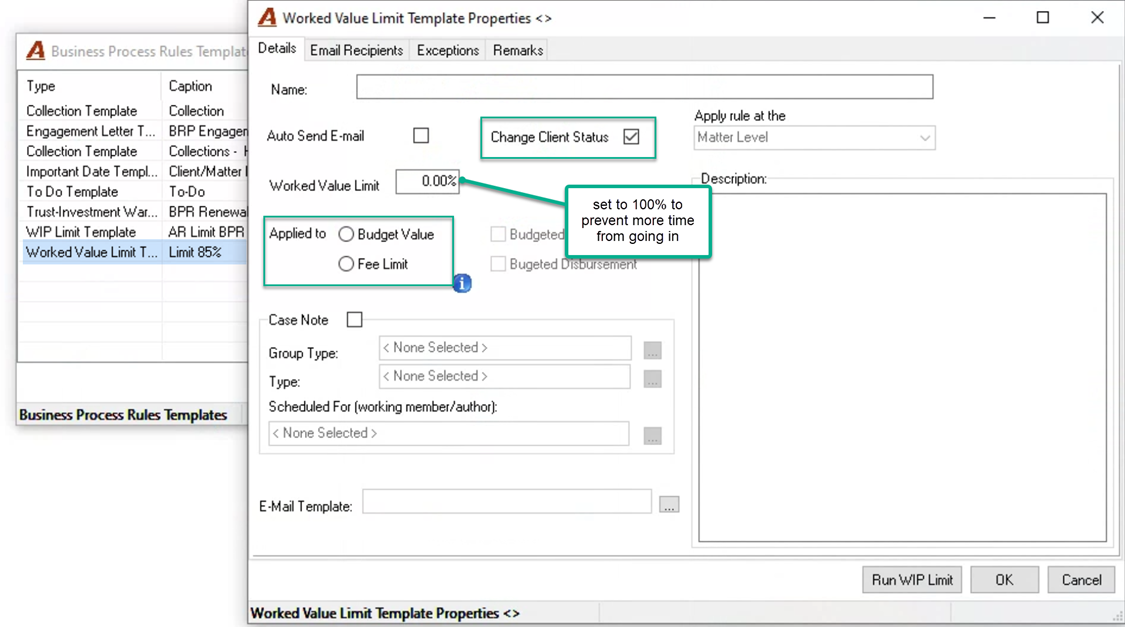
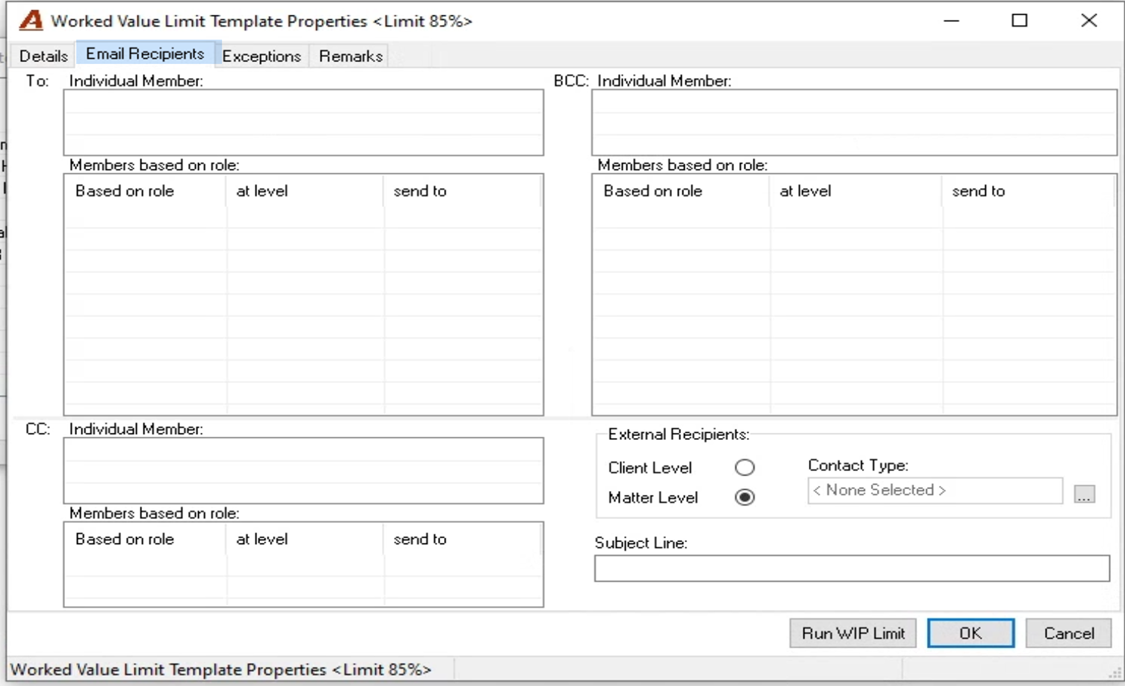
Once you set the matter budget and/or fee limit to reflect the value of the hours worked limit, you may want to apply the BPR rule to control it. For example you may set up a rule so all matters with this type of limit trigger an email when that value reaches 85% warning of the status, and a second one at 100% that changes the status of the matter to inactive to prevent people from recording additional time.
Report
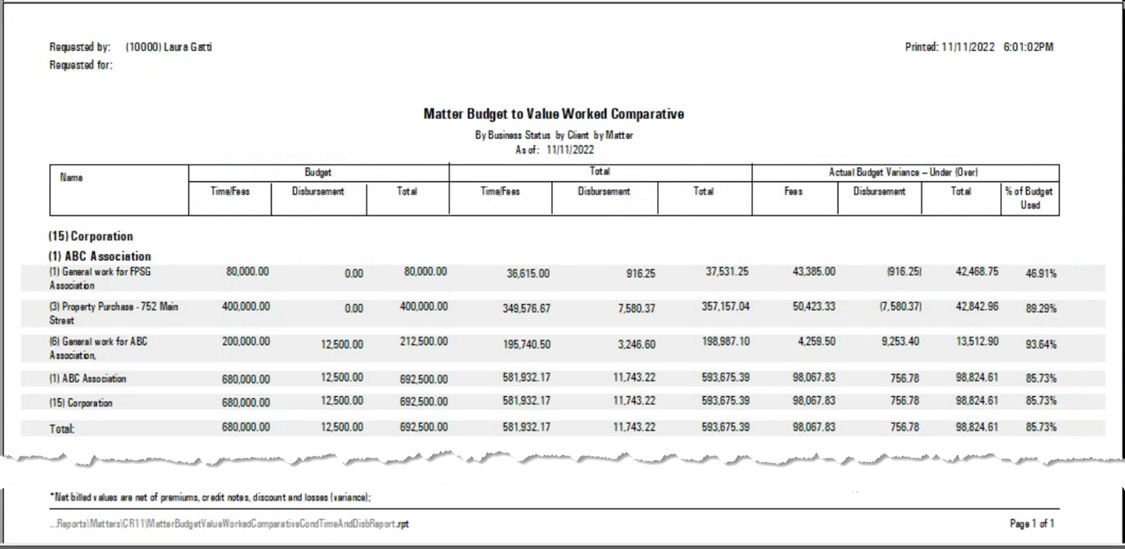
This is the detailed report for matters with budget fields populated
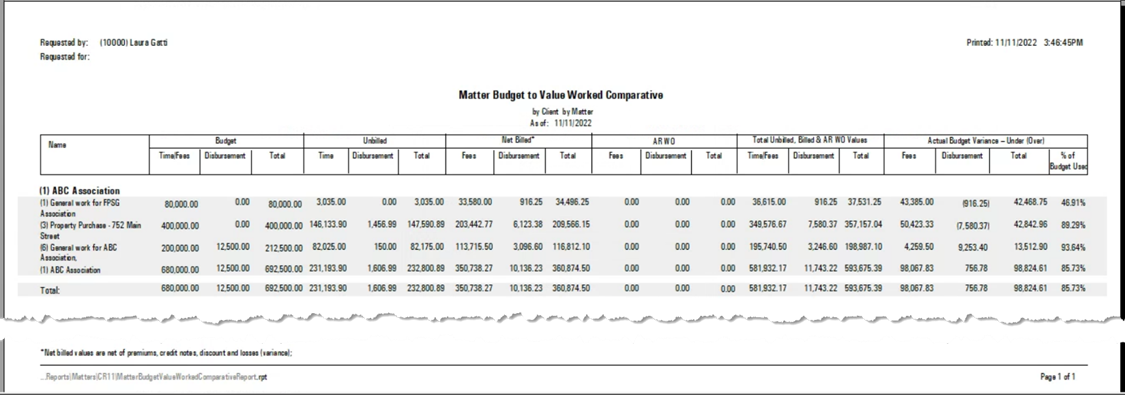
This is the condensed version
Yes, the limitations are per matter regardless of timekeeper. For example, if the limit for the matter was set to equal the value of 7.00 hours - $3,500 - once the value of 3,500.00 was reached by one timekeeper or several, the matter would be inactivated and no one else would be able to post their time.