.png)
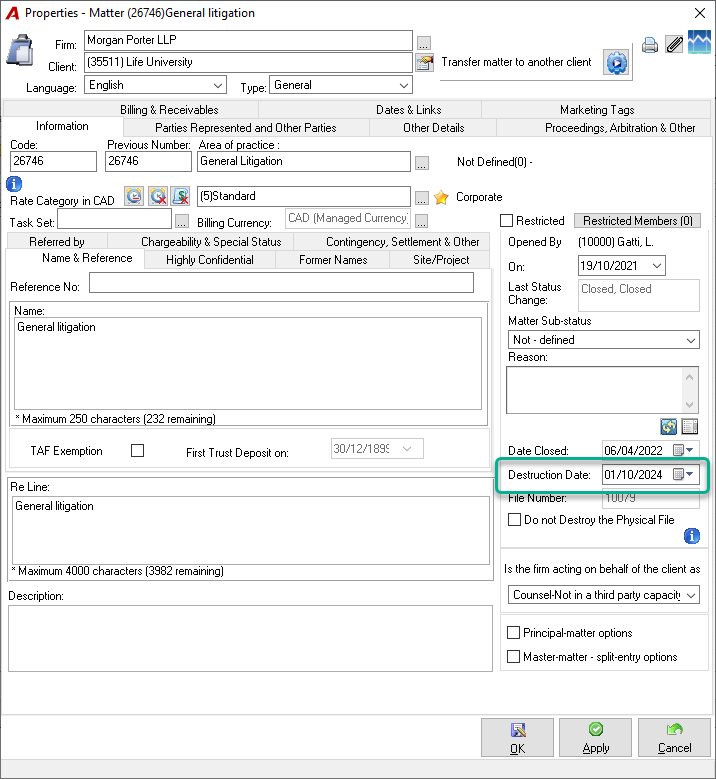
The Destruction Date field in the matter properties displays the actual date on which a file has been physically destroyed. This field should not be confused with the scheduled destruction date (e.g., in 10 years), which is noted as a Destruction Date case note (to-do task) within the Task List in the system.
Once the steps below are completed, the Destruction Date field will display the selected physical destruction date, as shown below:
-
Destruction Date: [Actual physical destruction date entered by the user]
This ensures that the Destruction Date field accurately reflects the finalized status of file destruction.
Steps to Update the Destruction Date Field
-
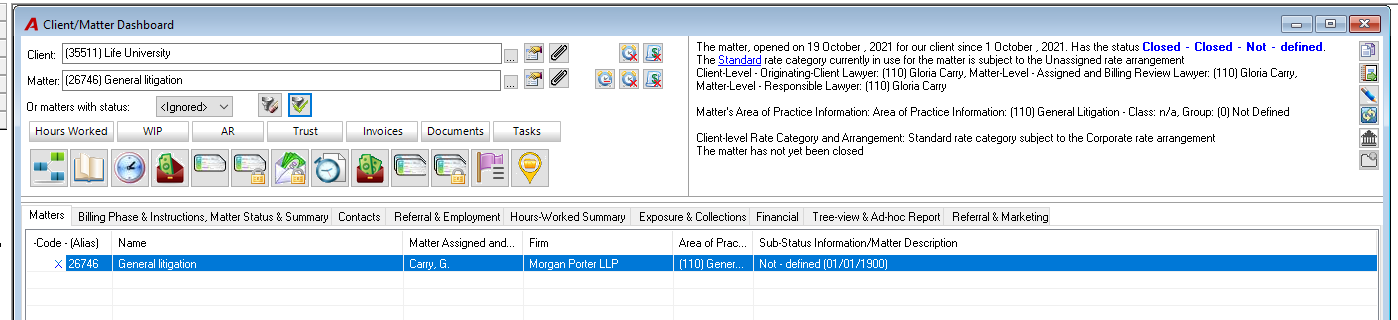
Physically Destroy the File: Once the file has been physically destroyed, navigate to the matter’s Change Status log.
-
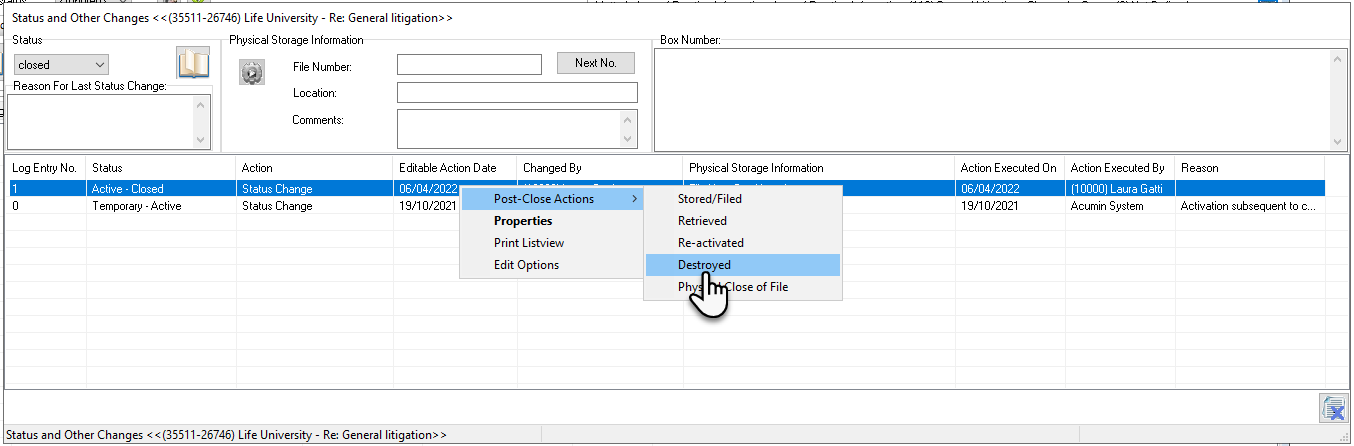
Select Post-Action: Choose Post-Action Actions – Destroyed from the options in the log.
-
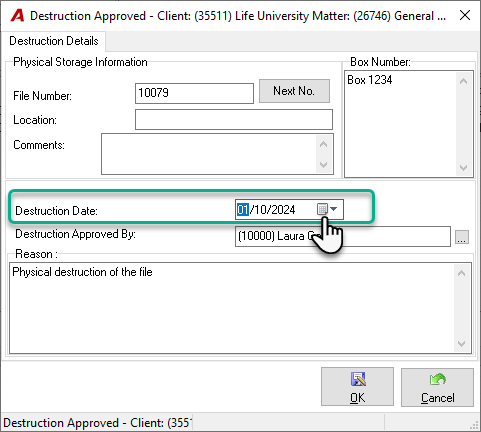
Complete the Form: Fill in the necessary details, including the physical destruction date.
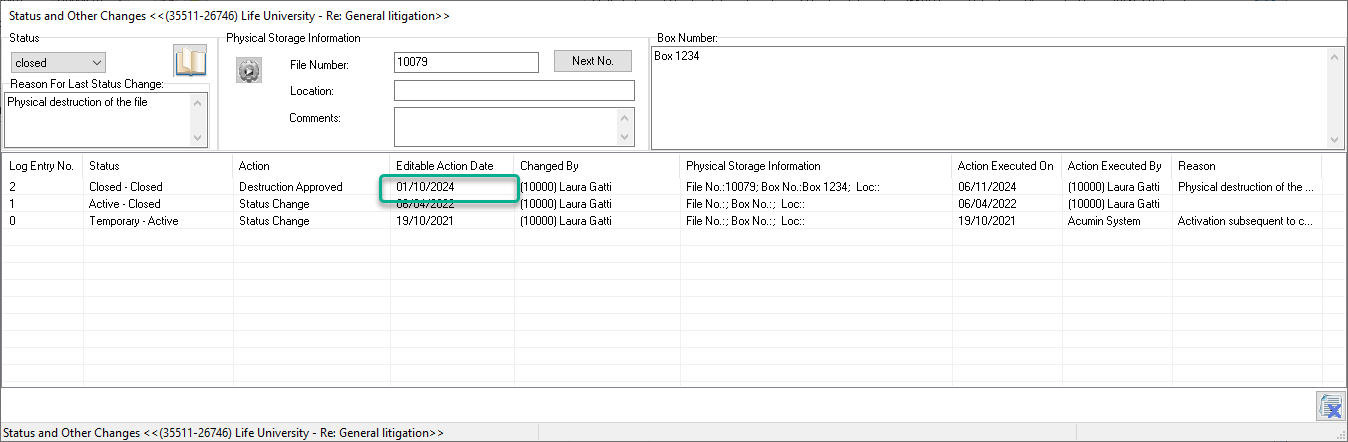
-
System Update: The system will then update the Destruction Date field in the matter properties to reflect the recorded date.