.png)
QUESTION: We have a number of students who articled at our firm and then moved on to another firm for their careers.
There are times when they then become a contact at an Opposing Party law firm. I can appreciate that we can create a new Individual card for them – and connect them to the other law firm in the Employment section. Is there any way to also connect them to the Member card, so that we know that they worked at HM at some point? Or should they not be connected at all?
RESPONSE: Add an “Other Party” category labeled “Firm Alumni” or equivalent. In the example we used the name of our sample firm Morgan Porter LLP for “Morgan Porter LLP Alumni”.
Add a party represented labeled category labeled “Other Party Counsel”.
Create the new firm with their address as a business/unit person.
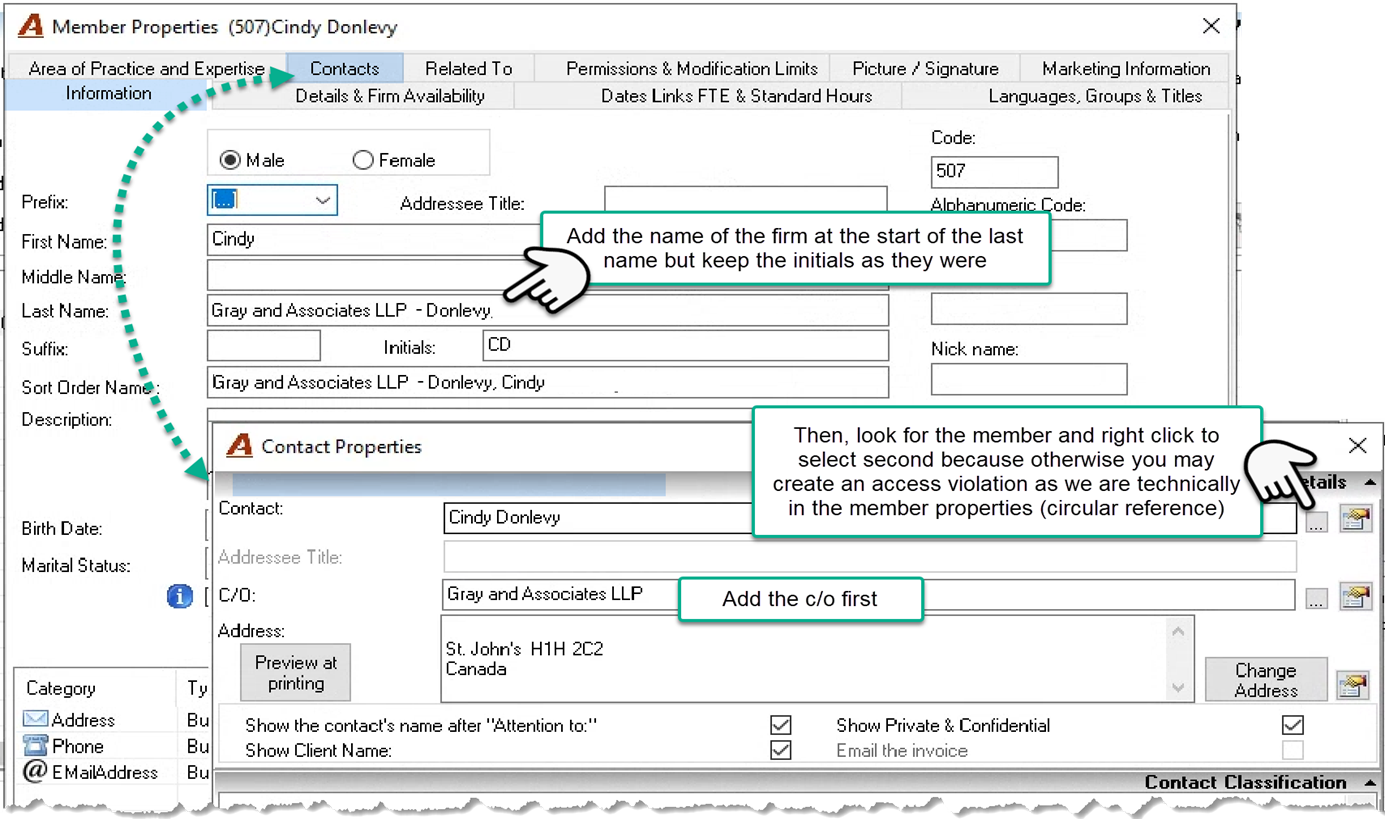
Update the member properties of the inactive member to have the firm’s name before the last name. This will give visibility in several places. You can paly around to get a best off presentation (see other screenshots)
Create the inactive member as a contact to themselves using the “Other Party Counsel” party represented category and c/o their new firm. To not get a circular reference equivalent select the c/o first, then look for the member, and right click to select instead of double click. Press OK and exit and the log out and log back in to remove any links (this is only specific to this scenario)
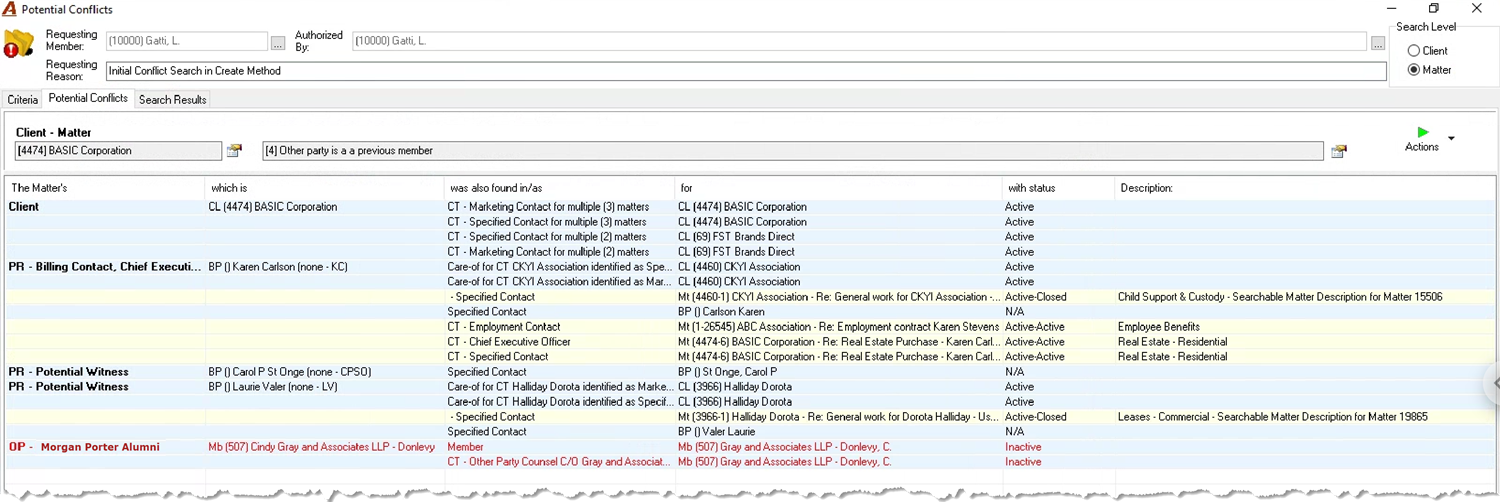
When you search for the other party, you will get:

When you attach the hit as an other party on a matter you will get: