.png)
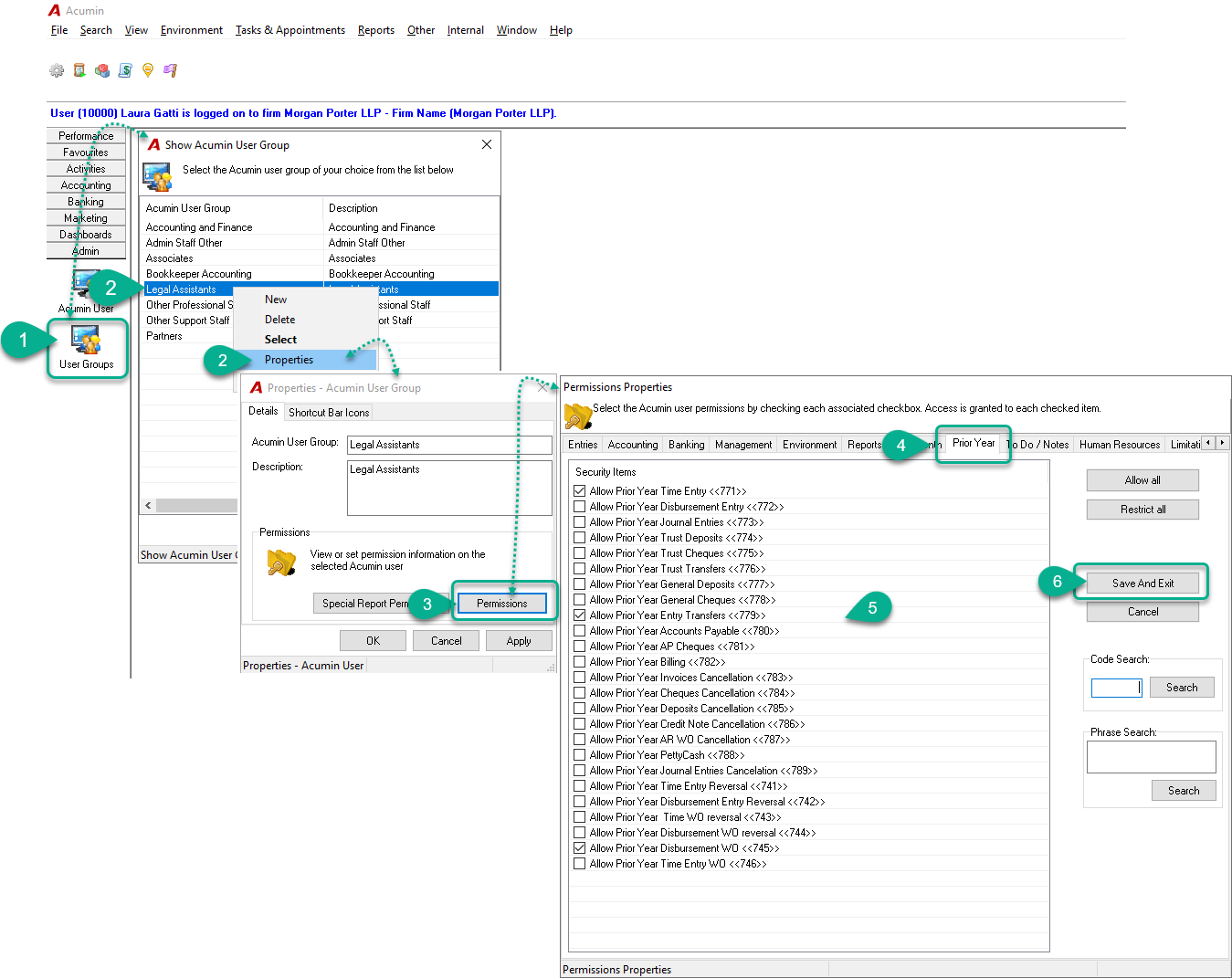
You can assign permissions to a User Group, which will apply to all users within that group. Below is an example of how to grant Prior Year Permission to the "Legal Assistants" security group:
Steps:
-
Navigate to the Admin Sidebar and click on the User Groups icon.
-
From the list, select the Acumin User Group "Legal Assistants" and click Properties to open the Acumin User Group Properties form.
-
In the Acumin User Group Properties form, click the Permission button.
-
In the Permission Properties form, go to the Prior Year tab.
-
Check the specific permissions you want to grant to this user group.
-
Click Save and Exit to apply your changes.
Note:
For the new permissions to take effect, all users in the affected group must log out of the system and log back in.
Security Permission - How to grant a permission to a specific user
Security permission - User Administrator Rights
User Security Membership - Permissions and Special Report Permissions for Member Activity