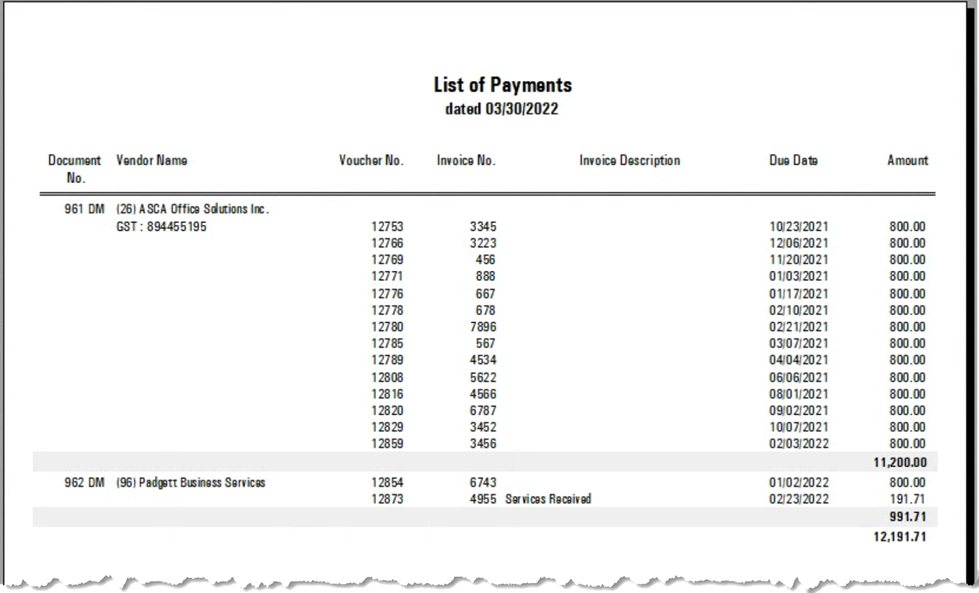
.png)
AP Payment List
Process
To access the AP payment batch, press the AP Button from within the “Banking” section of the task bar and press on the “Payment in Progress” Tab. Double-click or right-lick and select “in Progress” to launch the list of batched inclusions.
To leverage the options available for batched payments in progress, the “Proposed Payment” list must be created, and the payments (cheques or debit memos) generated from within.
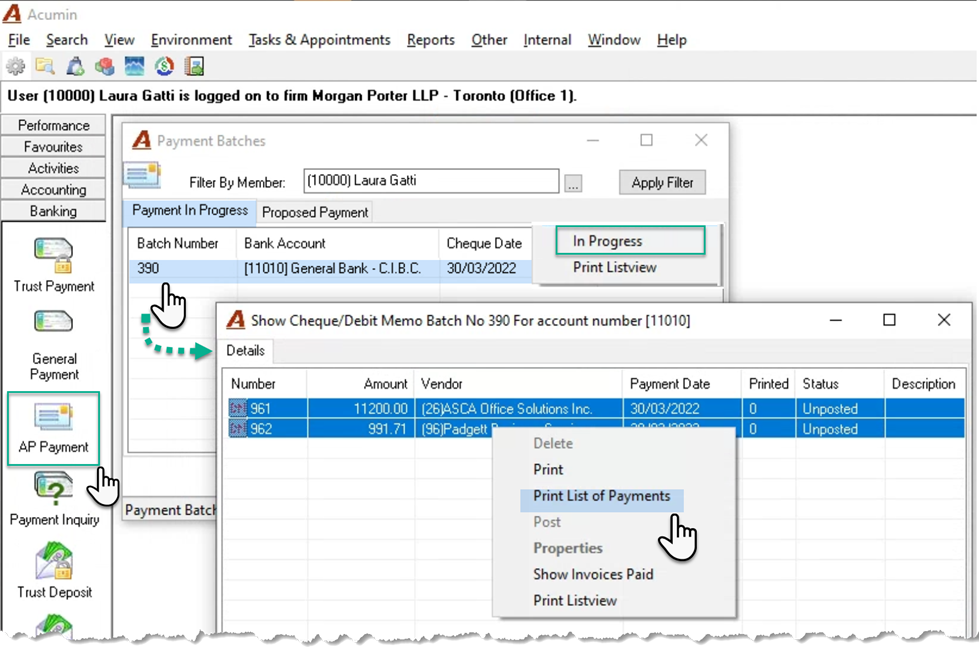
Options:
Delete: Deletes the specific selection as void if the unposted cheque is not yet printed or as destroyed if the unposted cheque is printed.
Print: Multiple select the records where you want to print the cheque or the debit memo document.
List of Payments: Multiple select the records you want to include in the list of payments report
Post: Multiple select to post selected records. Only available after the print function is successfully executed
Properties: Launches the payment properties for a specific selection
Invoices Paid: Launches the list of AP invoices paid for a specific selection. From that list, the user can drill through to the properties of the AP invoice.
Print List-View: Prints the content of the list view as a paper output or to excel (User defaults setting).
List of Payments Report