.png)
Client & Matter Count Dashboard
Overview
The client & matter count dashboard provides the client and matter count as form results or report, in context security assigned, and based on the date the client or matter was opened as well as filter options applied.
Security
For access to the Client Matter Count Dashboard or Report, the user group properties must include security 892, 893 and 894, depending on the level of access required by the affected user.
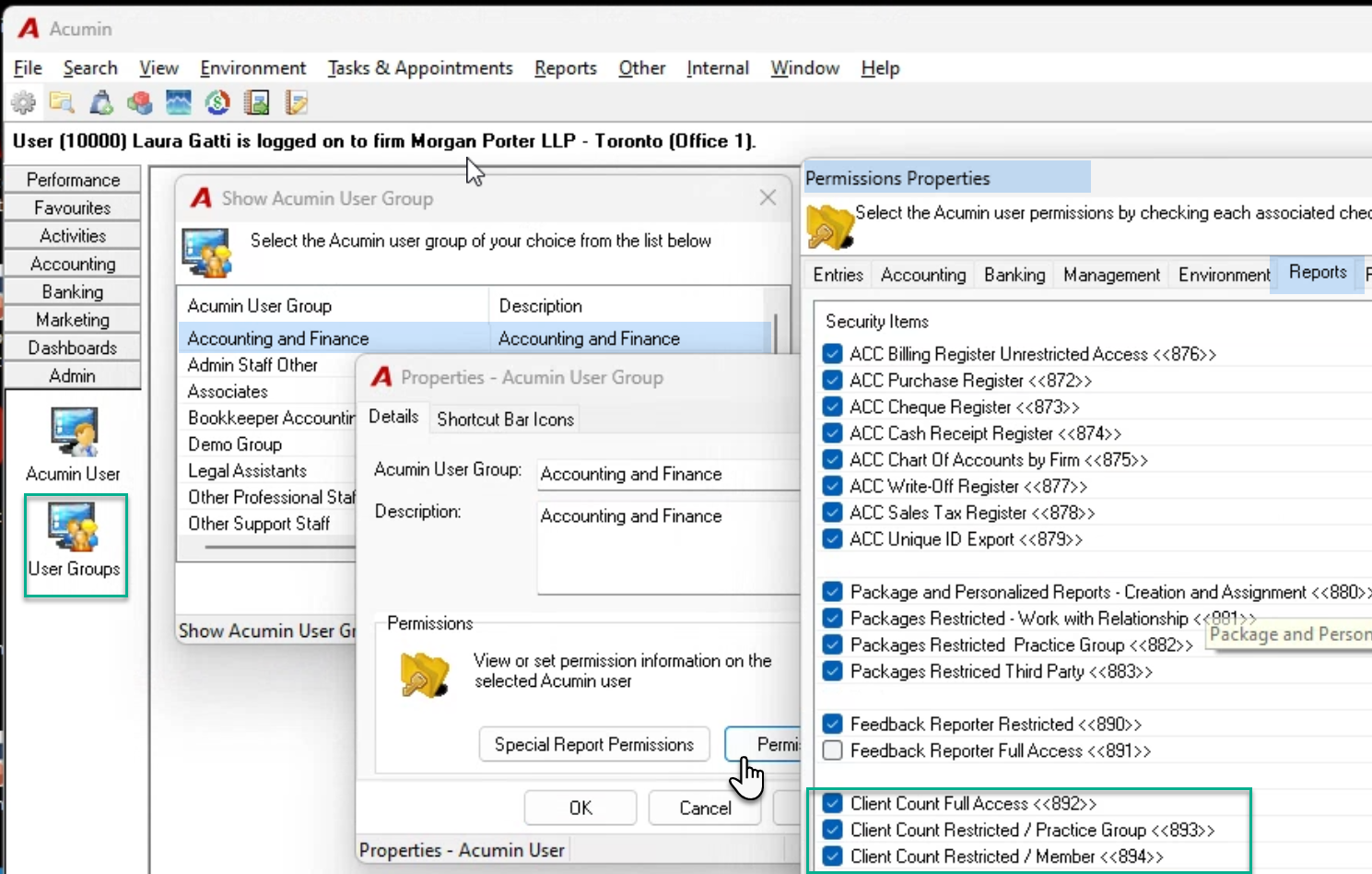
Set all three security levels for the user assigned to the security group to be able to generate results for the firm.
Select security groups 893 and 894 for the user assigned to the security group to be able to generate results for his or her practice group.
Select security groups 894 for the user assigned to the security group to be able to generate results him or herself.
The results are presented in context of security and other filter options selected.
Dashboard and Reports
Access
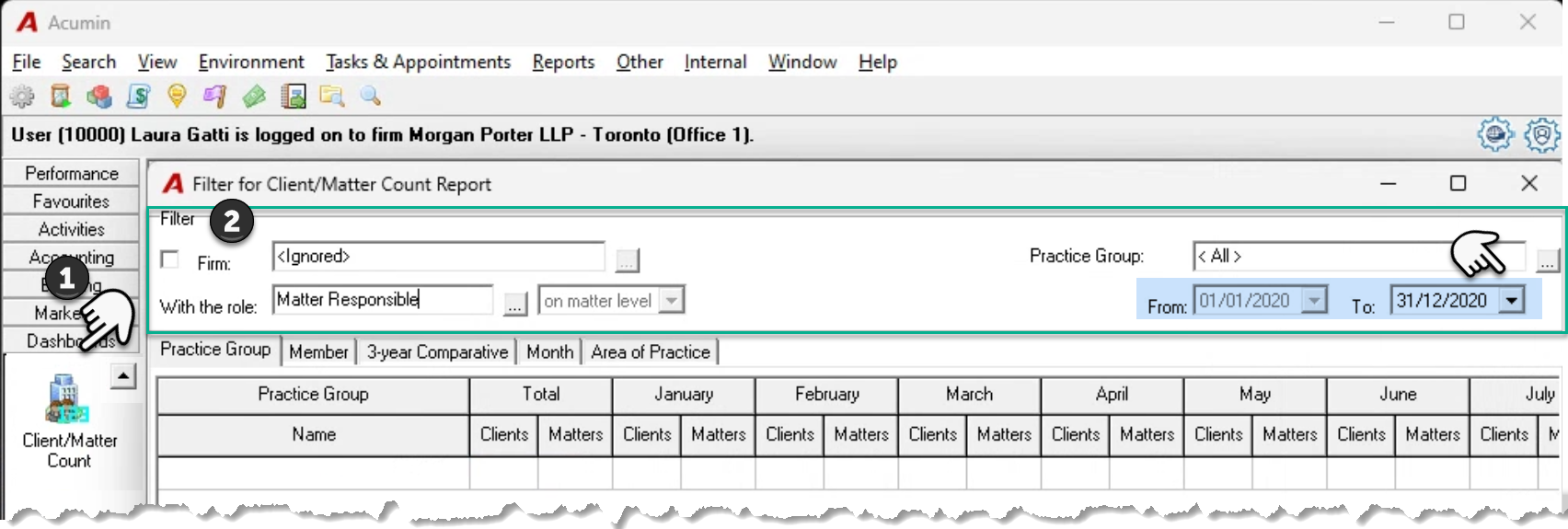
Press on the "Client/Matter Count" (1) from the "Dashboard” section of the task bar to launch the “Filter for Client/Matter Count Report” form. Update the default filter options in context of the tab content to be viewed or reported on (2).
Although the same filter options are available for each tab, the date range behaves differently to accommodate the presentation of the tab.
Practice Group
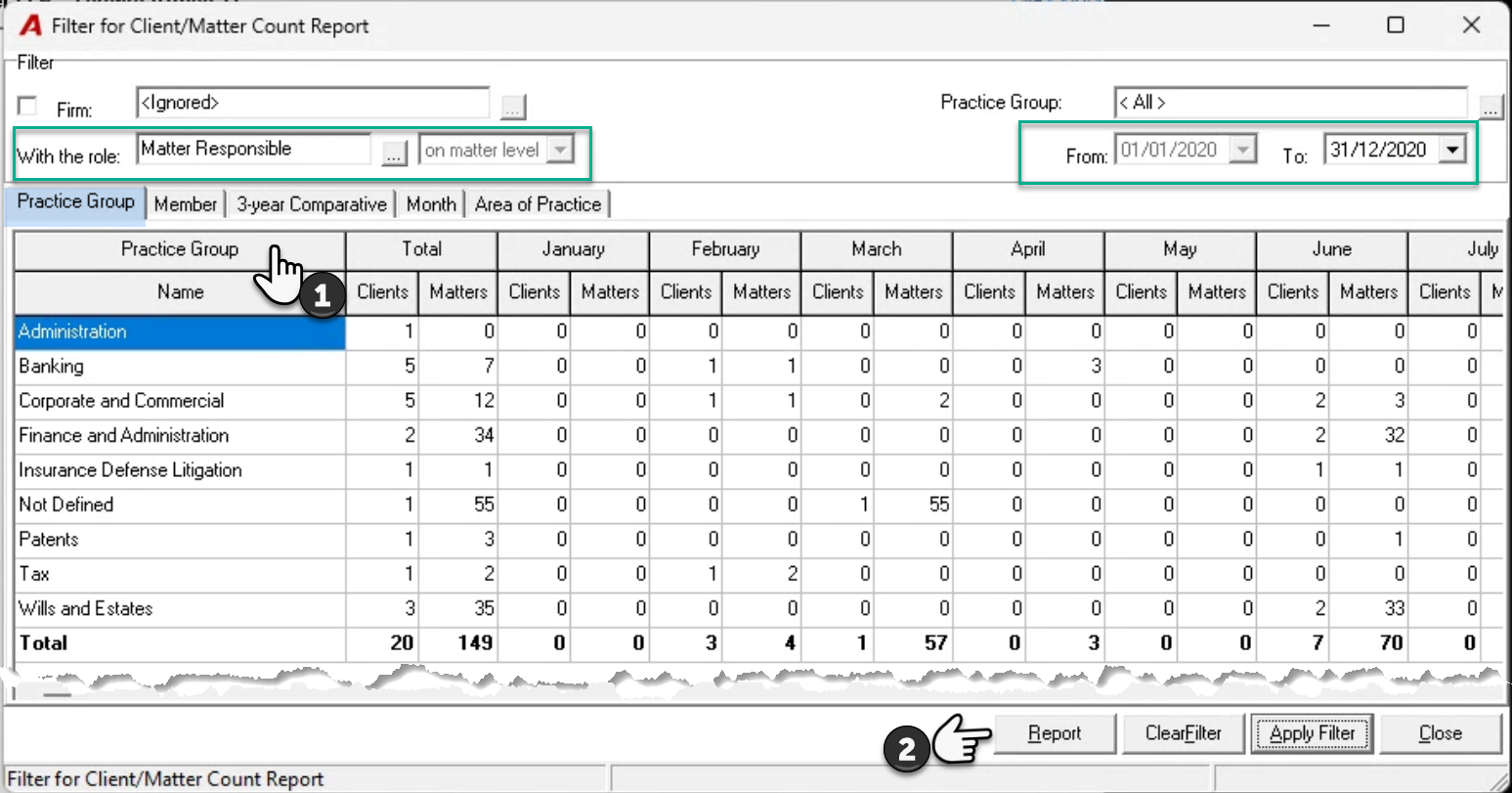
The practice group tab will show the client and matter count per month for the fiscal year selected, using the date the client or matter was opened, summarized by the “Practice Group” of the assigned role-holder, based on the role selected (1). In this example we have retained the default role of matter responsible.
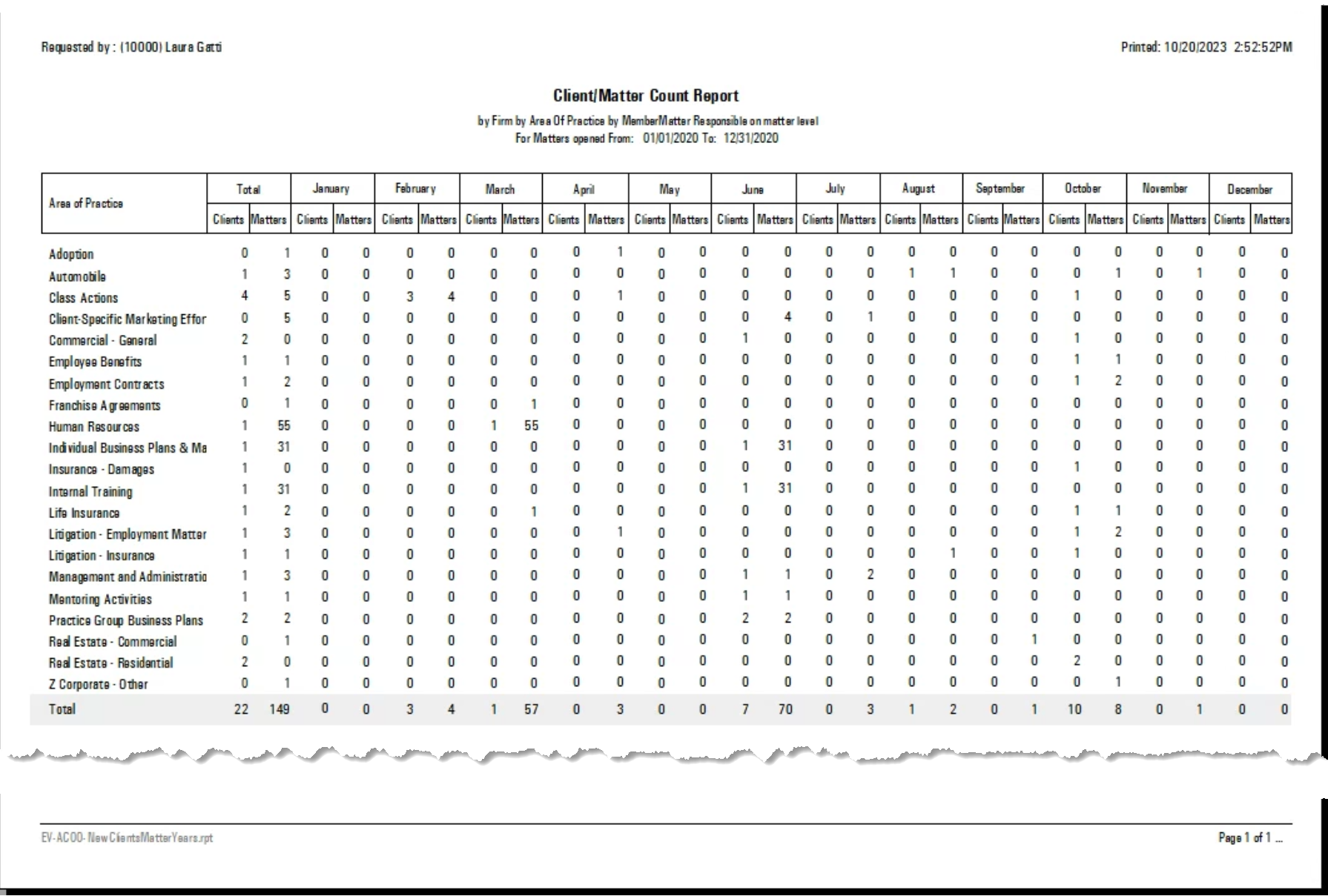
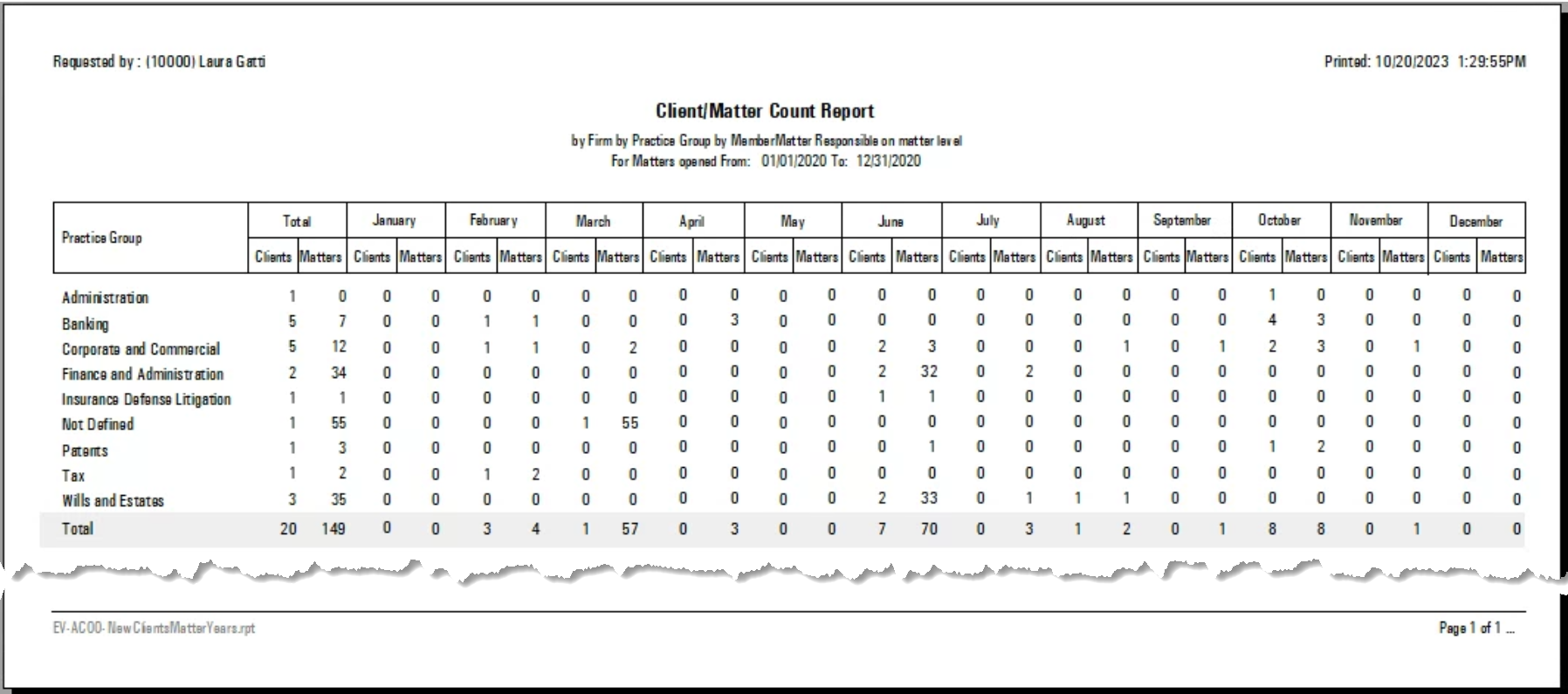
If the “to-date” is backdated to a prior year, as this tab presents the 12-months of the year, the “from-date” will be automatically updated to the first month of the first fiscal year. Press on report to get the report version of the dashboard (2).
Member
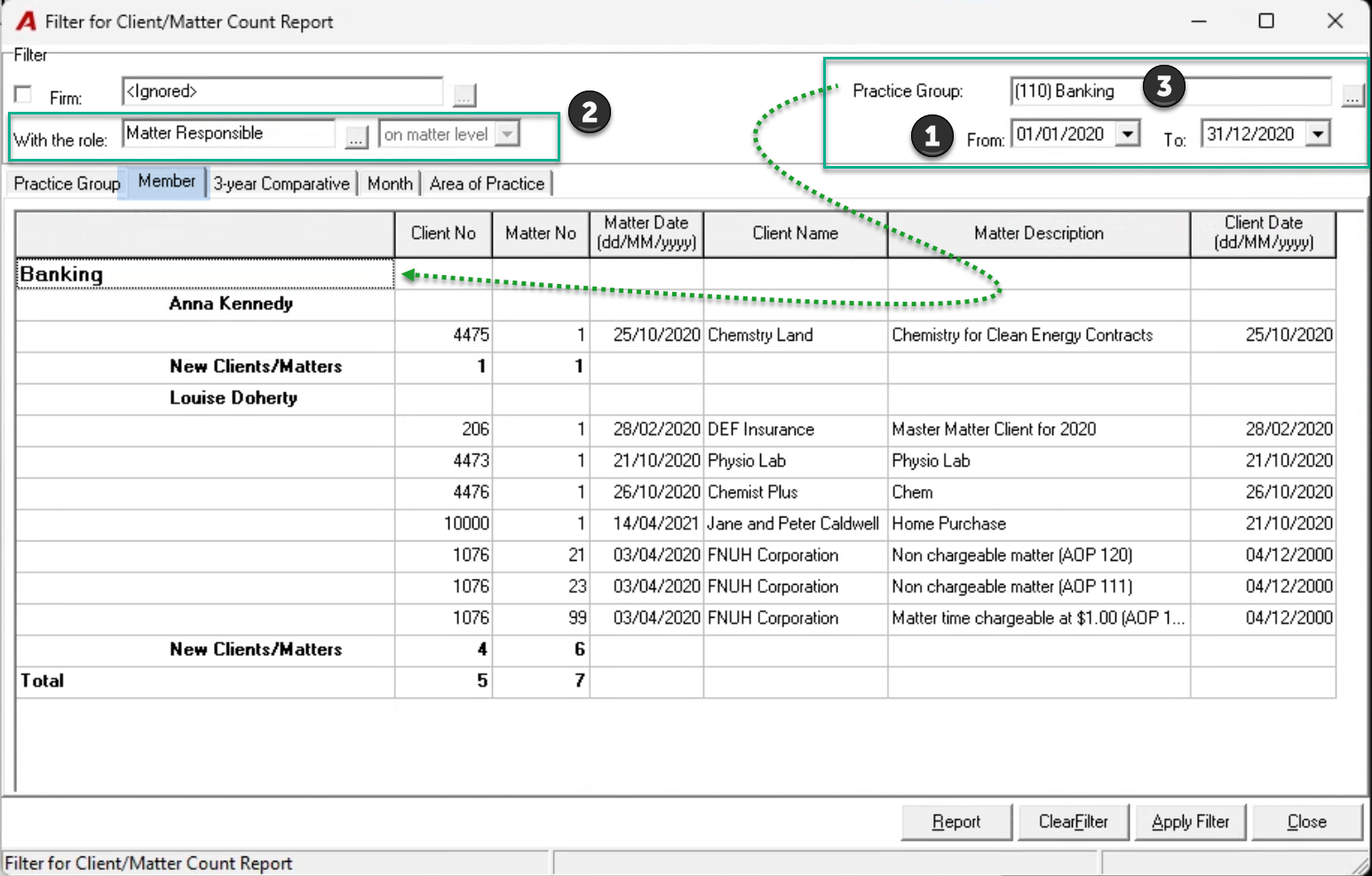
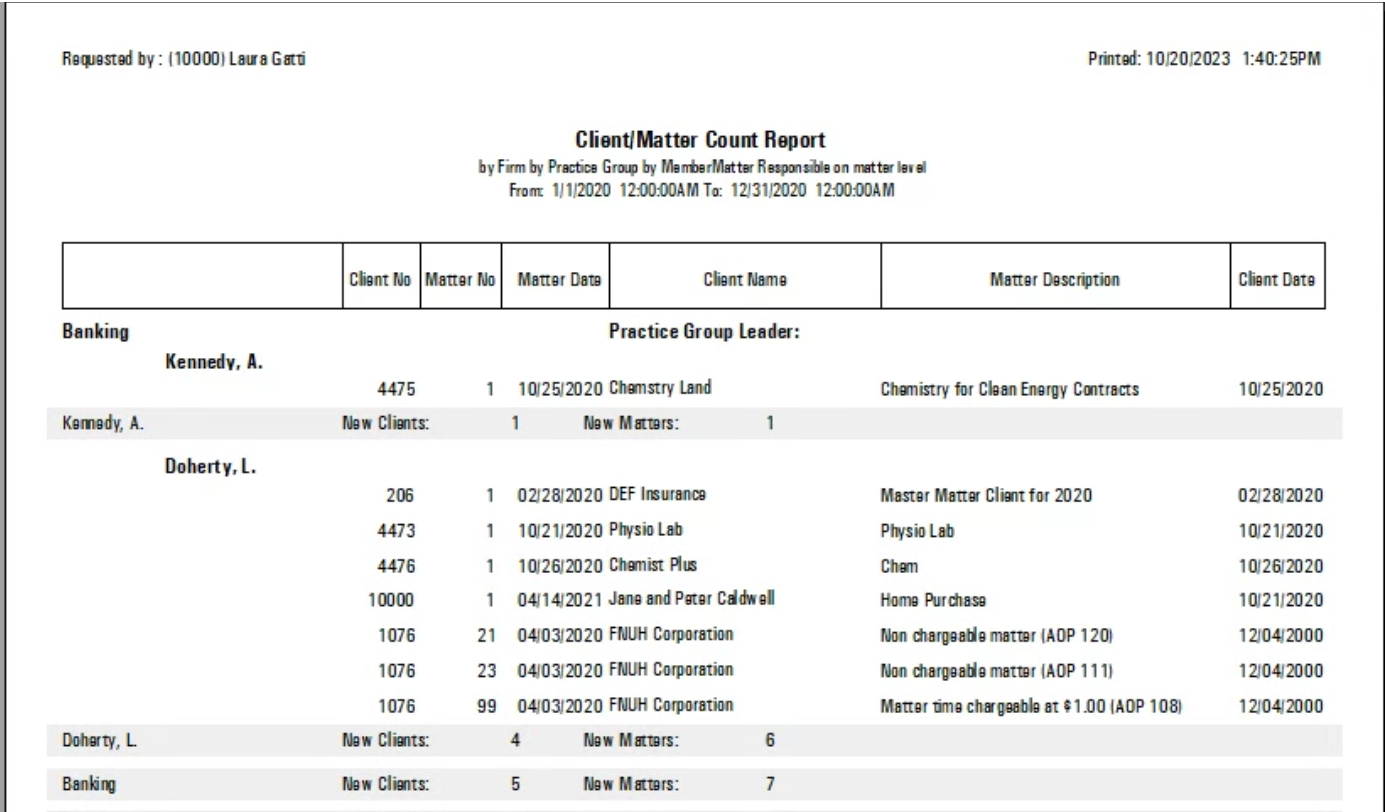
The member tab shows the client and matter count for the period selected (1) using the date the client or matter was opened, per assigned role-holder, based on the role selected (2). In this example we have filter for role-holders that are in the “(110) Banking” practice group (3). As this is not a 12-month output, both the “from-date” and “to-date” are opened for selection.
3-Year Comparative
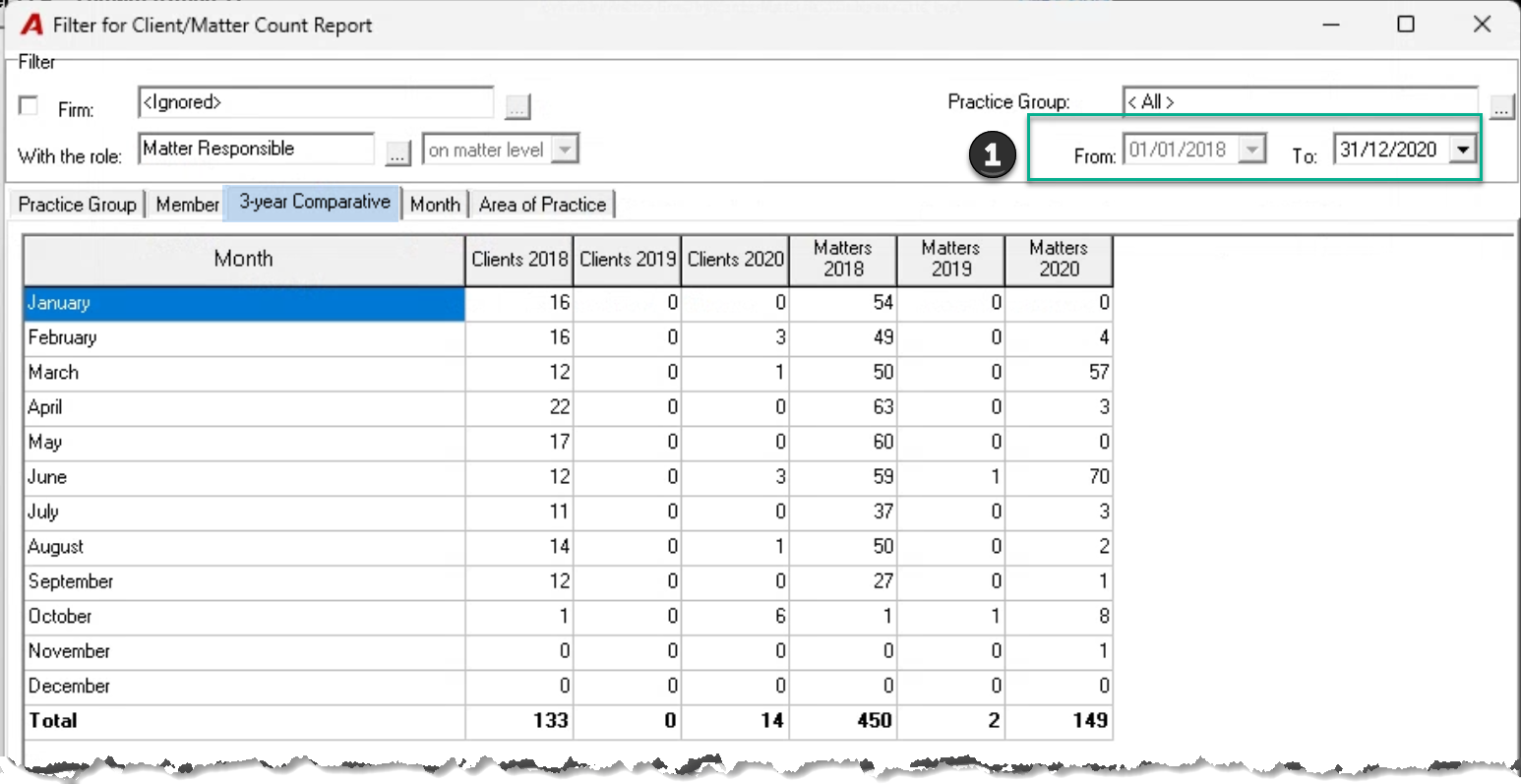
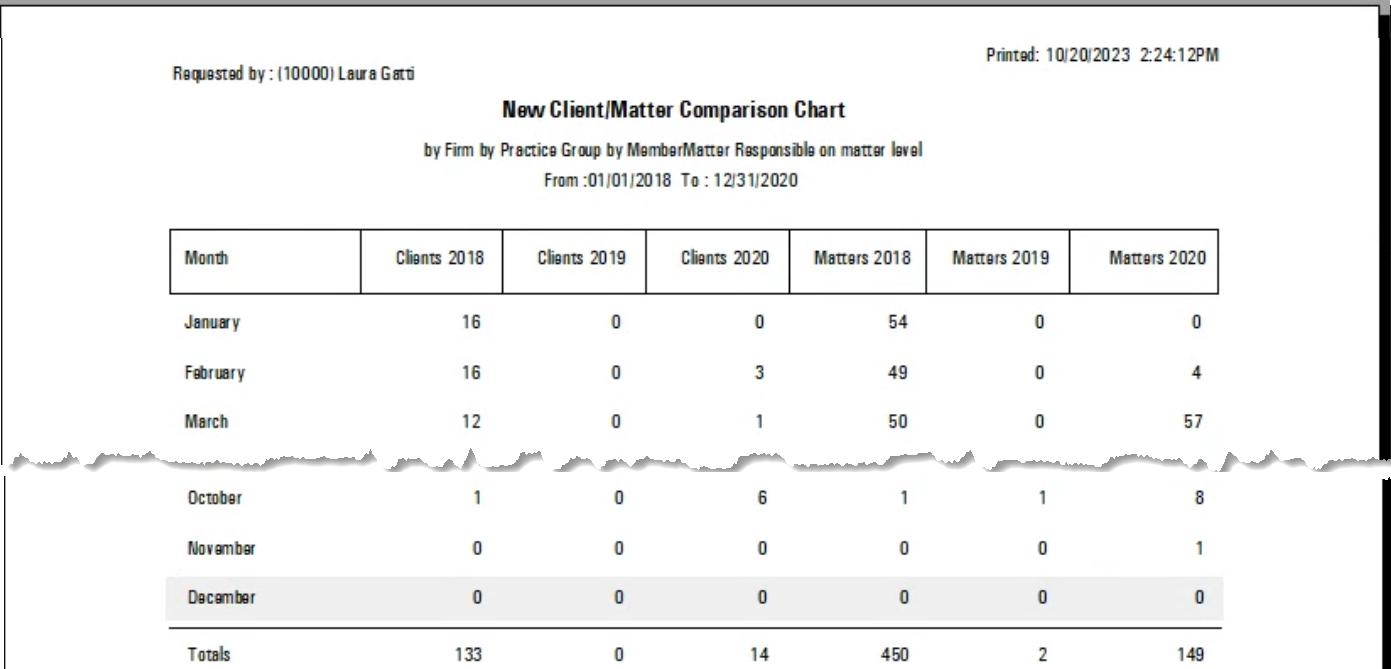
The 3-year comparative tab shows the client and matter count for the period selected (1) using the date the client or matter was opened, per month for the last three years. Based on the “To-date” selected, the “From Date” is automatically updated.
Month
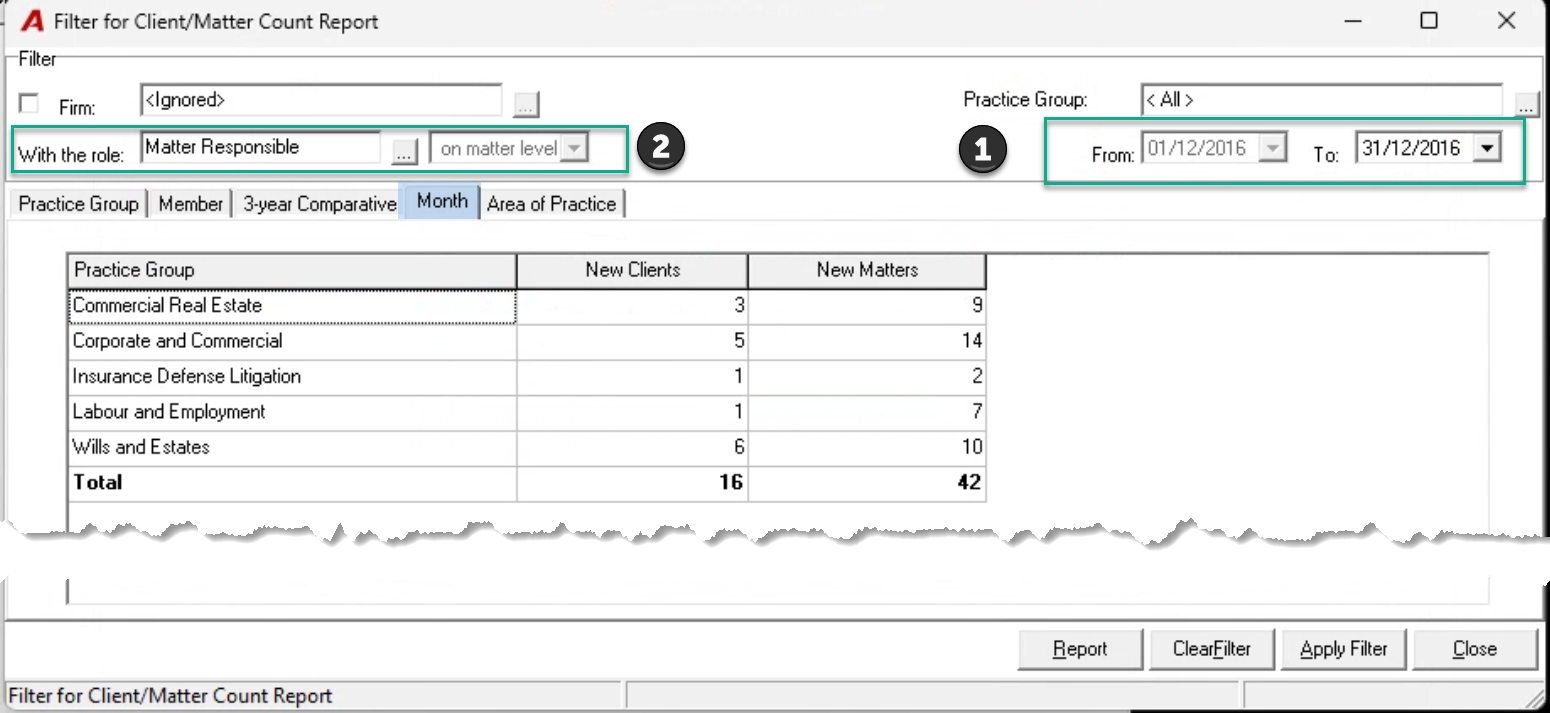
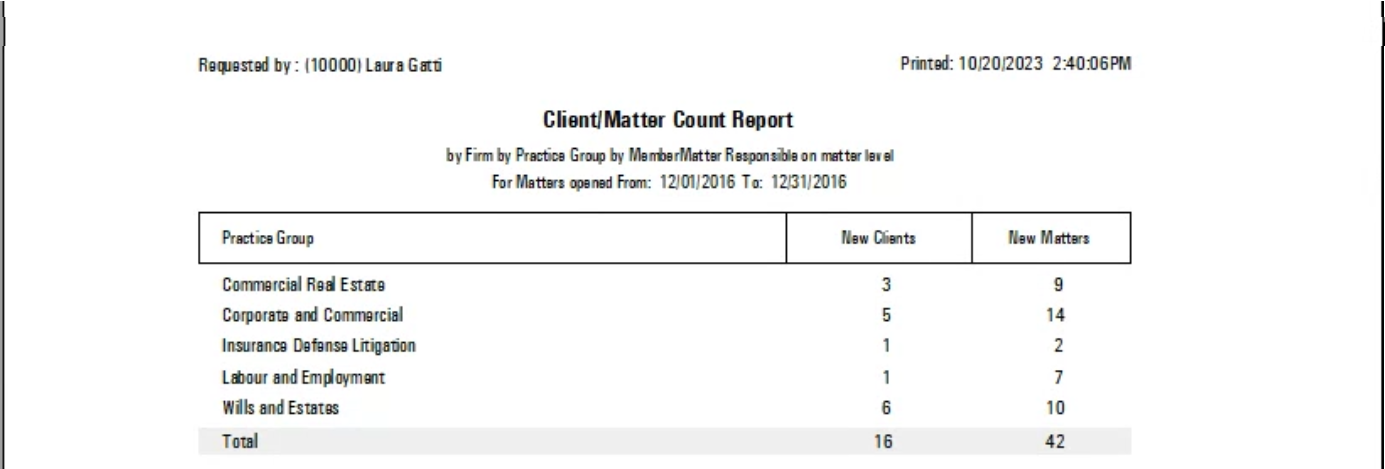
The month tab will show the client and matter count for the month selected (1), per “Practice Group” of the assigned role-holder, based on the role selected (2). In this example we have retained the default role of matter responsible. Based on the “To-date” selected, the “From Date” is automatically updated.
Area of Practice
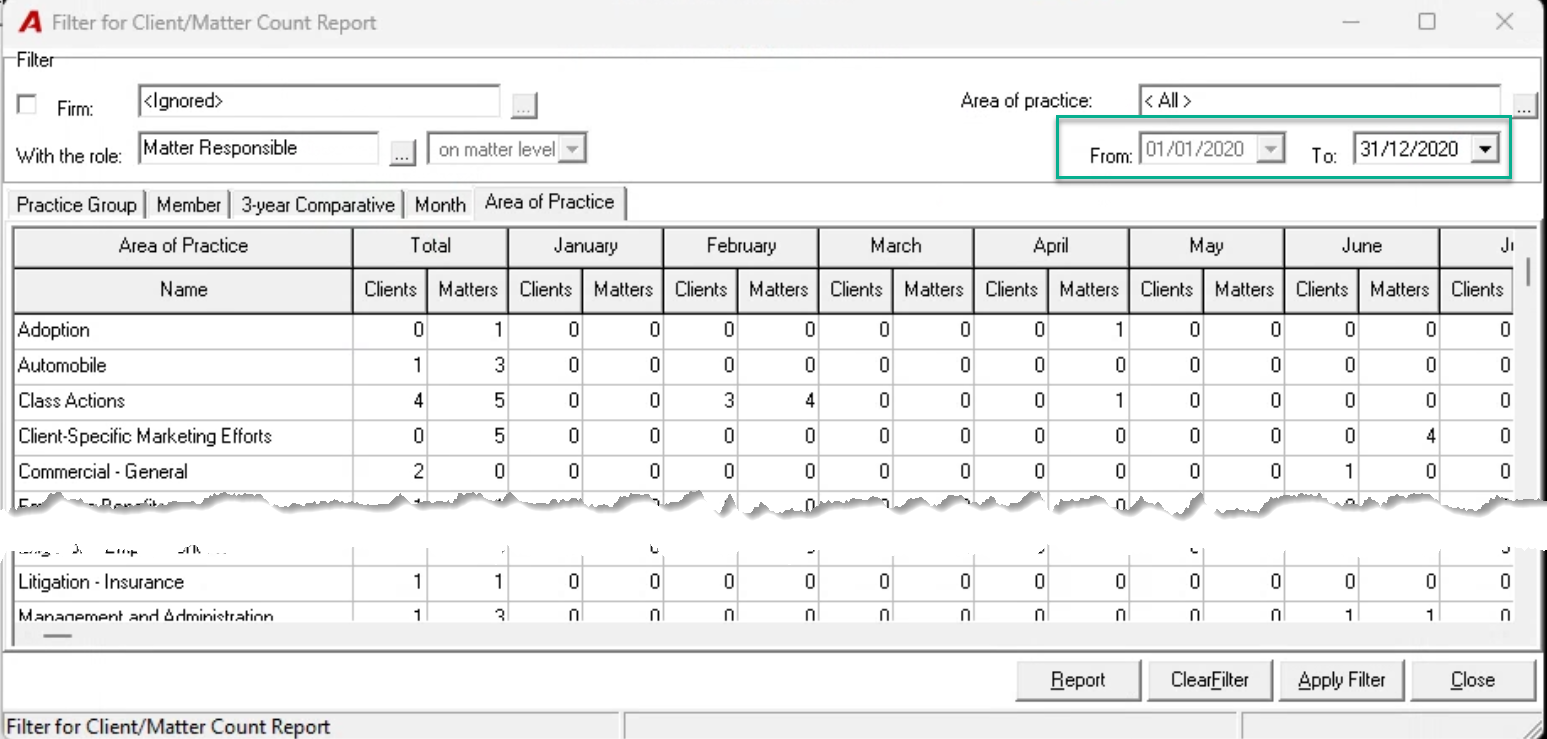
The Area of Practice tab will show the client and matter count for the the 12-month period selected (1), per “Area of Practice” using the dates clients and matters were opened. As this is a 12-month report, based on the “To-date” selected, the “From Date” is automatically updated