.png)
WIP Management Reports
WIP, Trust and AR
Scope and Purpose
The purpose of this report is to provide visibility of the firm’s exposure with respect to accumulated WIP, AR as well as the amount of trust available to cover the exposure.
At a detailed level, the scope of the report extends to information on last invoice and transaction dates and the separation of trust available for payment of invoices from values held in trust for the transaction, whereas at a summary level this same information is available based other reporting dimensions beyond practice group for example office, area of practice and/or client industry.
Filter Options
Access
Select the WIP, Trust and AR report from the “Reports – Work-in-Progress” sub menu.
Preselect Tab
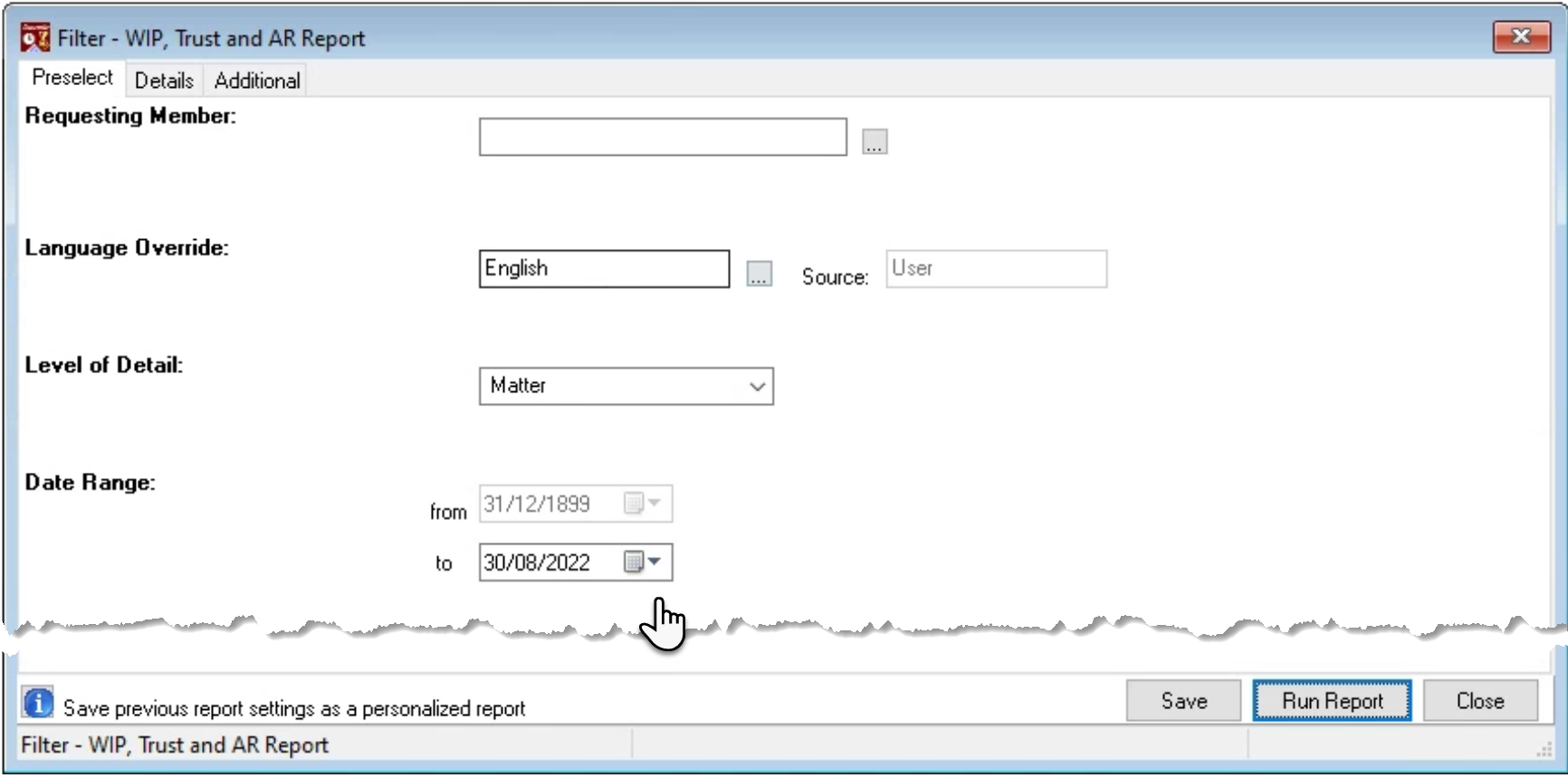
The WIP measures for the WIP Trust and AR report are historical therefore the “to” date can be backdated to reflect the position as it was in consideration of back dated transactions which may have been added in the meantime. For example, an invoice cancellation.
Details Tab
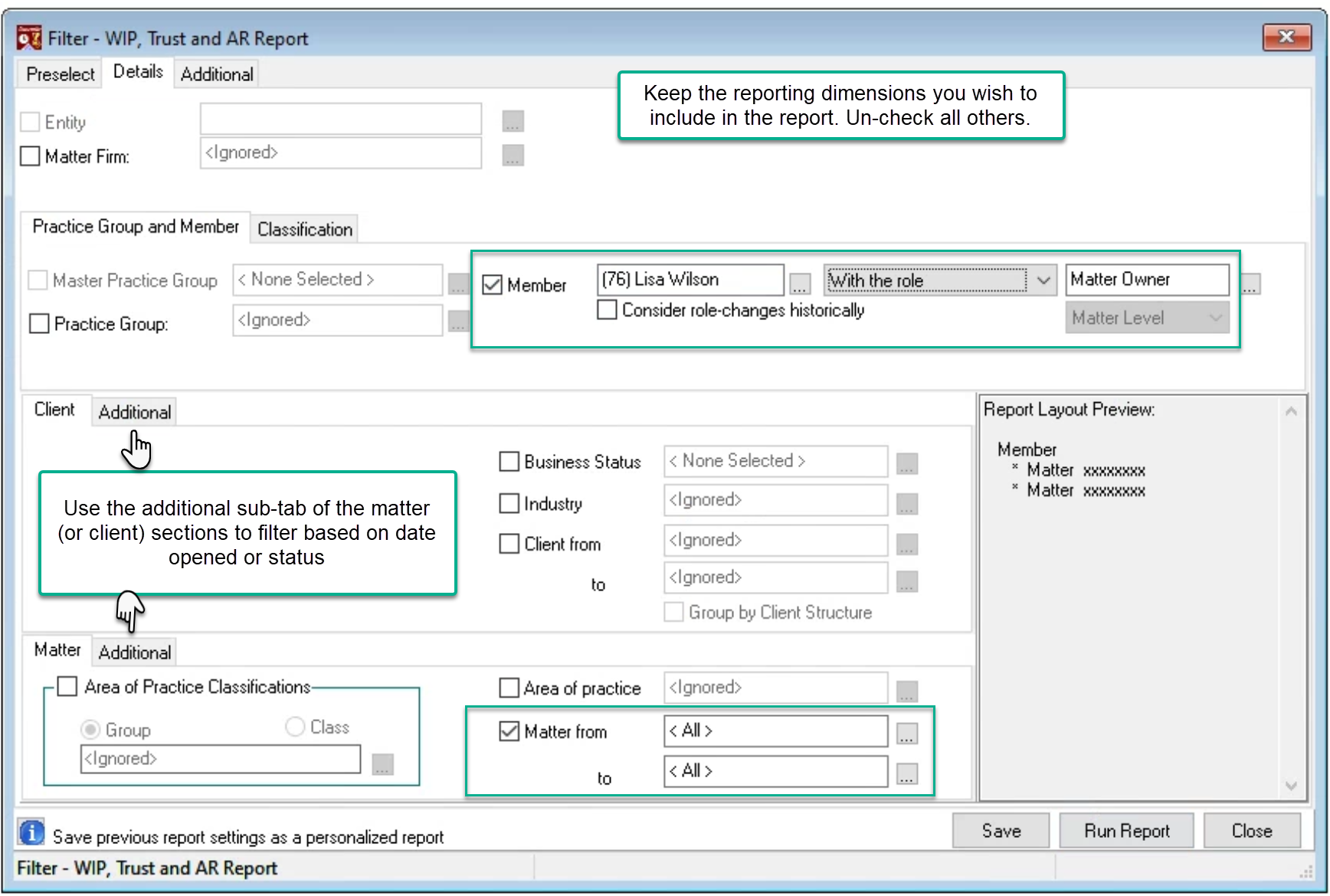
Consider the reporting attributes relevant to the intended use case of the results and uncheck all other options.
If the report is executed by member, version 2.0 forward includes the ability to report based on when a member was assigned to the role.
When reports are executed by matter without the client, the client and matter codes are both presented on the results but the client group with sub-totals by client eliminated.
The additional subtabs for the client and matter reporting attributes include additional filter options based on date opened and status.
Additional Tab
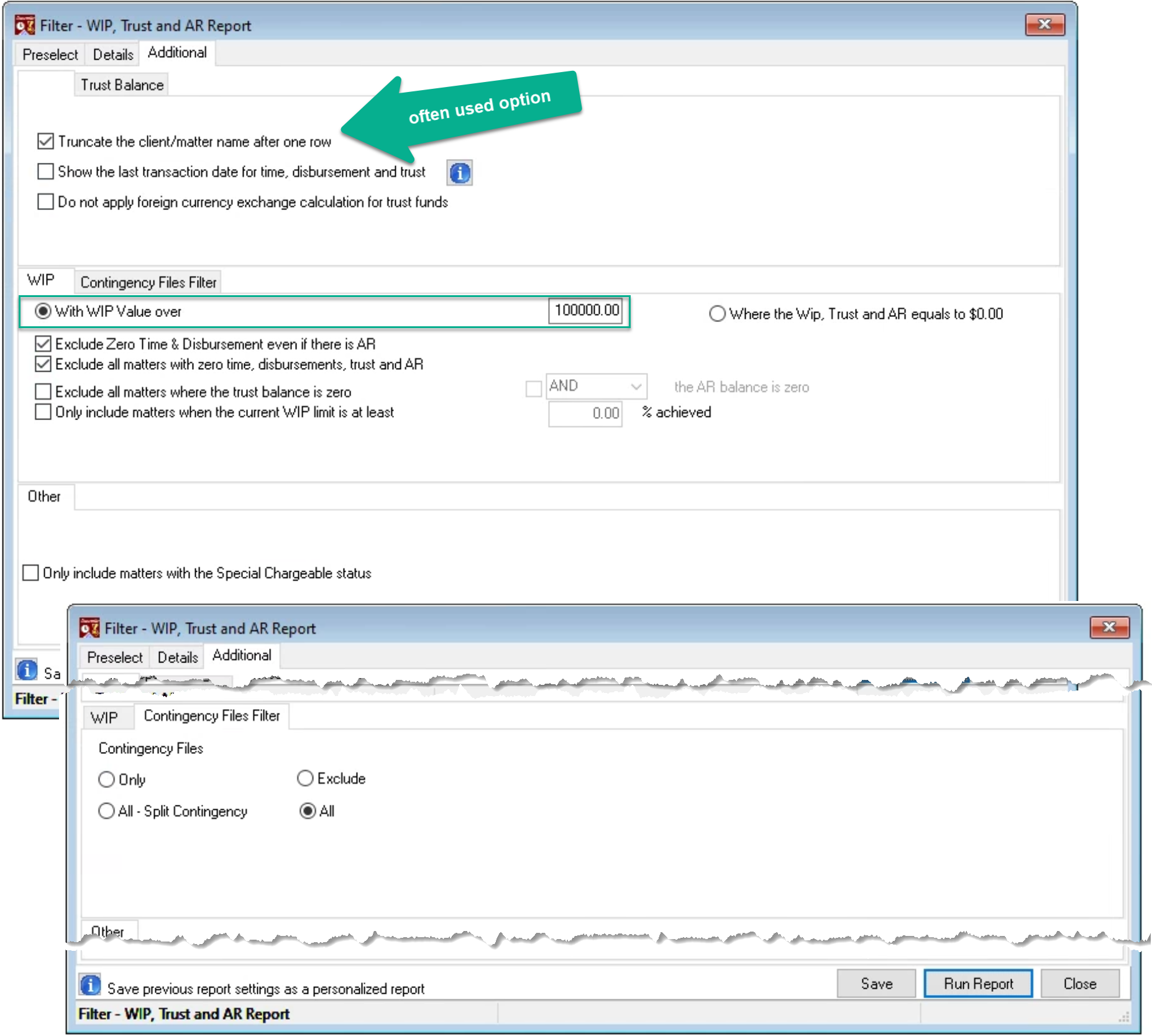
Truncate the client and matter after one row to provide more concise results (see example that follows).
Consider alternate presentation options, for example show the transaction dates instead of non-chargeable values.
Filter based on WIP value, for example where only matters with WIP of 100,000 or greater will list to allow a for a billing focus, or to find all matters where WIP, Trust and AR equals 0.00 for a matter closing initiative.
Consider other exclusions based on balance greater than 0.00 and/or on contingency matters.
For Member Owner (Responsible) by Matter with WIP values greater than 100,000.00
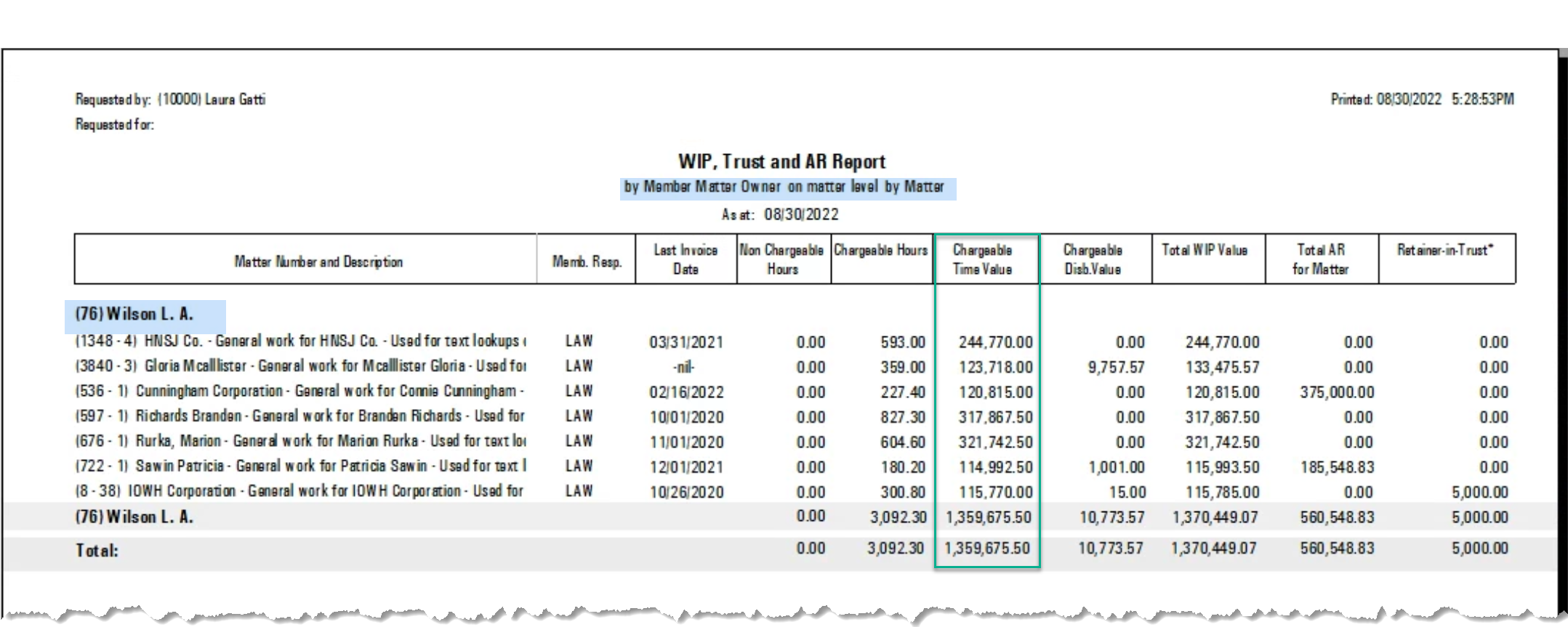
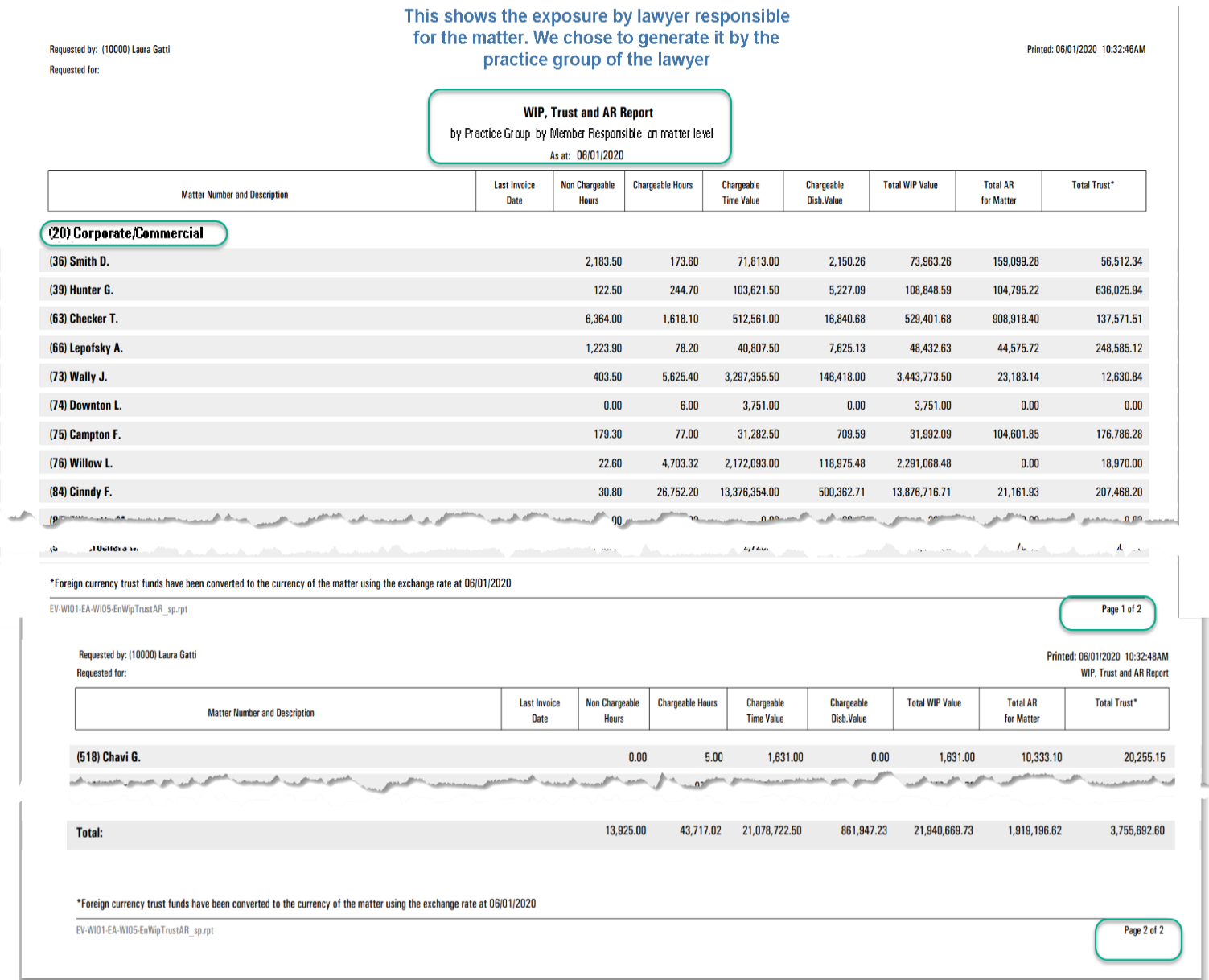
By Practice Group – Summary by Member Responsible
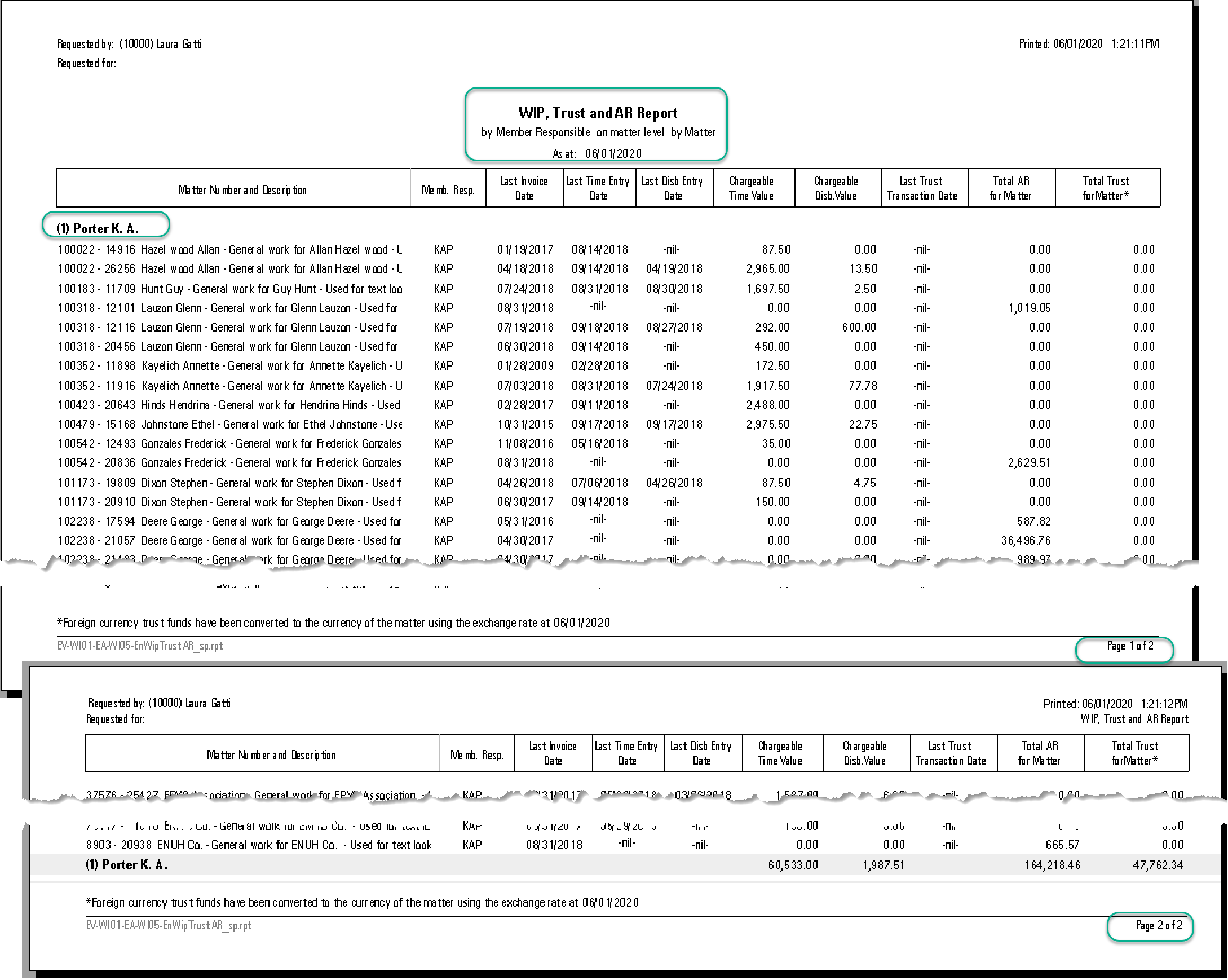
Detailed by Matter
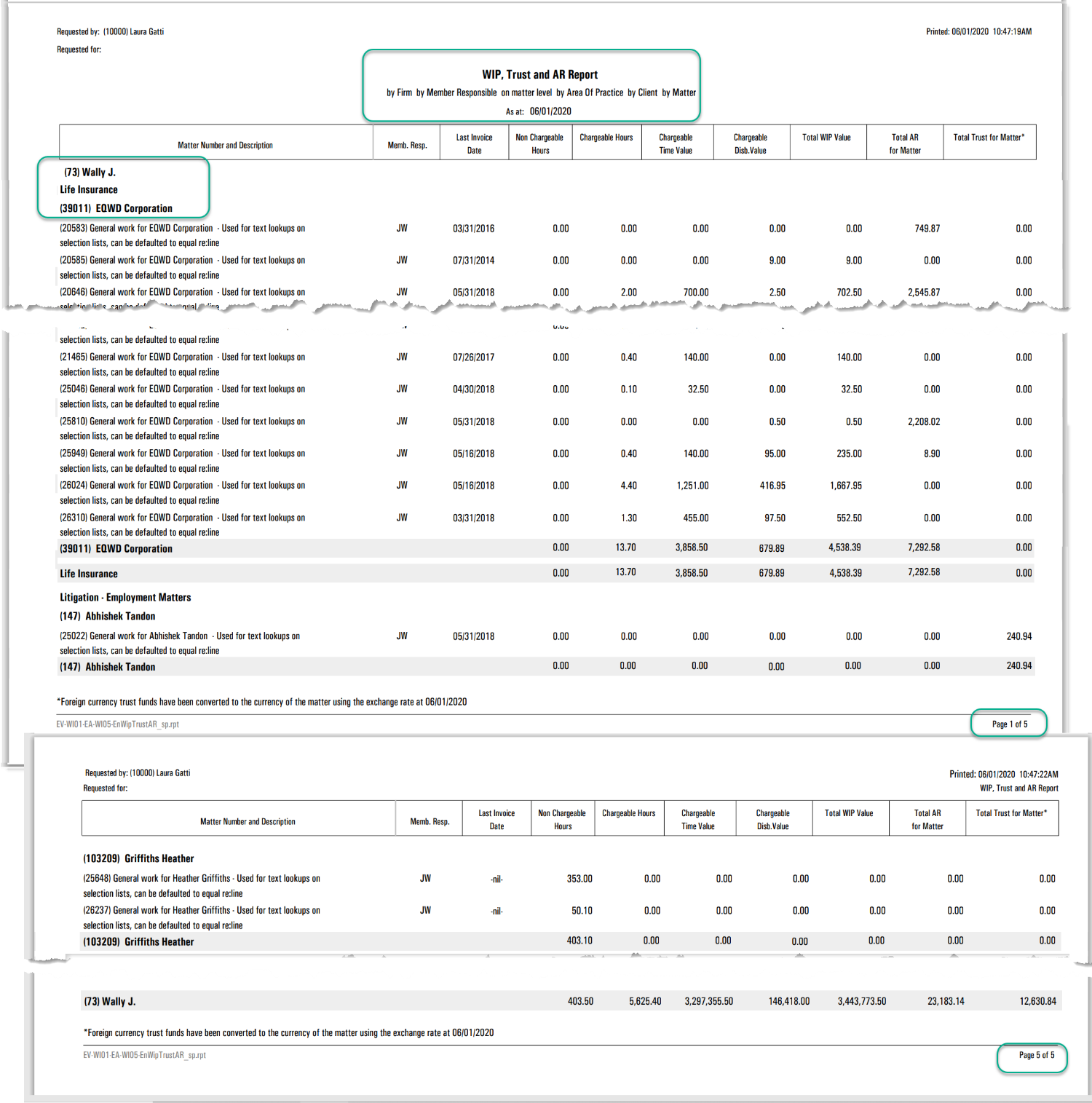
Detailed by Matter – Grouped by Area of Practice
Aged Work-in-Progress Reports
Scope and Purpose
The purpose of this report is to facilitate the management of WIP.
The scope of this historical report extends from matter-level details by entry type with WIP management notes, to summaries by firm defined aging periods across all levels of reporting dimensions.
Filter Options
Access
Select the Aged WIP report from the “Reports – Work-in-Progress” sub menu.
Preselect Tab
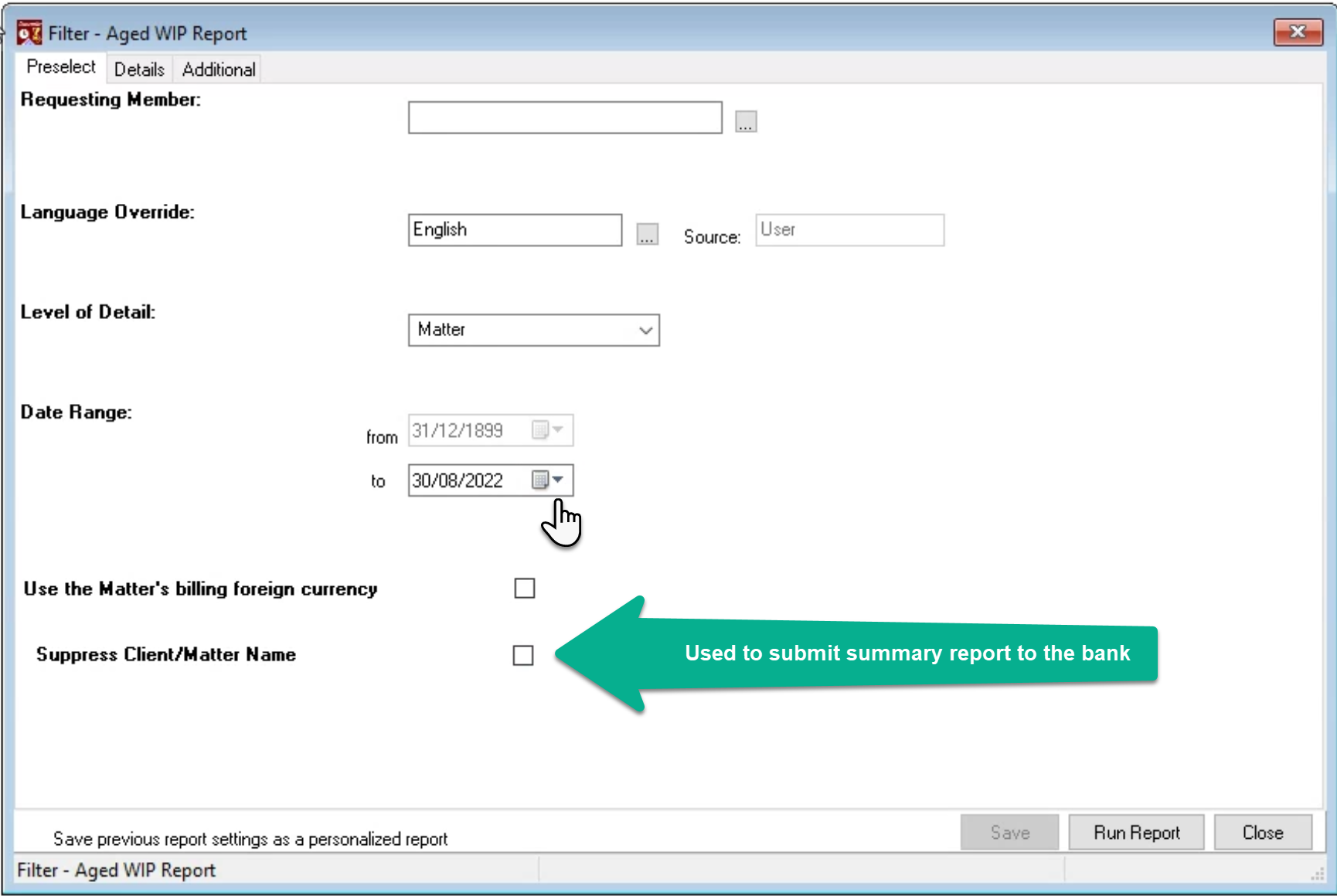
The WIP measures for the Aged WIP report are historical therefore the “to” date can be backdated to reflect the position as it was in consideration of back dated transactions which may have been added in the meantime. For example, revalued unbilled time. Firms licensed with foreign currency billing rates can report WIP revalued in the foreign currency of the matter.
Details Tab
Consider the reporting attributes relevant to the intended use case of the results and uncheck all other options.
If the report is executed by practice group, version 2.0 forward includes the ability to report based on when a member was assigned to the practice group.
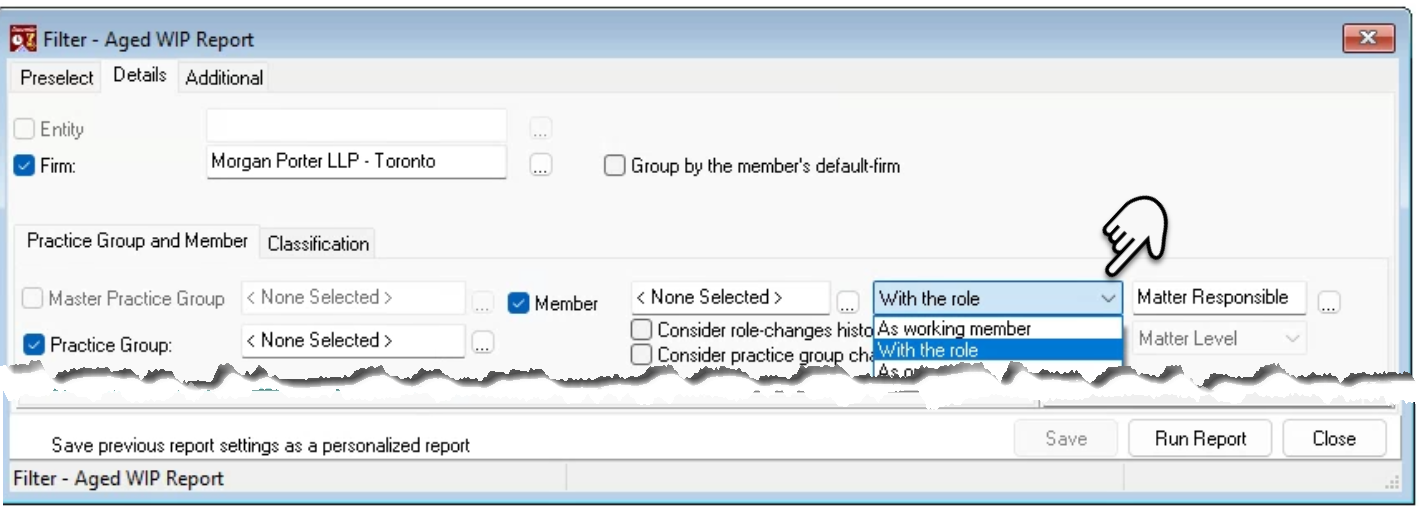
The member section drop-down box defaults to the “With the role” option and the label used for the team role holder generally labeled as “responsible” at the matter level.
To execute the report by “Working Member” or another non-role member options, press on the arrow to the right of the role label, to launch other drop-down box options, and select “Working Member”.
When reports are executed by matter without the client, the client and matter codes and names are both presented on the reported results, however the client group with sub-totals by client is eliminated, for a more streamlined presentation.
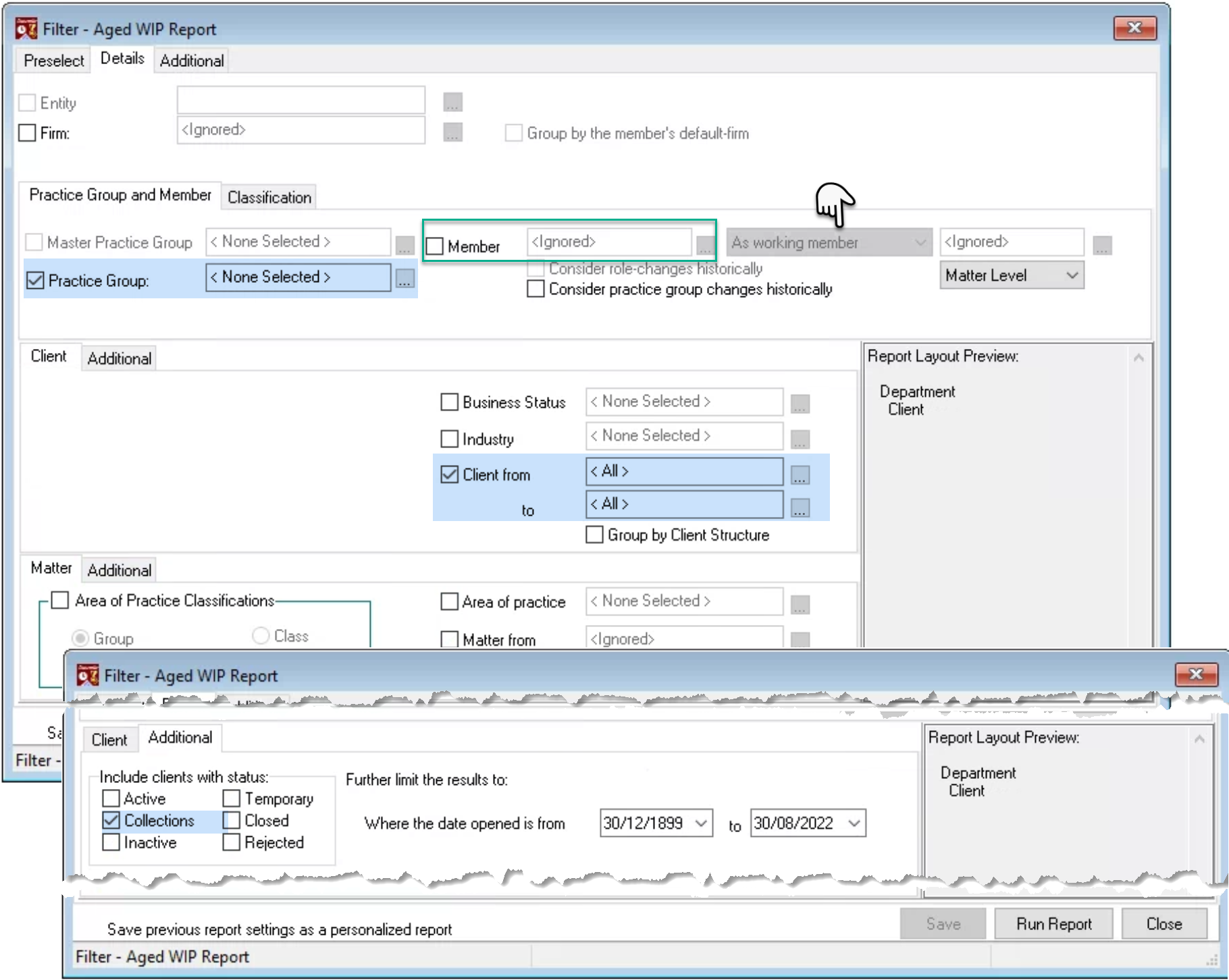
The additional subtabs for the client and matter reporting dimensions include “additional” filter options based on date opened and status.
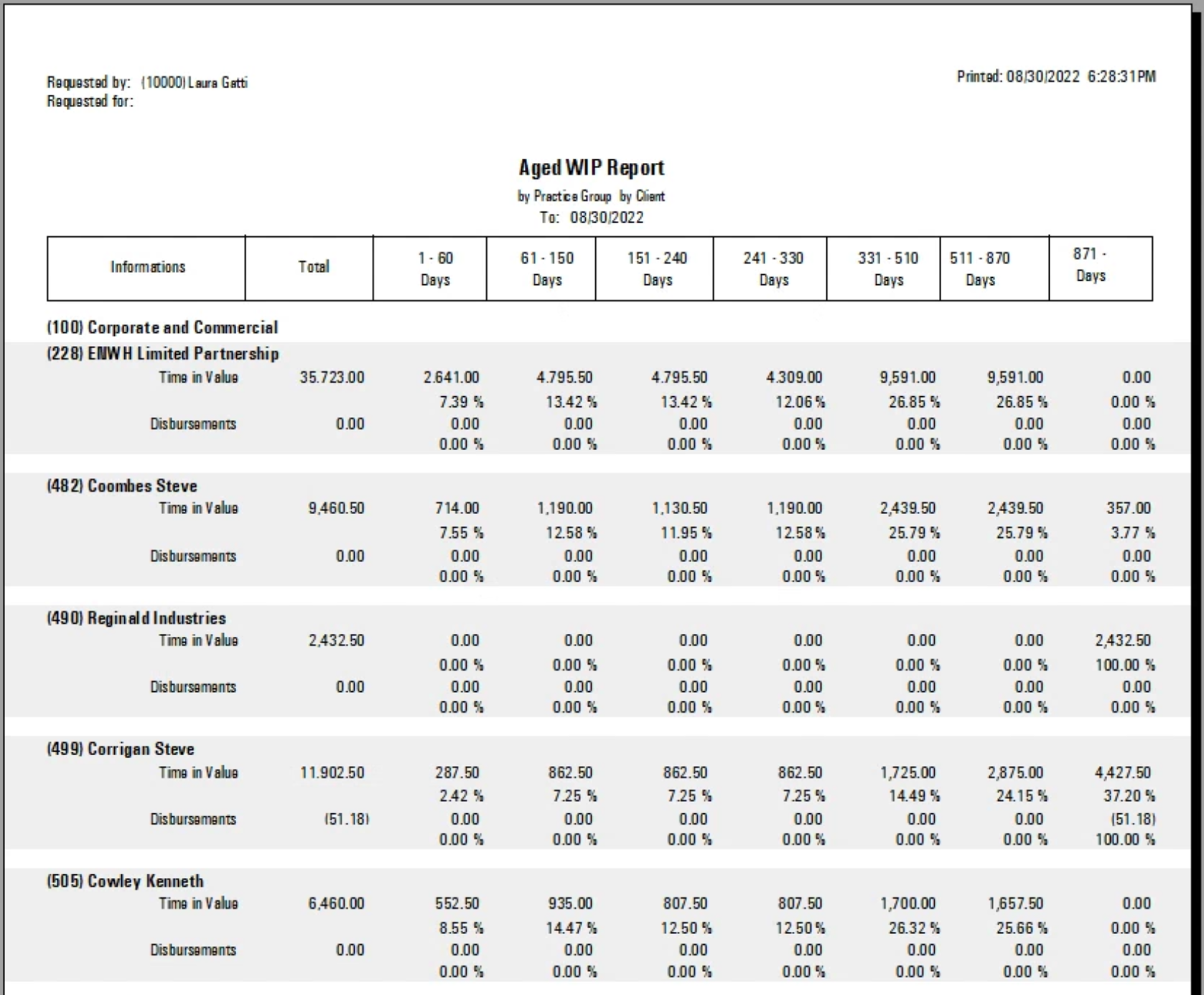
In the example that follows we are summarizing results by client and filtering for clients with status “collections” so each practice group leader can view the investment made by working members for clients where there is a risk to collect.
Additional Tab
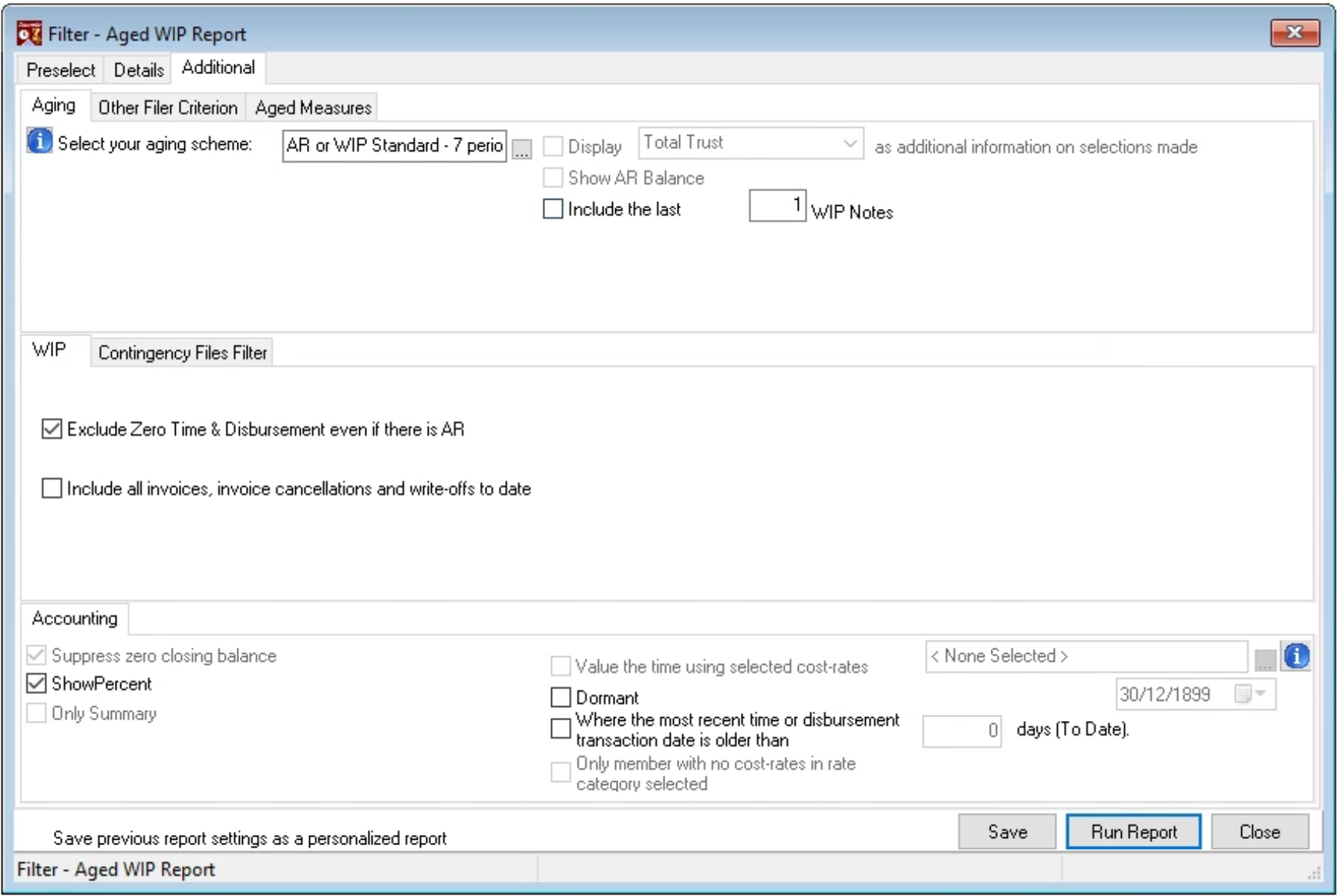
Consider the aging period and the option to create an aging scheme that excludes based on age of the invoice to allow for more precise focus.
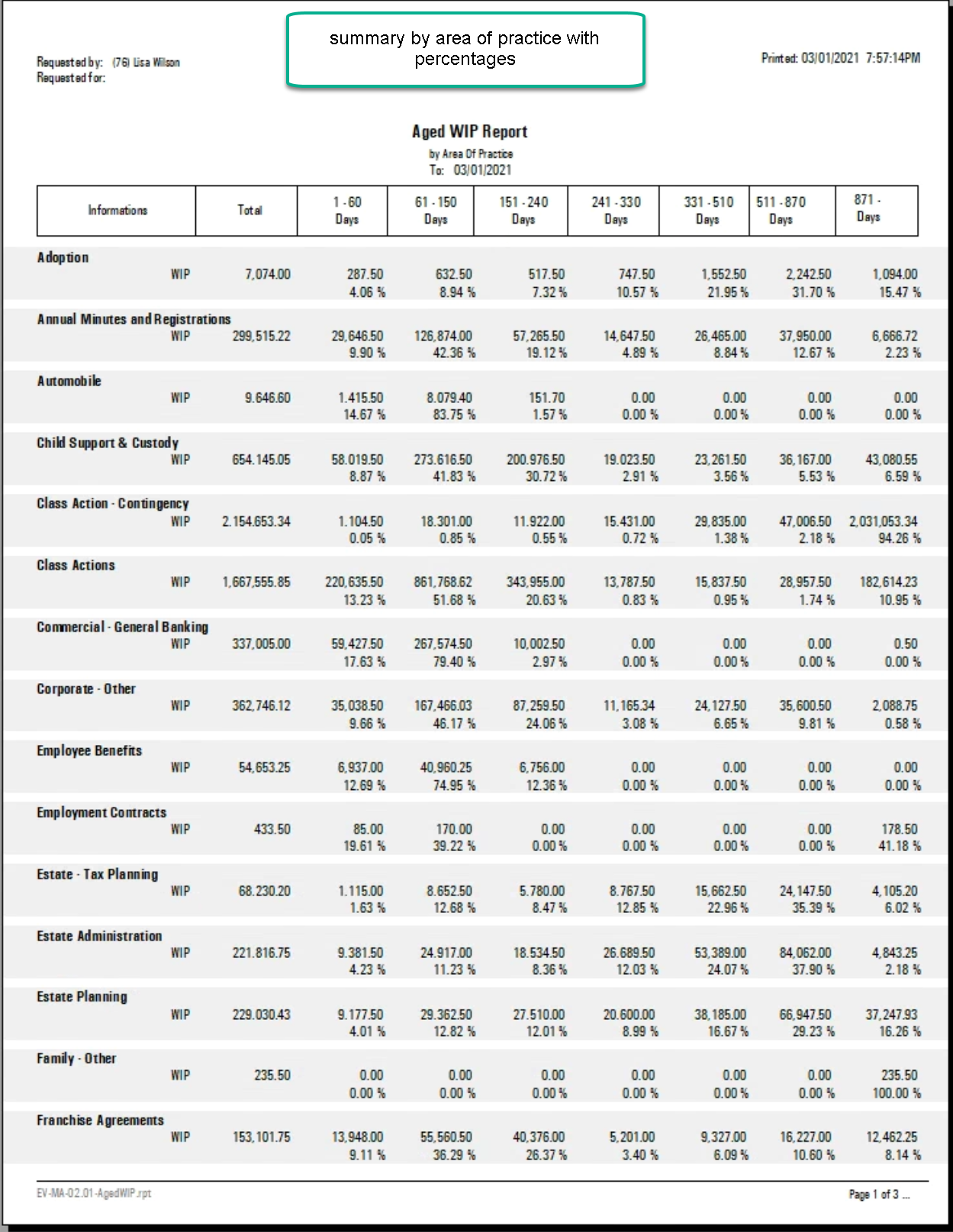
Consider showing the aged value of the detail as a percentage of its group (see example that follows).
Use the include all invoices, invoice cancellations and write-offs to date to generate a prior-date report showing the impact of post as-of report date transactions that affect WIP.
Use the dormant option in combination with an as-at date or filter based on the age of the most recent entry to identify matters with no recent activity that need attention.
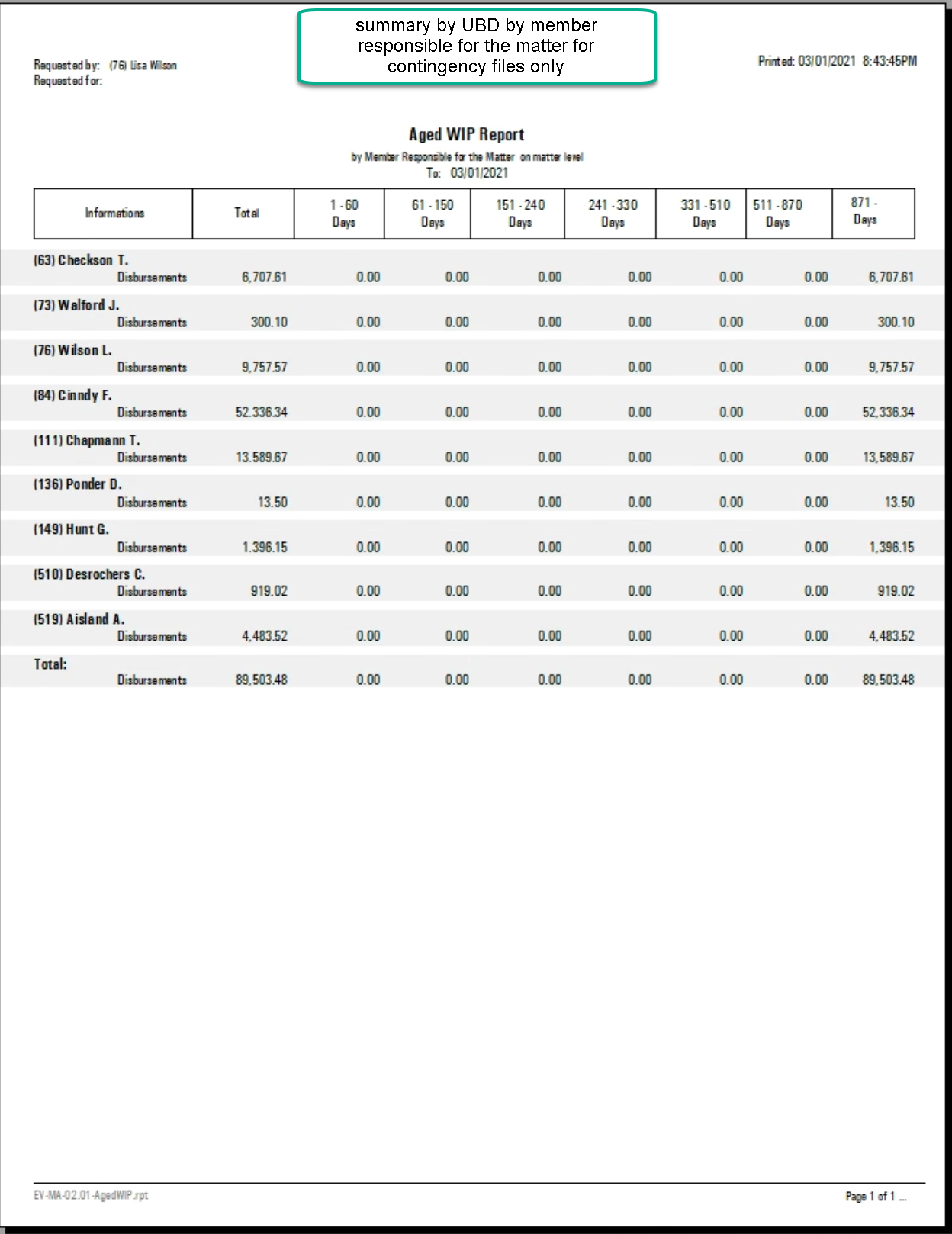
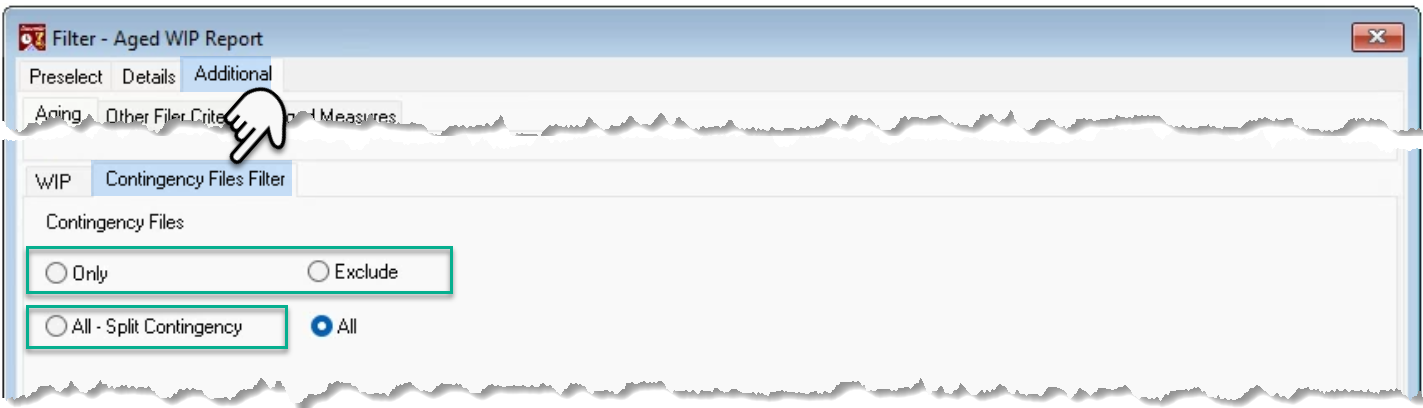
Filter or group using the contingency status for matters.
Summary by Practice Group by Client
This report is based on the working member for inclusion into the corresponding practice group, as well as filtered for clients with status “Collections”
Summary by Area of Practice
Example of Specific Filter Use
UDB only for contingency matters summary by member responsible