.png)
Client-Matter List
New Business Reports
Scope and Purpose
The purpose of this report is to provide visibility of the new business intake inflows for periods selected.
Its scope extends across multiple options for inclusion of client, matter, and contact properties information as well as counts, in context of reporting dimensions selected, to align with firm process and policies.
Report Filter and Options
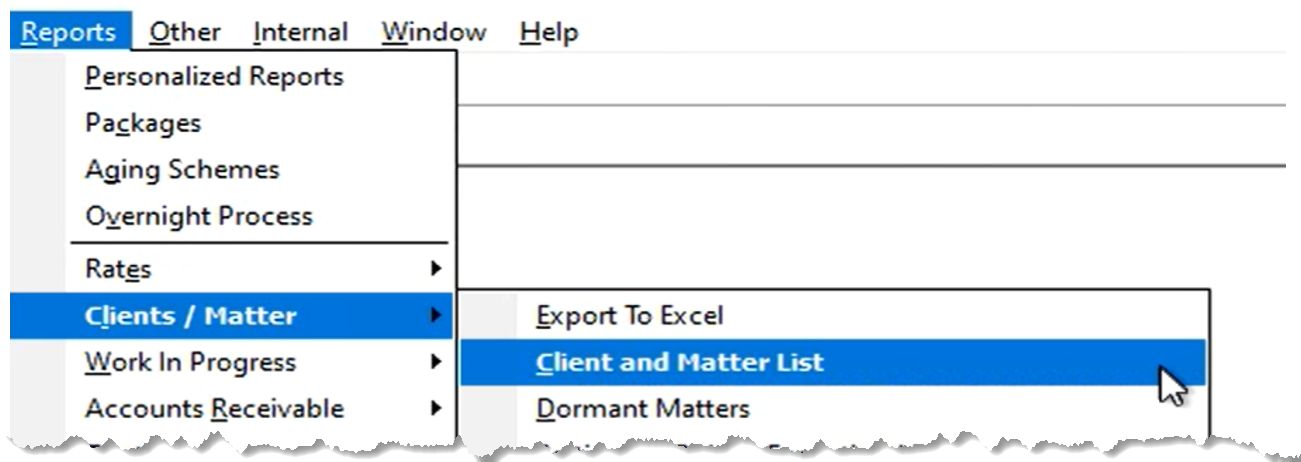
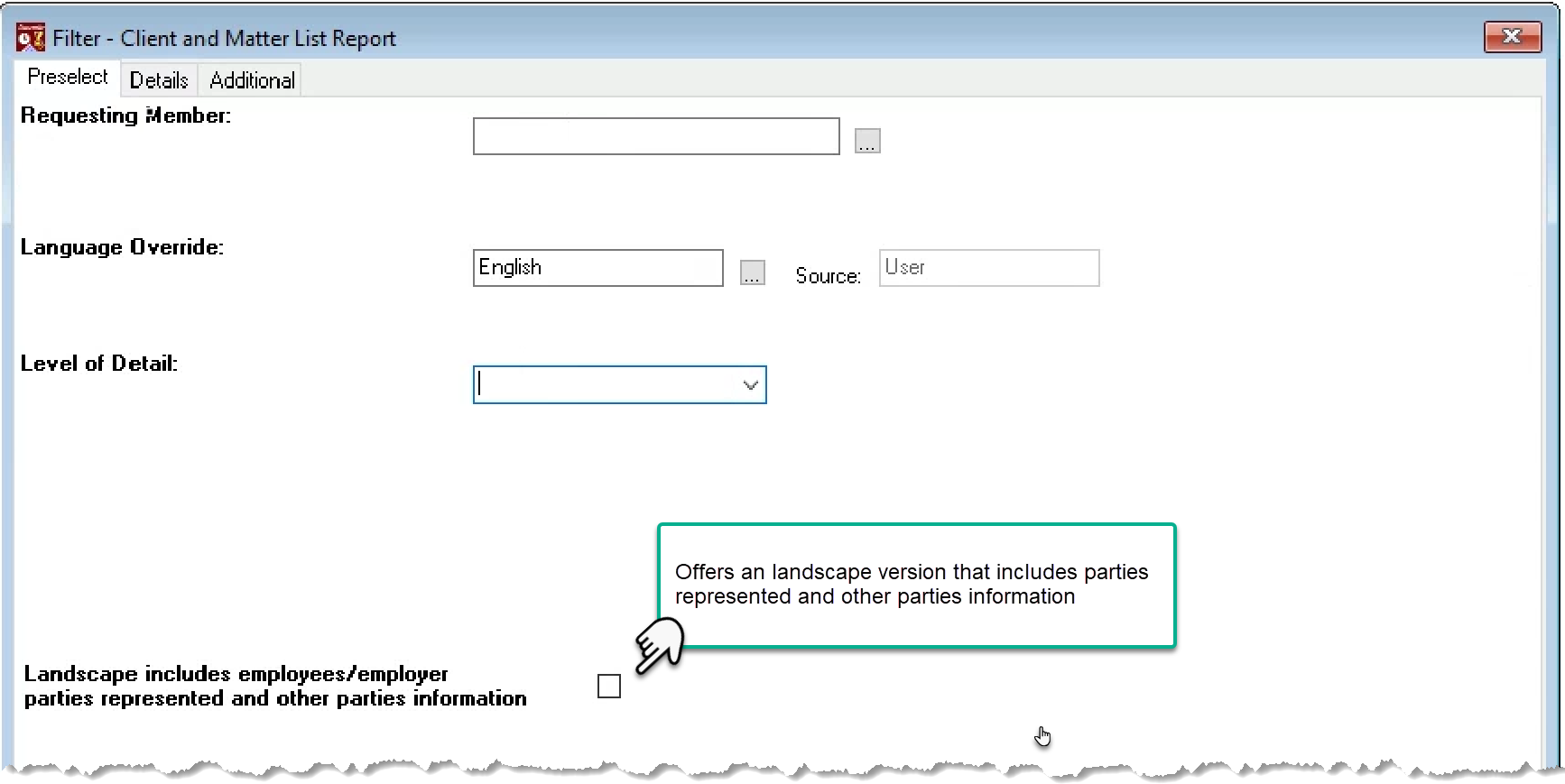
Alternate Presentation: The pre-select tab includes the options to generate the report in landscape format with parties represented and other parties information.
New Matter List:
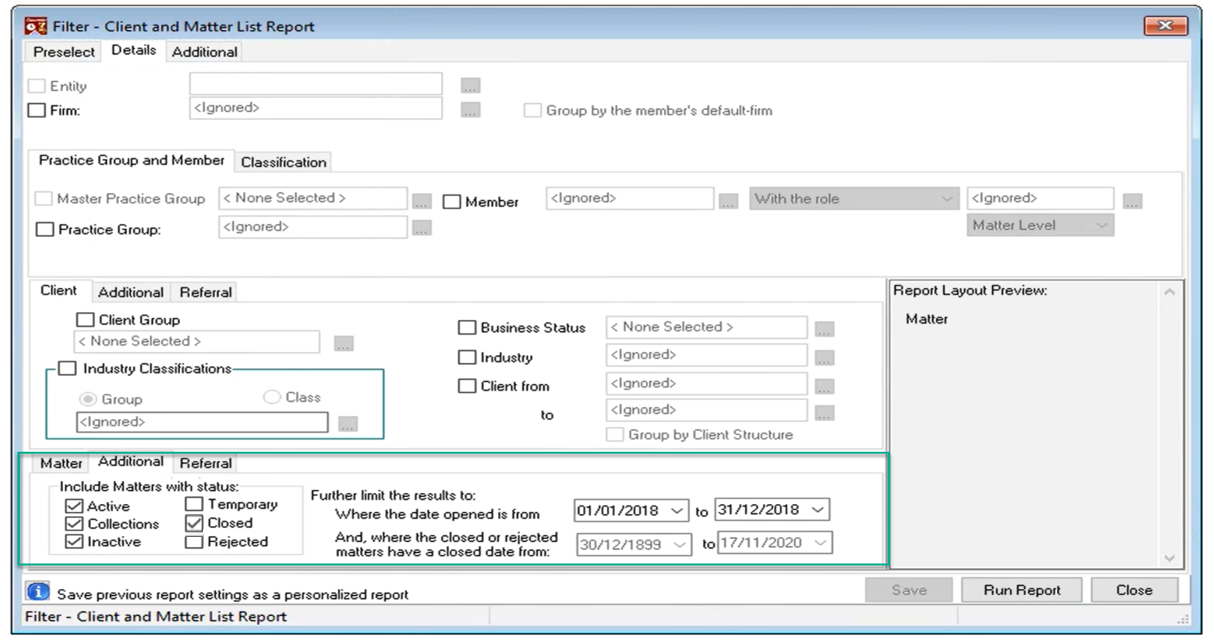
Uncheck all report attributes offered in the details tab except for Matter. Many users find this report more meaningful by unselecting the client as a reporting group. The client for new matters will show anyways; however, the result will be a more concise new matters opened report.
In the Matter section of the filter, select “Additonal” sub-tab to filter by matter date opened. Many firms also filter by status, to exclude matters with status temporary (conflict assessment in progress) or rejected (matter rejected due to conflict).
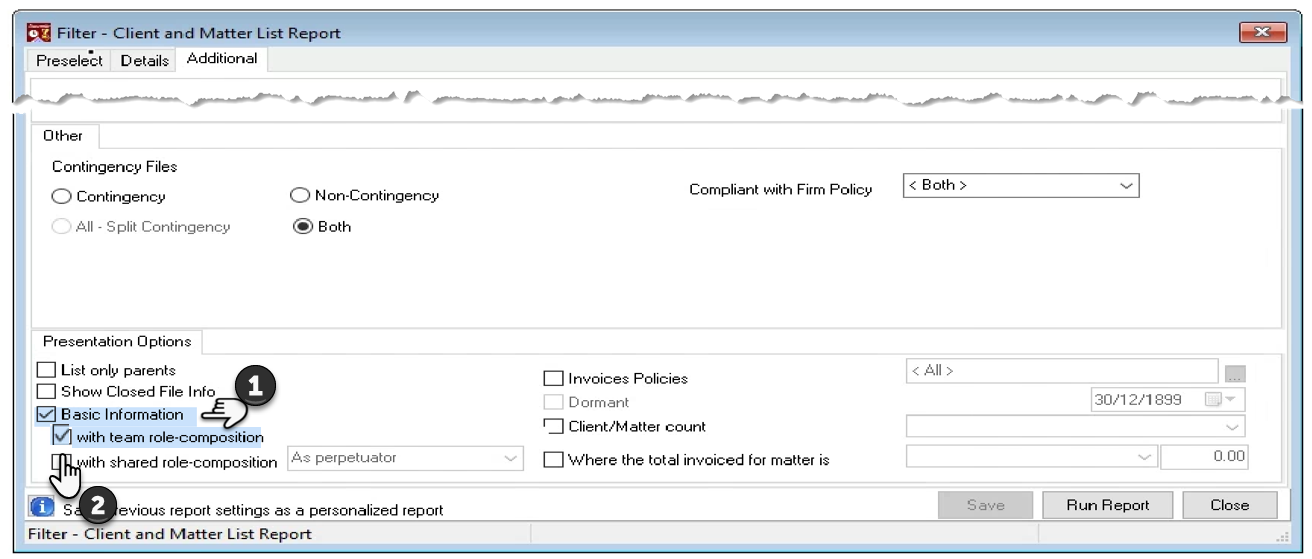
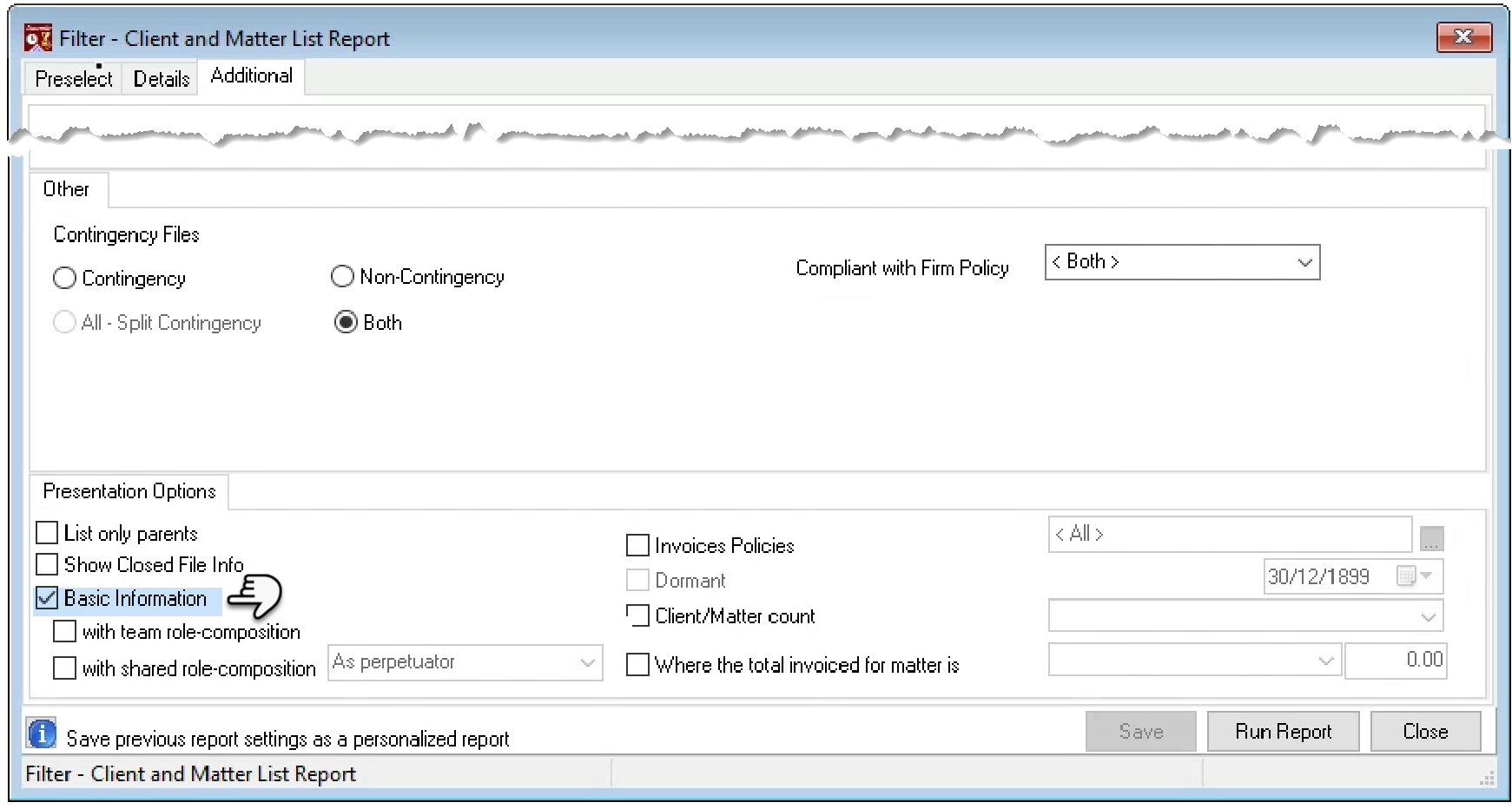
Navigate to the "Additional" tab - right of the "Details tab" - and checkmark the “Basic Information” checkbox option to reduce content and/or use the "…Count" checkbox option, to get the count for filtered results at the end of the report. Explore other options for alternate content.
Once you press "Run Report" you will launch the sort order form. The report will default to sort numerically by the reporting dimensions selected. To report any of the reporting dimensions alphabetically press on the 123 button its right so it changes to ABC. The default Asc will organize the reporting dimensions in ascending order, if you press the button it will change to dsc for descending order.
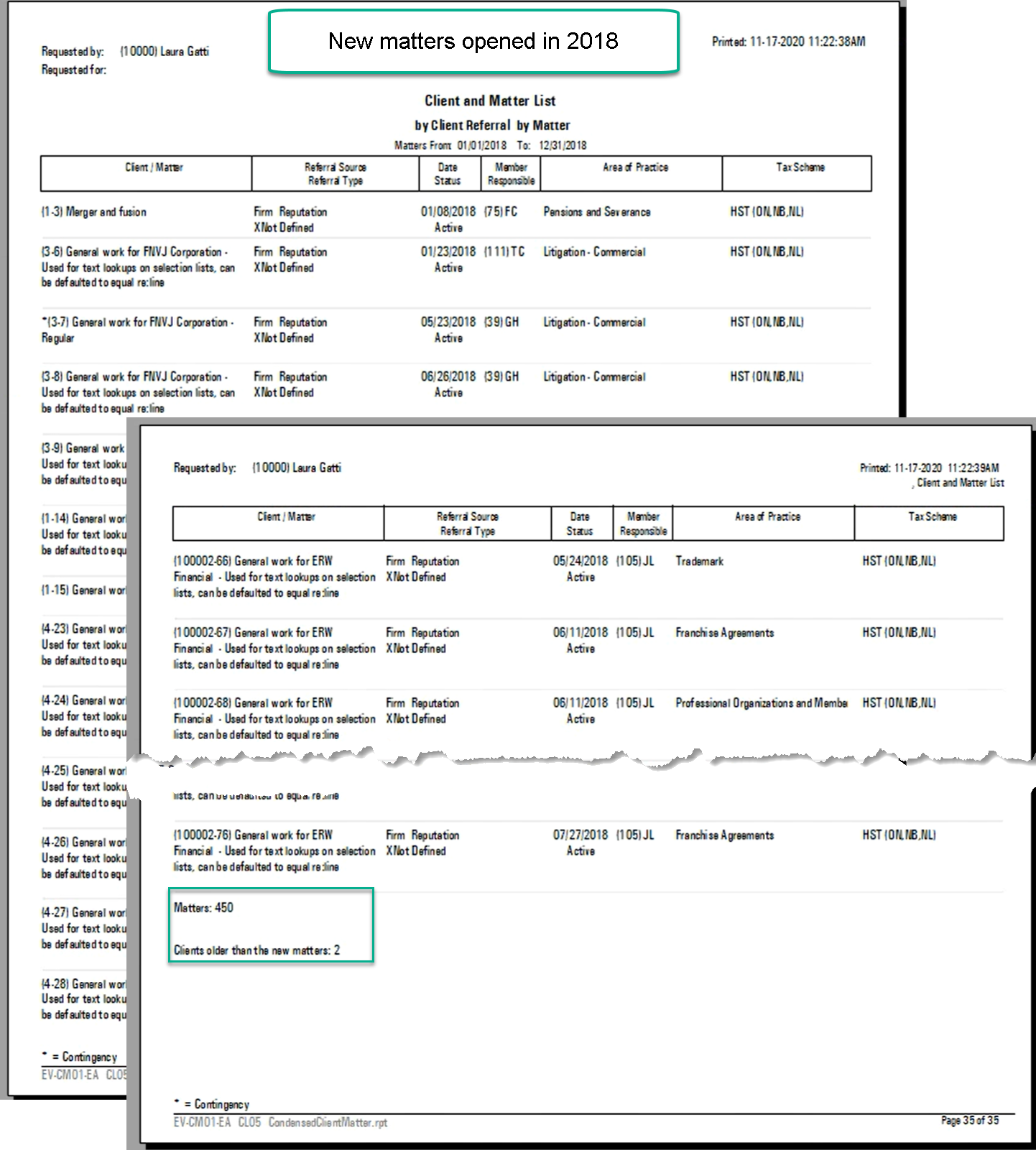
New Matters for New Clients or Existing Clients
To further breakdown new matters for existing clients from new clients, select the client option and set the "open in" date range for the client to equal the date range used for the matter to get new matters for new clients opened in the same period. Alternatively, set the date range to end at the start of the date range used for the new matters to get new matters for existing clients.
Condensed Client and Matter List
Uncheck all report attributes offered in the details tab except for Client and Matter. Use the “Additonal” sub-tab to filter by client and/or matter date opened and/or status for new content, or only matter status for a current list of active matters.
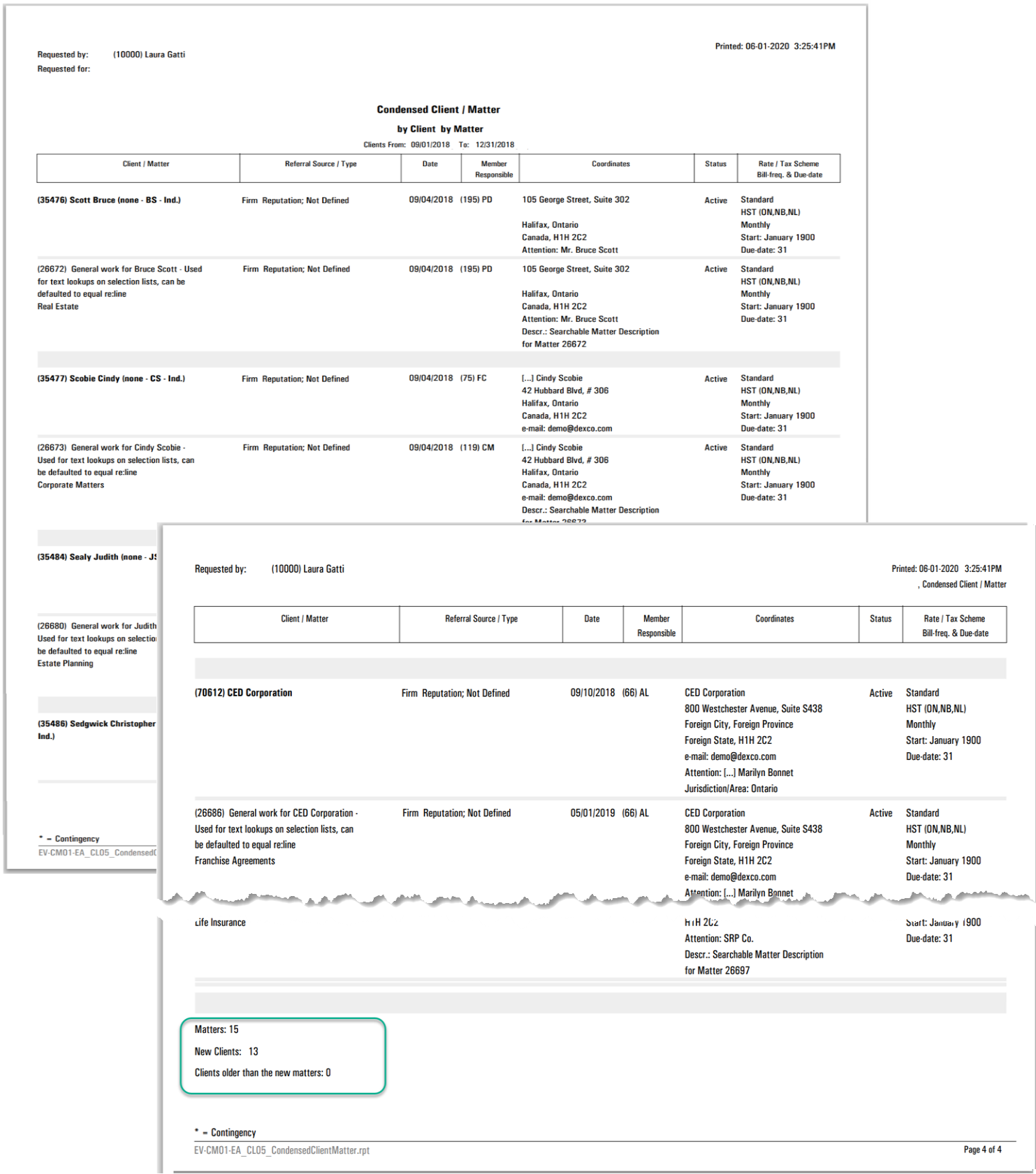
New Matters for New Clients or Existing Clients
To generate a list of matters per member based on status, keep the member and matter options on the "Details" tab selected. Press on "Additional" sub-tab of the matter section and select the status you want to report on – for example "Active" - and set the to-date to the end of the period you want to report on.
New Client List:
Uncheck all report attributes offered in the details tab except for Client. In the Client section of the filter, select “Additonal” sub-tab to filter by the date the client was opened. You can also filter by status, to exclude clients with status temporary (conflict assessment data entry in progress) or rejected. clients rejected due to credit issues so there is visibility to ask for reatiner funds should they return.
Team Composition Option:
Checkmark the option “with team role composition” to see role-holders for the team, as well as “With shared role composition” if the firm is working with shared roles.