.png)
Billing Register
Access
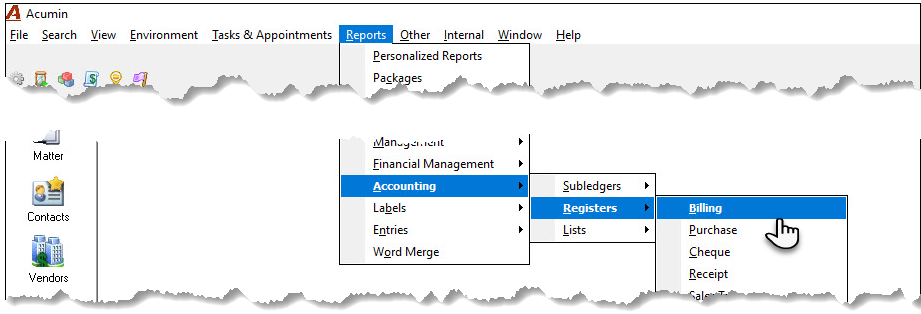
Select “Billing” from the “Reports – Accounting – Registers” submenu, to launch the billing register filter.
Filter
Preselect Tab
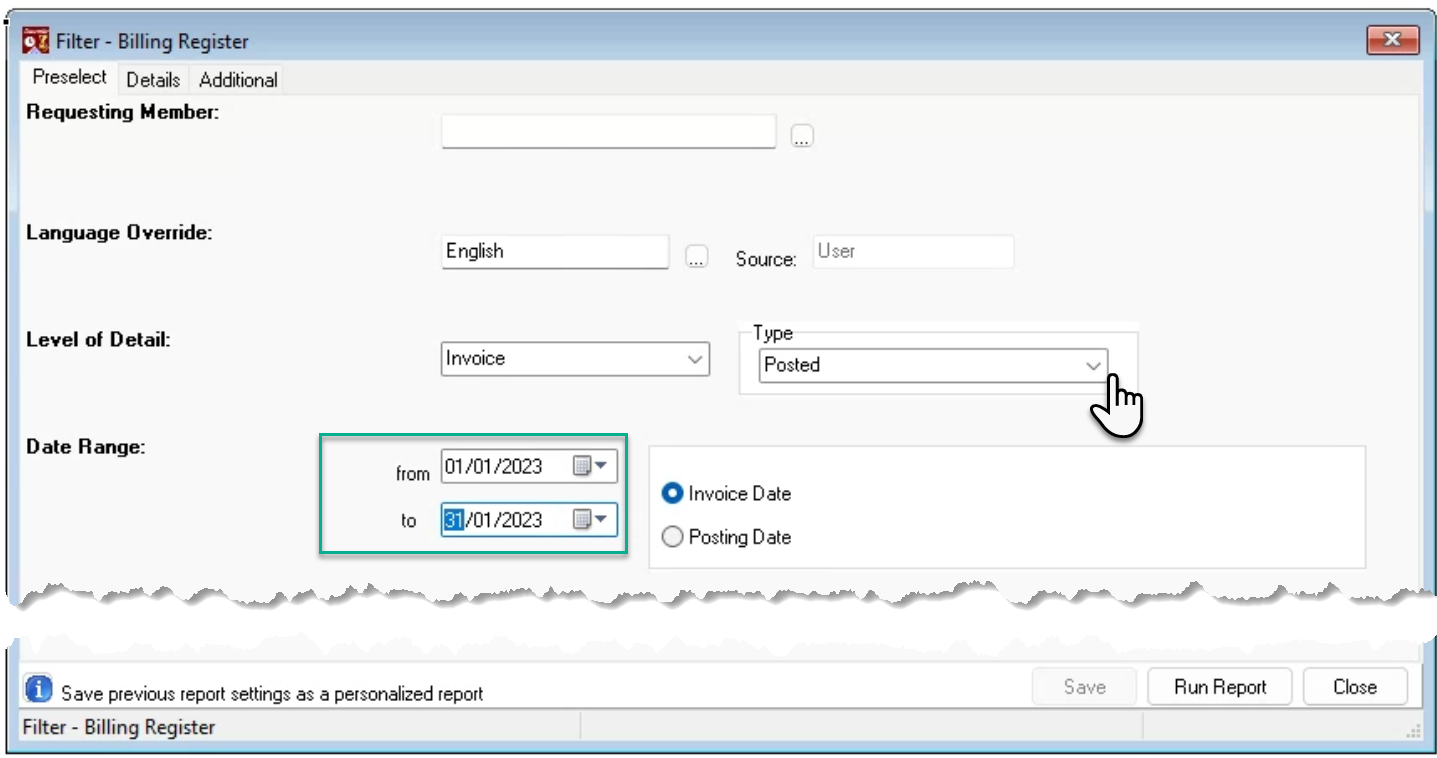
The date range will default to the current month. It is possible to select a date range across months and fiscal years. The date range will default to “Invoice Date” and the type will default to “Posted”.
Details Tab
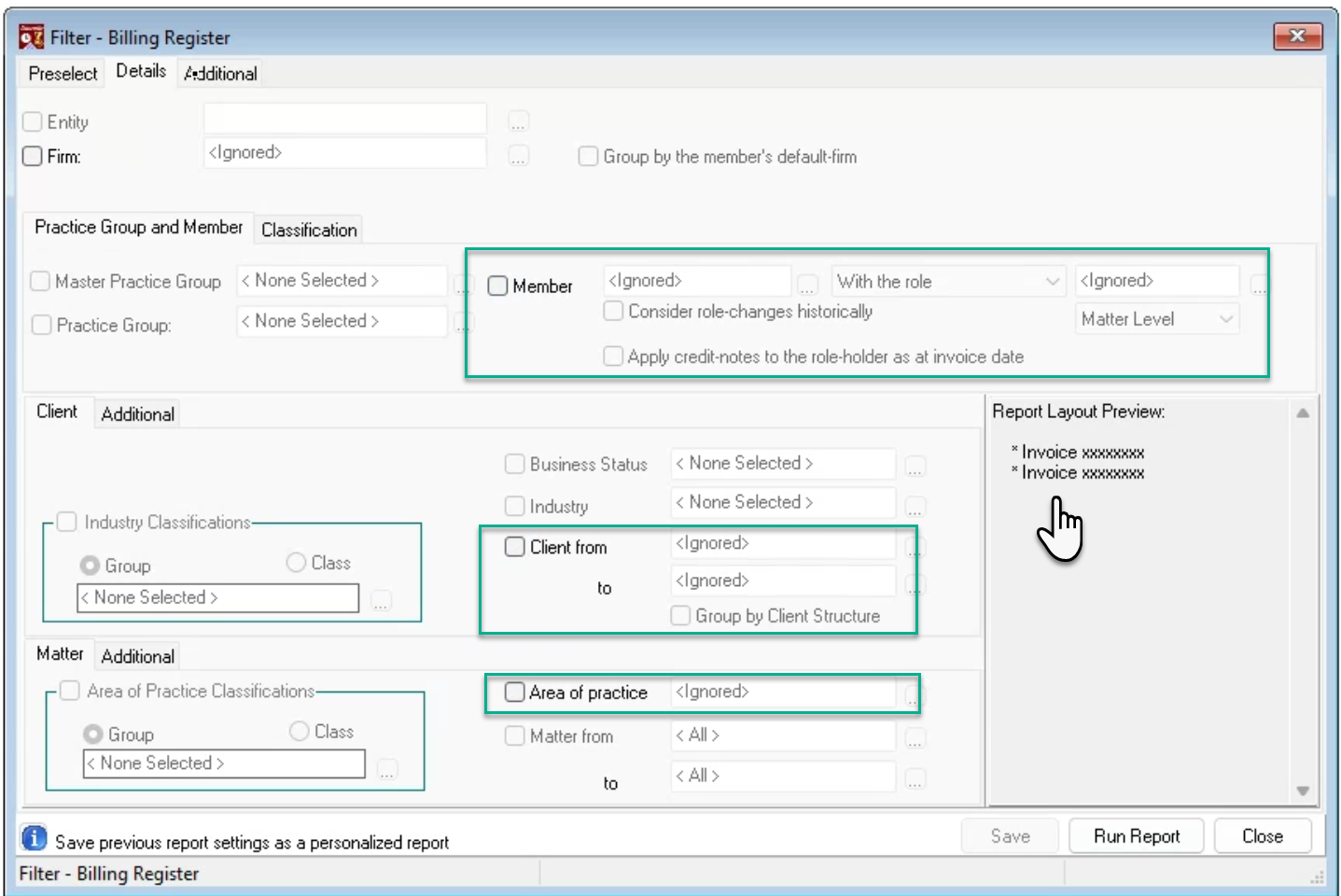
The report can be executed by firm (office), member, client and/or area of practice. The level of detail is the invoice.
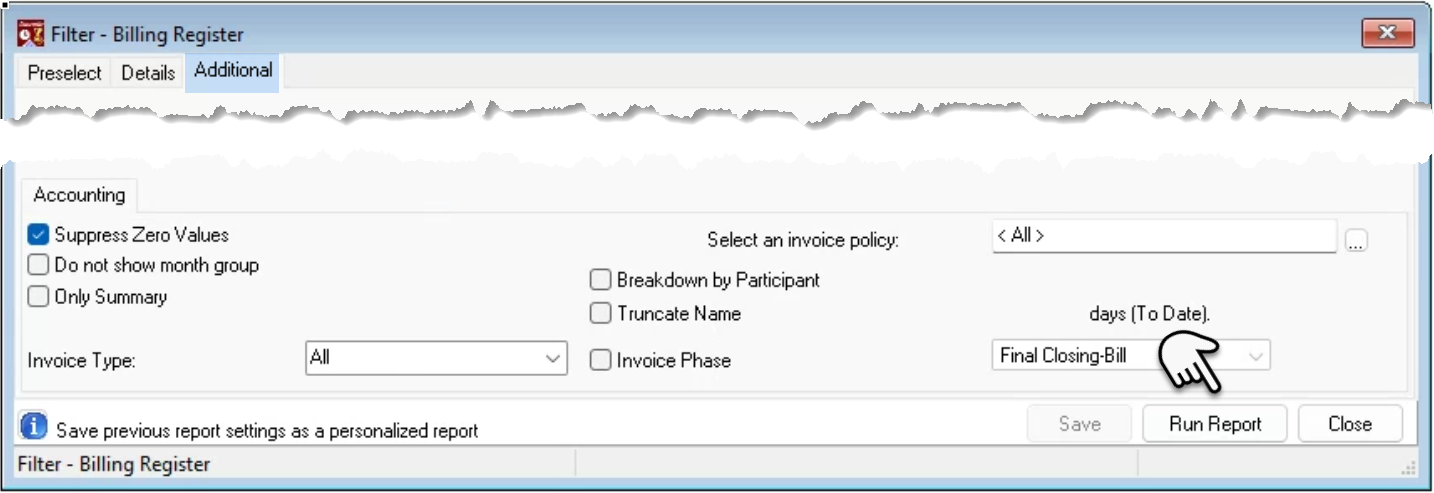
Additional Tab
The additional tab includes other filter and presentation options. Only summary, will summarize to the lowest grouping level selected in the details tab. Press “Run Report”.
Report Output
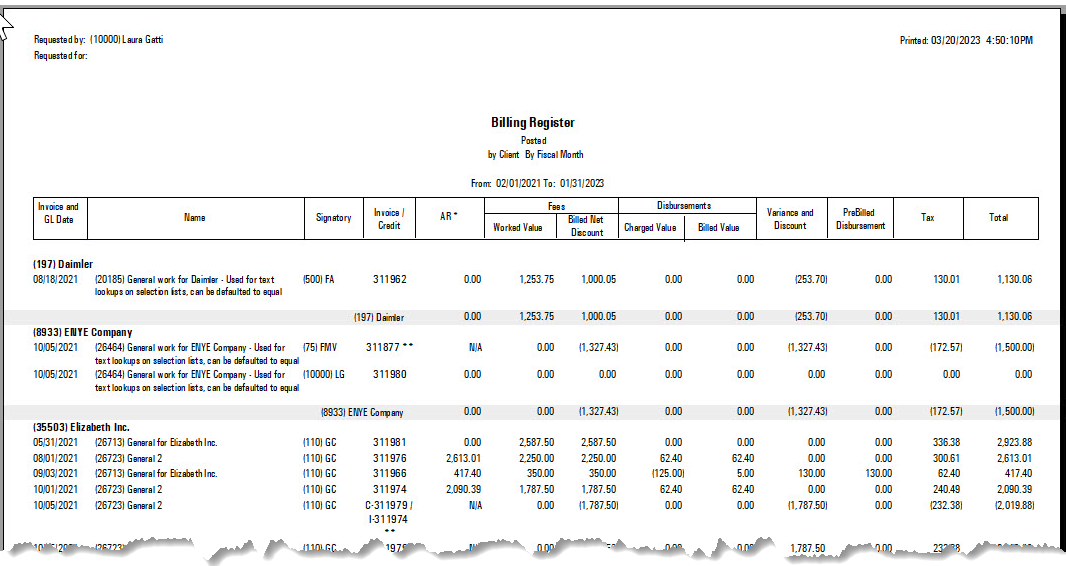
Example of the report executed in detailed format grouped by client