.png)
Trust Report
Multiple Matters at Once
Trust Inquiry – Dashboard
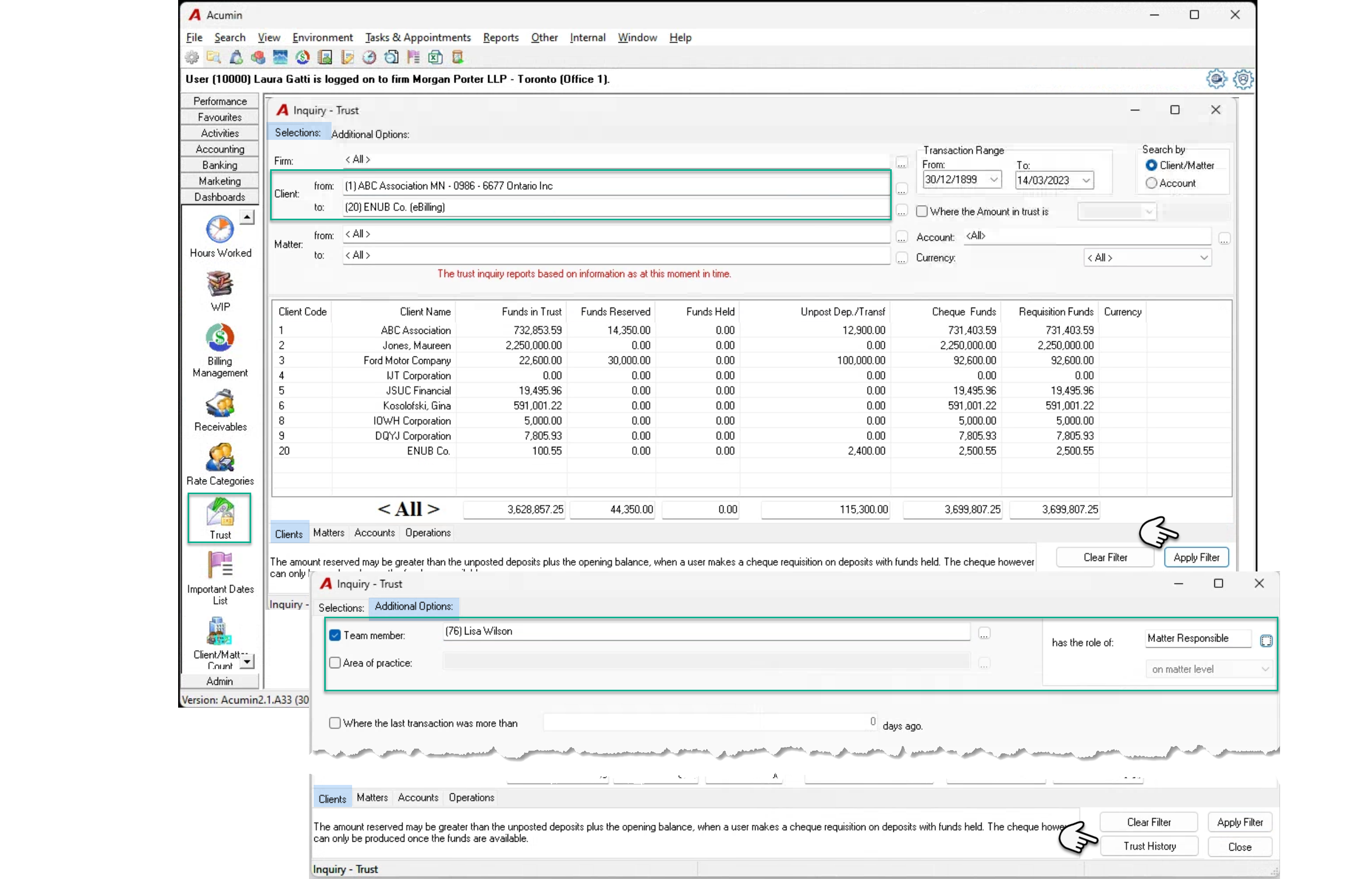
From the inquiry or dashboard section of the task bar press on the “Trust” button to launch the trust inquiry form.
Use the from-to client fields to filter for a range of clients or use the “Additional Options” tab to filter for matters using other criteria.
Press “Apply Filter” to get the list of clients that meet the filter criteria on the “clients” subtab list view and press trust history to generate the report
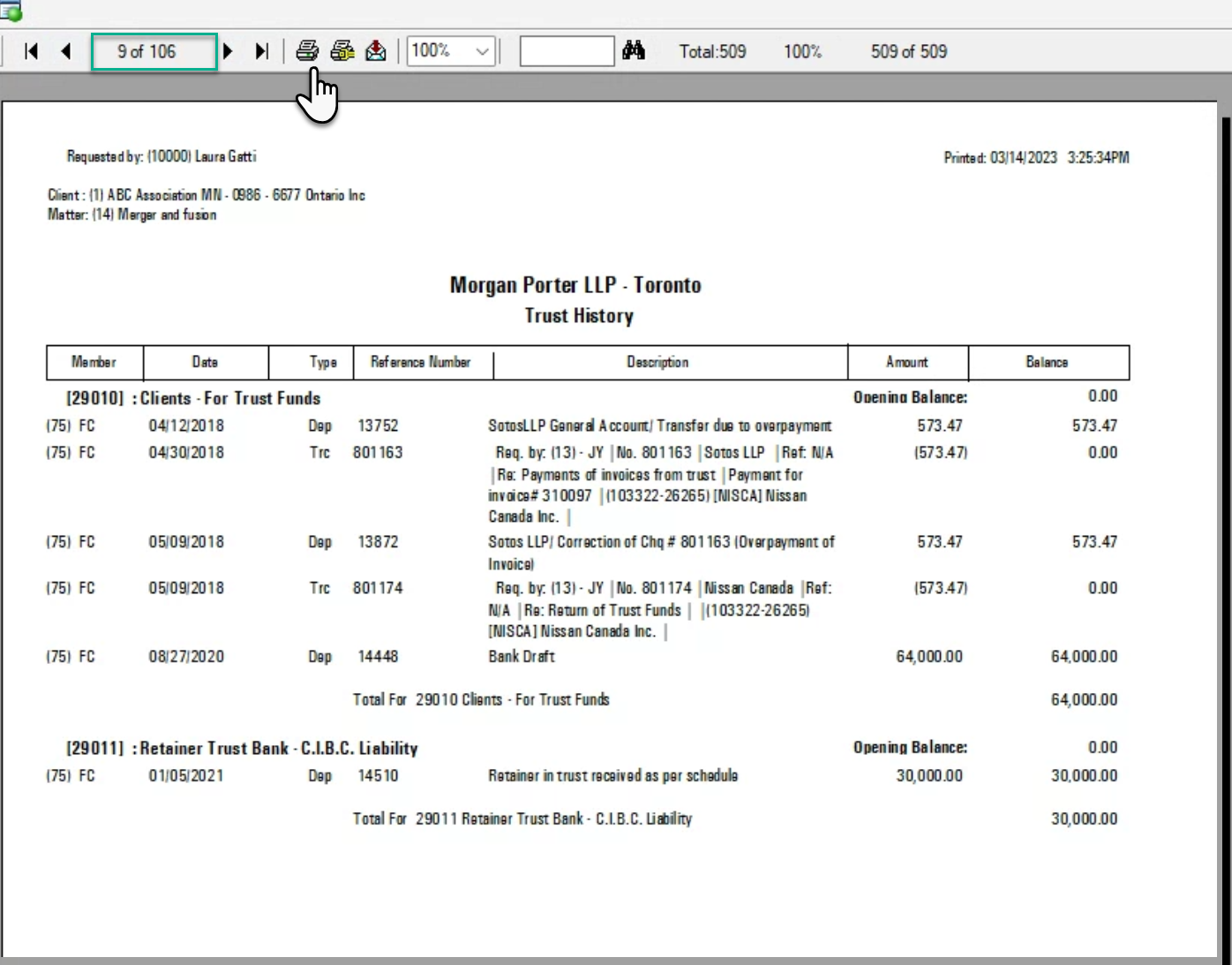
Press on print to generate all the trust history reports in the print preview