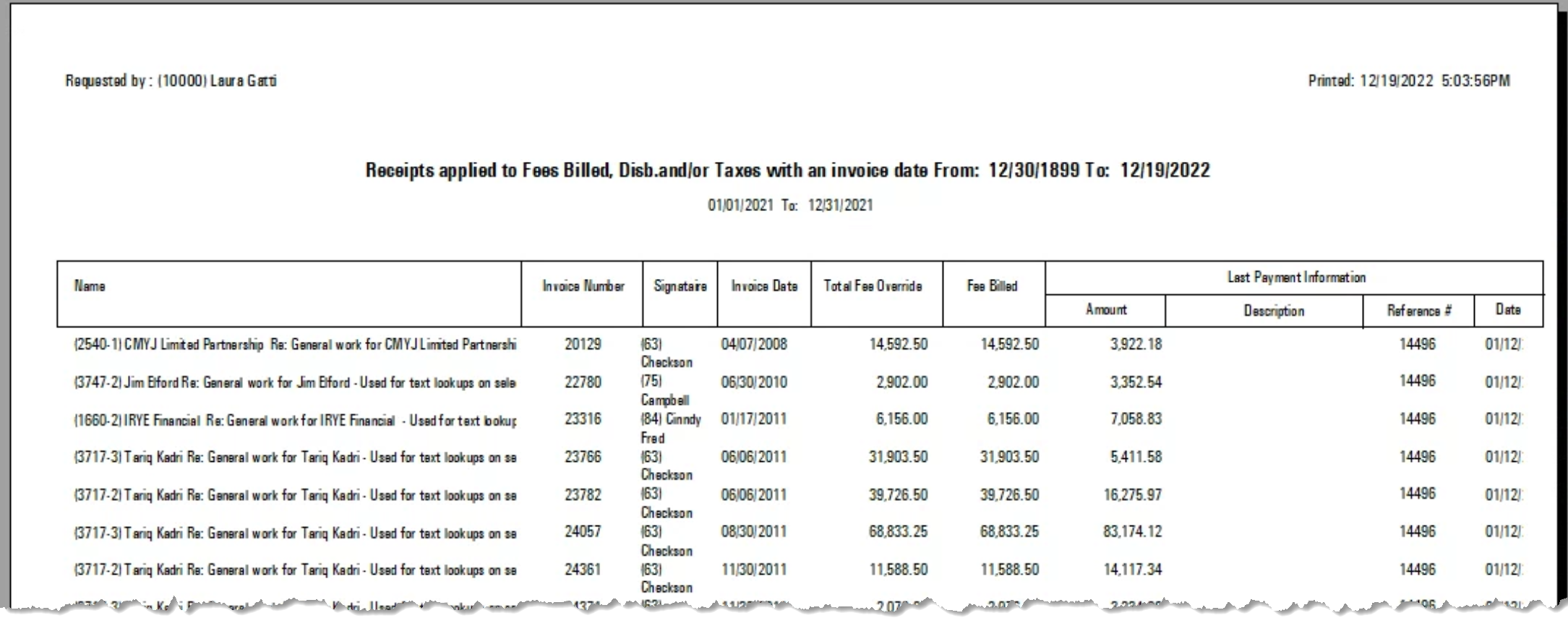
.png)
Payment and AR Write-off Information by Member Role
Access
Select the “Payment and AR Write-off Information by Member Role” sub-menu option found within the “Reports – Management – Receipts and Accounts Receivable Write-offs” submenu, to launch the multi-attribute filter.

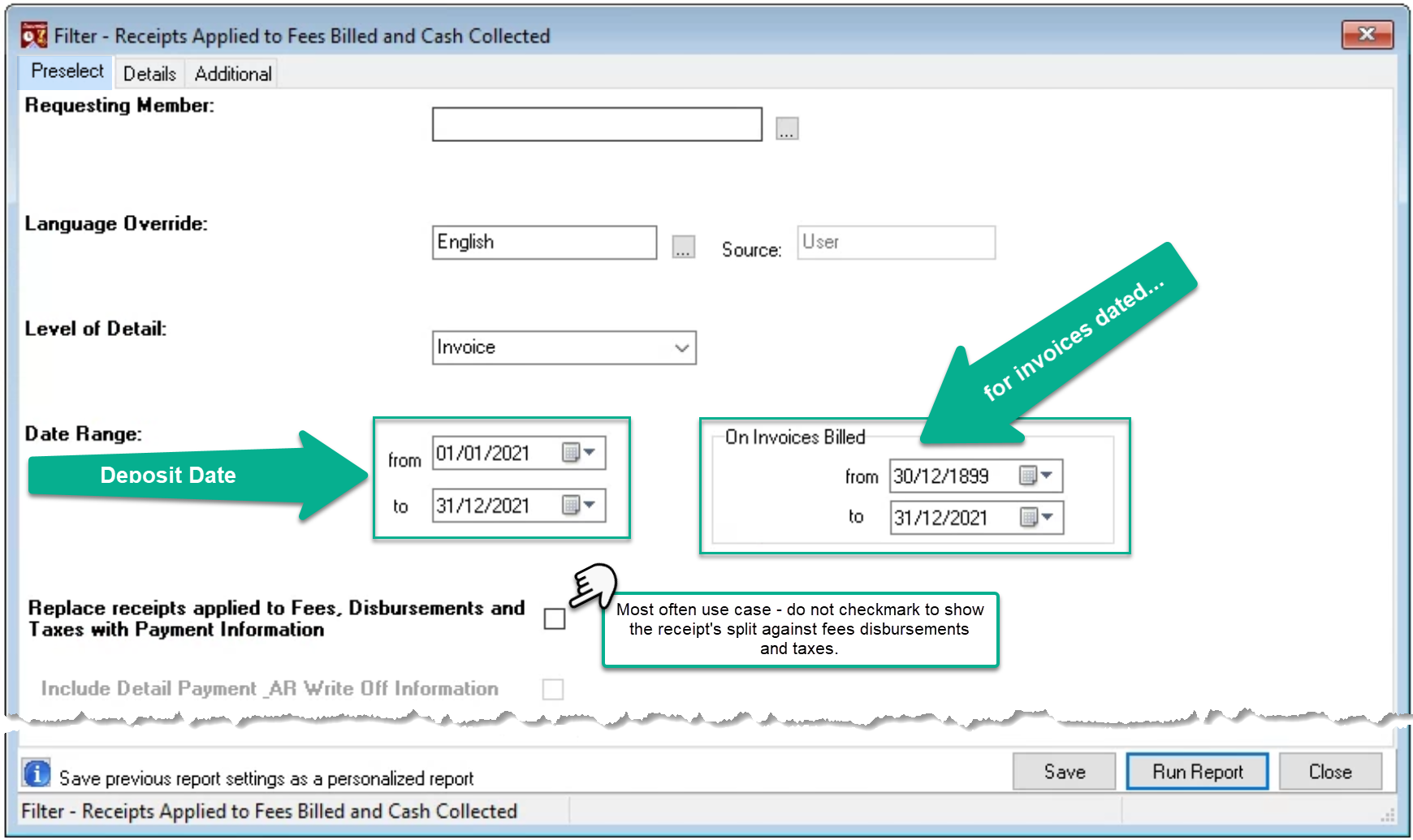
Preselect Tab
The report has the invoice as its lowest level of detail. The first date filter defaults to the current month. It can be expanded across fiscal years and applies to the date of the deposit. The second date filter applies to the date of the invoice being paid. It defaults to all invoices paid in the period – defaulted from “1899 (no date)” to the current date.
Details Tab
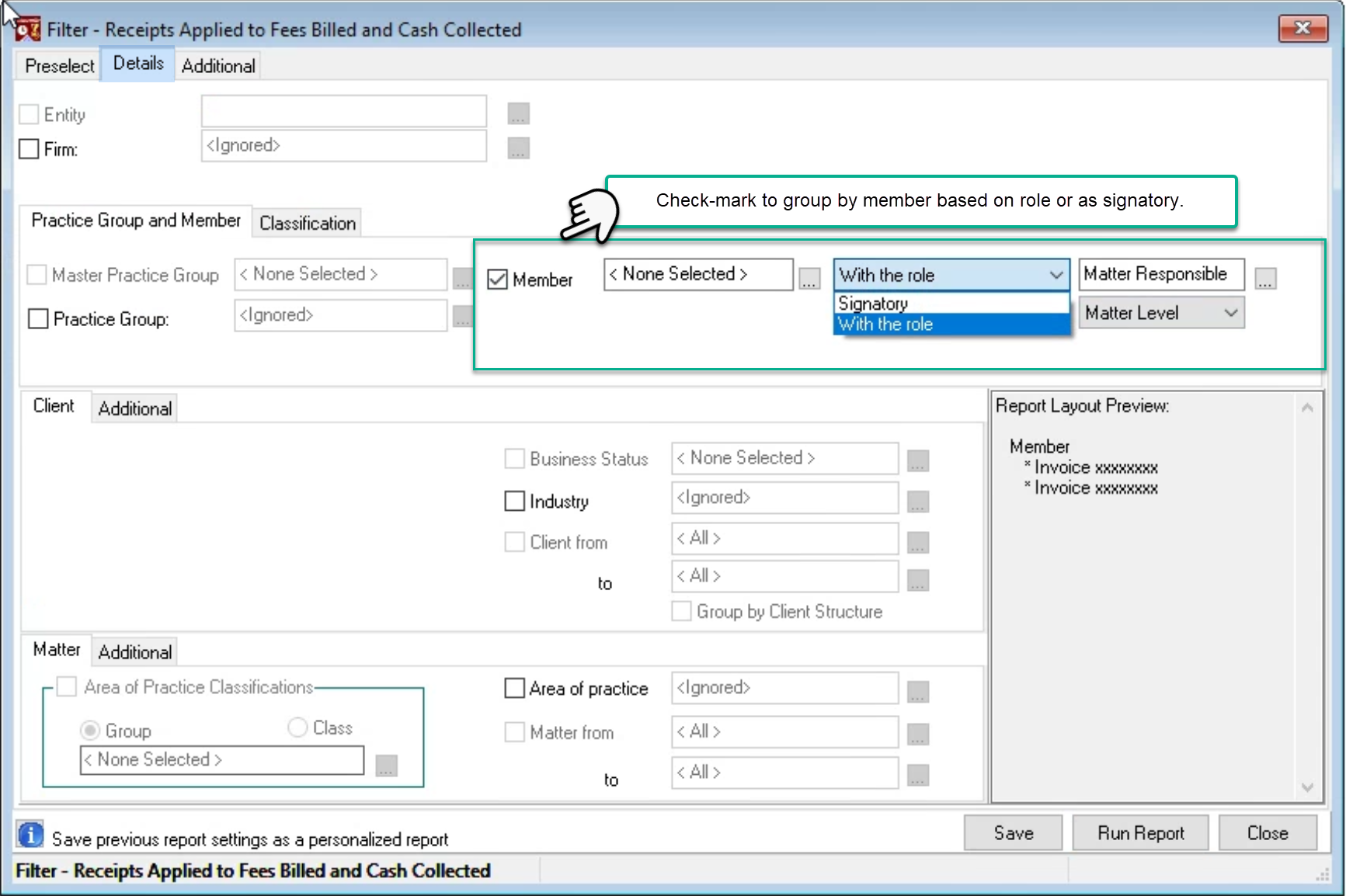
The report is available in context of firm, practice group, member – role or invoice signatory – as well as Industry and Area of Practice.
Uncheck the unwanted groups depending on presentation or summary requirements.
Additional Tab
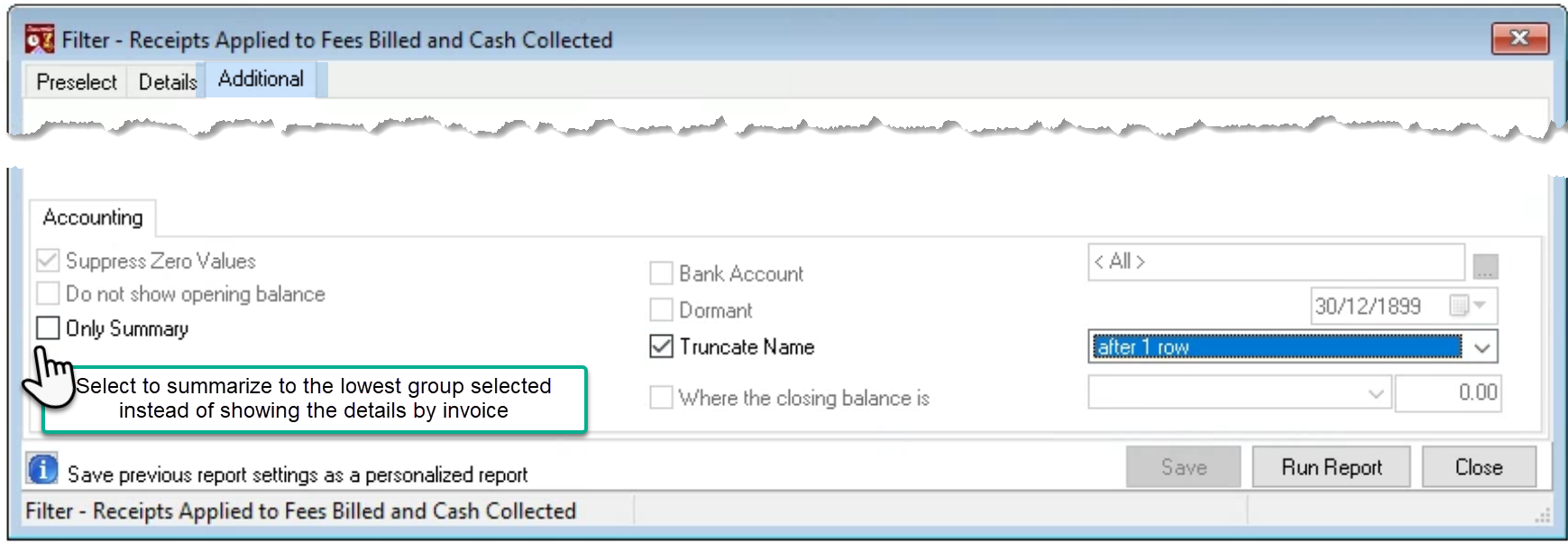
Select “Only summary” to summarize to the lowest level selected. Press “Run Report’.
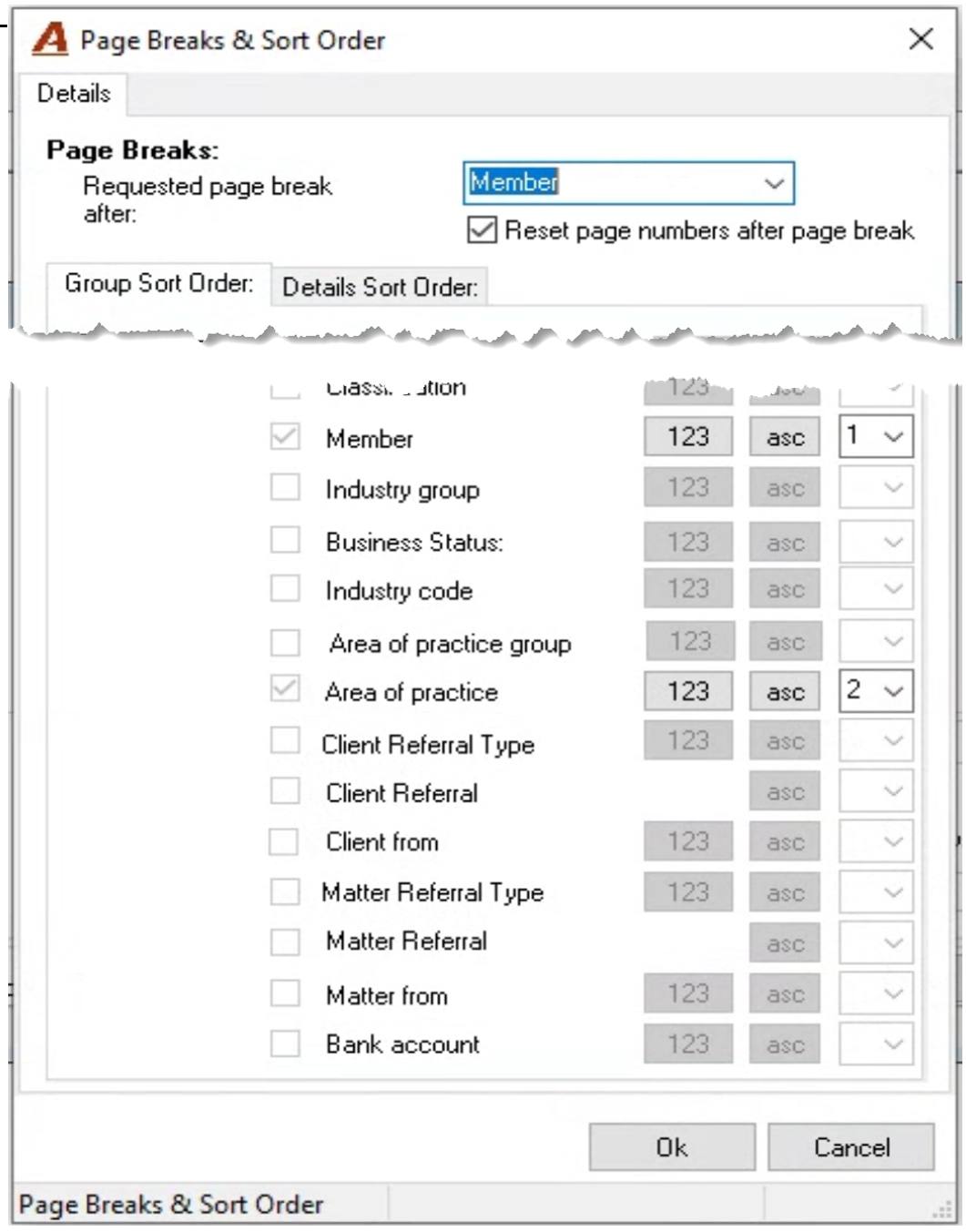
Page Breaks & Sort Order
Select the page breaks (if any) and/or change the order for the attributes.
Report by Responsible Member Matter Level - Detailed
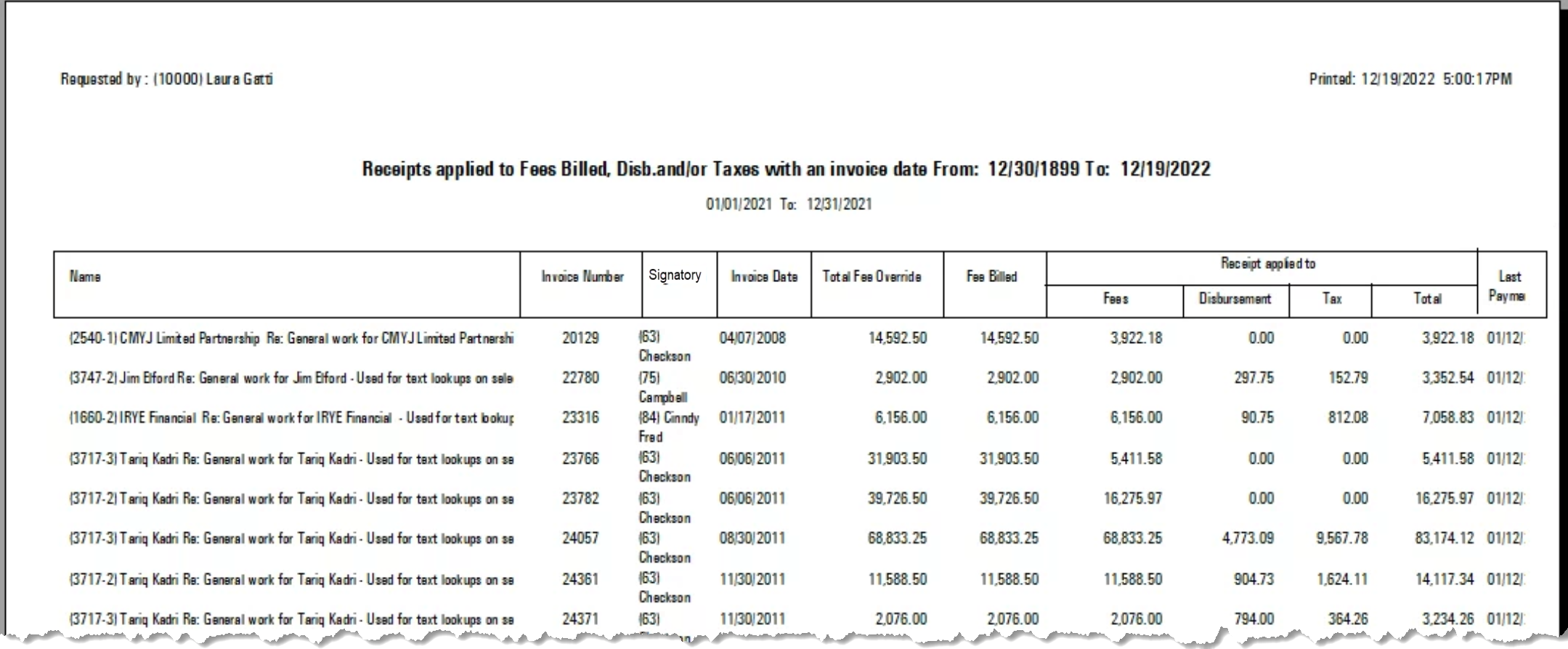
When the pre-select tab check-mark option to show the payment information instead of the payment split to fees, disbursement, and tax