.png)
Overview
The Delegation Report provides decision-makers with a clear view of how work is being delegated within the firm. It answers two key questions:
-
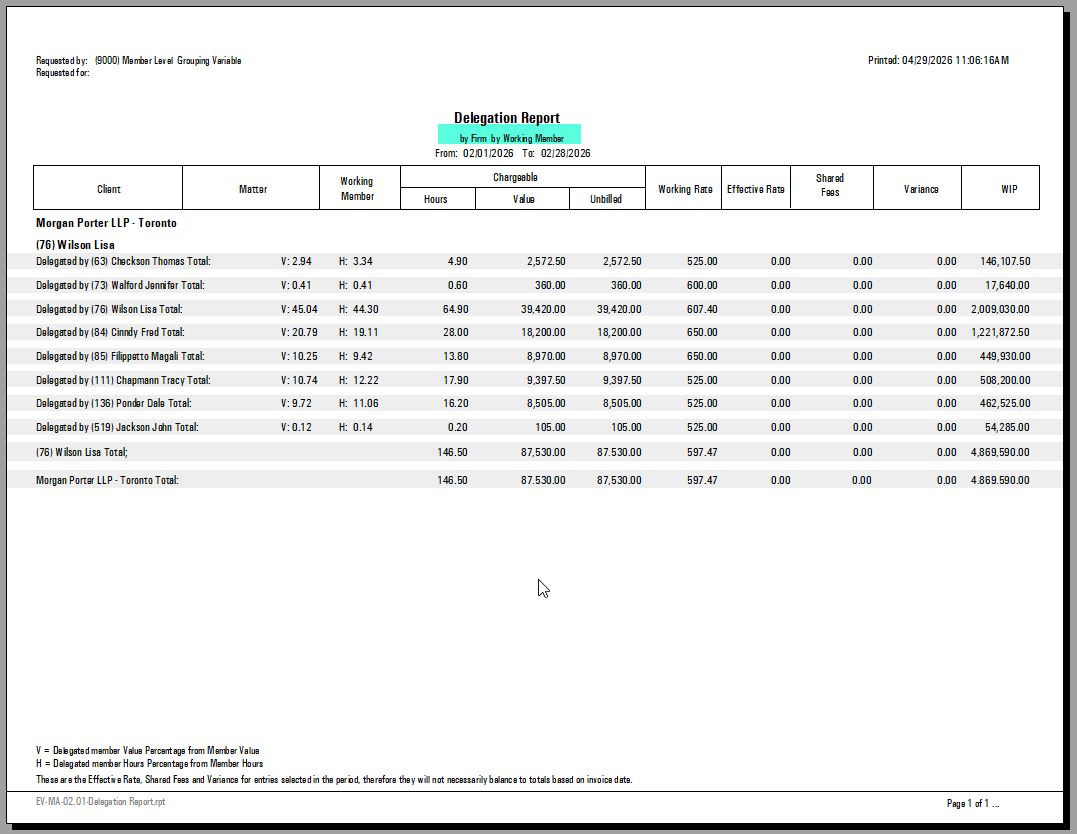
As a delegator: To which timekeepers has a member holding a specific client or matter-level role delegated work?
-
As a delegate: Which members (by role) have delegated work to a particular working member?
The report offers multiple measure options — including shared fees, final allocation values, and transaction-date versus entry-date calculations — so users can tailor it to different analytical needs.
Best practice: Before running the report, clearly define the reporting outcome you need. Each combination of options produces significantly different results.
How to Access the Report
-
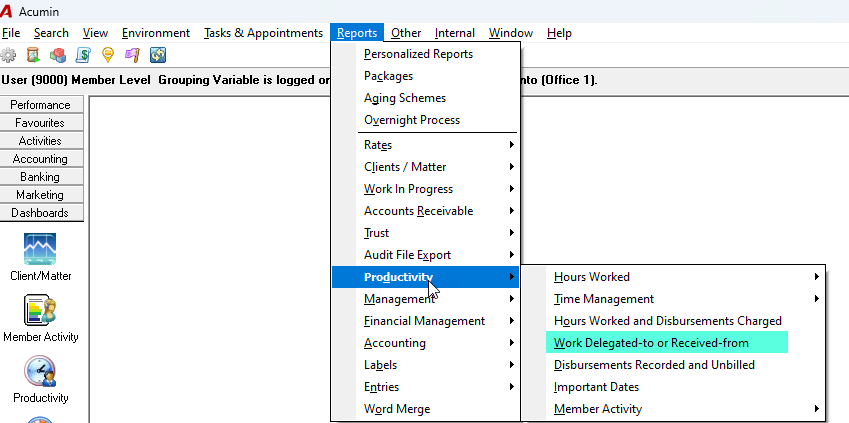
From the main menu bar, navigate to Reports → Productivity → Work Delegated-To or Received-From.
Note that this report requires a license. If it does not appear in your menu, please contact Dexco for a quote.
Configuring the Report
Step 1: Set the Date Range (Preselect Tab)
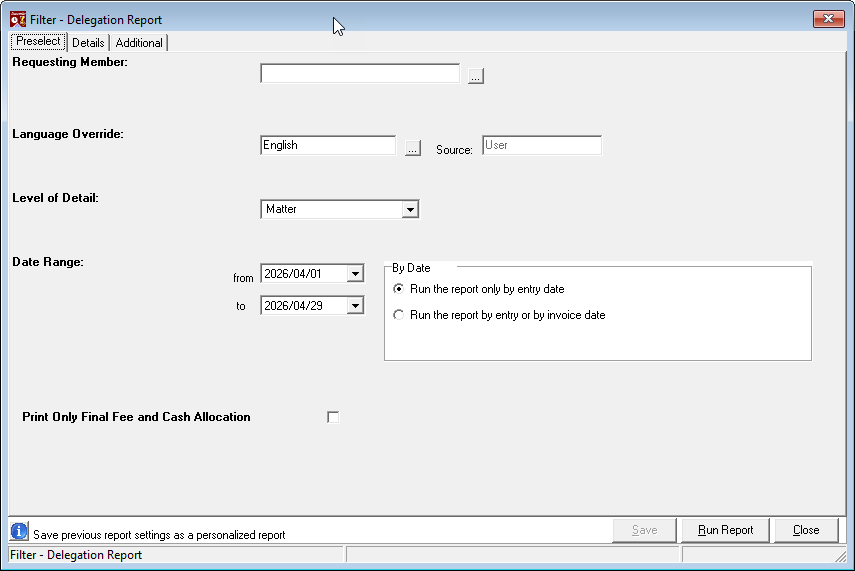
On the Preselect tab, choose the reporting period and the date logic the report should use.
Date filtering options
|
Option |
Description |
|---|---|
|
Run the report only by entry date |
Selects time entries whose transaction date falls within the chosen date range. For the Fees Billed measure, the report calculates the value of entries dated within the range that have a status of Billed, regardless of when they were actually billed. |
|
Run the report by entry or by invoice date |
Selects objects based on each object's own transaction date — the time entry date for Hours Worked, the invoice date for Fees Billed, and the action date for Unbilled Time Write-Offs. For the Fees Billed measure, the report uses entries billed on invoices dated within the range, regardless of the original time-entry date. |
Recommendation: Most law-firm users run the report by entry date or invoice date to align measures such as Fees Billed and Effective Rate with the date of the relevant financial object.
Example: An invoice dated February 6, 2022 that contains time entries from 2021 or earlier:
-
By entry date or invoice date — the invoice is included in the Fees Billed measure (because the invoice date falls within the range).
-
By entry date only — the invoice is not included (because the underlying time entries fall outside the range).
Fee allocation option
Select "Print Only Final Fee and Cash Allocation" to display an allocated fees billed measure instead of the default Shared-Fees Billed measure.
Step 2: Choose Dimensions (Details Tab)
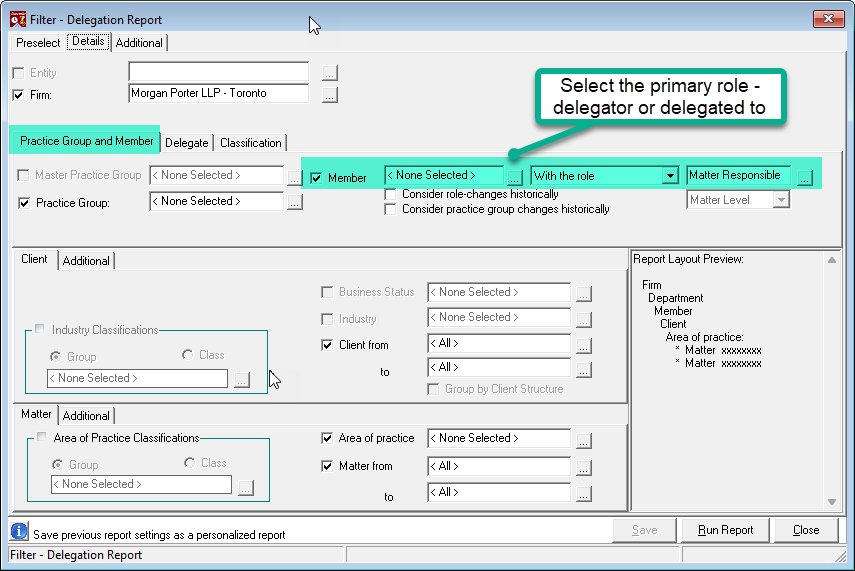
On the Details tab, select or deselect the default dimension settings to control the level of detail (granularity) in the report.
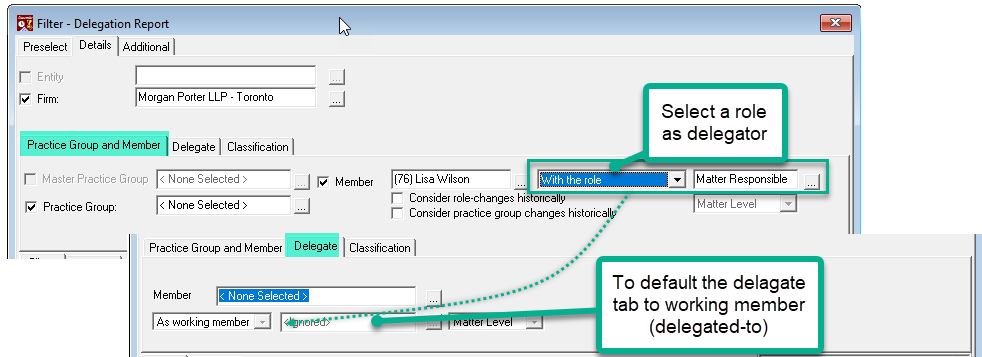
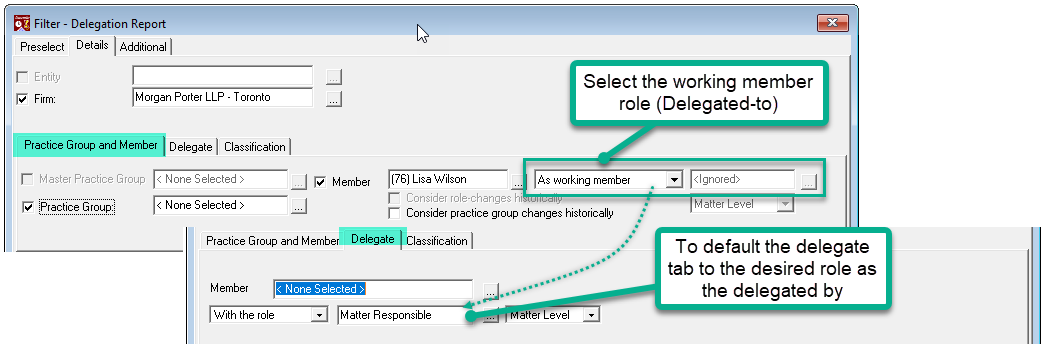
Delegation direction
Choose one of the following perspectives:
|
Field |
Purpose |
What to select |
|---|---|---|
|
Delegator |
View work that a member has delegated to others. |
Select a client or matter-level role (or owner) as defined in your firm's role-definition documentation. |
|
Delegated To |
View work that has been delegated to a specific working member. |
Select the working member. |
Once you make your selection on the Details tab, the Delegate tab automatically updates with the corresponding choices available for that delegation direction.
Step 3: Review the Additional Tab
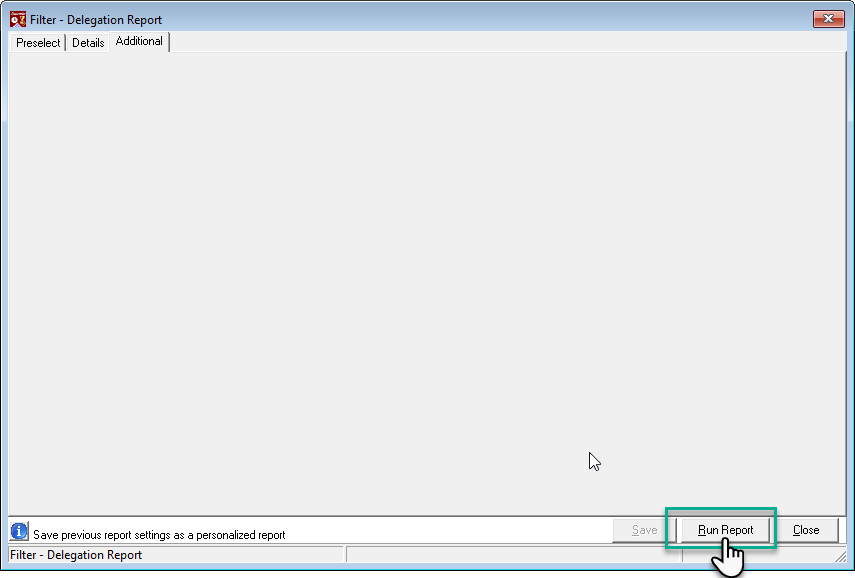
The Additional tab does not offer extra reporting options at this time. No action is required.
Step 4: Set Page Breaks and Sort Order
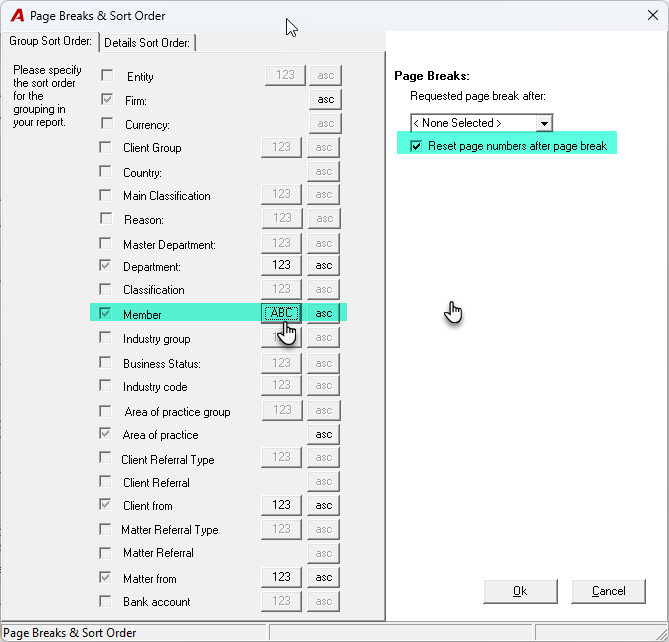
When you click Run Report, the Page Breaks & Sort Order dialog opens. Here you can:
-
Add page breaks on appropriate grouping dimensions.
-
Change the sort order from numeric (by code) to alphabetic.
-
Change the sort direction from ascending to descending (or vice versa).
Click OK to generate the report.
Understanding the Report Output
The report displays the following measures for each timekeeper on the relevant matters during the selected period:
|
Measure |
Description |
|---|---|
|
Total Hours Worked |
Hours recorded by the timekeeper on matters where the selected member holds the assigned role. |
|
Value of Hours |
The monetary value of the hours worked. |
|
Unbilled Value |
The portion of hours worked that remains unbilled. |
|
Working Rate |
The timekeeper's standard billing rate. |
|
Effective Rate |
The actual rate realised after adjustments. |
|
Prorate Share of Fees Billed |
The timekeeper's proportional share of fees billed on the matter. |
|
Billing Variance |
The difference relative to the original WIP value, reflecting write-ups, write-downs, discounts, and fees credited through credit notes. |
|
Current WIP Value |
The current work-in-progress balance. |
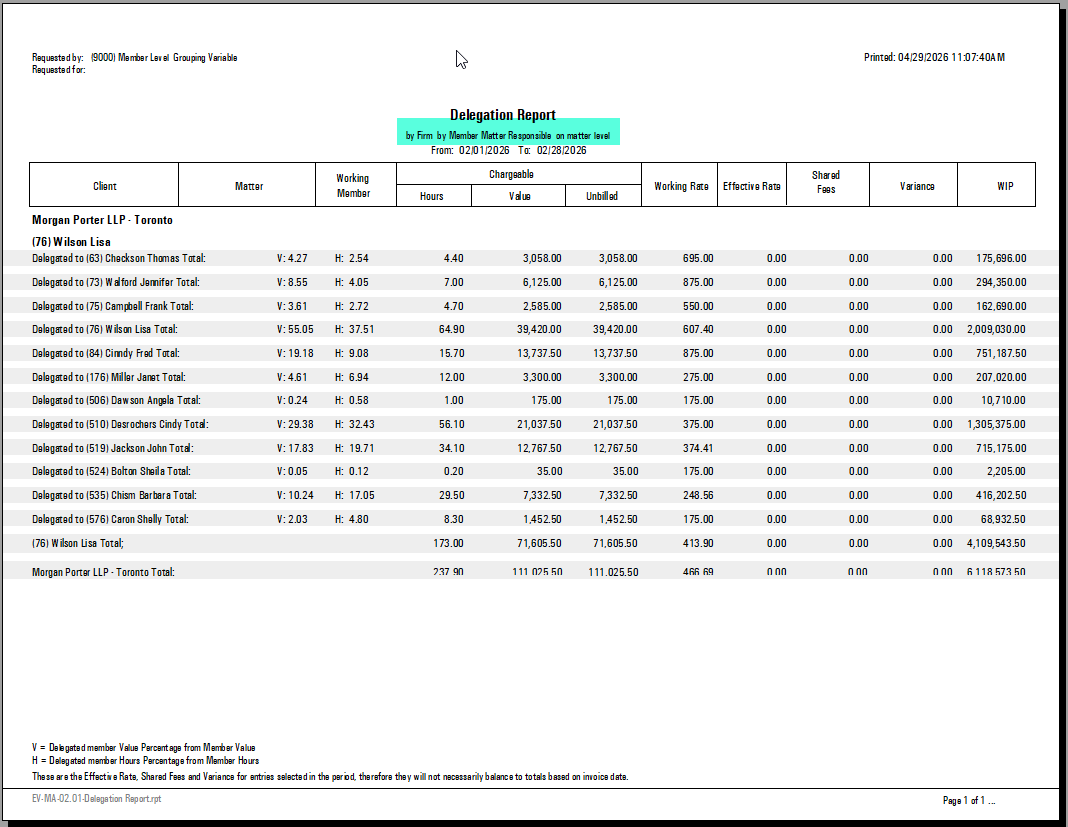
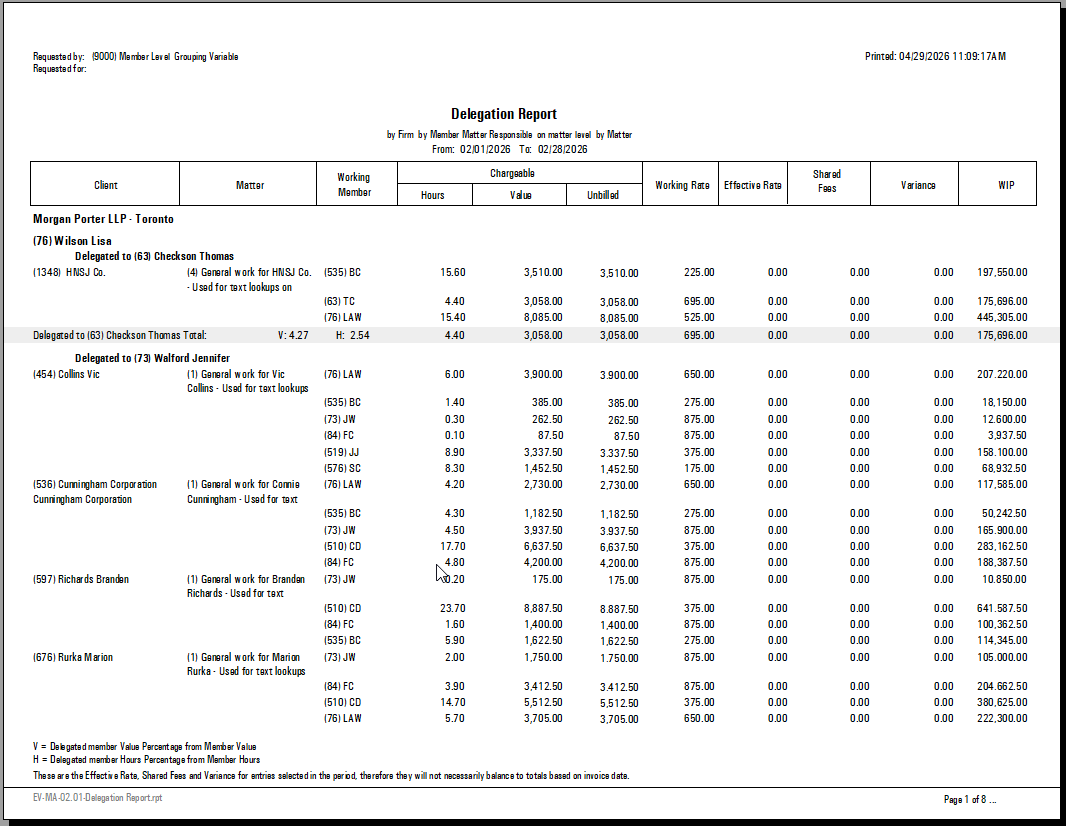
Same report detailed by matter
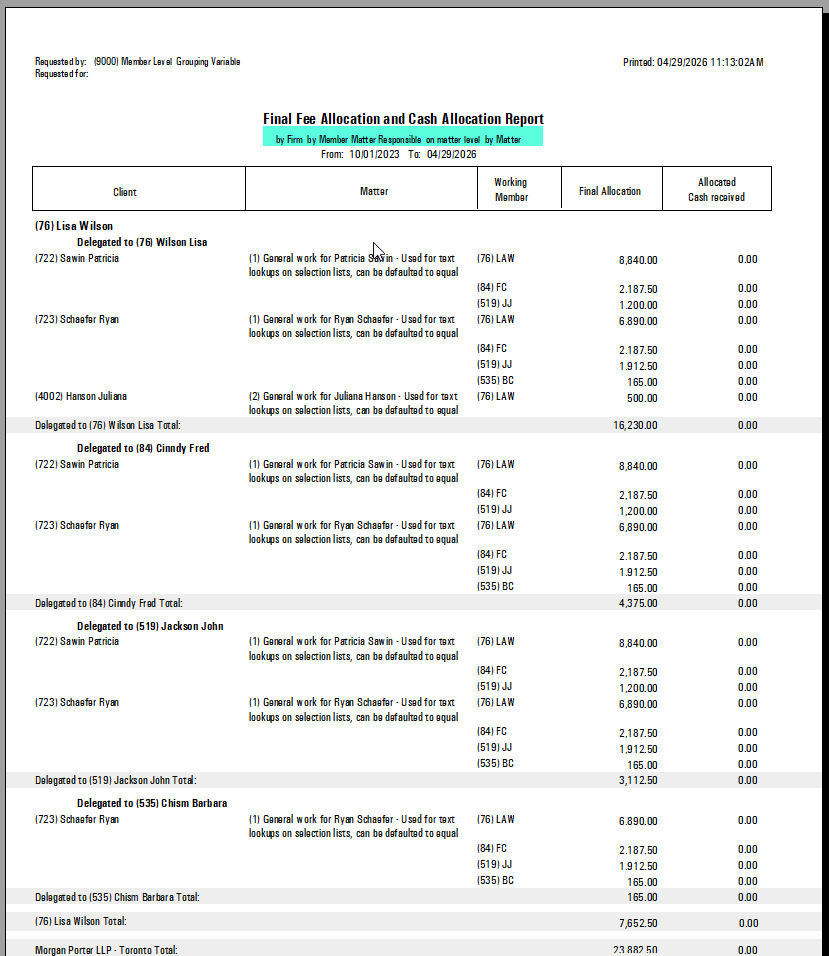
When the Final Fee Allocation and Cash Allocation option is enabled
|
Measure |
Description |
|---|---|
|
Final Allocation |
The final allocation granted through the allocation schema applied to the invoice or because of a manual fee allocation override. |
|
Allocated Cash Received |
The payment received - net of payment cancellation - applied against receivables within a period, distributed to the member. |
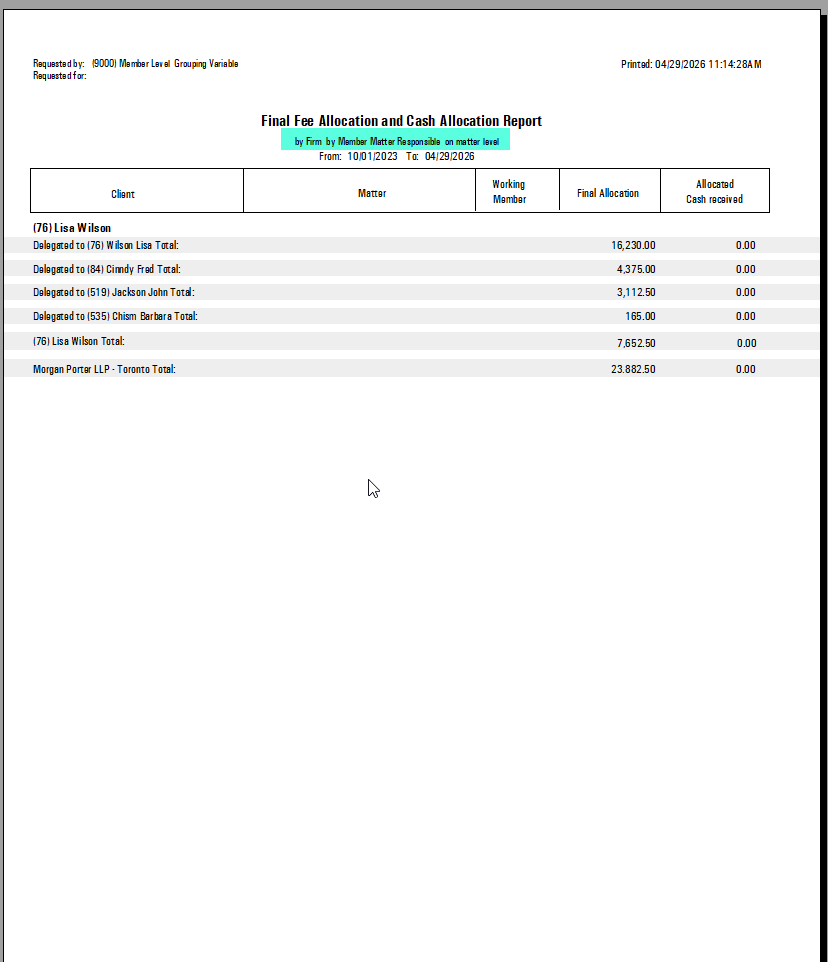
Detailed by matter