.png)
Crystal Report
Print Preview and PDF Output Options
Print Preview Bar
-
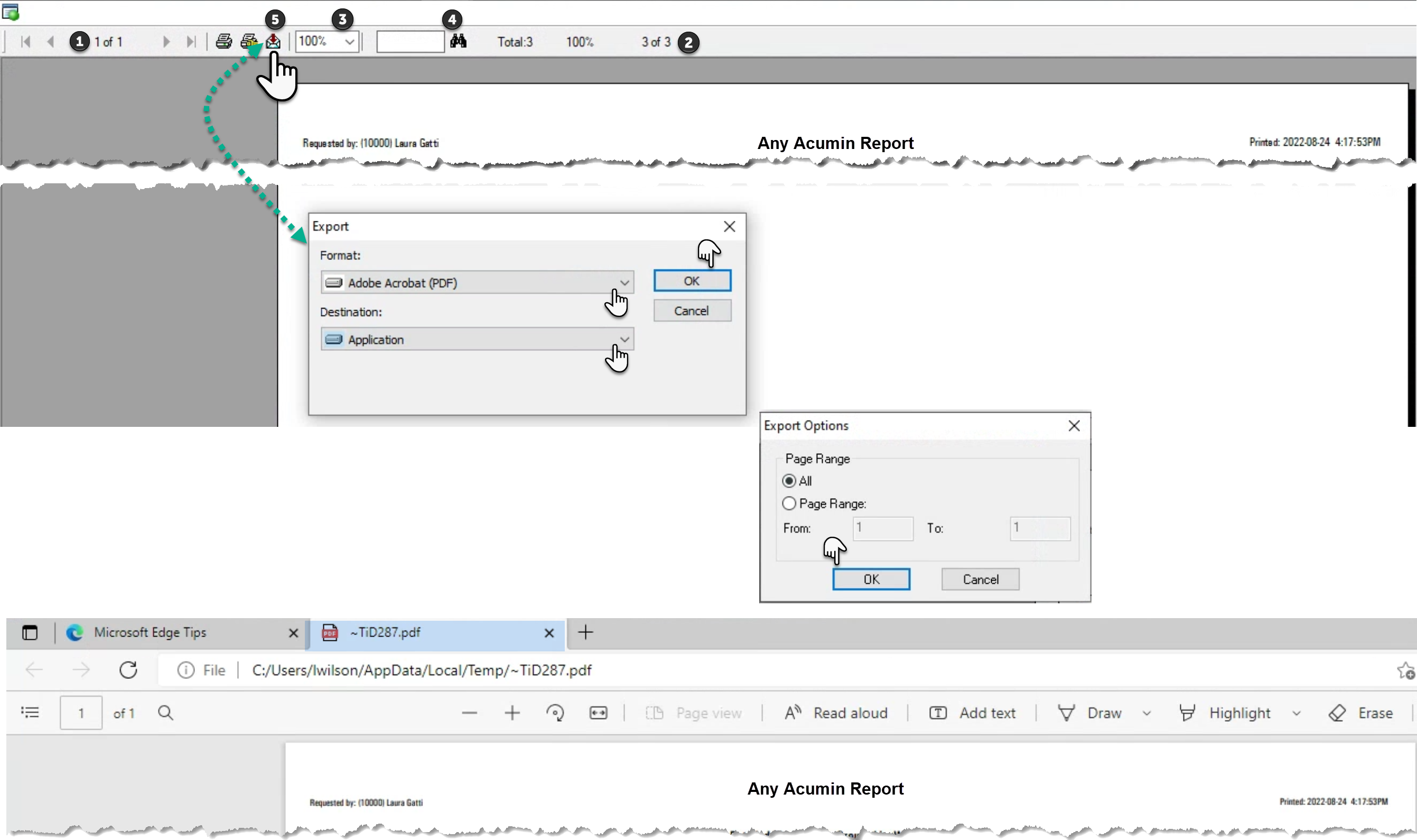
Number of Pages: This value shows the page you are on in context pf the total number of pages. Use the arrows (left and right) to navigate across the pages or to the first and last page of the report.
-
Number or Records: As the report is generate this shows the number of records to be included.
-
Zoom: Change the default from 100% as needed.
-
Search: Enter a value or text and press on the binoculars to find it within the print preview.
-
Export: Press on the envelope to export the report to other formats including PDF.