.png)
Overview
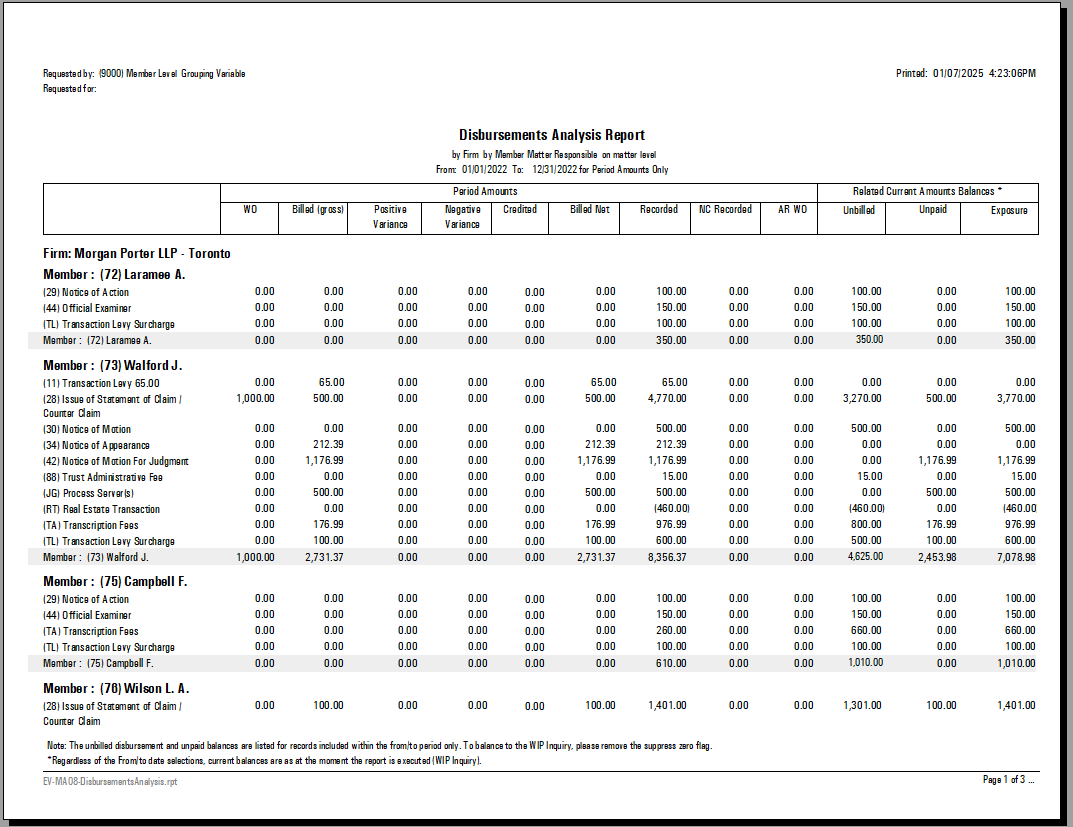
The Disbursement Analysis report has as the lowest level of detail the disbursement. It is designed to provide decision makers with an accurate picture of the law firm position based on disbursement for a given period.
For a best practice outcome, it is recommended the users of this report have a clear understanding of the desired reporting outcome. With each option the report will generate very different results, in order to be able to respond to multiple analytics when decision making.
The Disbursement Analysis report
Access
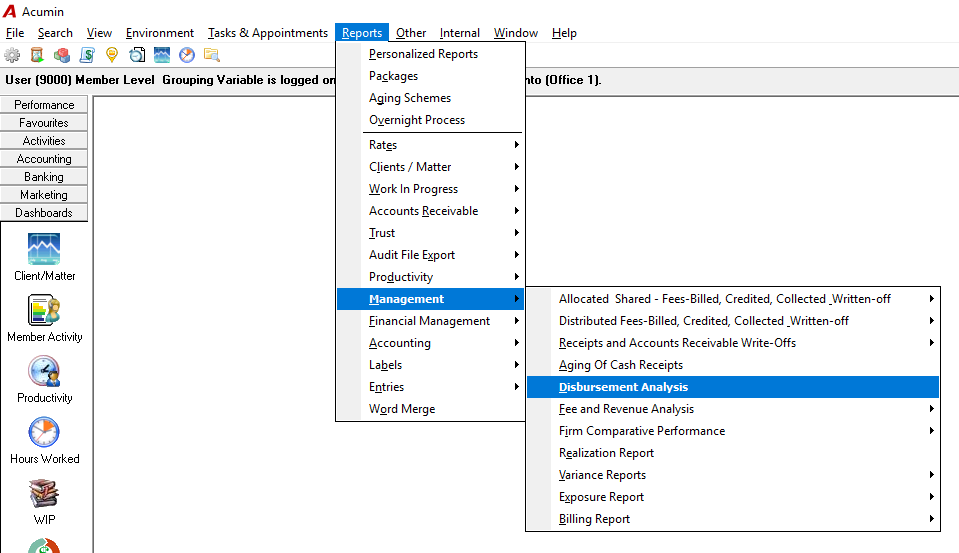
From the main menu bar select Reports – Management – Disbursement Analysis.
The Preselect Tab
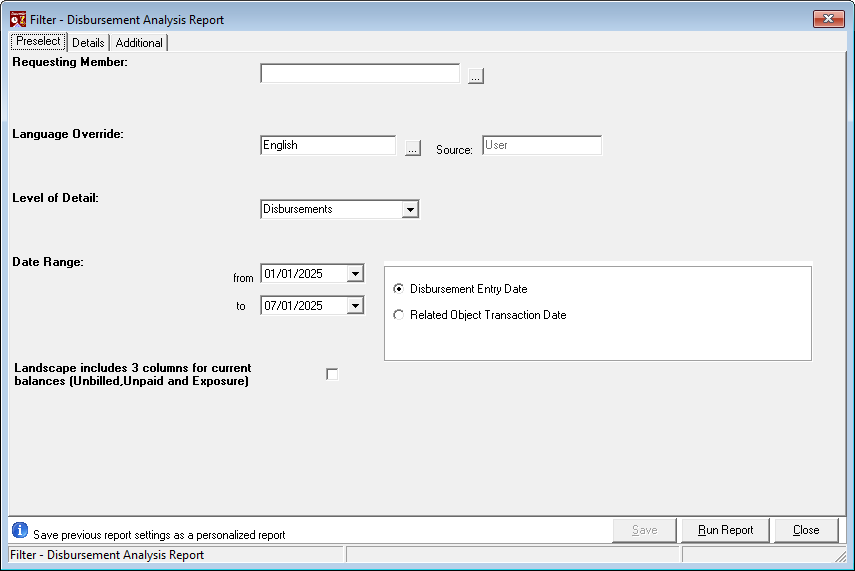
Select the date range for the reporting period and decide if the report is to be executed by entry transaction date exclusively or by action/transaction date. In either case, consistent use of the measures over time will provide analytics on trends in relation to disbursements incurred.
-
Disbursement Entry Date: This option will select the disbursement entries that meet the date range criteria based on their transaction date. For example, this means that for the disbursements billed or unbilled disbursements written-off measures, the report will calculate the value of those entries dated between February 1st 2024 and February 8th 2024 that have the status billed or written-off, regardless of when the entries were billed or written-off. This type of selection tells the story: "for the disbursements with a transaction date in the period, how much was billed or written off within the same period".
-
Related Object Transaction Date: This option will select the object supporting the measure that meets the date range criteria based on the object's transaction date (i.e. the disbursement entry's transaction date for disbursements recorded, the invoice transaction date for disbursements billed and the unbilled disbursement WO action date for unbilled disbursement write-offs).
-
For example, this means that for the disbursements billed or unbilled disbursements written-off measures, the report will calculate the value of those entries billed on invoices dated between February 1st 2024 and February 8th 2024 or written-off within the same period regardless of the date of the disbursement entry.
-
If the report is executed by "Related Object Transaction Date", each measure is independent of the other – representing different unrelated statistics for each disbursement code affected.
-
TIP: Consider executing the report by "Entry Transaction Date" to understand the relationship across entry status in relation to a targeted time frame. In other words for disbursements incurred within a quarter (entry transaction date), report the disbursements billed in the same quarter. Consider executing the report by "Action Transaction Date", to understand disbursement activity within the selected time-frame. In either case, consistent use of the measures over time will provide analytics on trends in relation to disbursements incurred.
-
Landscape Option - Include Unbilled Disbursements, Unpaid Disbursements and Exposure: This option will launch the report in landscape format and include as the last three columns unbilled disbursements, unpaid disbursements and exposure (the sum of the two). These three measures are informational and not intended to be used as balancing tools. They are not historical which means that for the transactions included (based on the disbursement transaction date and potentially the invoice transaction date for the unpaid measure) we classify them in the unbilled disbursement or unpaid disbursement column based on the current status of the associated object without consideration to any historical actions.
The Details Tab
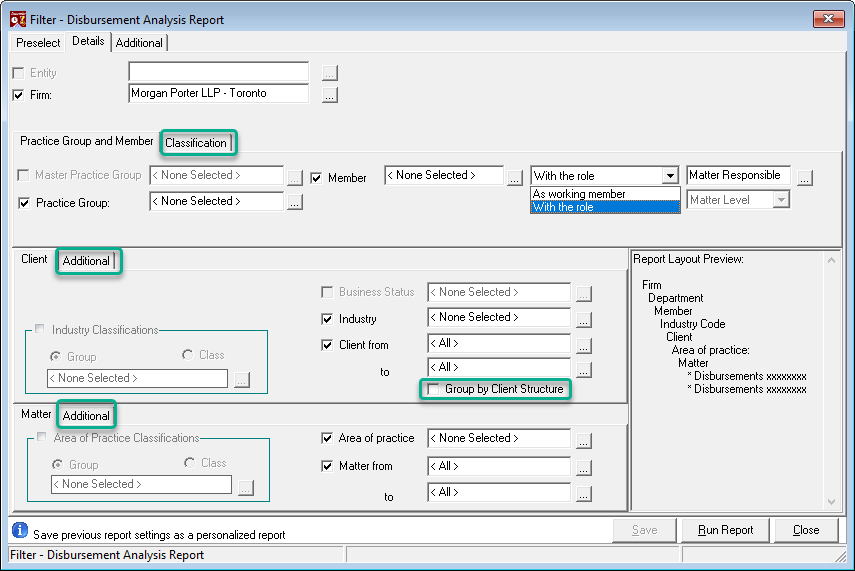
As with all reports, the user has the option to un-select any of the default dimensions offered to generate a report with the most appropriate level of granularity.
-
Member Level Options:
The report can be executed by any role at either level as well as by working member. If the latter is selected, the record is attributed to the member included in the disbursement entry or payment distribution tab which may not be indicative of the required measure.
This report can also be executed by "Reporting Classification", a member level reporting dimension found within the "classification" sub-tab.
-
Additional Filter Options for the Client and Matter Dimensions:
The "additional" sub-tab for the client and matter level dimensions offers additional filter options based on status.
The Additional Tab
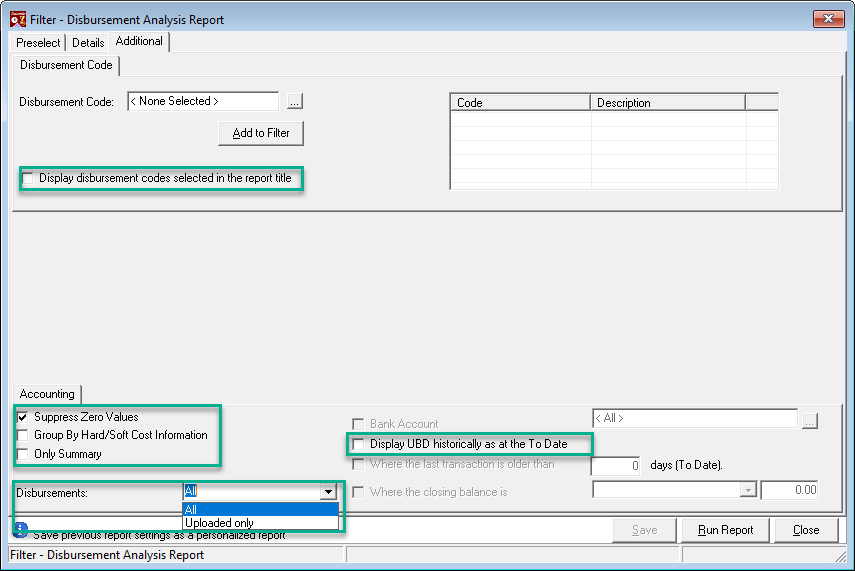
The authorized user can execute the report for selected disbursement codes only. In this case consider displaying the selected disbursement codes in the report title.
-
Group by hard/soft cost information: The grouping is dependent on how the disbursement code is classified within the corresponding property form;
-
Only Summary: Summarize to the lowest reporting dimension included in the details tab;
-
Disbursements: Restrict the report to "Uploaded" disbursements only;
-
Display UBD historically as all the To Date: Opt to print the unbilled disbursement value historically in relation to the "to-date" of the report; If enabled, the unpaid disbursements and exposure measures will display as N/A for not applicable.
The Page Breaks & Sort Order form
Press on the "Run Report" to launch the Page Breaks & Sort Order form.
The user can add a page break on any of the selected grouping dimensions and / or change the sort order presentation from numeric (by code) to alphabetic (by name) as well as from ascending (asc) to descending (desc). In addition the user can re-set the group order.
Measures
|
Heading labels |
Definitions |
|---|---|
|
WO |
Lists the chargeable disbursements written-off. The chargeable disbursements recorded and posted with status written-off, valued in consideration of applicable rates. Based on type of date selected, the measure will include entries with a transaction date in the period with the status written-off or entries where regardless of transaction date were written off with a WO action date within the reporting period. |
|
Billed (gross) |
Lists the original unbilled disbursement value of the billed disbursements. The chargeable disbursements recorded and posted with status billed. Based on type of date selected, the measure will include entries with a transaction date in the period with the status billed or entries where regardless of their transaction date, were billed with an invoice date within the reporting period. |
|
Positive Variance |
Lists the write-up at billing on billed disbursements. Based on type of date selected, this measure is based on the disbursement entry date or the invoice date on which the disbursement was billed. |
|
Negative Variance |
Lists the write-down at billing on billed disbursements. Based on type of date selected, this measure is based on the disbursement entry date or the invoice date on which the disbursement was billed. |
|
Credited |
Lists the value of disbursements included in credit notes. Based on type of date selected, this measure is based on the disbursement entry date or the credit note date on which the disbursement was credited. |
|
Billed Net |
Lists the value of disbursements billed net of write-ups, write-downs, credit notes and/or cancellations. |
|
Recorded |
Lists the value of chargeable disbursements recorded in the period. The chargeable disbursements recorded and posted in the period valued in consideration of applicable rates. This measure is always by entry transaction date. |
|
NC Recorded |
Lists the value of non-chargeable disbursements recorded in the period. The non-chargeable disbursements recorded and posted in the period valued in consideration of applicable rates. This measure is always by entry transaction date. |
|
AR WO |
Lists the value of disbursements written-off as part of the receivable write-off process. Based on type of date selected, this measure is based on the disbursement entry date or the AR write-off date on which the disbursement was written-off from the receivable balance. |
|
*Unbilled: |
Lists the unbilled disbursement value for entries with a transaction date that meets the criteria. Unless the "Display UBD historically…" check-box is set to ON, the reported un-billed disbursement value should be used as a reference point only and not a balancing figure. The un-billed disbursement value represents the disbursements recorded and posted that meet the entry criteria, with the status un-billed as at the time the report was executed independent of the type of date selected. |
|
*Unpaid: |
Lists the disbursement value for billed entries associated to an unpaid invoice. The reported un-paid disbursement value should be used as a reference point only and not a balancing figure. The un-paid disbursement value represents the disbursements recorded and posted that meet the entry criteria, with the status billed and the associated invoice unpaid (in part or in full) as at the time the report was executed independent of the type of date selected. If the UBD value is presented historically this measure becomes not-applicable and presented as N/A. |
|
*Exposure |
Lists the sum of un-billed and un-paid. If the UBD value is presented historically this measure becomes not-applicable and presented as N/A |
Report Output: