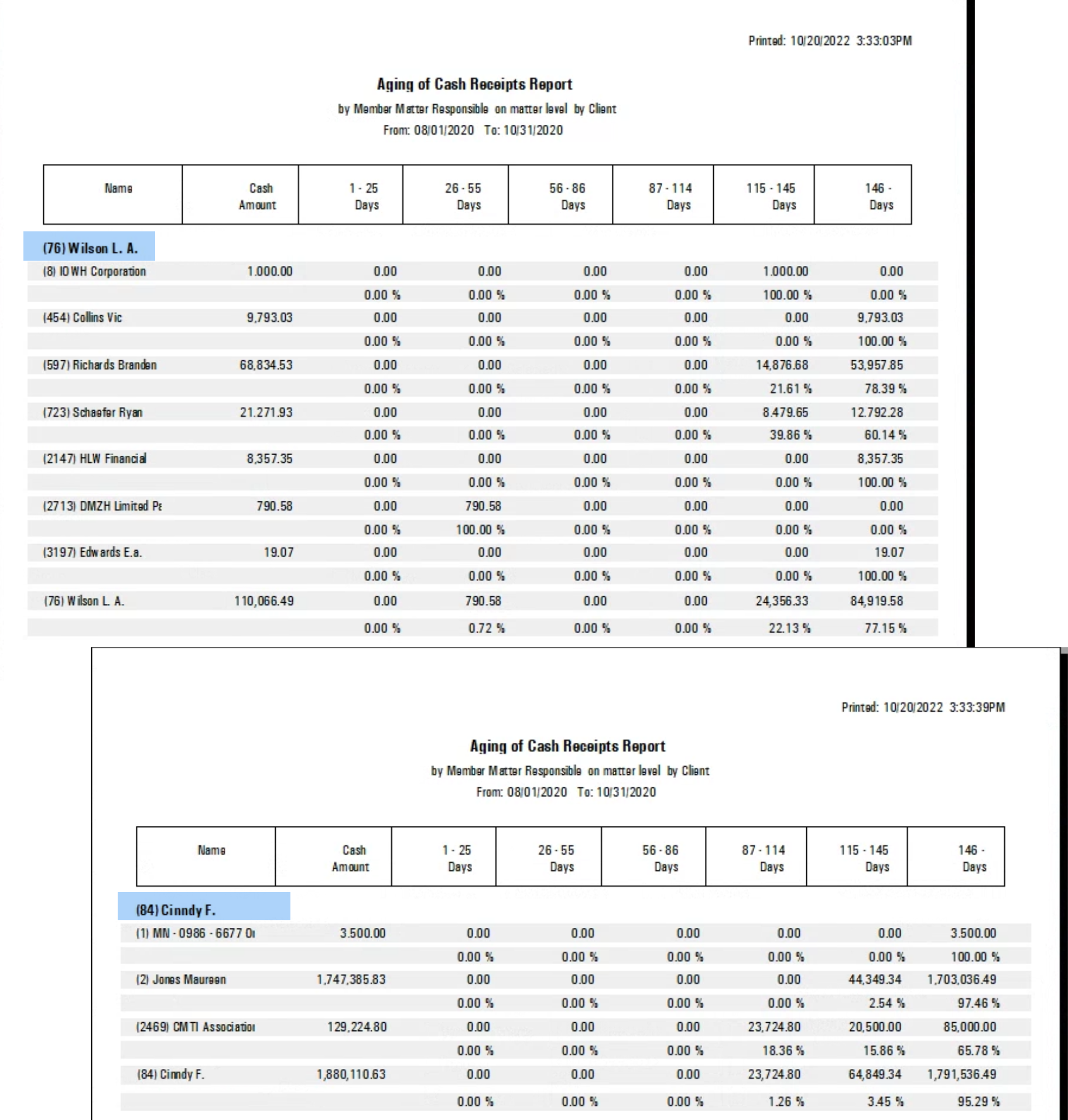
.png)
Aging of Cash Receipts
Access
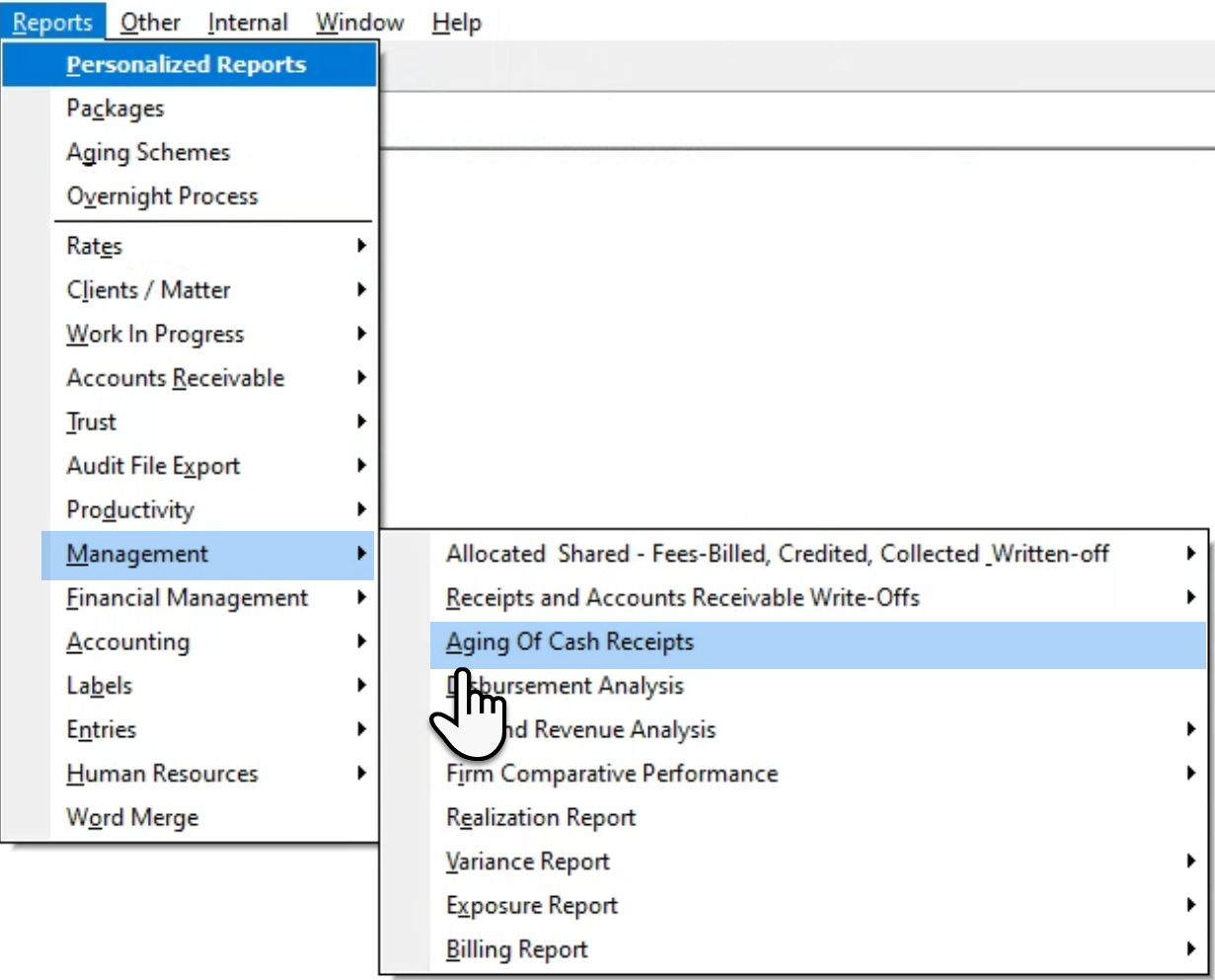
Select the “Aging of Cash Receipts” sub-menu option found within the “Reports – Management” submenu, to launch the multi-attribute filter,
Preselect Tab
The report has the matter as its lowest level of detail. The from-to date range will default to the current month however the date range can be expanded as well as contracted depending on use case.
Details Tab
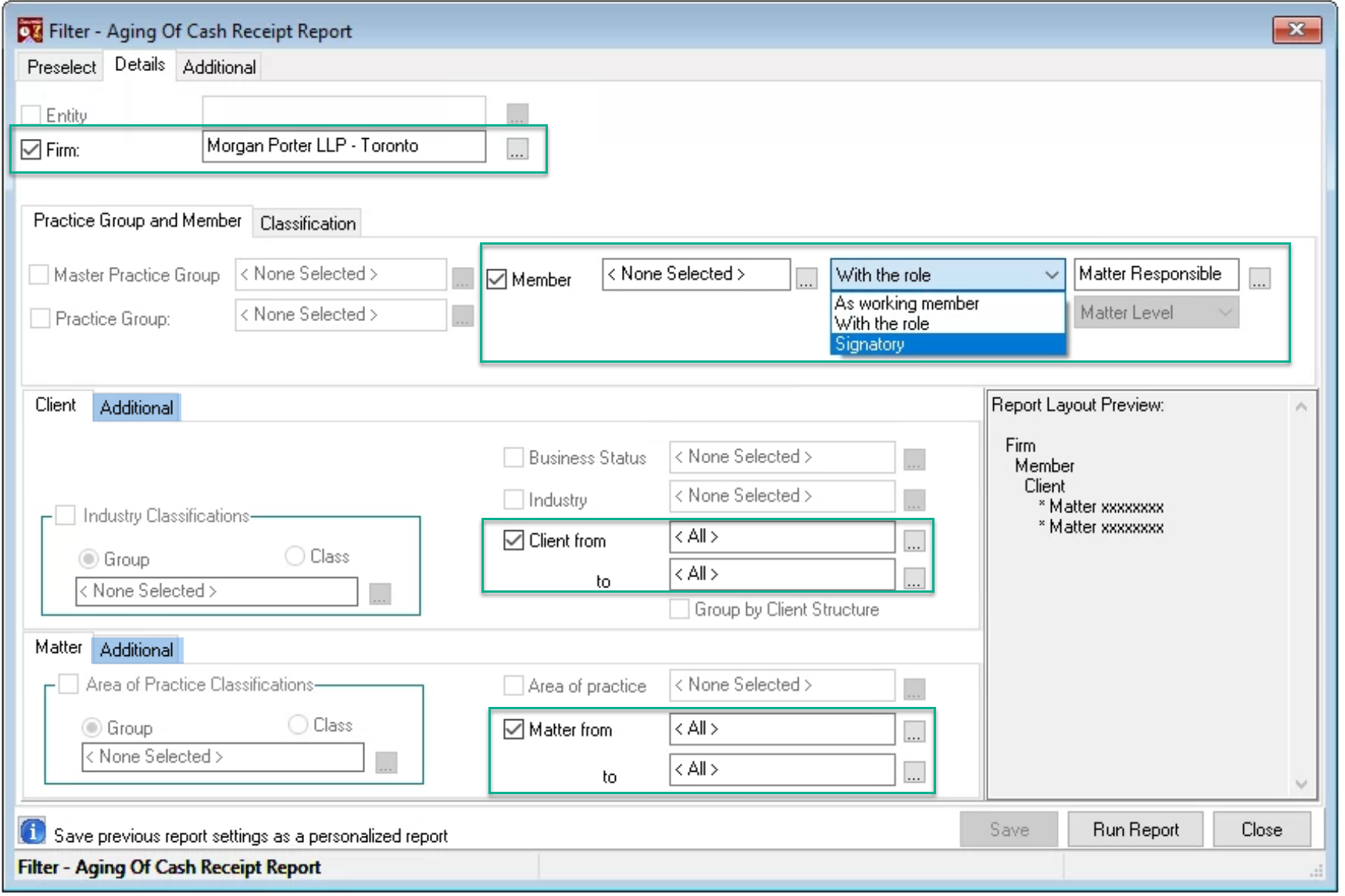
The report is available in context of firm, member - role, working member, or invoice signatory – as well as Client and Matter. The last two reporting groups offer other filter options based on status and/or date opened filter within their respective additional tabs.
Uncheck the unwanted groups depending on presentation or summary requirements.
Additional Tab
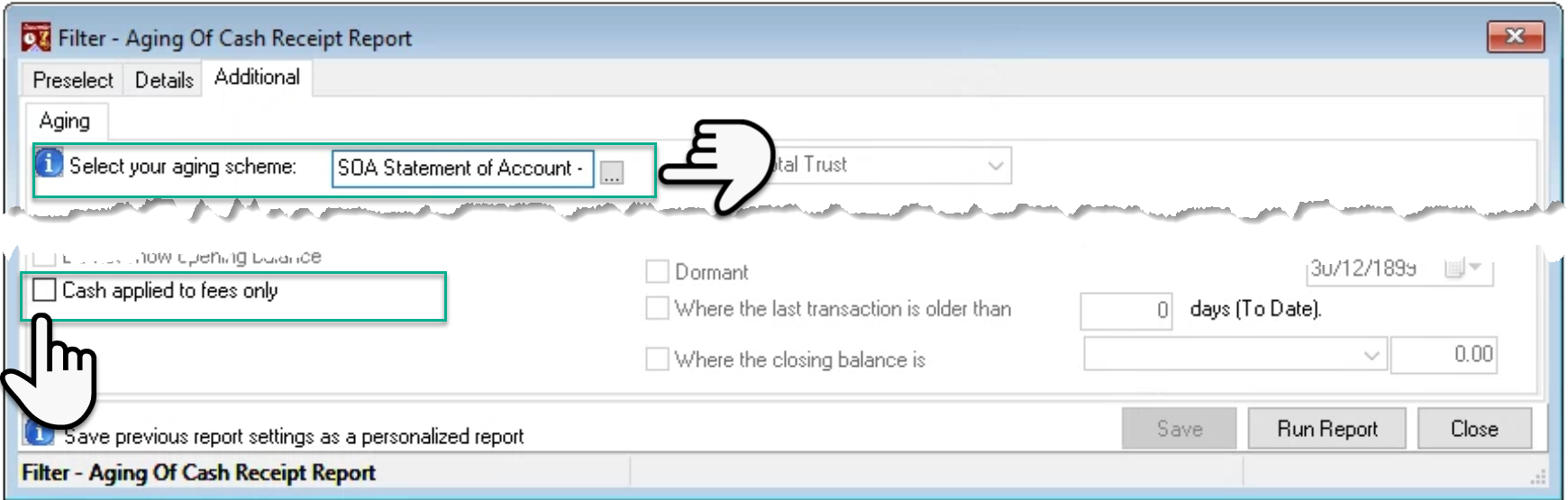
Select the aging scheme and checkmark the “Cash applied to fees only” to generate the report based on fees collected instead of invoice amount collected. Press “Run Report’.
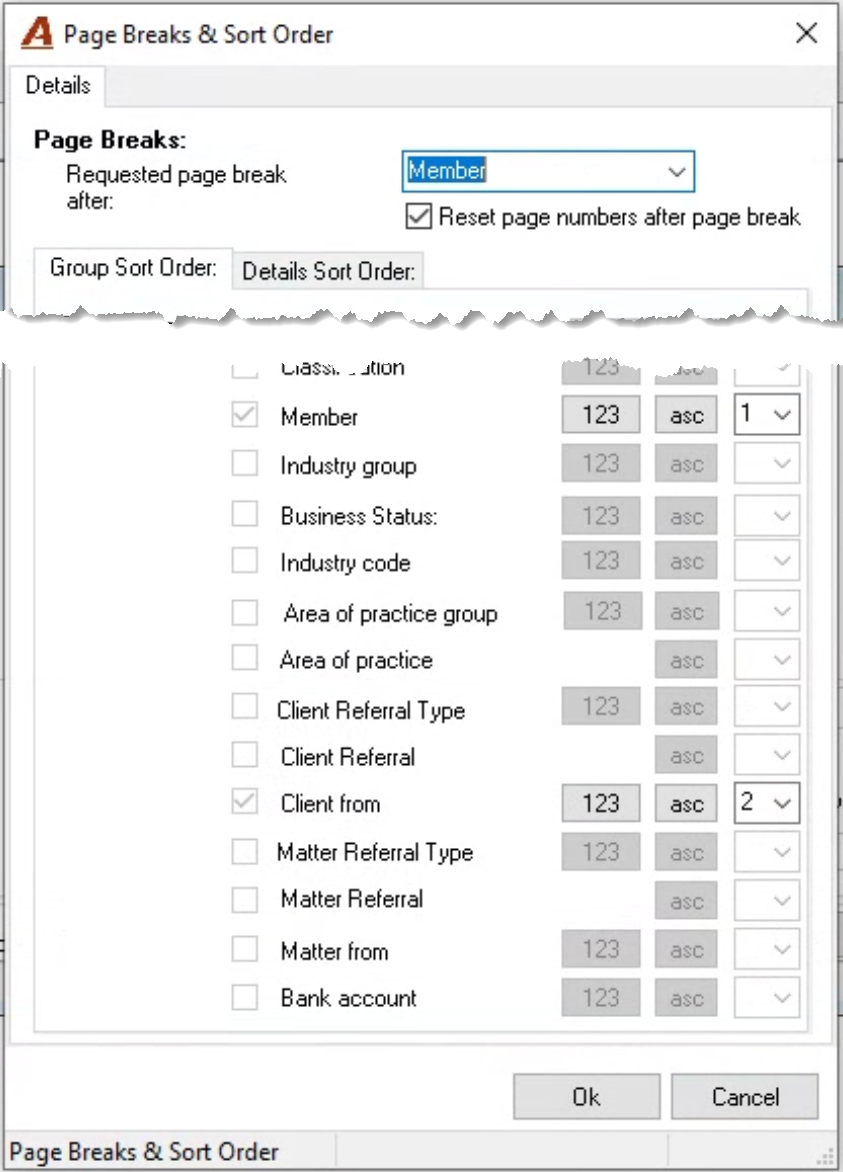
Page Breaks & Sort Order
Select the page breaks (if any) and/or change the order for the attributes.
Report by Responsible Member Summarized by Client