.png)
QUESTION: We are having issues with adjusting fees in Acumin on our invoices.
We are trying to reduce the fees to $0 and are getting a ‘division by zero occurred’ error. Do you know how we can fix this, so that we are able to adjust their fees down to $0.
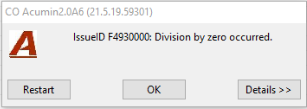
RESPONSE: To be able to complete a 0.00 value invoice please update the position of the option “Allow Posting of Invoice with Zero Value” found in the “Defaults – Invoices & Credit Notes” sub-tab within the Acumin Systems Settings form. Exit the form for the changes to take effect.
QUESTION: We are trying to adjust fees and get the attached warning, and then the line turns purple. How do we adjust fees on our invoices?
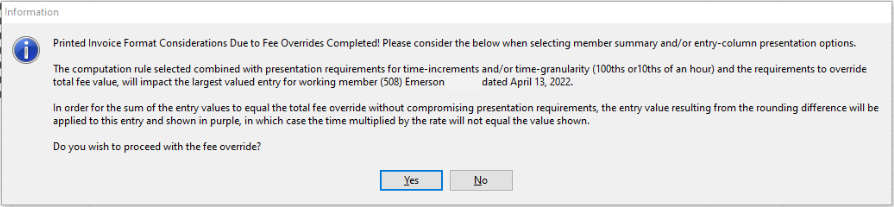
RESPONSE: This is just a warning that with the fee override decision, you should choose an invoice format that is not detailed. The combination of the presentation rule on the details tabs and the time increments the client accepts, will not work with a detailed time entry presentation format. If you present the invoice in a detail format that includes time, rate and value, the individual entry value will sum up to the fee but for the entry in purple (the highest value) the time and rate presented will not result in the value to make it all work. As E-Bills are also detailed and programmatically controlled, this impact should be considered.