.png)
QUESTION: User receives a message “Cannot find invoice template. Please check if bill template file exists. (X:\Merge\English\FullDetailsNoLawyer.doc)”.
RESPONSE:
If the issue is specific to a single template, it might be due to an incorrect file path. Confirm if the path for the problematic template matches the paths of the other templates? For example:
“C:\Merge\English\FullDetailsNoLawyer.doc”
If the paths differ, the invoice template needs to be remapped to align with the others. To do so, please follow these steps:
-
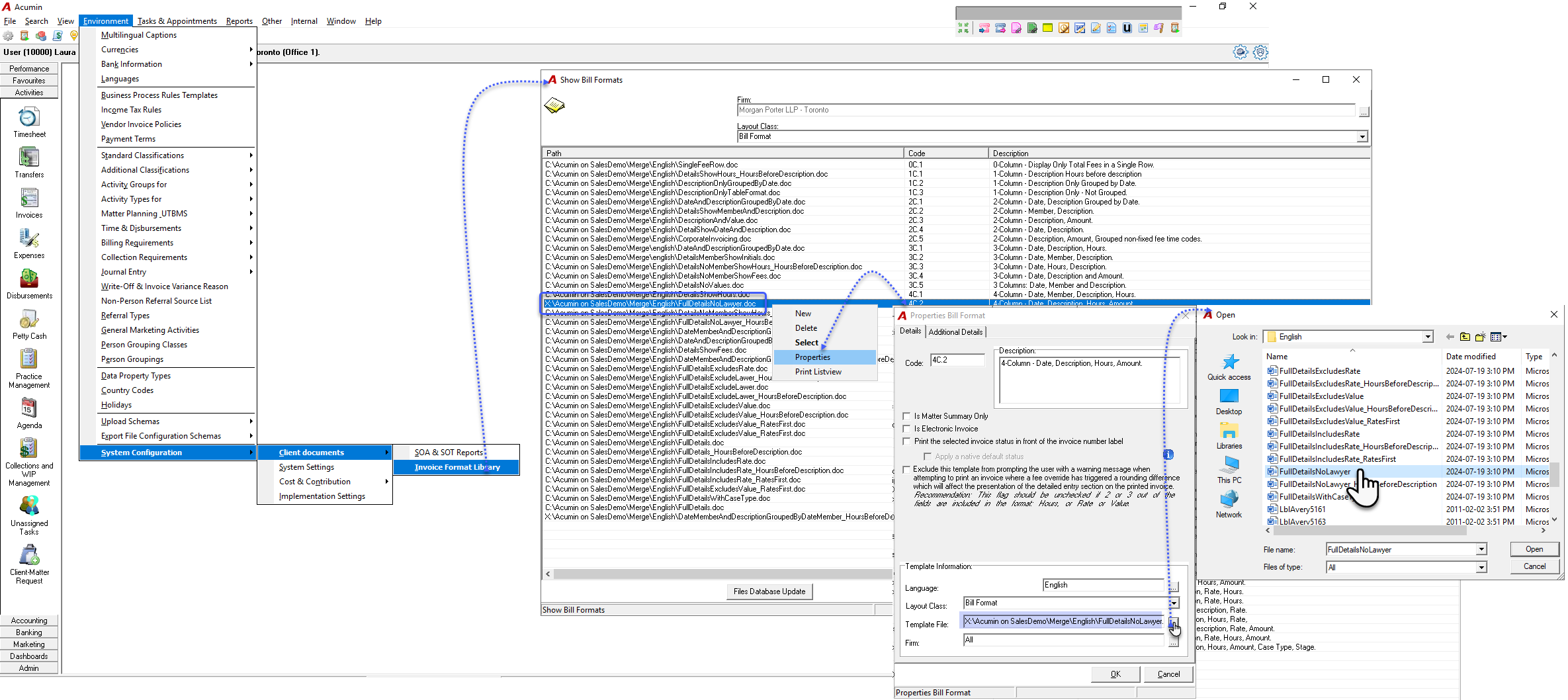
Open the Invoice Format Library.
-
Navigate to: Environment > System Configuration > Client Documents > Invoice Format Library.
-
-
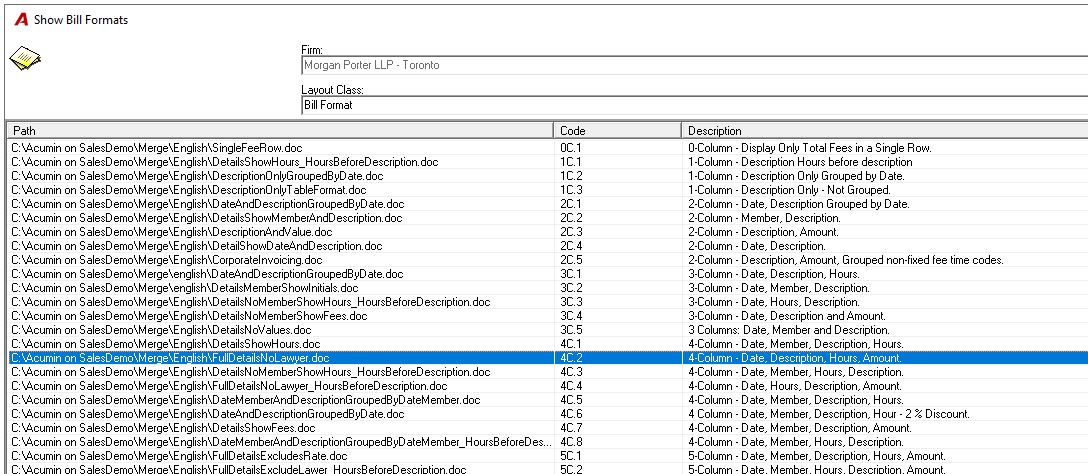
In the Show Bill Formats form, locate the path of the template you want to modify.
-
Right-click the template and select Properties from the contextual menu.
-
In the Properties Bill Format form, click the ellipsis button (
...) next to the Template File field. -
Select the appropriate invoice template from the Merge folder and double-click to confirm.
-
Back in the Properties Bill Format form, click OK to save the updated path.
-
In the Show Bill Formats form, verify that the updated path is displayed.
Finally, the user can refresh the invoice template selection by reselecting it within the invoice properties.