.png)
QUESTION: What do the yellow and green checkmarks in the show invoice detail for mean?
RESPONSE:
Invoice Icon Definitions - Version 14.0 and 11.90
Regardless of accounting status of the invoice - Printed, Posted or Cancelled - the icon on the left of the invoice record shows the process-flow phase.
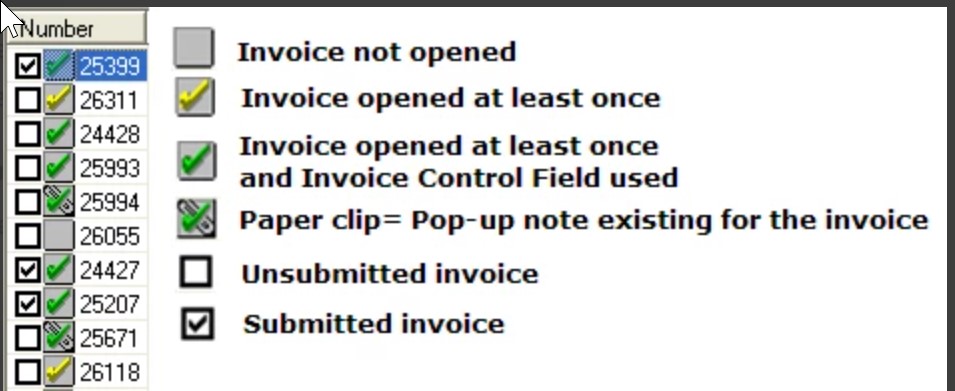
Grey Icon: The invoice has not yet been opened by a user
Yellow Checkmark: The invoice was opened at least once by a user.
Green Checkmark: The invoice was opened at least once by a user and the invoice control field on the details tab has been used at least once (applicable when the invoice is generated through a word merge).
Black Checkmark: The checkbox besides the grey icon with the checkmarks differentiates between submitted and un-submitted invoices. Submitted invoices have a black checkmark.
Invoice Icon Definitions - Version 2.0
Regardless of accounting status of the invoice - Printed, Posted or Cancelled - the icon on the left of the invoice record shows the process-flow phase.
-
Invoice in Progress and not opened.
-
Invoice in Progress and opened
-
Invoice Posted
-
Invoice Cancelled
-
Invoice is locked because it is included in the Batch of another member