.png)
QUESTION: We are trying to generate a regular invoice for a matter. We get the matter summary page – but we cannot get the invoice page. We are trying to generate this as a word document instead of PDF as there are changes that need to be made to the word document. The previous bill was fine. We have no idea why there’s an issue this time around; can you please assist?
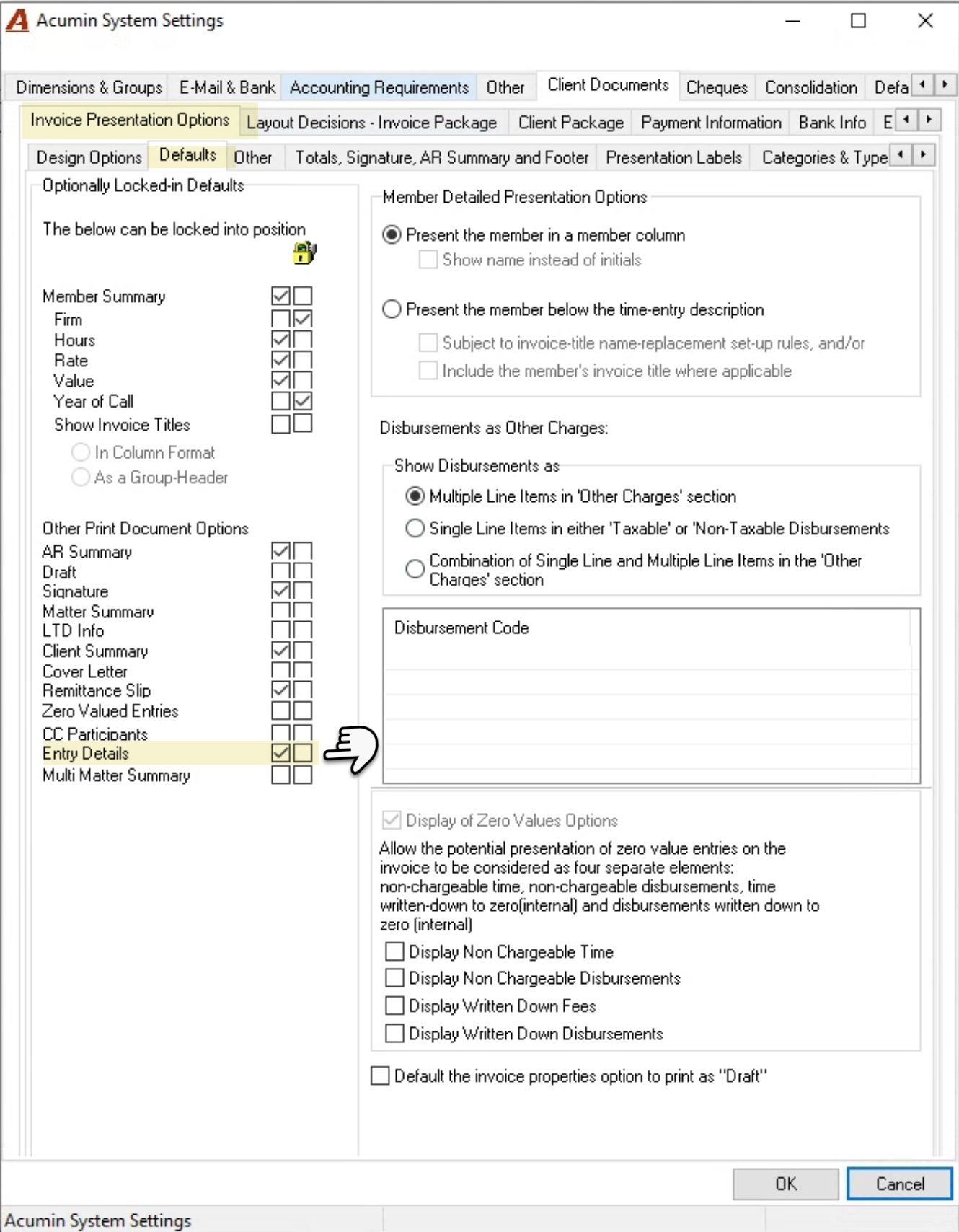
RESPONSE: The reason the entry details are not printing is because the option to show entry details on the Invoice Document Creation form – upper section checkbox - is not check marked. The user will not be able to change its position from here because it is locked.
These print settings have their default position in system settings. These can be overridden at the client, matter or Invoice Document Creation level if they are not locked. If locked the change in default position is coming from the client level – affecting all matters crated after the change, or the matter which will affect all invoices until the position is changes.
As a first step check the print settings for the client and matter and where needed checkmark the entry details checkbox option. This is a must to proceed with the invoice.
As a second step the user will need to delete the invoice to be able to create a new one that will capture the position of the setting.
If users have access to these settings at the client and matter levels, we recommend that you unlock their position in the system level, so if the change is made in client or matter during invoice preparation the user can change the position to what they need without having to delete the invoice and recreate.