.png)
Question: An invoice is part of a batch created by another user. This user is absent and we need to finalize the invoice. How do release the invoice from the batch?
Response:
It is possible to unlock the invoice by using the “Import content from Batch” option located into the Invoice Batch Processing form for users having the security #250 : Security Permissions: Accounting - Regular Processes - Invoice and Invoice Batch Full Third Party access. Follow the steps below:
Steps:
-
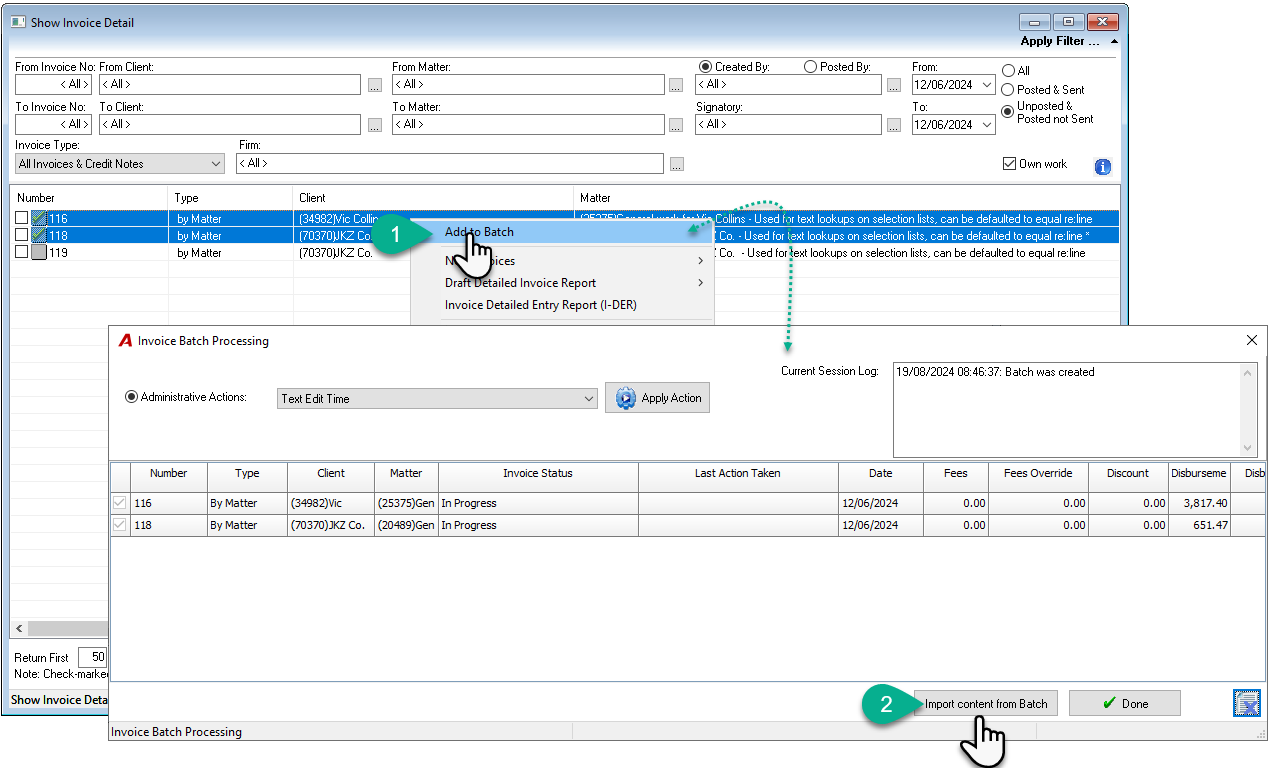
In the Show Invoice form, create a batch by selecting 2 random unposted invoices and select “New Batch” option in the contextual menu;
-
In the Invoice Batch Processing form, press the “Import content from Batch” button;
-
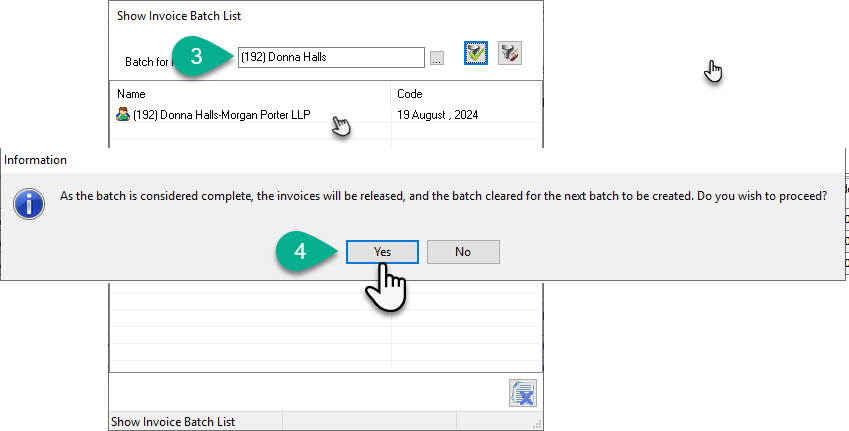
In the Show Invoice Batch List form, enter the member code owning the batch. You should see the batch for this member;
-
Select the Batch listed. Click on Yes to proceed with the batch import;
-
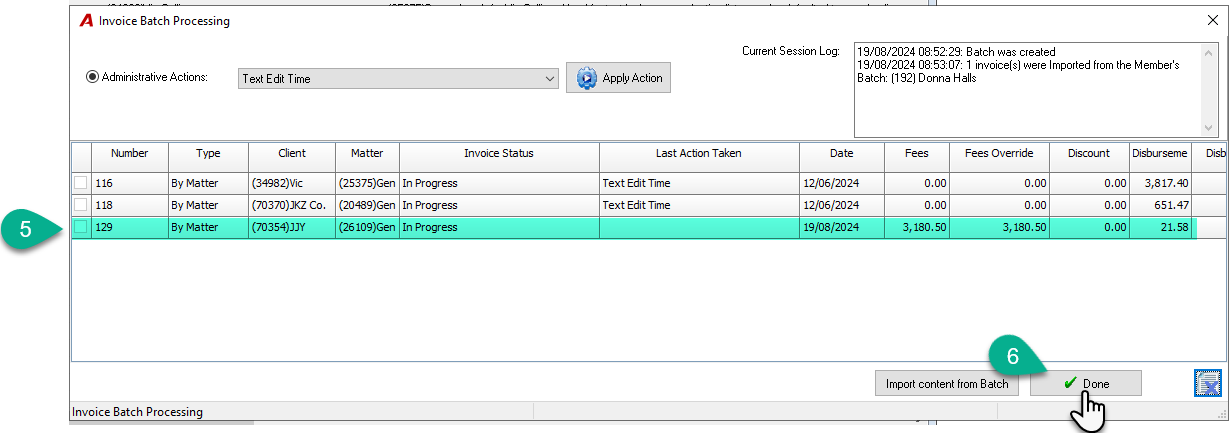
The invoice should now show in the list in the Invoice Batch Processing form;
-
Press the Done button to release all invoices from the batch thus delete the batch.
-
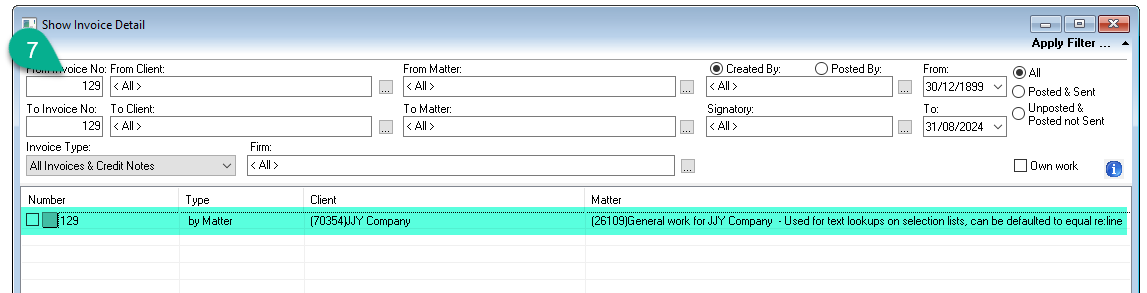
Search for the invoice, it should appear released from the batch (No lock);
Note: Users with security #250 (Security Permissions: Accounting - Regular Processes - Invoice and Invoice Batch Full Third Party access) can import the content of a batch into their own batch.