.png)
QUESTION:
A question was raised regarding the discount defaulted at the client and/or matter level.
Even though a discount is set as a default, does the "Apply Discount" button still need to be manually clicked in the invoice properties to apply it?
RESPONSE:
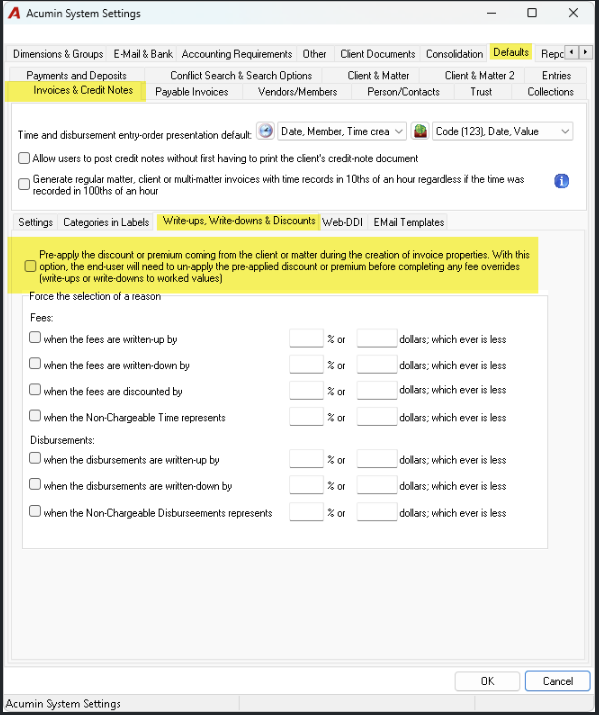
There’s a system setting that can be enabled to apply it automatically. It allows the firm to control whether a discount is automatically pre-applied by default on any new invoice created from the Results or To Bill tab within the E-WIP.
With this option enabled, the end-user will need to remove the pre-applied discount or premium before performing any fee overrides, such as write-ups or write-downs to worked values.
To enable it, please navigate to System Settings/Defaults/Invoice & Credit Notes/Write-ups, Write-downs & Discounts subtab and activate the option.