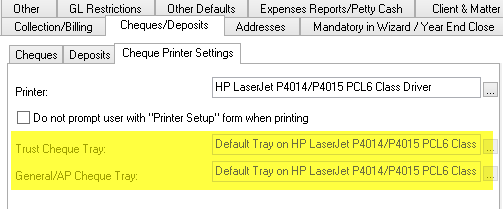
.png)
Overview:
To facilitate cheque printing, the cheque printer and printer set-up must be configured within Acumin's environment with variables at the system level and the firm (office or profit-center) level.
Cheque Printer and Printer Tray Set-up
Option to Set Different Trays for Trust Cheques and General Cheques
Access
-
From the main menu bar, select the options "Environment" and "System Configuration" to access the sub-menu option "Systems Settings" and launch the "Acumin System Settings" form;
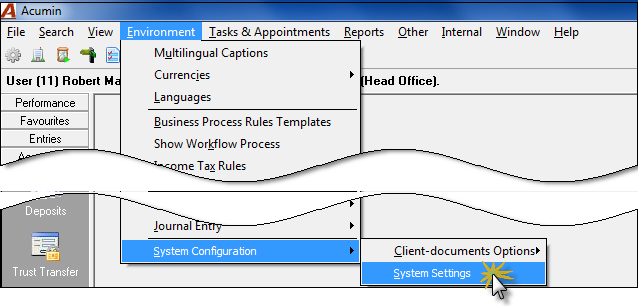
-
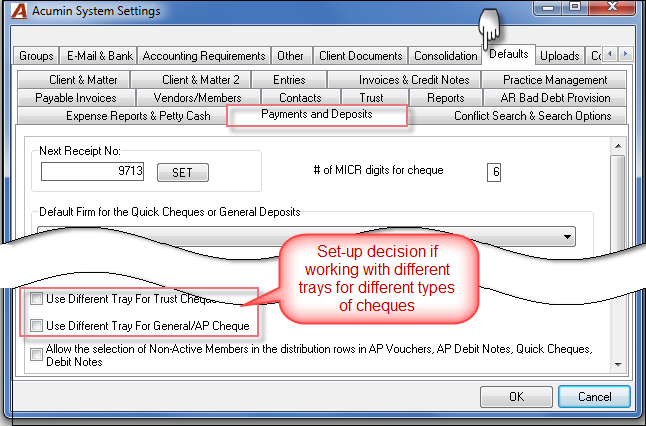
Access the "Defaults" tab, "Payments and Deposits" sub-tab:
-
Check ON the "Use Different Tray for Trust Cheque" if the firm will be using a different tray for trust cheques, and;
-
Check-mark ON the "Use Different Tray for General/AP cheque" if the firm will be using a different tray for general cheques.
The activation of these checkboxes will enable the required options to be completed by the authorized users at the firm properties level.
Printer Set- Firm Properties
Please note that every firm will need to be set up with the appropriate printer information as outlined below.
Access and Printer Set-up
-
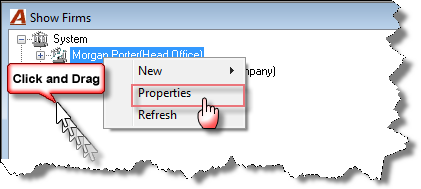
From the main menu bar, select the options "View" and "Firms" to launch the "Show Firms" form. Highlight the main firm (firm 001) and right-click to access the contextual menu to select "Properties" and launch the "Firm Properties" form.
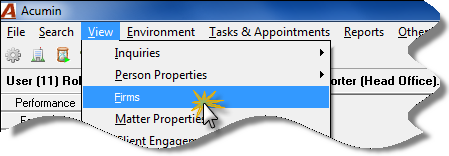
-
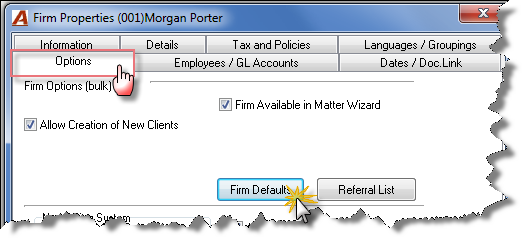
Select the "Options" tab within the "Firm Properties" to launch the "Firm Defaults" form in order to access the "Cheque Printer Settings" sub-tab under the "Cheques/Deposits" main tab.
-
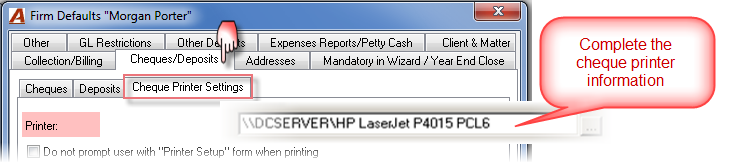
Printer: Enter the appropriate mapped path to the cheque printer.
Other Options
-
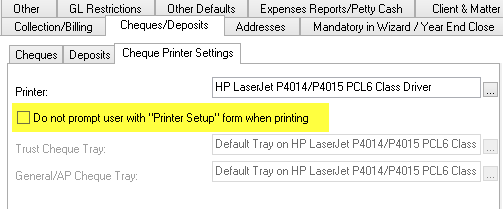
Option "Do not prompt user with the "Printer Setup" form when printing"
Option ON: When printing cheques, the "Printer Setup" screen will not be shown and instead the system will automatically use the printer defaulted in Firm properties. Option OFF: When printing cheques, the user will be prompted with the "Printer Setup" screen and will have to set up manually the printer to be used to print cheques.
-
Option "Different Printer Tray Set-up" – if any: