.png)
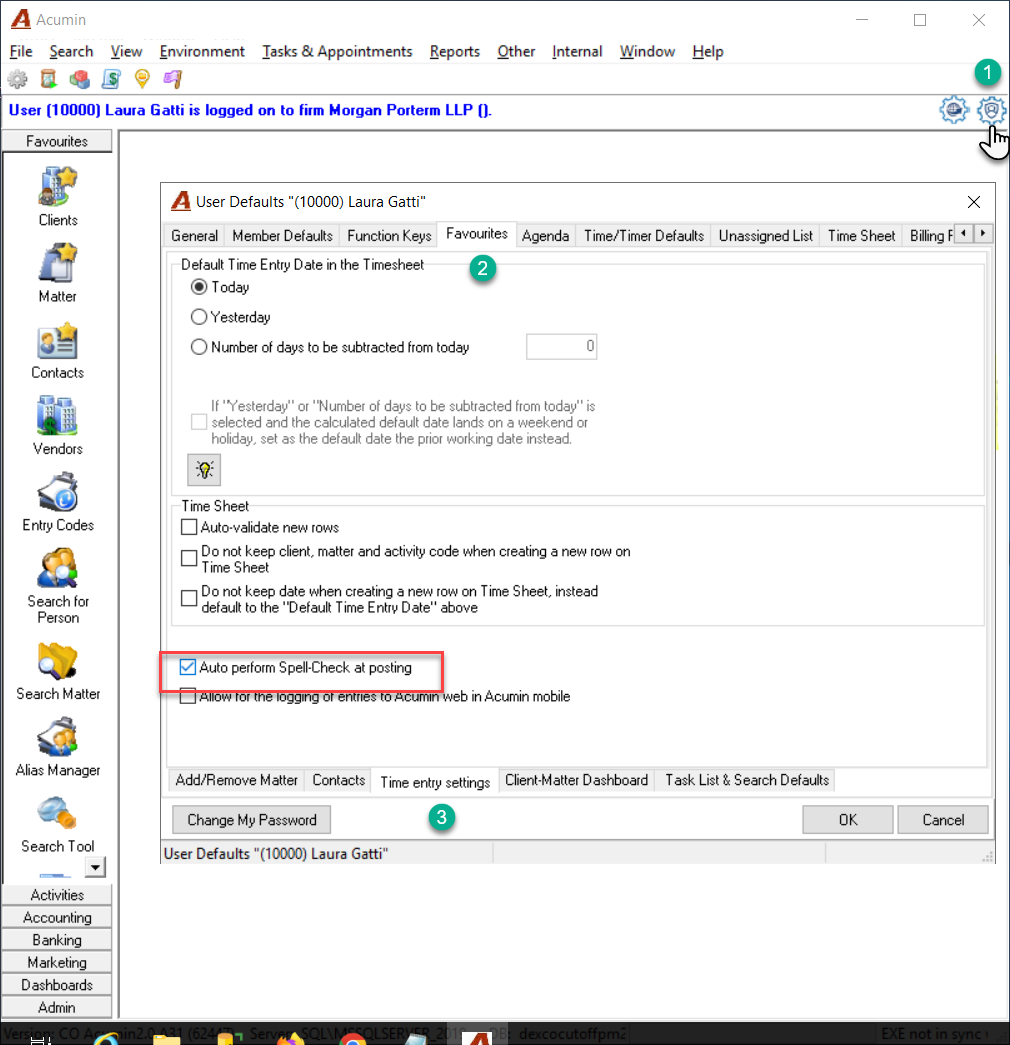
1. Double-click on the User Defaults icon to open the User Defaults form
2. Click on the Favourite's tab
3. At the bottom of the form select the “Time entries settings” tab
4. Enable the “Auto perform Spell Checker at posting option.
5. Click on Ok, logout from Acumin and login back again, so the new setting is in place.
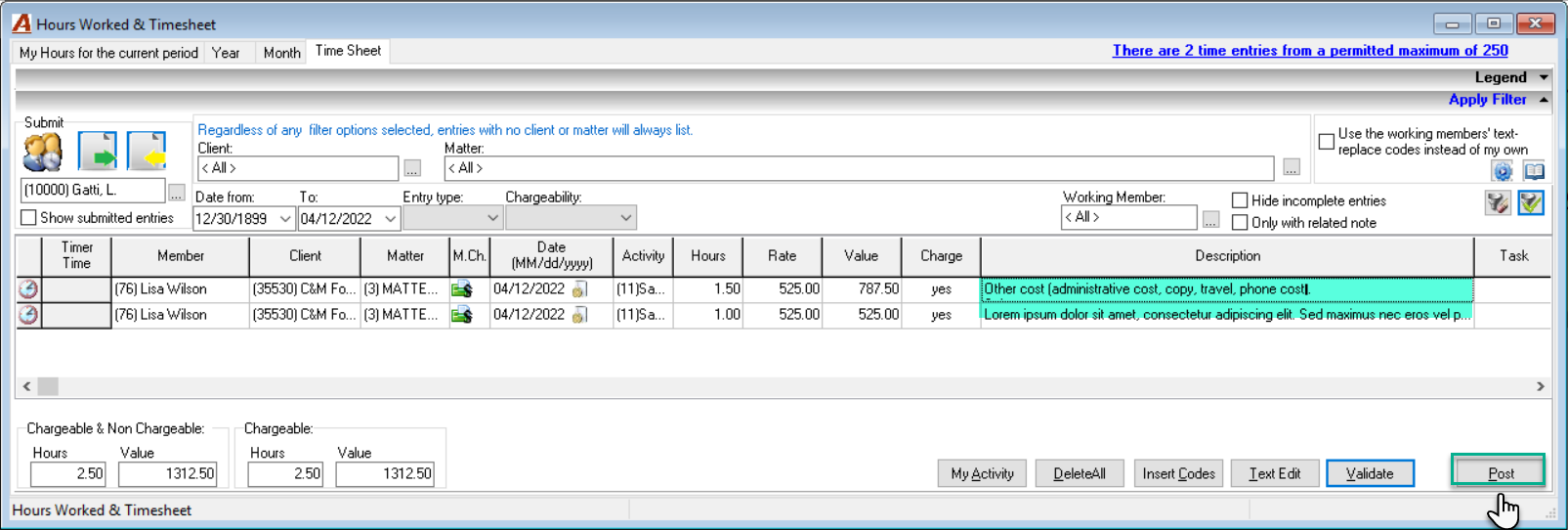
6. On “Post” the spell checker will perform on the entry descriptions within the timesheet.