.png)
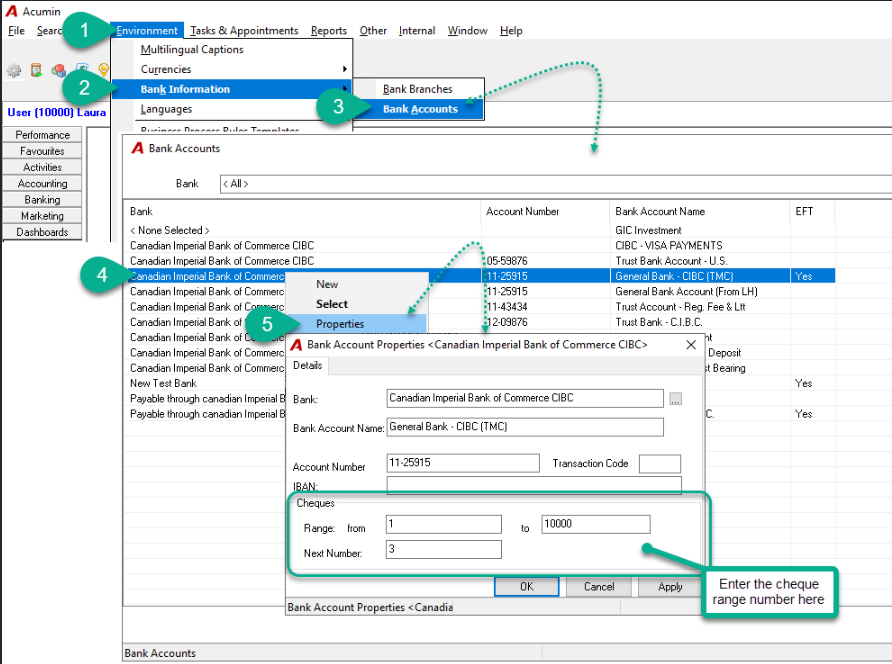
In version 2.0, we have changed the location where we input the cheque no range per firm. Please follow instruction below below:
Logged in the proper firm, go to:
-
Environment - Bank Information - Bank Account;
-
In the Bank Accounts form, highlight the desired physical bank number and select the Properties;
-
In the Bank Account Properties form, enter the cheque range.
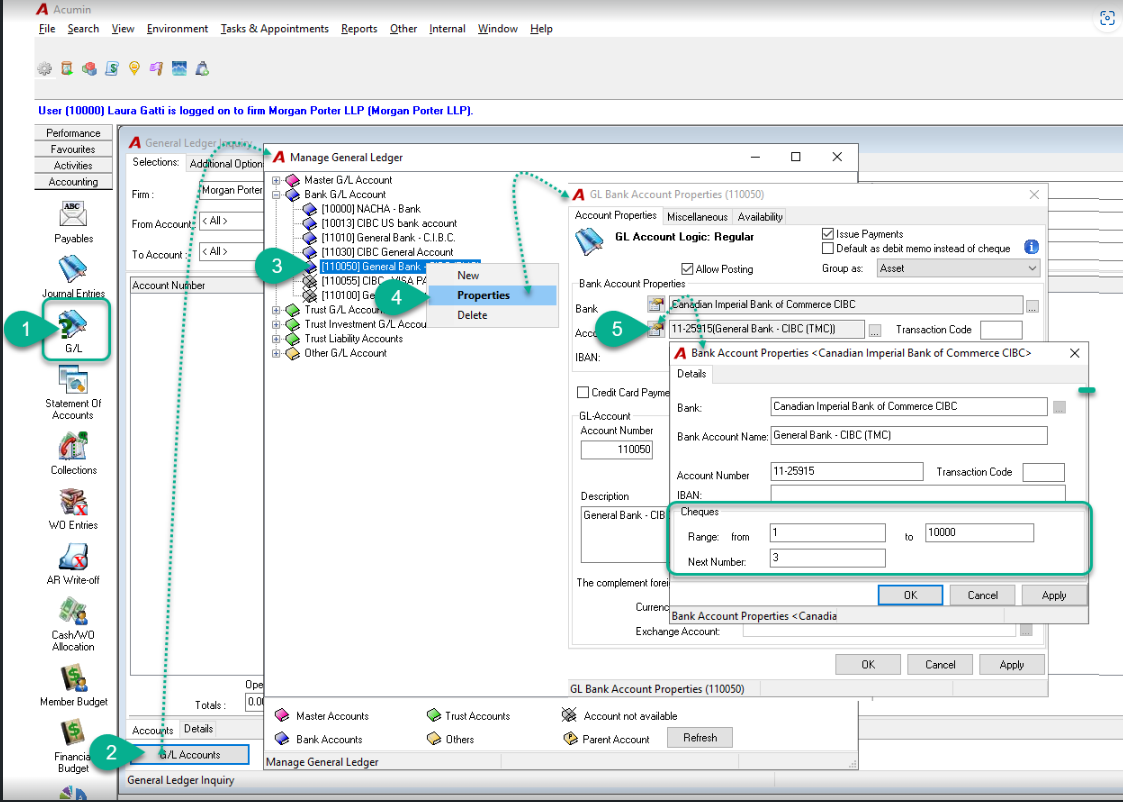
You can also access it through the GL account properties.
Logged in the proper firm, go to:
-
Select the G/L icon on the side bar and then press on the G/L Accounts button to access your chart of accounts;
-
In the Manage General Ledger form, highlight the GL bank account and select Properties;
-
In the GL Bank Account Properties form, press the Account Properties icon.
-
In the Bank Account Properties form, enter the cheque range.