.png)
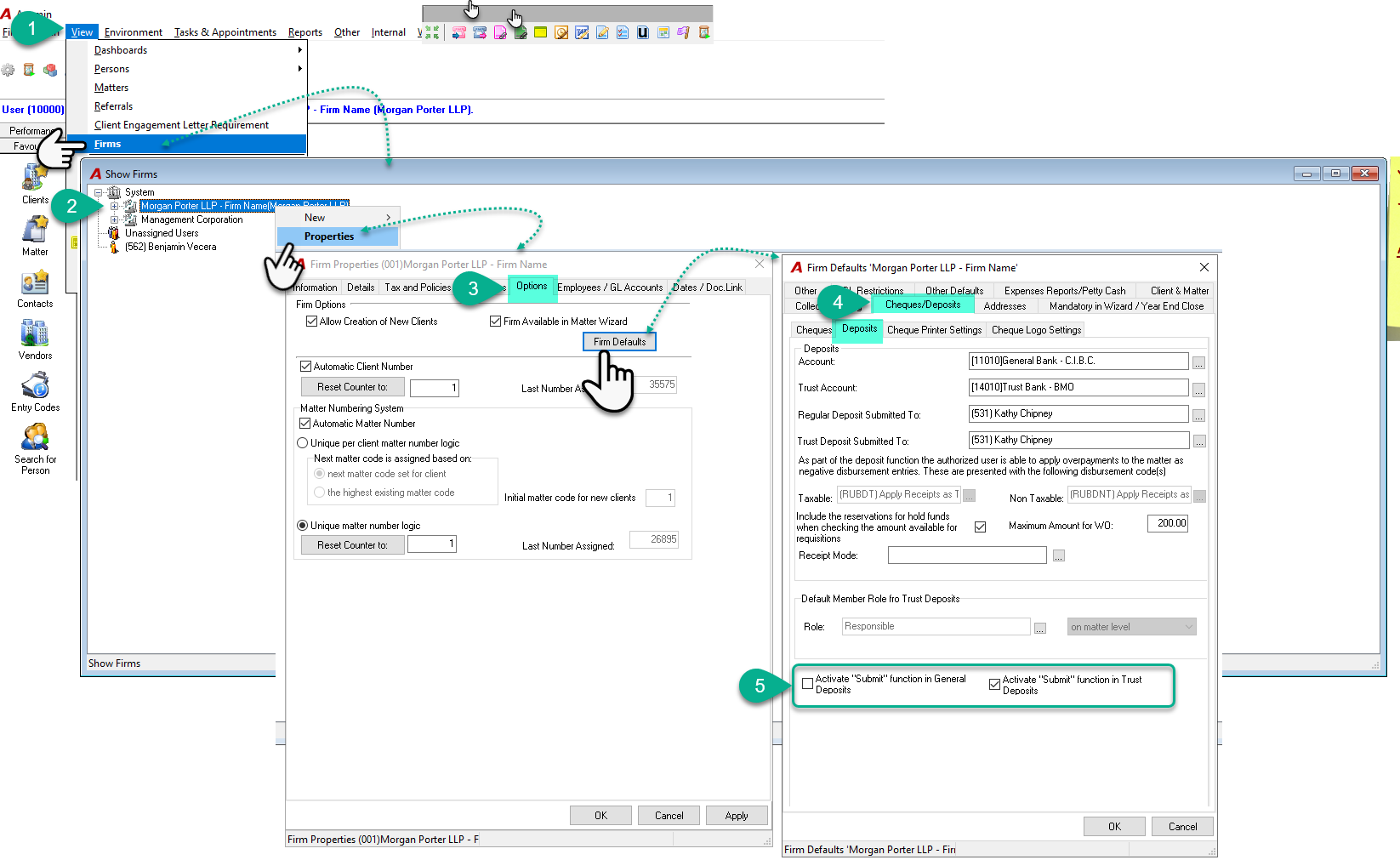
To enable the “Summit To” function for general and trust deposits, please follow the steps below:
-
In the option bar, click View, then select Firm.
-
In the Show Firm window, select the desired firm or profit center, then right-click and choose Properties from the contextual menu.
-
In the Firm Properties window, navigate to the Options tab and click the Firm Defaults button.
-
In the Firm Defaults window, go to the Cheque/Deposits tab and then select the Deposits subtab.
-
At the bottom of this window, you will find the option to activate the Submit To button.
Please note that this option must be activated individually for each firm as needed and this can be done by an authorized user.
OTHER DOCUMENTS:
Member - Setting-up the "Submit to" member for Trust and General Deposits and/or Payments