.png)
Use-Case
To facilitate data entry when creating new clients or matters, most firms create a reusable team for every member that will potentially hold more than one role within the client and/or matter affected. In this case, the reusable team is created with the Member assigned to all five roles.
Process
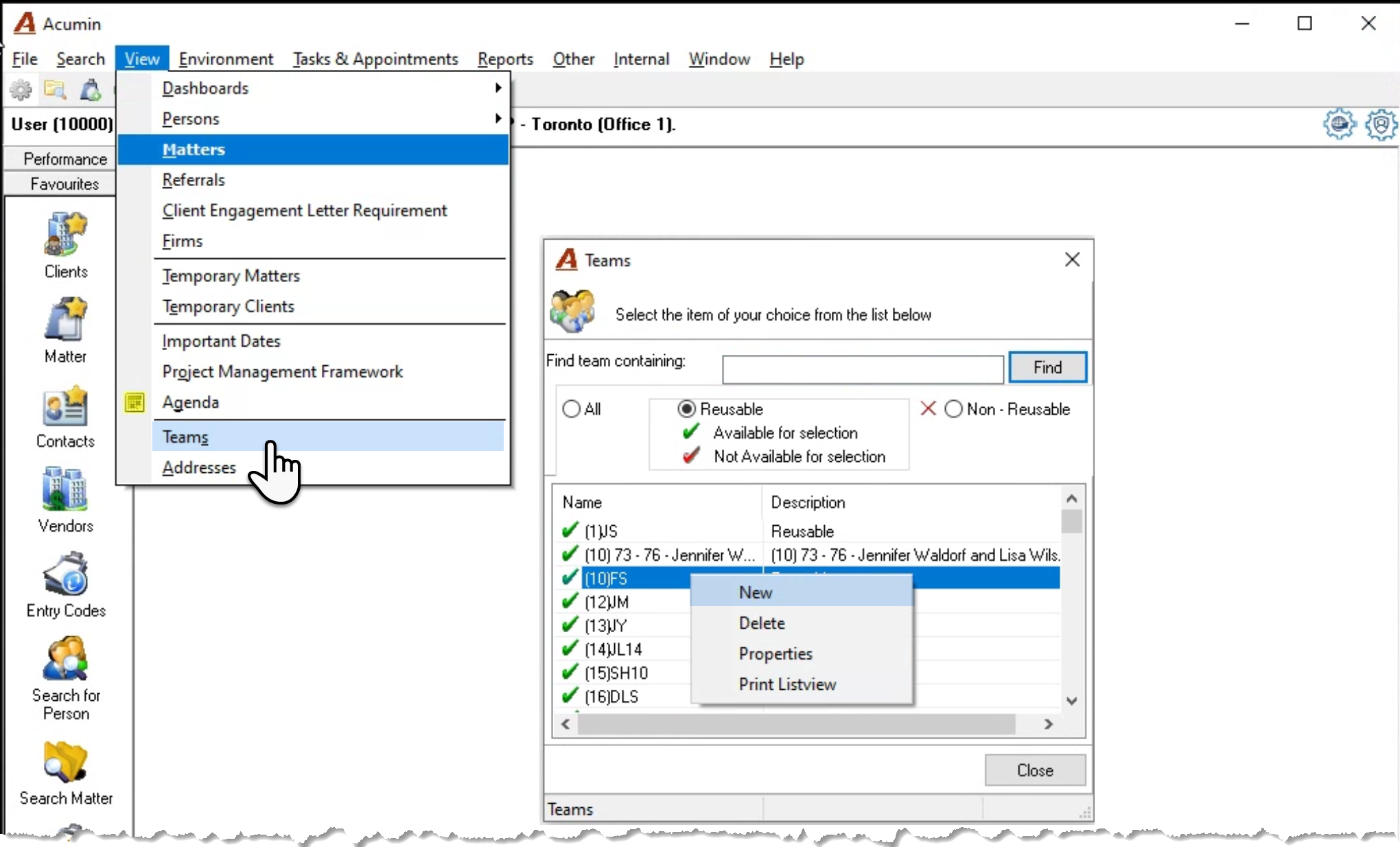
Select “Teams” from the “View” menu to launch the list of reusable teams available for selection. Right click on the list of teams and select “New” to launch the new reusable team’s properties form.
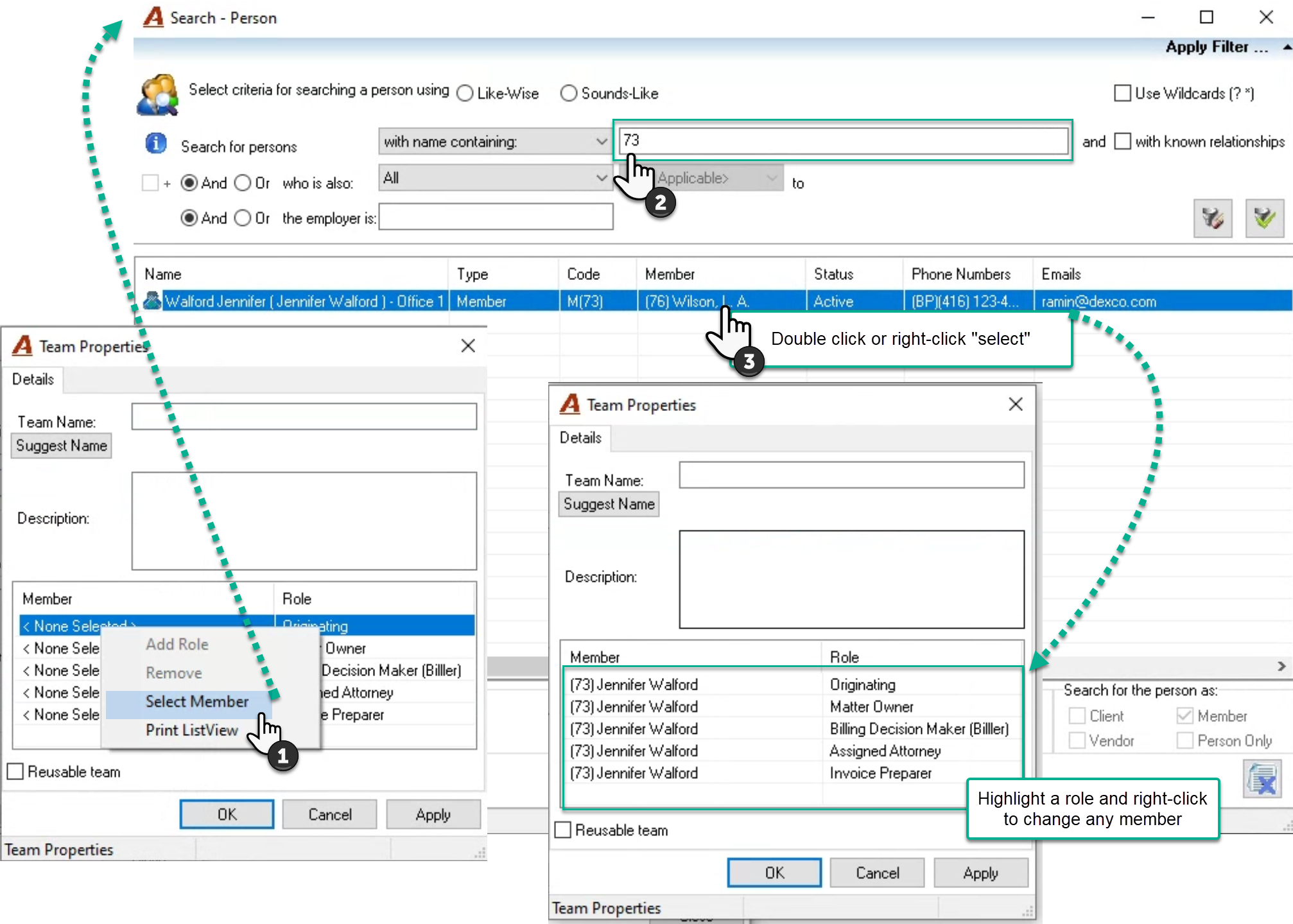
Highlight the first empty role, right click to select “Select Member” and launch the “Search” person tool.
Find the member and double click or right-click “select” to populate all roles with the selected member.
If one or more of the roles need to be assigned to another member, highlight it and right-click to select “Change Member”.
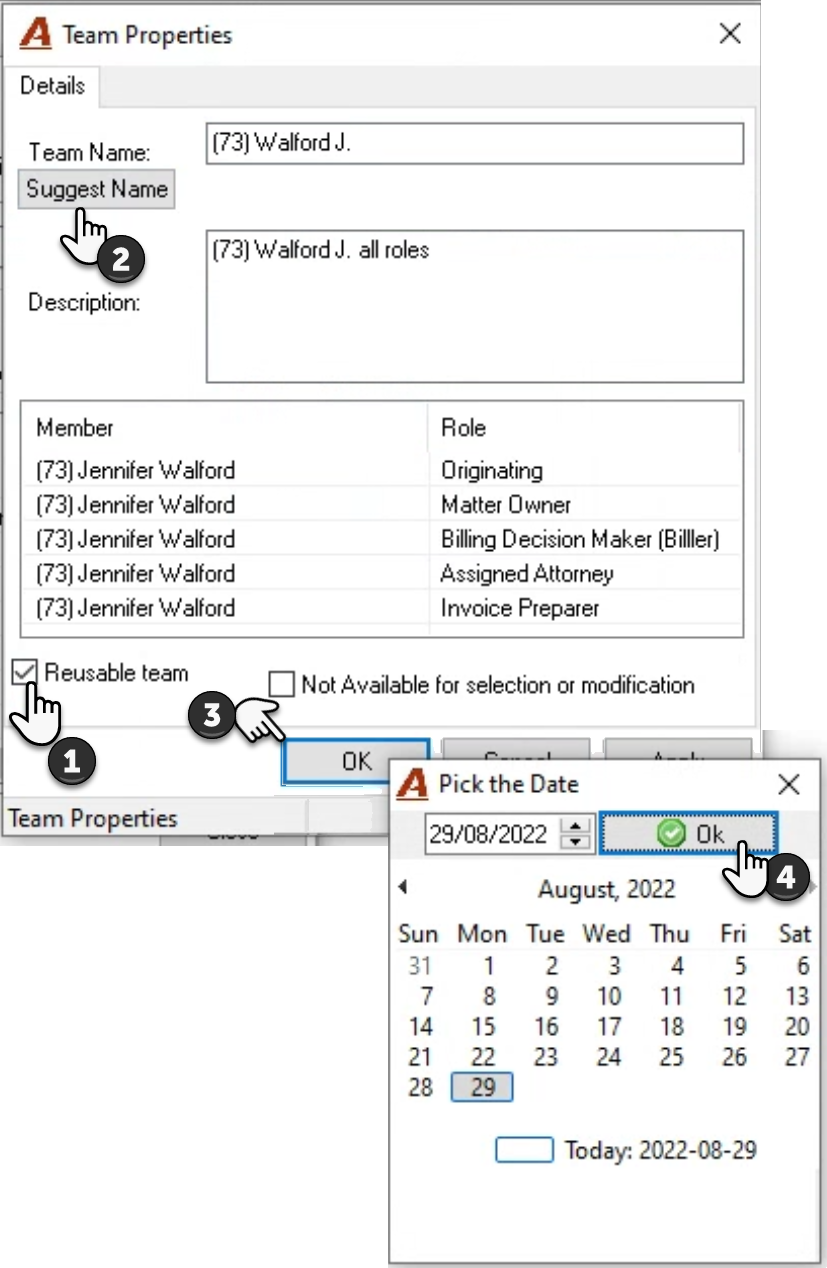
Checkmark the “Reusable Team” checkbox. This action will make visible the checkbox option “Not Available for Selection or Modification”. This option should be left unselected for this use case.
Press on suggest name and then update the name and description field to follow the naming logic already applied for other reusable teams.
Press OK to accept and trigger the date selection. Make sure the date selected is relevant. For example, if it is for a new member, set the date to equal the member’s start date. Press OK, complete the reason and press OK to complete the process.
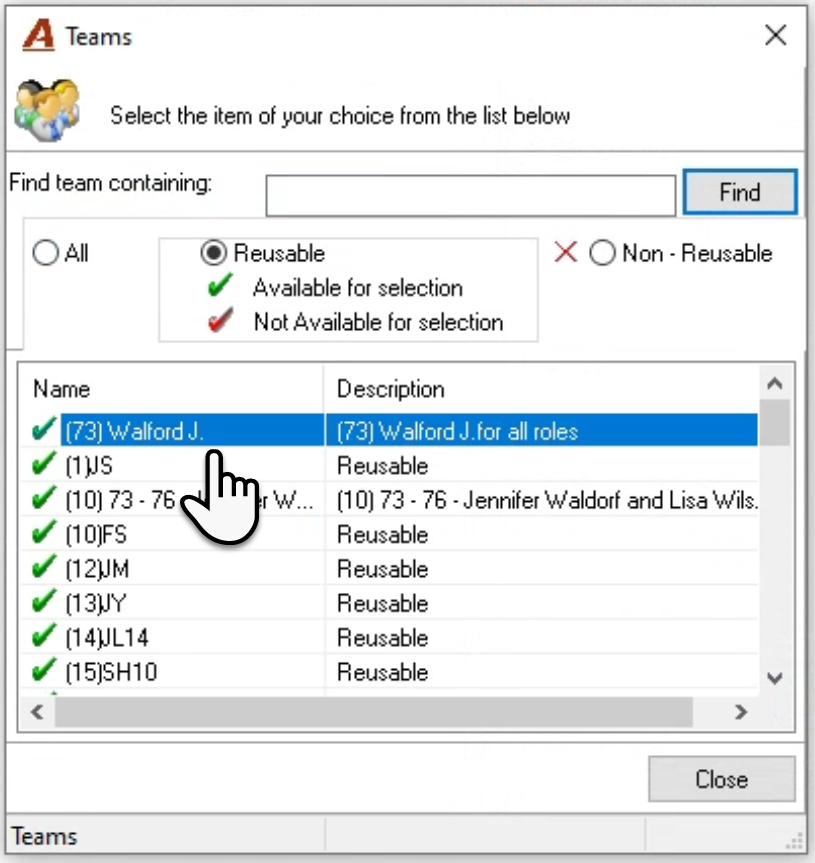
The reusable team will be identified with a green checkmark.