.png)
Overview
This feature allows you to replace or update team members across multiple clients and/or matters at once.
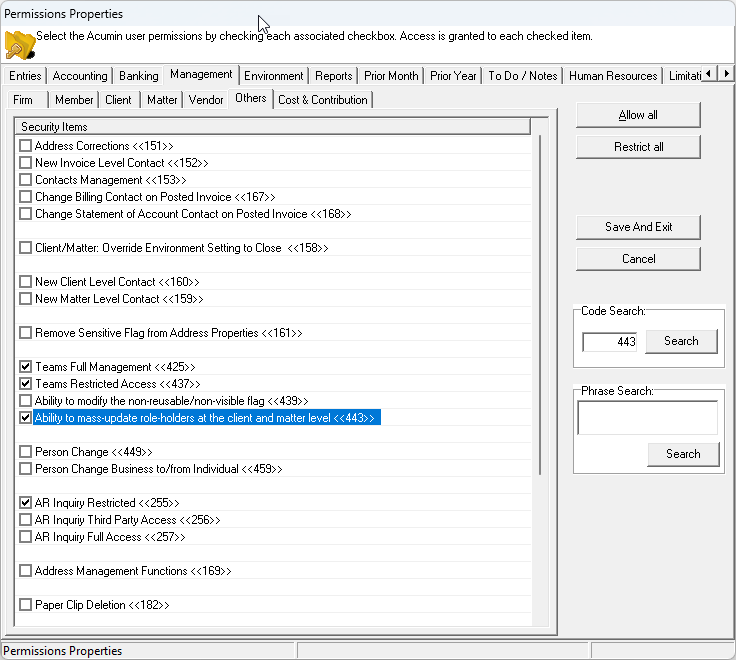
⚠️ To use this feature, you must have both:
-
Permission #443
-
Permission #425
Step-by-Step Instructions
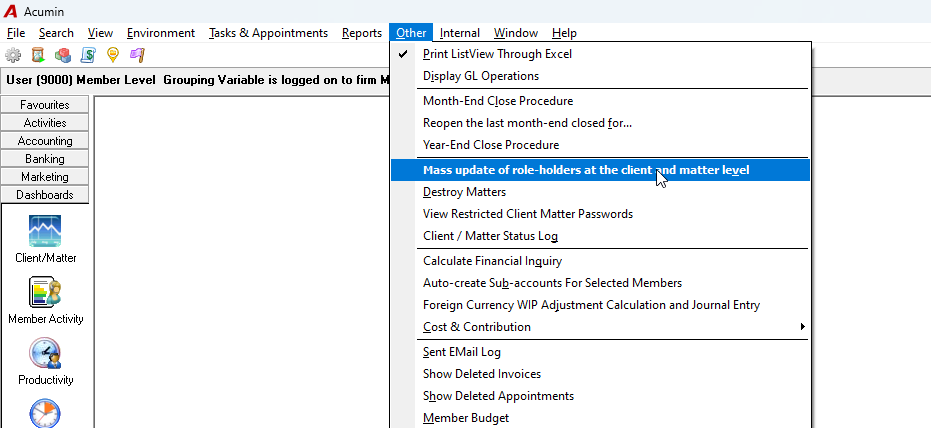
1. Access the Mass Update Feature
-
Go to: Other > Mass Update of Role-Holders at the Client and Matter Level
2. Fill In the Required Fields (Process Definition Tab)
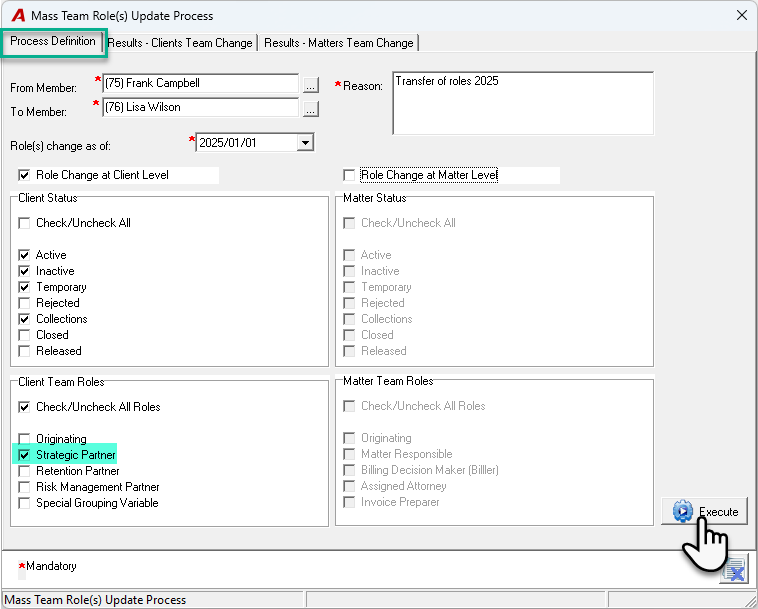
In the Mass Team Role(s) Update Process window, complete the following mandatory fields:
-
From Member: Select the team member you want to replace
-
To Member: Select the team member who will take over the role
-
Role(s) Change As Of: Enter the effective date for the change (used for historical reporting)
-
Reason: Provide a reason for the change (shown in the Team Activity Log)
3. Set Your Parameters
Choose how and where you want the update to apply:
-
✔️ Role Change at Client Level
-
✔️ Role Change at Matter Level
You can select one or both. For clarity, we recommend updating one level at a time.
Then define:
-
Client and Matter Status: Filter by status (e.g., Active, Closed)
-
Client and Team Roles: Select which roles to update (e.g., Strategic Partner, Billing Lawyer)
4. Execute the Update
-
Click Execute
-
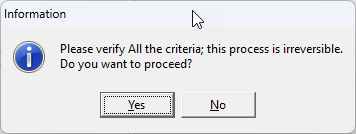
A confirmation prompt will appear (the action is irreversible)
-
Click Yes to proceed
5. Review the Results
After execution:
-
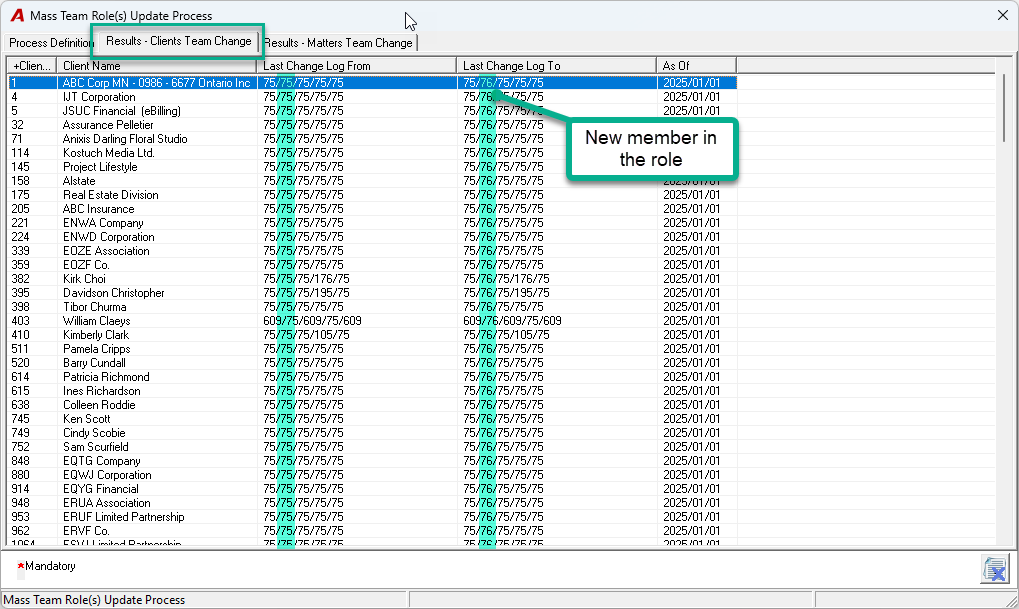
Results for client-level changes will appear under: Results – Client Team Change
-
Results for matter-level changes will appear under: Results – Matter Team Change
You can print the result list using the Print List View option.
Example
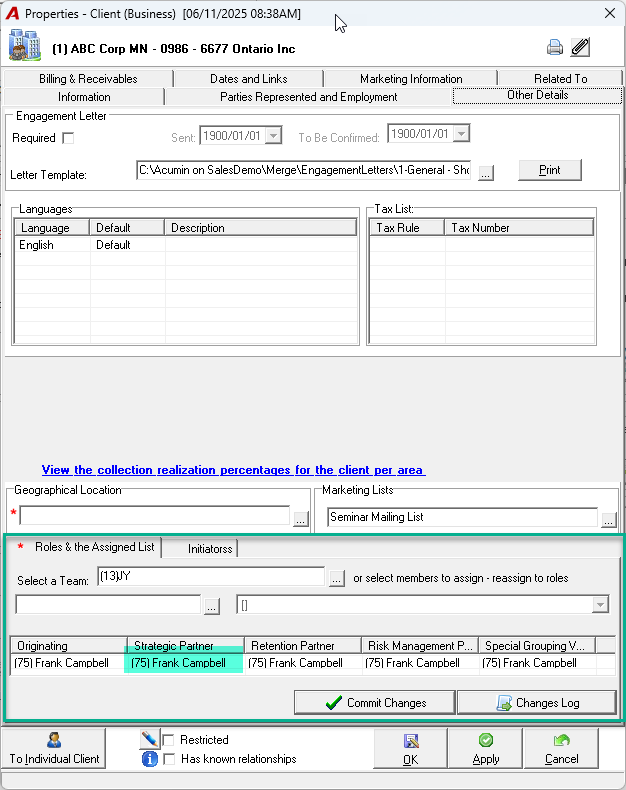
Let’s say member #75, Frank Campbell, is listed as the Strategic Partner for a client. The firm wants to replace him with member #76, Lisa Wilson, effective January 1st, 2025.
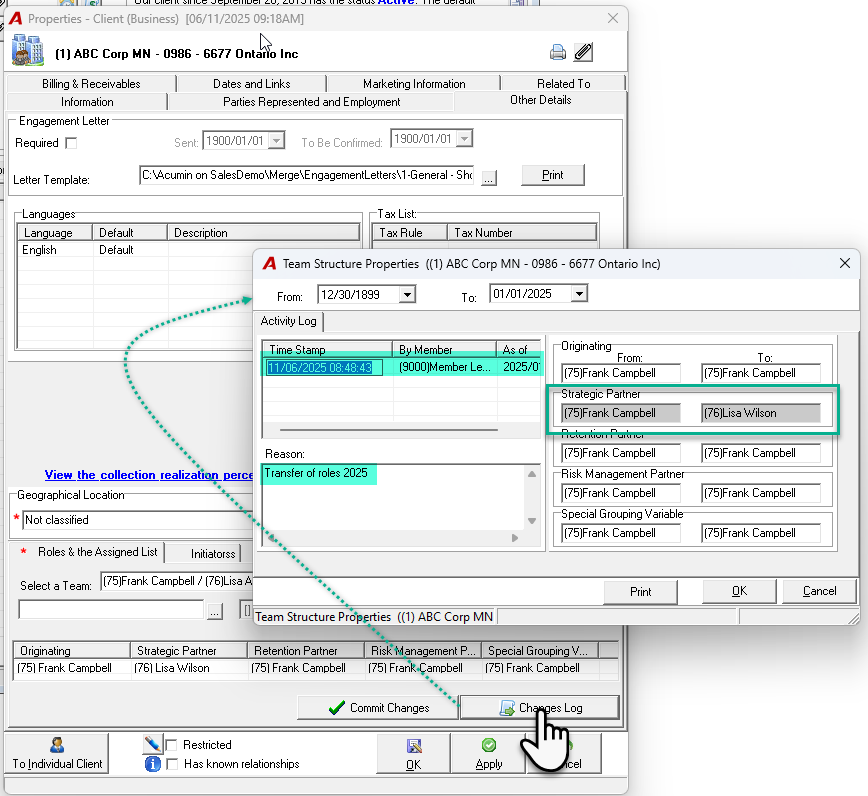
After following the steps above and executing the update:
-
Lisa Wilson (#76) is now listed as the Strategic Partner
-
The change is recorded in the Team Activity Log
-
You can view it by clicking on Changes Log