.png)
To set up Acumin to print the tax registration number on the invoice, follow these steps:
-
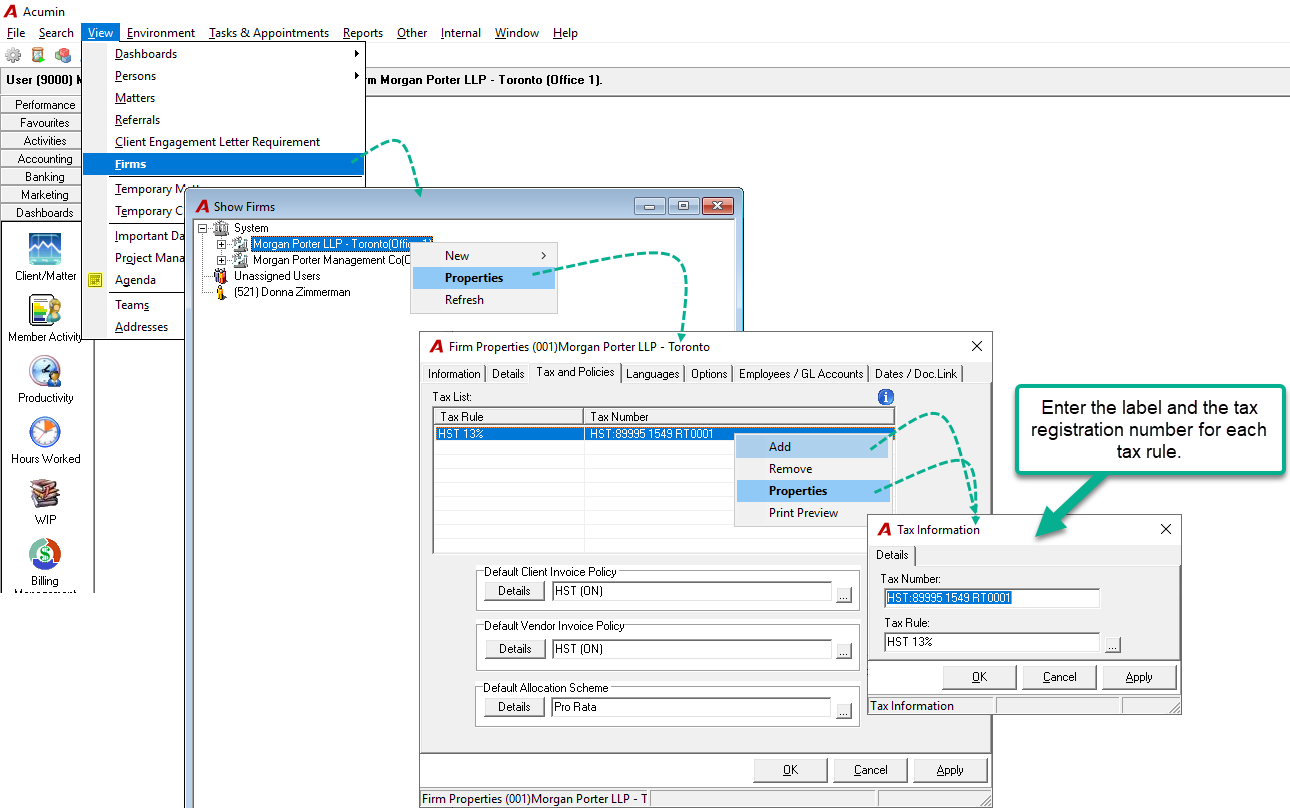
Go to View- Firms
-
Select the firm and right click Properties
-
In the Firm Properties, select the Tax and Policies tab,
-
Right click and select the Add option
If the tax rule is already listed, select the Properties option to edit the existing information.
-
Enter the Tax registration number with or without the tax label;
-
Select the tax rule;
On the standard invoice, the tax registration no will print one line under the "Our File No" line as shown below.
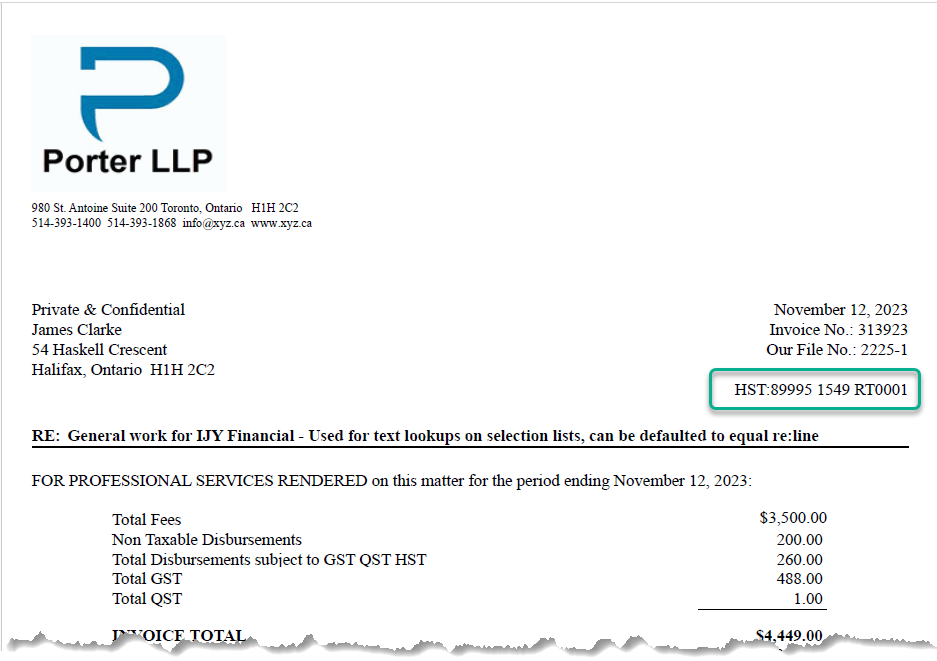
The system will print the tax registration number corresponding to each tax rule used in the invoice.
For environments having more than one firm (or profit centre), it is required to enter a tax registration number for each tax rule - that can potentially be used - in each firm, in order for the number to be printed on the invoice.