.png)
User Date Settings
Highlights
The short date format applied to crystal report outputs is hard coded based on language. For example, systems set to North American English will have the report short date format as MM/DD/YYYY.
Client documents – for example invoices – are an exception. In tis case the short date format is firm defined using options found in the “Client documents” tab – “Acumin System Settings” form.
The short date format presented in the application list-views and resulting print list view outputs in print format or exports to excel is defined in user properties. Although it is possible to have different users working with different date format settings, it is recommended that all users share the firm’s vision for the short date format.
User Properties
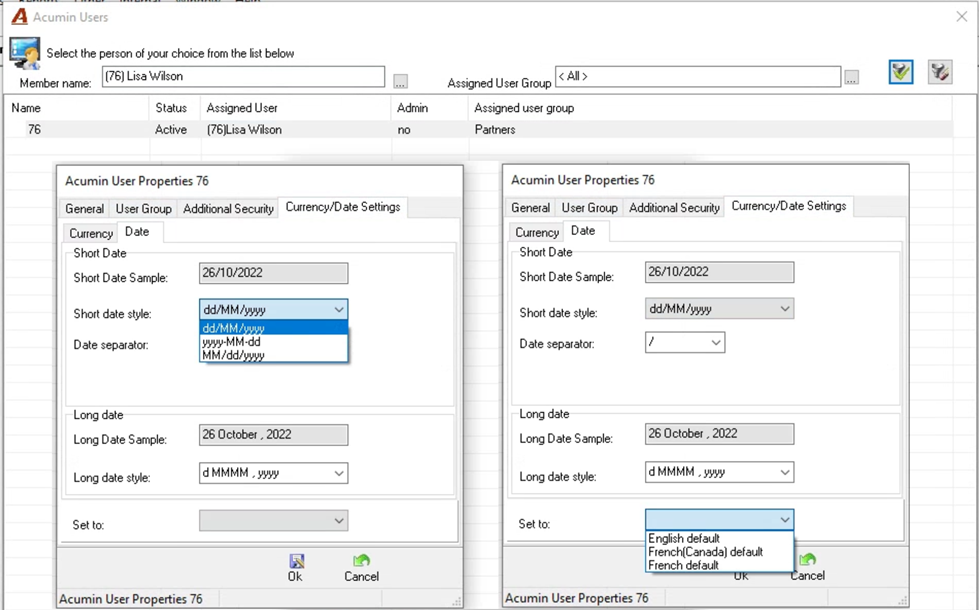
Set To combo Box:
The “Set To” combo box is not populated by default, as it is only used to bring all the other fields to a default value specific to a certain Language.
Print List View to Excel:
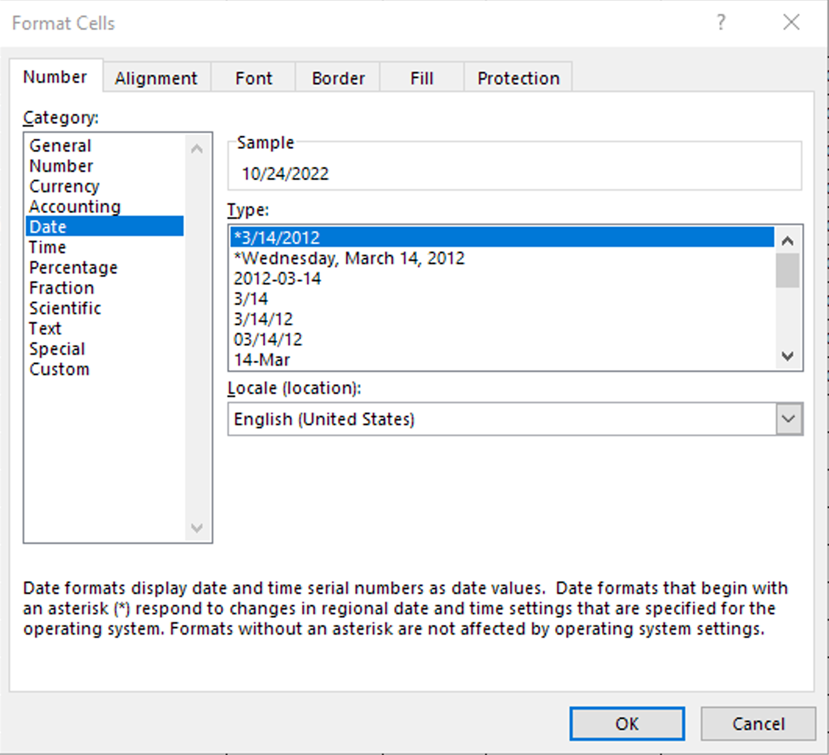
Although it is not possible in excel to select a short date format – for example ‘mm/dd/yyyy’ or ‘dd/mm/yyyy’ - as we use to do in Acumin, use Language (Locale – Location) field to select a compatible date format to the use used in Acumin’a user date settings.